
stems.pro: Multitrack Player
Split Stems, Pads, Click, Keys
Designed for iPhone, iPad
Free
- Age rating12+
- CategoryMusic
- DeveloperNine23 Works LLC
- LanguagesEnglish+ 2 more
- Size20.6 MB
Links to the official App Store page
Download.org hosts no file of stems.pro: Multitrack Player. The button opens its official App Store page, published by Nine23 Works LLC. Listing last checked on Nov 23, 2026.
Screenshots
About
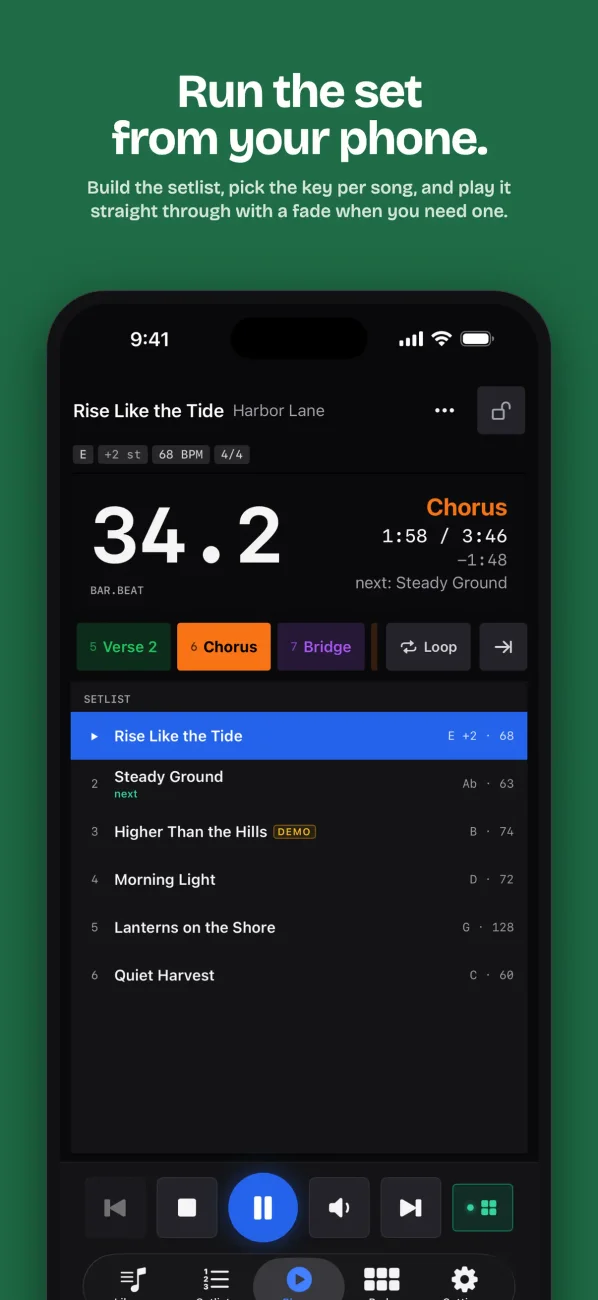
stems.pro is a multitrack player for worship teams, bands and musicians who perform with stems. Load a song's stems, shape your own mix, and run your whole set from one screen, on stage, in rehearsal or offline.
MIX EVERY STEM
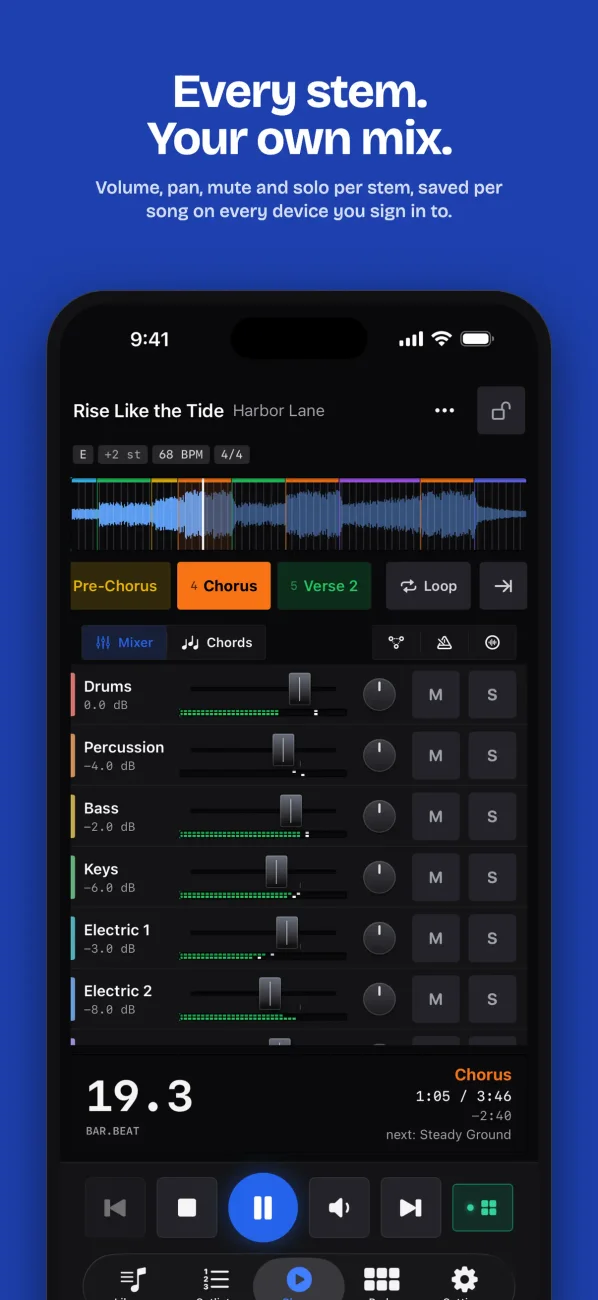
• Volume, pan, mute and solo for each stem, with live level meters
• Your mix is saved per song and comes back every time you open it
SPLIT ANY SONG INTO STEMS
• Upload a song and get separated stems (vocals, drums, bass, keys and more), or upload your own multitracks
• Optional song sections and chord charts, detected automatically and fully editable
BUILT FOR LIVE PERFORMANCE
• Setlists with a key for every song, played back in that key with no loss in quality
• A generated click with count-in, plus spoken section cues ("Chorus 2") one bar ahead
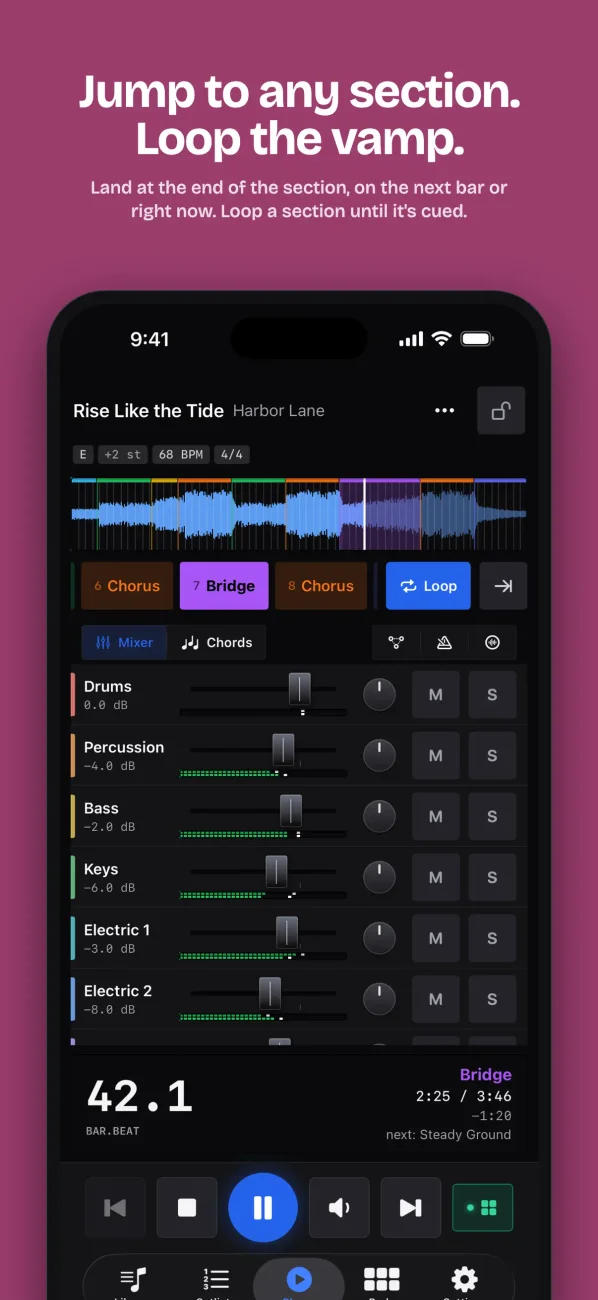
• Jump between sections, loop a vamp, and fade a song out with one tap
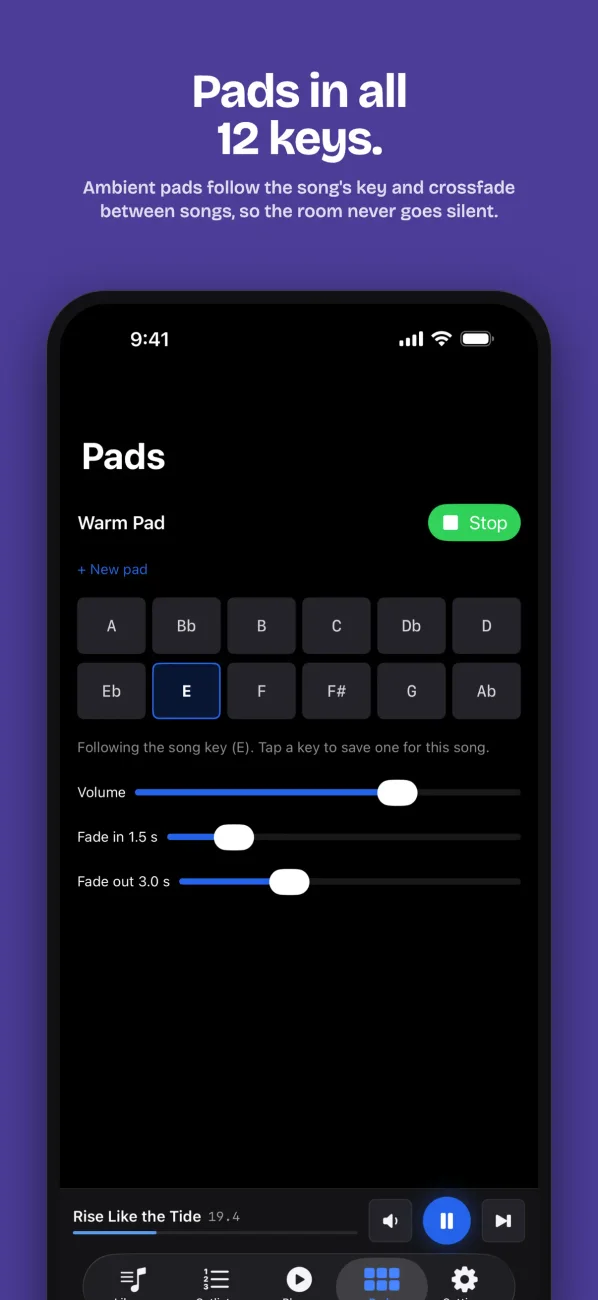
• Looping pads in every key that follow the song
• Keeps playing with the screen locked
CHORD CHARTS
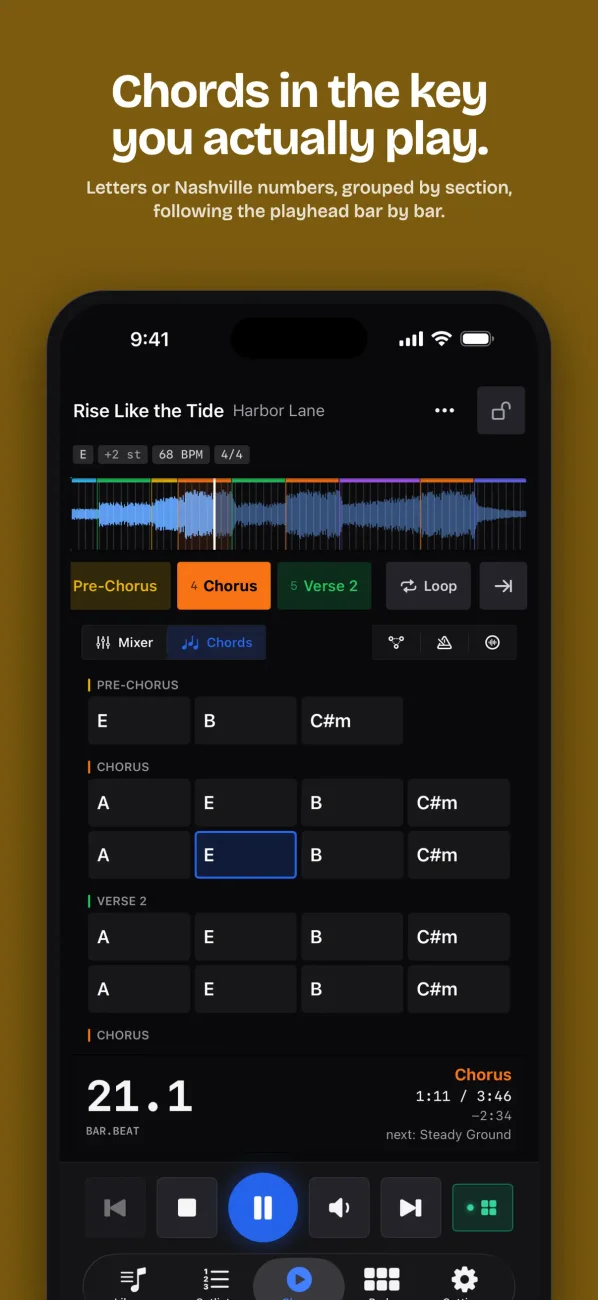
• Follow the chords bar by bar while the song plays, spelled in the key you're playing in
• Switch between letter names and Nashville numbers
REHEARSE AND PLAY OFFLINE
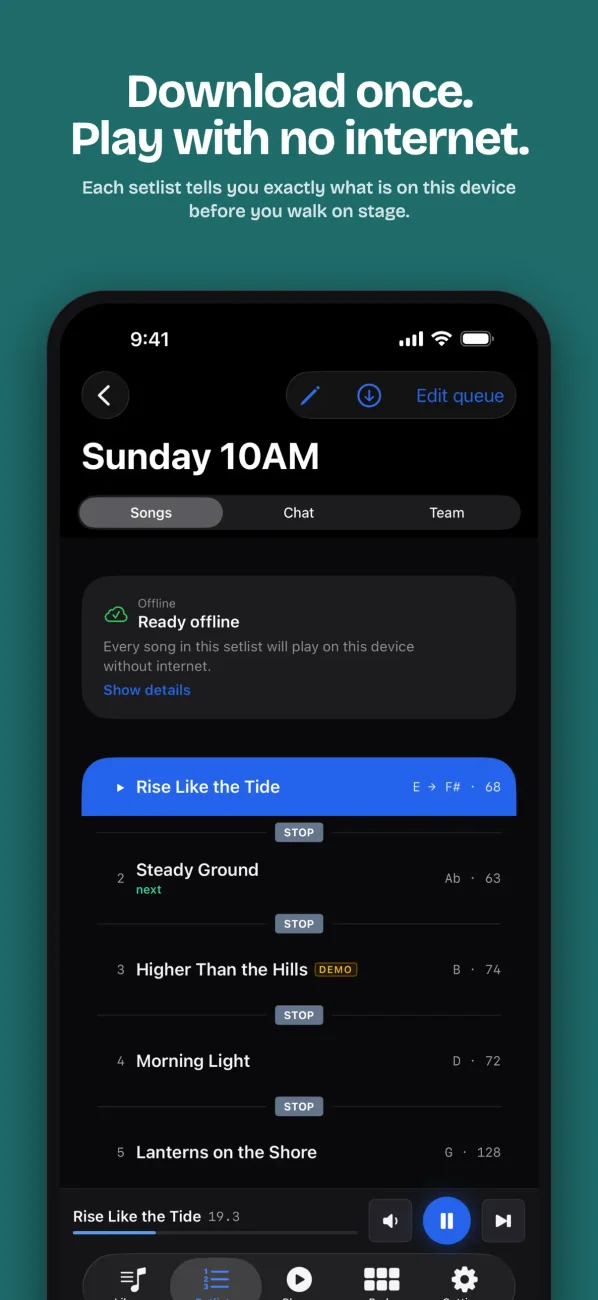
• Download a setlist and play it with no connection
PLAY TOGETHER
• Share setlists with your team, see changes live, and chat around each setlist
• Report or block anyone from the menu next to their content
Your library syncs across the web, iPhone, iPad, Android and the desktop app.
What’s new
Version 1.0.12 · Nov 21, 2026
• If a song can't load because your connection dropped or is too slow, the player now says so. Press Play to try again.
• A load that is waiting on a slow connection shows "Slow connection".
• The sections editor waits until a new song's audio is ready before offering Load in player.
App privacy
What Nine23 Works LLC declares on the App Store about how this app handles data.
-
Data linked to you
May be collected and linked to your identity.
- Contact info
- User content
- Identifiers
- Usage data
- Diagnostics
Privacy practices may vary, for example with the features you use or your age.
Information
- Seller
- Nine23 Works LLC
- Category
- Music
- Version
- 1.0.12
- Updated
- Nov 21, 2026
- Released
- Oct 31, 2026
- Size
- 20.6 MB
- Requires
- iOS 17.0 or later
- Age rating
- 12+
- Price
- Free
- Languages
- English, Portuguese, Spanish
- Copyright
- © 2026 Nine23 Works LLC
You might also like
-
 H Play StageMultitrack Playback & Setlists
-
 Multitrack & Pad Player – OZNIPlay your stems, click & pads
-
 Anointed KeysWorship pads and keys
-
 One Take StudioRecord vocals over your beats
-
 Mypad • Live PadsPads & strings for keyboards
-
 PRAXXISMusic
-
 SELAH Worship Atmosphere PadsPeaceful Pads for Worship
-
 Audova: Offline Music PlayerPlay the music you own
-
 AudioMaster ProMusic
-
 Chord Player: Backing TracksChord Progression & Song Maker