
Step Calendar: Pedometer
Daily walk tracker, step diary
Designed for iPhone, iPad
In-app purchases
- Age rating4+
- CategoryHealth & Fitness
- Developerkoichi hashimoto
- LanguagesJapanese+ 1 more
- Size30.4 MB
Links to the official App Store page
Download.org hosts no file of Step Calendar: Pedometer. The button opens its official App Store page, published by koichi hashimoto. Listing last checked on Nov 24, 2026.
Screenshots


About
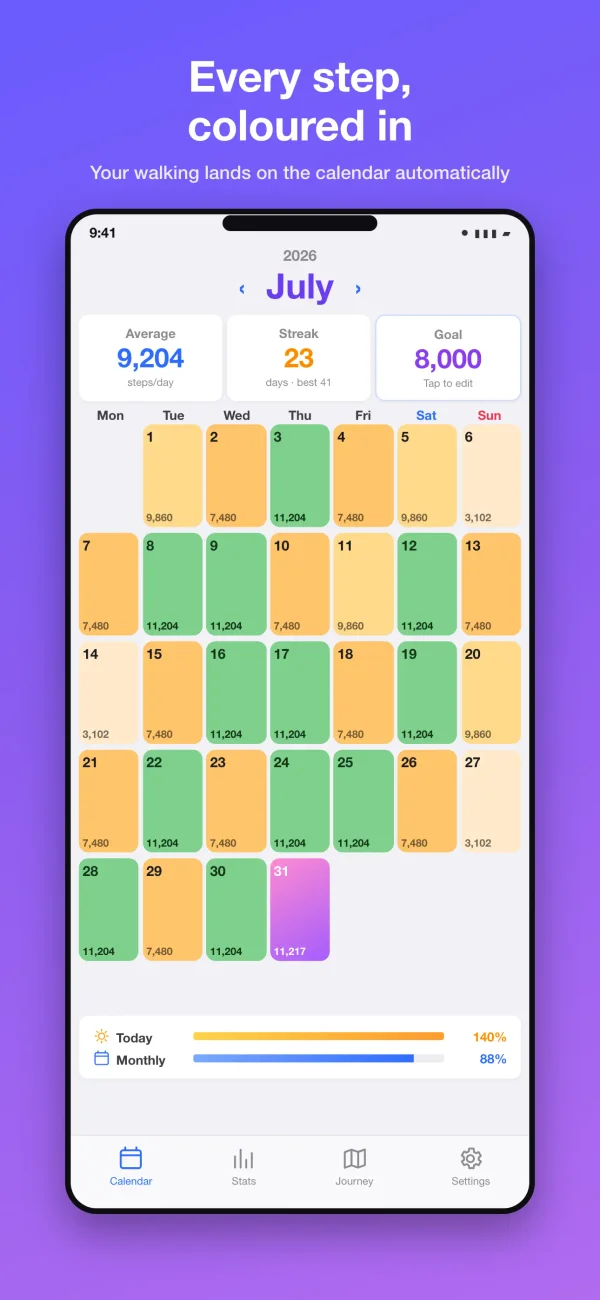
Step Calendar turns the steps you already take into a diary. It links to Health on your iPhone and lays your daily steps, distance and calories out on a colour-coded calendar. There is nothing to set up and nothing to press — just carry your iPhone.
▼ WHAT YOU GET
CALENDAR VIEW
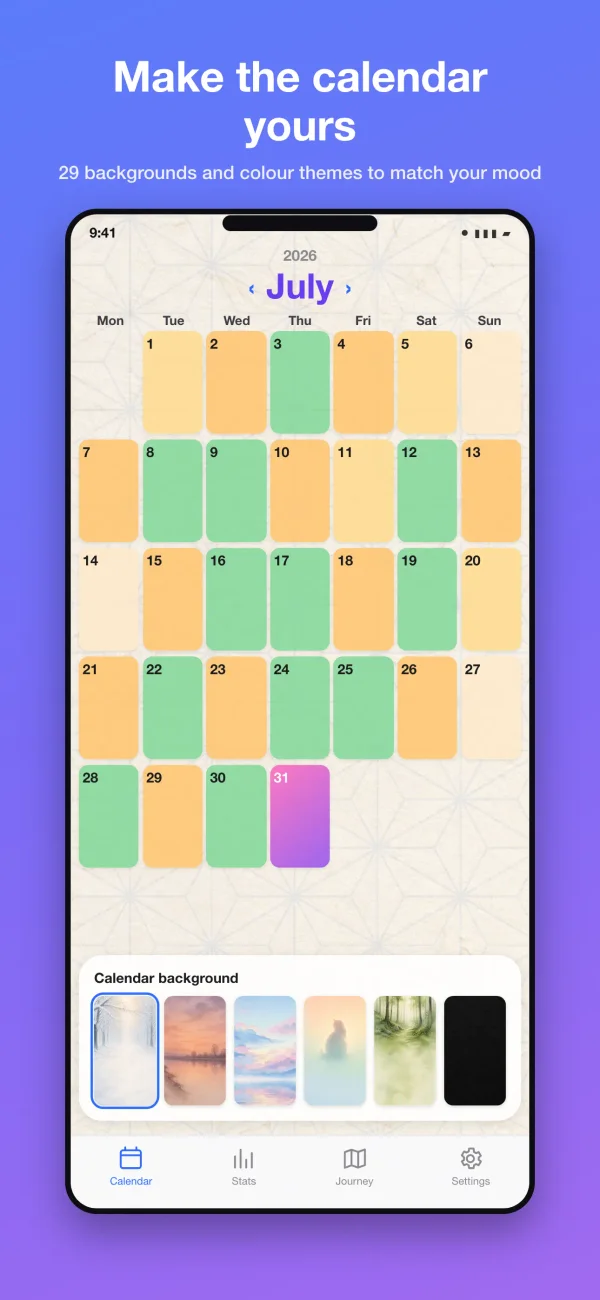
The darker the cell, the more you walked. Tap any day for a chart of your steps hour by hour, a comparison with yesterday and with the same day last week, plus distance and calories. You can jot a note on any date too.
GOALS AND BADGES
Set a daily step goal and a badge celebrates the moment you reach it, with a satisfying little buzz. Passing 5,000, 10,000, 15,000 and 20,000 steps gets its own moment. Your streak and your personal best are always on screen, so the longer you keep going, the more there is to protect.
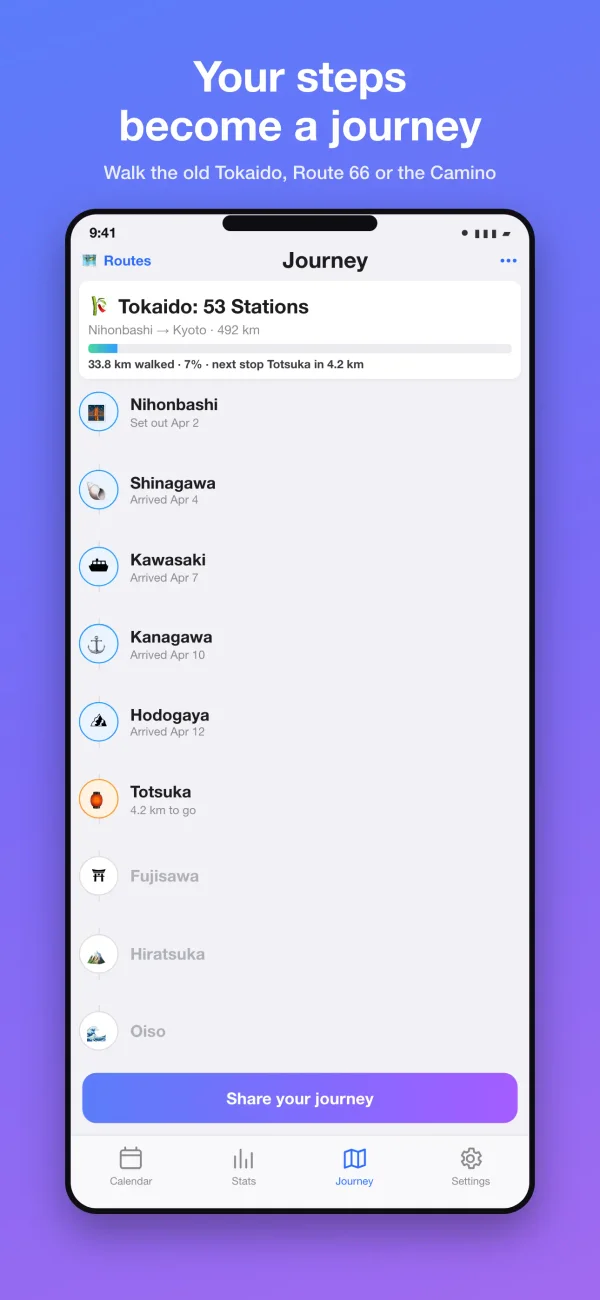
JOURNEYS — WALK YOUR WAY SOMEWHERE
Your daily steps become distance on a real route. Follow the old Tokaido road from Tokyo to Kyoto, take the mountain road of the Nakasendo, walk the 88-temple pilgrimage of Shikoku, loop Mt. Fuji or Lake Biwa, cross Japan end to end, drive Route 66 on foot, or make your way along the Camino de Santiago. Every stop records the date you arrived, so the route becomes your own record. Ten routes in all — some finish in a few days, some take years.
WEEKLY REPORT
Every week, a short read on how you actually walk, in plain words. It suggests a daily goal from your recent weeks that you can apply with one tap, and on Apple Intelligence devices the highlights are summarised by AI — entirely on your device.
ICLOUD BACKUP
Notes, goals and journey progress are backed up to iCloud automatically, so nothing is lost when you change phones. Free for everyone.
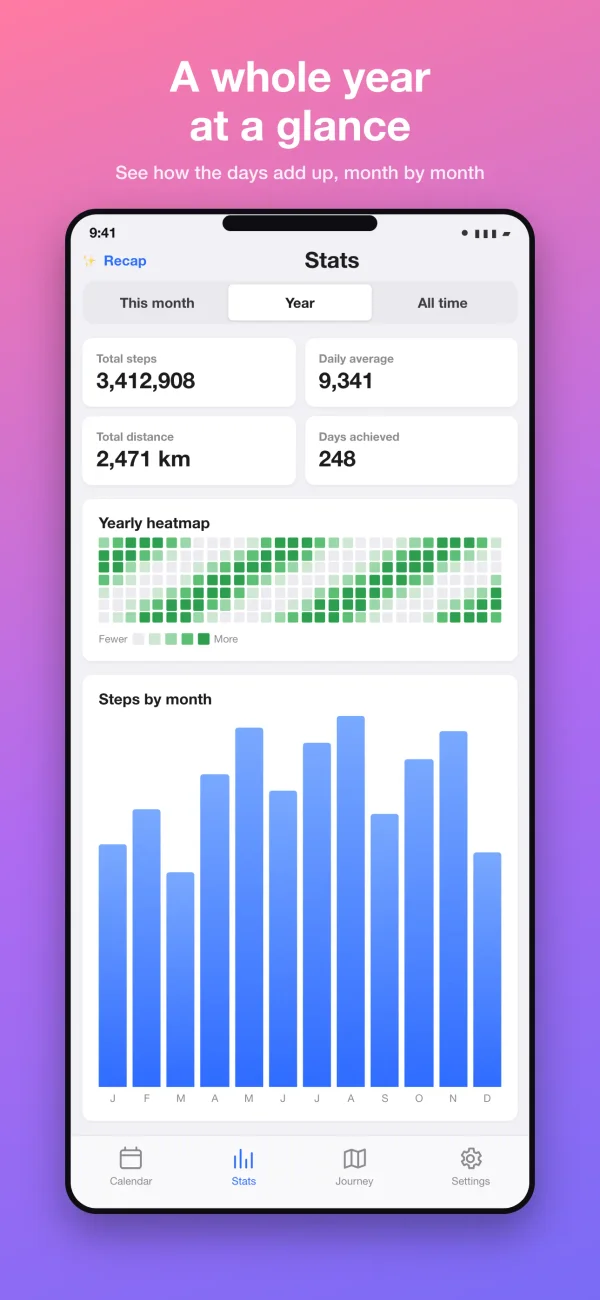
STATS AND ANALYSIS
Averages by weekday and by week show you the shape of your own habits. Monthly totals, averages, best and worst days are all there at a glance. Premium adds yearly and all-time analysis and a year-at-a-glance heatmap.
SHAREABLE RECAP
Turn a month of walking into a single image, complete with what your distance adds up to — a marathon, a lap of Tokyo, a slice of the way around the Earth. One recap a month is free.
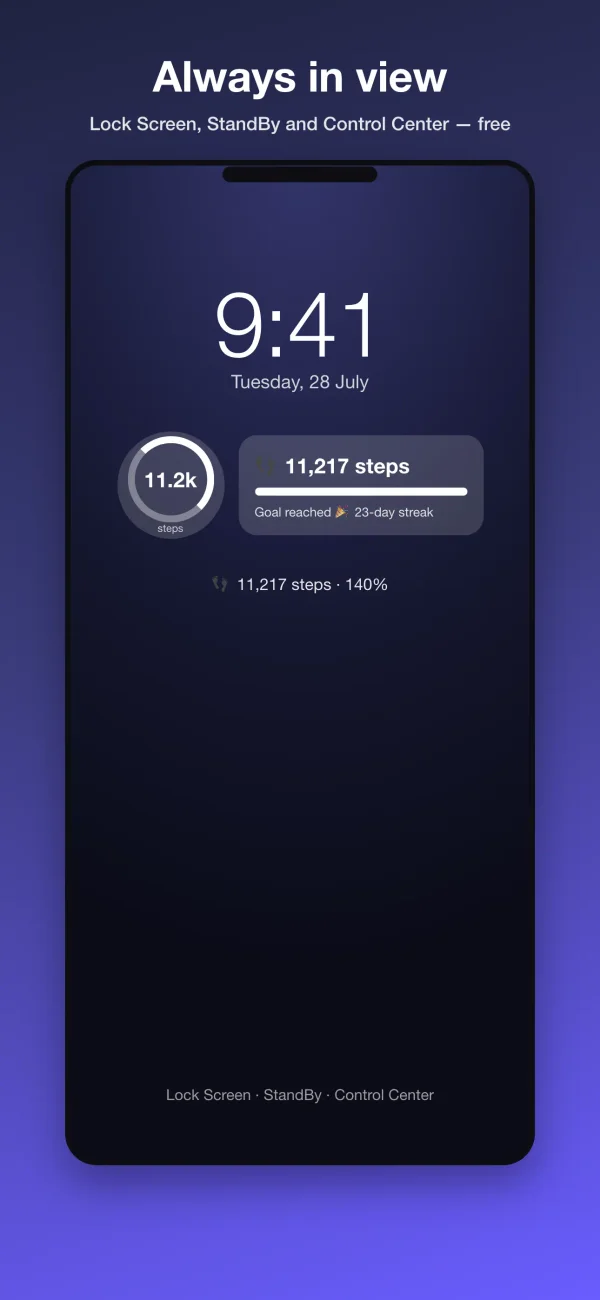
WIDGETS, LOCK SCREEN AND SIRI
Put your steps on the Home Screen, on the Lock Screen, in StandBy or in Control Center. Ask Siri to check today's steps and it answers without opening the app.
WEATHER
Current conditions and a 24-hour forecast for where you are, right under your calendar.
▼ PREMIUM (MONTHLY, YEARLY OR ONE-TIME)
• The full Weekly Report, with AI summary
• Steps compared with sleep, weight and resting heart rate
• No ads
• Unlimited history
• Detailed stats: yearly and all-time
• Year-at-a-glance heatmap
• Monthly reports to share
• Premium colour themes (6)
• 29 calendar backgrounds, or your own photo
• CSV export
• Live Activity with Dynamic Island
• All Premium journey routes
▼ ABOUT THE PLANS
• Choose a monthly plan, a yearly plan or a one-time purchase
• The one-time purchase is a single payment with no auto-renewal
• The monthly and yearly plans start with a 7-day free trial
• Payment is charged to your Apple ID account
• Monthly and yearly plans renew automatically unless cancelled at least 24 hours before the end of the current period
• You can manage or cancel a subscription any time in the Settings app
• On a new device, tap "Restore Purchases" with the same Apple ID
Privacy Policy: https://sites.google.com/view/khappprivacy-policy/%E3%83%9B%E3%83%BC%E3%83%A0
Terms of Use (EULA): https://www.apple.com/legal/internet-services/itunes/dev/stdeula/
What’s new
Version 2.9 · Nov 23, 2026
■ Streak rewards
Meet your goal 7 days in a row for the Washi background, 14 for the Pastel theme, and 30 for the Mt. Fuji background. Goals under 5,000 steps count as 5,000.
■ Yamanote Line and Lock Screen steps are free
Turn on Lock Screen steps in Settings under Lock Screen.
■ Plan prompts at most every 14 days
No ads or prompts once you've purchased.
■ VoiceOver improvements
Calendar days read out holidays, goal progress and events.
■ Fixes
• Yesterday's steps stayed on screen after midnight
• Editing event notes on two devices could lose one side's changes, and deleted notes came back
• Event notes shifted by a day when traveling abroad
• Overlapping sleep records were counted twice
• The weekly report notification could repeat last week's numbers
• Steps didn't update in the background, and more
App privacy
What koichi hashimoto declares on the App Store about how this app handles data.
-
Data used to track you
May be used to track you across apps and websites owned by other companies.
- Search history
- Browsing history
-
Data not linked to you
May be collected but is not linked to your identity.
- Location
- Search history
- Browsing history
Privacy practices may vary, for example with the features you use or your age.
Information
- Seller
- koichi hashimoto
- Category
- Health & Fitness
- Version
- 2.9
- Updated
- Nov 23, 2026
- Released
- Jul 24, 2025
- Size
- 30.4 MB
- Requires
- iOS 18.2 or later
- Age rating
- 4+
- In-app purchases
- Yes
- Languages
- Japanese, English
- Copyright
- © KHApp
You might also like
-
 健康データ管理する歩数計:運動習慣を身につけて運動不足を解消Health & Fitness
-
 週間歩数計Health & Fitness
-
 まいにちウォーク - 歩数計Health & Fitness
-
 Step Counter: Lifetime GraphAll-time steps on one screen
-
 Step Counter: Pedometer WidgetToday's steps on Lock Screen
-
 シンプル歩数計withウィジェットHealth & Fitness
-
 Plant Step: Pedometer WalkingCounter, Tracker & Activity
-
 シンプル歩数Health & Fitness
-
 シンプルな歩数計Health & Fitness
-
 歩きまくりすてぃ:推しが応援する歩数計Health & Fitness