
STEP File Viewer
View & Explore STEP/IGES
Designed for iPhone, iPad, Mac
Free · In-app purchases
- Age rating4+
- CategoryDeveloper Tools
- Developer维 艾
- LanguagesEnglish+ 4 more
- Size32.8 MB
Links to the official App Store page
Download.org hosts no file of STEP File Viewer. The button opens its official App Store page, published by 维 艾. Listing last checked on Nov 8, 2026.
Screenshots


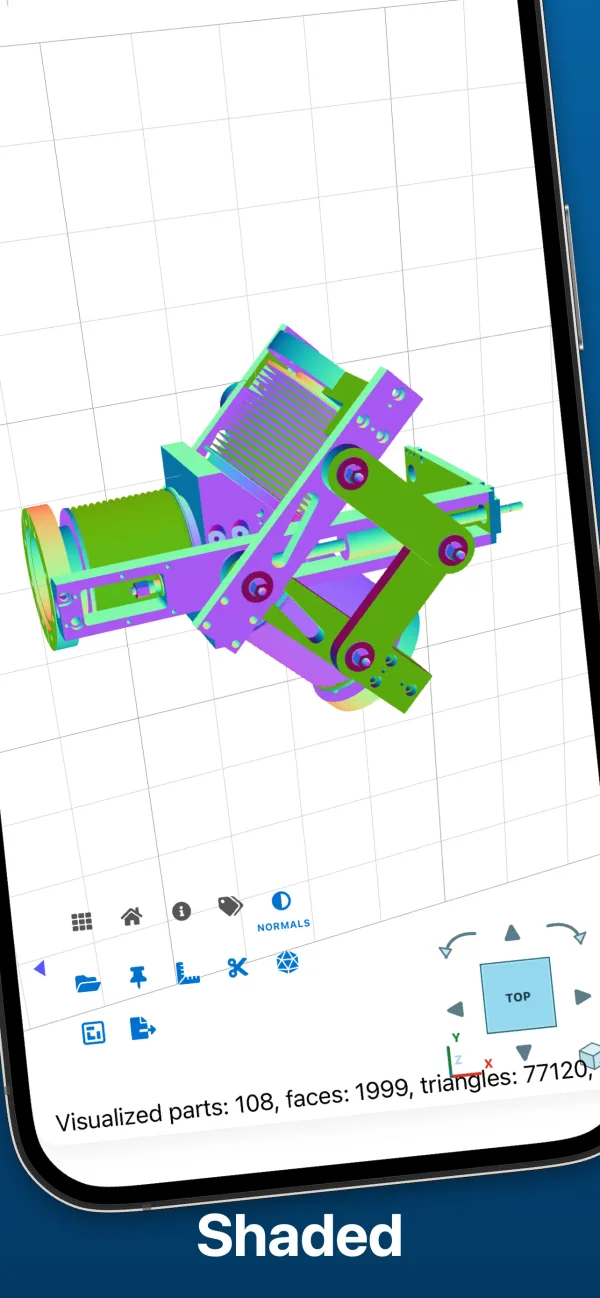
About
STEP File Viewer is a lightweight yet powerful tool for viewing .step and .stp files on macOS, iPad, and iPhone.
Key Features
• View STEP models in 3D with rotate, pan, and zoom controls using perspective projection.
• Display 3D models in solid, shaded, or wireframe modes.
• Load and view IGES/IGS models.
• Supports assembly-level colors and exploded views (requires the model to include assembly data).
• Parse and load STEP models as assemblies
• Support PMI annotations, dimension details, and model information panels in AP242 models for easier design review.
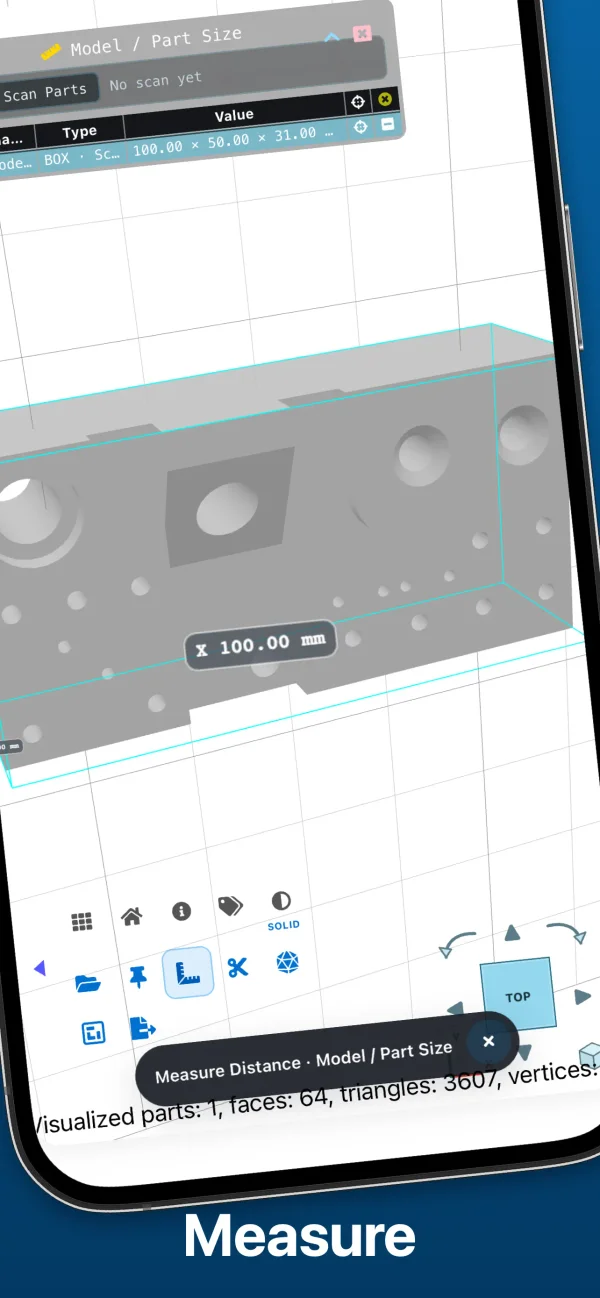
• Measure auto-detected hole features, bounding box dimensions, point-to-point distances, diameter/radius, and angles to verify key dimensions more quickly.
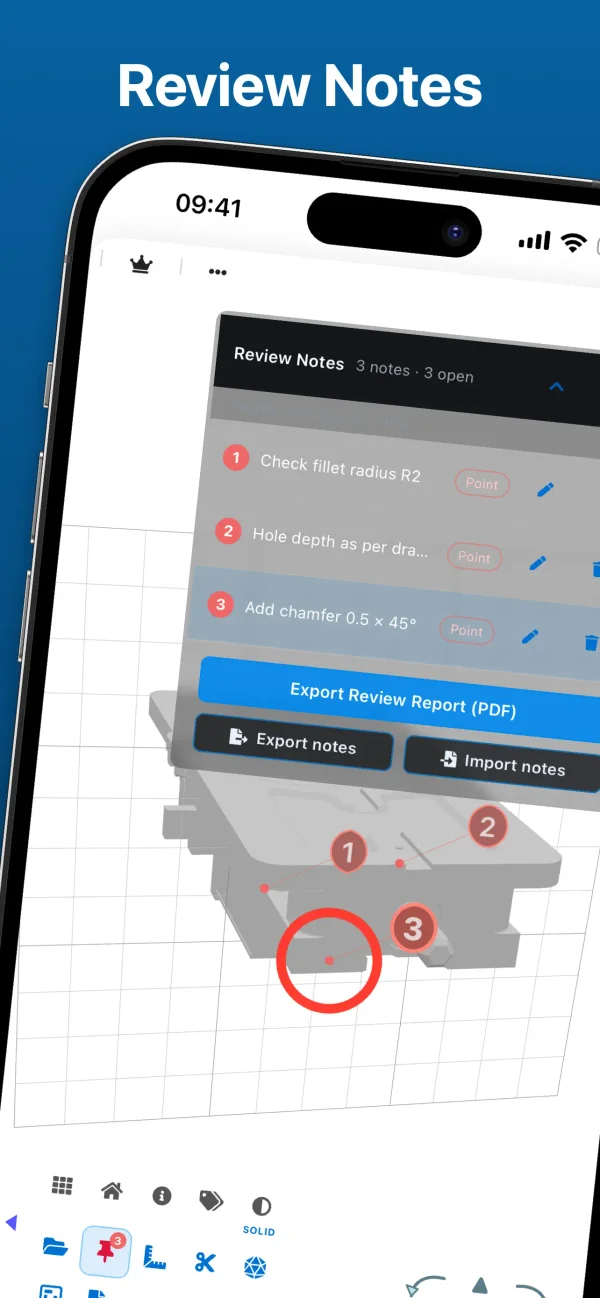
• Pin review notes on the model to record issues, jump back to each note’s viewpoint, and export a review report as PDF with screenshots.
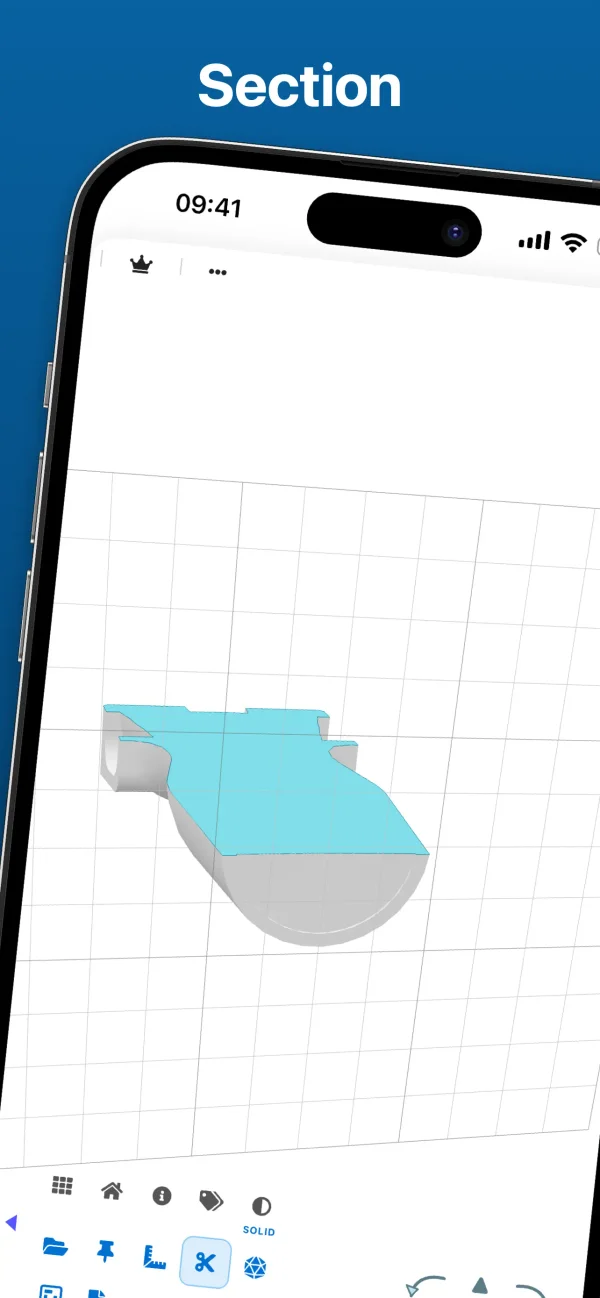
• Apply axis-aligned section planes (XY, XZ, YZ) to reveal the model’s internal geometry.
• Explode model components to inspect the parts clearly in expanded space, with the ability to export selected parts as separate files.
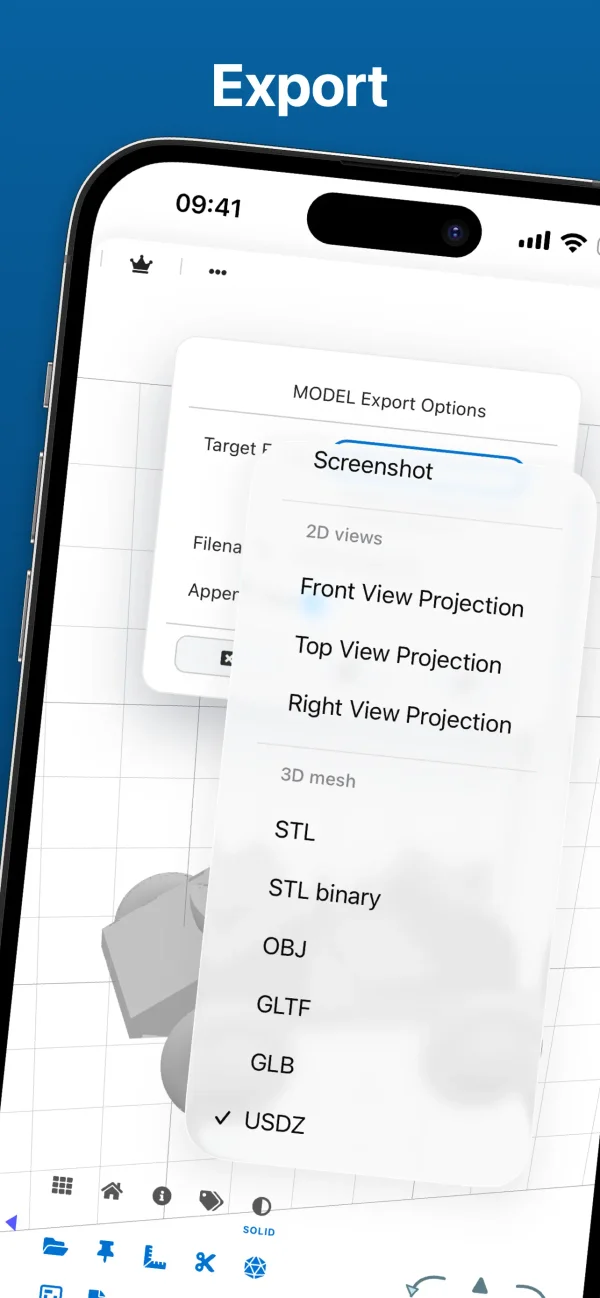
• Export 3D models in STL, OBJ, glTF, GLB, or USDZ formats for further use or sharing.
• Capture high-quality viewport screenshots for easy sharing.
• No ads. No tracking. No data collection. Just a clean, efficient tool built for productivity.
The STEP format (ISO 10303) is widely supported by 3D CAD, CAM, CAE, and PLM applications.
Recommended For:
• Engineers & Designers: Review designs on the shop floor or during client meetings.
• Machinists & CNC Operators: Quickly verify part geometry before production.
• 3D Printing Enthusiasts: Easily convert professional STEP files to STL for slicing.
• Students & Educators: Visualize complex structures without expensive CAD licenses.
Pricing & Access
• Free: Load and view unlimited STEP models.
• Subscription: Unlimited access to all features. A single subscription covers macOS, iPhone, and iPad.
• Individual Unlocks: Get exactly what you need with one-time purchases for specific features—no subscription required.
• Payment is charged to your App Store account.
• Auto-renews unless turned off at least 24 hours before the current period ends.
• Manage your subscriptions in the App Store settings.
Privacy & Purchase Terms
• Privacy Policy: https://apps.h53d.xyz/apps/step-file-viewer/policy.html
• Terms of Use (EULA): https://www.apple.com/legal/internet-services/itunes/dev/stdeula/
Have questions or need support? Reach out to danjian42@gmail.com.
What’s new
Version 1.1.2 · Nov 5, 2026
• Fixed an issue where the inner walls of some thin-walled and open-shell models were incorrectly rendered as cut surfaces in cross-section views.
• Fixed missing section fills when sectioning some closed solids, and improved cross-section rendering for models with curved surfaces or multiple meshes.
• Fixed an issue where text in the cross-section control panel was not displayed in the app’s language.
App privacy
What 维 艾 declares on the App Store about how this app handles data.
-
Data not collected
The developer does not collect any data from this app.
Privacy practices may vary, for example with the features you use or your age.
Information
- Seller
- 维 艾
- Category
- Developer Tools
- Version
- 1.1.2
- Updated
- Nov 5, 2026
- Released
- Dec 8, 2025
- Size
- 32.8 MB
- Requires
- iOS 16.0 or later
- Age rating
- 4+
- Price
- Free
- In-app purchases
- Yes
- Languages
- English, French, German, Japanese, Simplified Chinese
- Copyright
- © 2025-2026 aiwei
You might also like
-
 FlareKit for CloudflareSite Analytics & Monitoring
-
 STL & STEP File Viewer - Mes3DOpen 3D CAD, OBJ, GLB & STP
-
 JSON Formatter Simple ParsingParse JSON Strings and Files
-
 Coupon DistributorApp Promo Code Manager
-
 STL File Viewer ProSimplest Way To View STL Files
-
 图标帝Developer Tools
-
 Script: JS & TS EditorRun JavaScript & TypeScript
-
 ifconfig Mobile: Network InfoIP Address & Interface Viewer
-
 HTTPS Capture Traffic DecryptWeb API Debug & Packet Sniffer
-
 Scripting: AI Agent & ToolsScripts, Widgets & Automation