
STEP Reviewer Pro
100MB+ STEP · 1M+ Facets
Designed for iPhone, iPad, Mac
Free · In-app purchases
- Age rating4+
- CategoryGraphics & Design
- DeveloperShanghai Fuwei Information Technology Co., Ltd.
- LanguagesEnglish+ 6 more
- Size43.1 MB
Links to the official App Store page
Download.org hosts no file of STEP Reviewer Pro. The button opens its official App Store page, published by Shanghai Fuwei Information Technology Co., Ltd. Listing last checked on Nov 12, 2026.
Screenshots







About
STEP Reviewer Pro focuses on viewing large STEP files and reviewing 3D CAD models on Apple devices. Built for files hundreds of MB in size and complex assemblies, it optimizes local loading and browsing on iPhone, iPad, Mac and Apple Vision Pro, without uploads or cloud conversion.
Staged loading and progress indicators show what is happening. View geometry as it becomes ready and cancel loading at any time. Model size and loading speed depend on device memory and model complexity.
Key features:
- Dual: Use your iPhone to control the model on your Mac over Wi-Fi or Bluetooth. Press and hold Pan, Rotate, or Scale, then move or turn your iPhone. Release the button to stop.
- Open STEP (.step, .stp) and IGES (.iges, .igs) files locally, free of charge
- Browse assemblies, focus parts, and show or hide nodes and all their children
- Rotate, pan, zoom, reset, and focus models or components
- Match source orientation with X-Up, Y-Up, or Z-Up
- Inspect dimensions, mesh statistics, names, colors, materials, and supported PMI/GD&T data
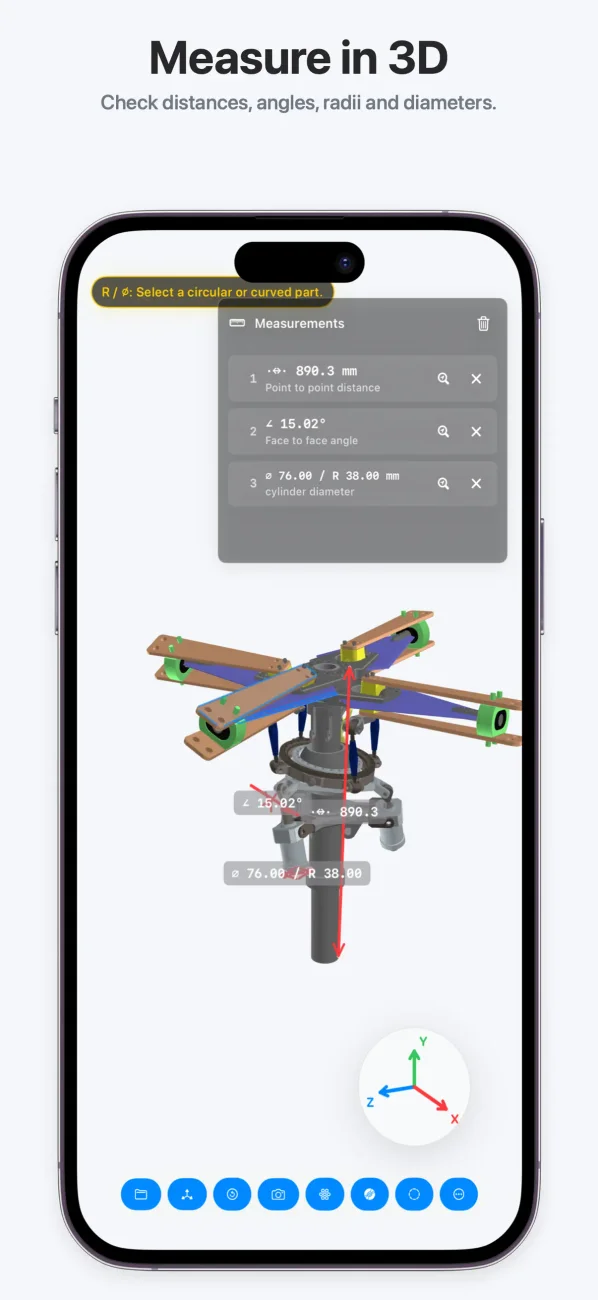
- Measure distances, angles, radii, and diameters on iOS and macOS
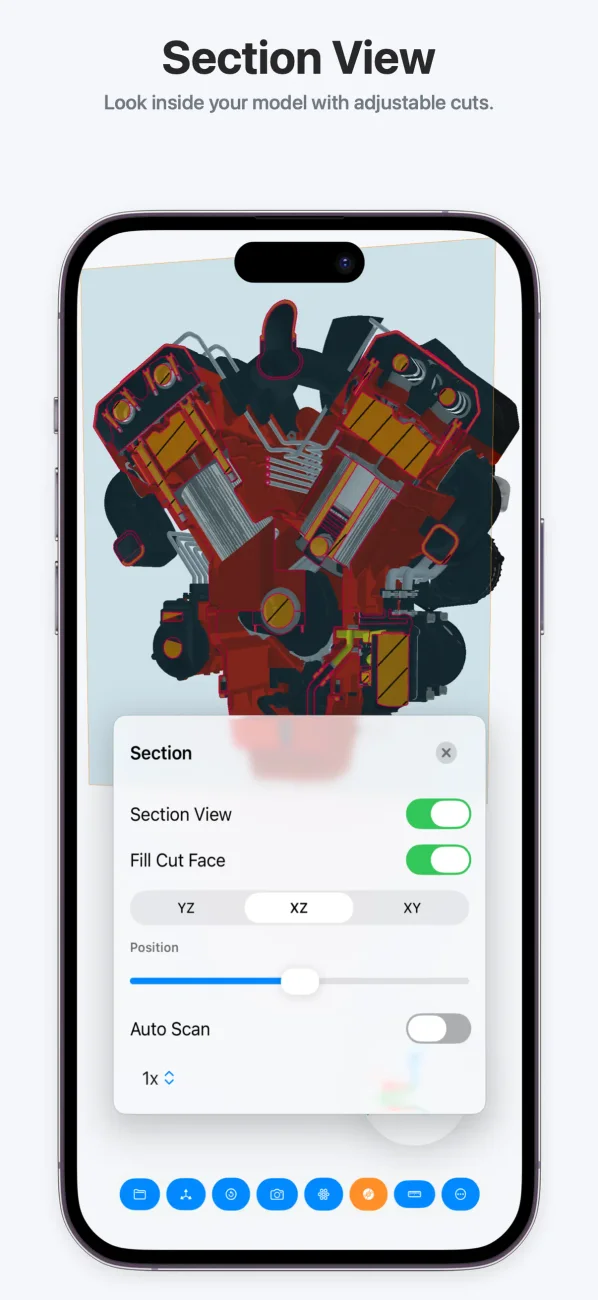
- Create filled XY, XZ, or YZ cross sections and inspect internal geometry
- Separate assembly components with Exploded View
- Add auto-saved model notes, track their status, export PDF reports with model screenshots, and import or export note backups
- Capture screenshots with arrows, rectangles, text annotations, and optional watermarks
- Record review videos with a set duration, microphone narration and text watermarks
- Export mesh models as binary STL, binary glTF GLB, USDA, USDC or USDZ
- Export individual parts from the model tree (requires an unlock)
- Review 3D CAD models in an immersive spatial experience on visionOS
- No ads, account registration, behavioral analytics, or model upload for viewing
Who is it for?
- Engineers viewing STEP, STP and IGES exchange files
- Manufacturing and quality teams inspecting assemblies and shared model geometry
- Suppliers, purchasing teams and customers who need a quick look at 3D models
- Teams sharing measurements, cross sections, screenshots or recordings
- Creators using AI to create or work with 3D models who need to view large STEP and IGES files on Apple devices
Common questions:
- Does STEP Reviewer Pro support IGES files?
Yes. IGES/IGS import is free. Models appear as meshes, without STEP assembly structure or PMI/GD&T metadata.
- Can I measure STEP models?
On iOS and macOS, free users can keep two results. Unlimited Measurements removes that limit. Measurement and spatial PMI are unavailable on visionOS.
- Can STEP models be exported to STL, GLB, or USDZ?
Yes. STL, GLB, USDA, USDC, and USDZ contain tessellated geometry, not exact B-rep surfaces, feature history, constraints, or PMI.
- Are CAD files uploaded to a server?
No. All processing stays on your device. You choose where to save or share.
- Is STEP Reviewer Pro a CAD editor?
No. It is a read-only STEP/IGES viewer, not a CAD authoring or repair system. Source files are unchanged.
Pricing & Access
- Free: Open STEP files, browse assemblies, inspect model information, and keep two measurements on iOS and macOS.
- Subscription: Unlock all current Pro tools while active across supported platforms with the same Apple Account.
- Individual Unlocks: Make one-time purchases for inspection, capture, or export tools.
- Payment is charged to your App Store account.
- Subscriptions renew automatically unless auto-renew is turned off at least 24 hours before the current period ends.
- Manage or cancel subscriptions in your App Store account settings.
Privacy & Terms
- Purchases, subscriptions, refunds, and restores are handled by Apple through your App Store account.
- Privacy Policy: https://apps.h53d.xyz/apps/step-reviewer/policy.html
- Terms of Use (EULA): https://www.apple.com/legal/internet-services/itunes/dev/stdeula/
Need help or have feedback? Email iuway@foowei.com.
What’s new
Version 26.10.18 · Oct 18, 2026
What’s New
- Added “Author Saved Views” to PMI: view models and annotations from the viewpoints saved in STEP files, review annotations individually, and read note text.
- Added support for iPhone Duo: when folded closed, connect to your Mac in Dual mode to control models.
Improvements and Fixes
- Improved the display of PMI dimensions, tolerances, and datum annotations. Fixed incorrect tolerance signs and datum information in some files, and made text, symbols, and lines clearer.
- Optimized iPhone layouts in portrait and landscape for easier access to common tools and Dual controls.
App privacy
What Shanghai Fuwei Information Technology Co., Ltd. declares on the App Store about how this app handles data.
-
Data not collected
The developer does not collect any data from this app.
Privacy practices may vary, for example with the features you use or your age.
Information
- Seller
- Shanghai Fuwei Information Technology Co., Ltd.
- Category
- Graphics & Design
- Version
- 26.10.18
- Updated
- Oct 18, 2026
- Released
- Jul 22, 2026
- Size
- 43.1 MB
- Requires
- iOS 26.0 or later
- Age rating
- 4+
- Price
- Free
- In-app purchases
- Yes
- Languages
- English, French, German, Japanese, Korean, Simplified Chinese, Traditional Chinese
- Copyright
- © 2026 foowei.com
You might also like
-
 3D Spatial ViewerCAD & Mesh Review in AR
-
 CAD Viewer Friendly: STEP STL3D Measure & DXF PDF Export
-
 Innerscene 3D ViewerOpen DWG, STEP and SketchUp
-
 AssetLook: 3D Asset ViewerDAE, glTF & 3MF Converter
-
 InkSight: AI Tattoo GeneratorAR Try-On & Custom Ink Designs
-
 MeshView: STL, 3MF, GLB ViewerCheck 3D prints before slicing
-
 Draftly CADFloor plans, snaps & layers
-
 3D AI ModelTransform text into 3D models.
-
 DWG Tools Pro- CAD View & EditCAD Viewer, Editor & Converter
-
 CAD Viewer EditorDWG & DXF Drawings: View, Edit