Steps Widget Walking Companion
More Movement, Less Pressure
Designed for iPhone, iPad
Free · In-app purchases
- Age rating4+
- CategoryProductivity
- DeveloperCrazyLazy OU
- LanguagesEnglish+ 9 more
- Size95.7 MB
Links to the official App Store page
Download.org hosts no file of Steps Widget Walking Companion. The button opens its official App Store page, published by CrazyLazy OU. Listing last checked on Nov 25, 2026.
Screenshots


About
You spend most of your day sitting. You know walking is good for you, but between work, meetings, and life, it’s easy to forget. And most fitness apps ask for a big commitment: workout plans, memberships, calorie counts.
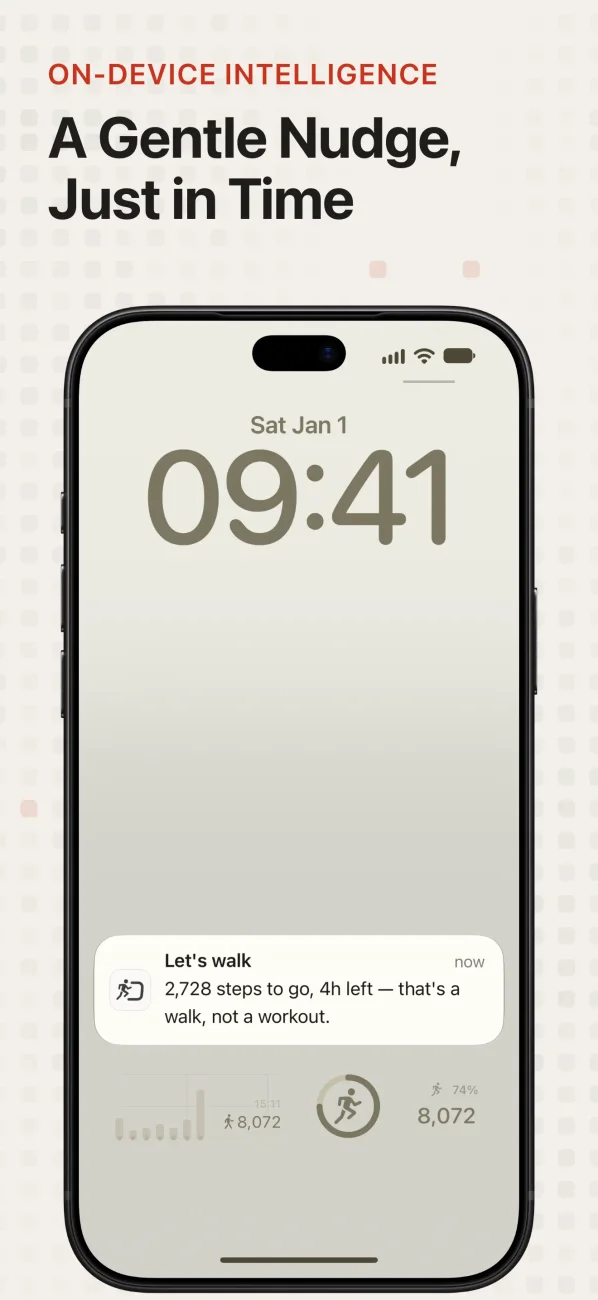
Steps Widget, a daily movement companion, asks for much less. It puts your step count where your eyes already go, on your Home Screen, Lock Screen, and StandBy, checks your day every hour, and nudges you to stand up only when you’ve been sitting a little too long. Not a fixed hourly alarm.
A few hundred extra steps here and there soon become part of your day, and those small moments add up. You don’t need to become a different person. Just move a little more today than yesterday. That’s how habits begin.
DESIGN IT YOUR WAY
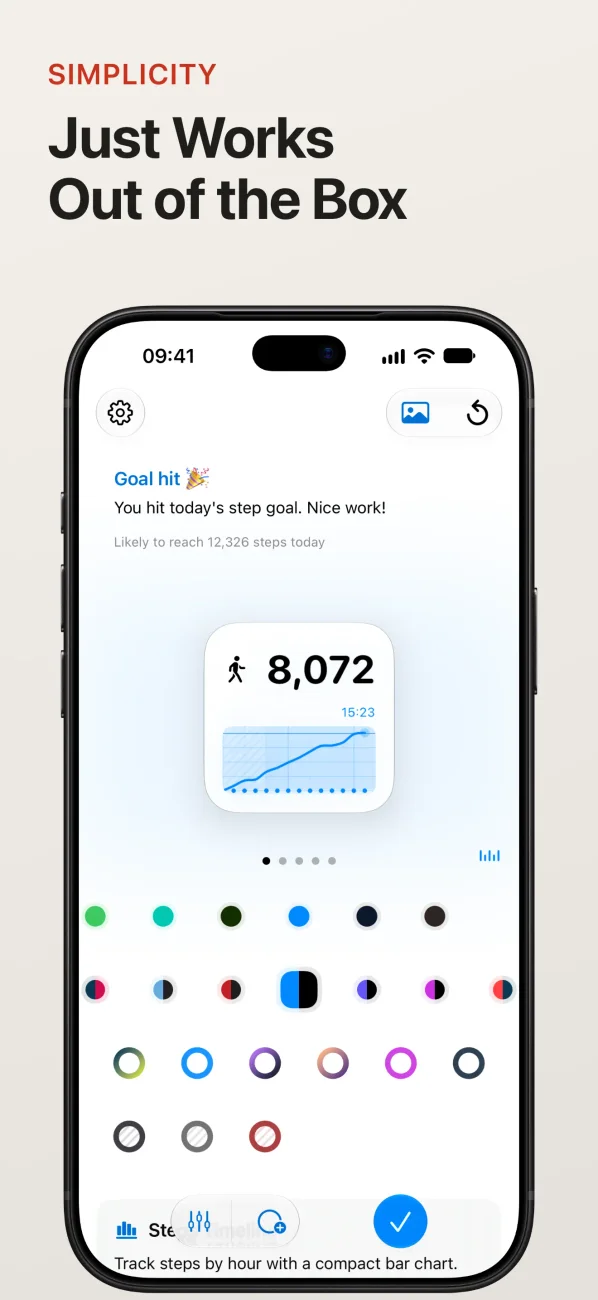
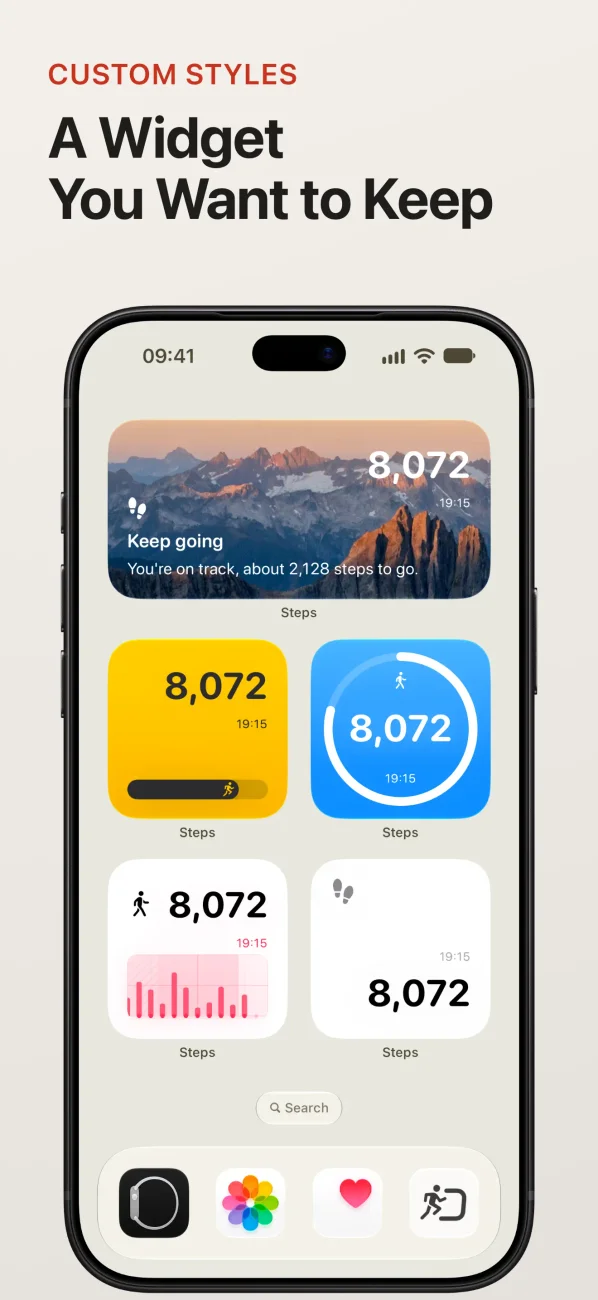
A widget you find ugly ends up on page three, and a buried reminder is no reminder. The style editor lets you pick colors, gradients, and layouts, give light and dark mode their own look, and save your favorite styles to reuse on any widget. Or pick a photo you love: Steps Widget can pull a matching palette from it, or place the photo right behind your step count.
THE SMART NUDGE
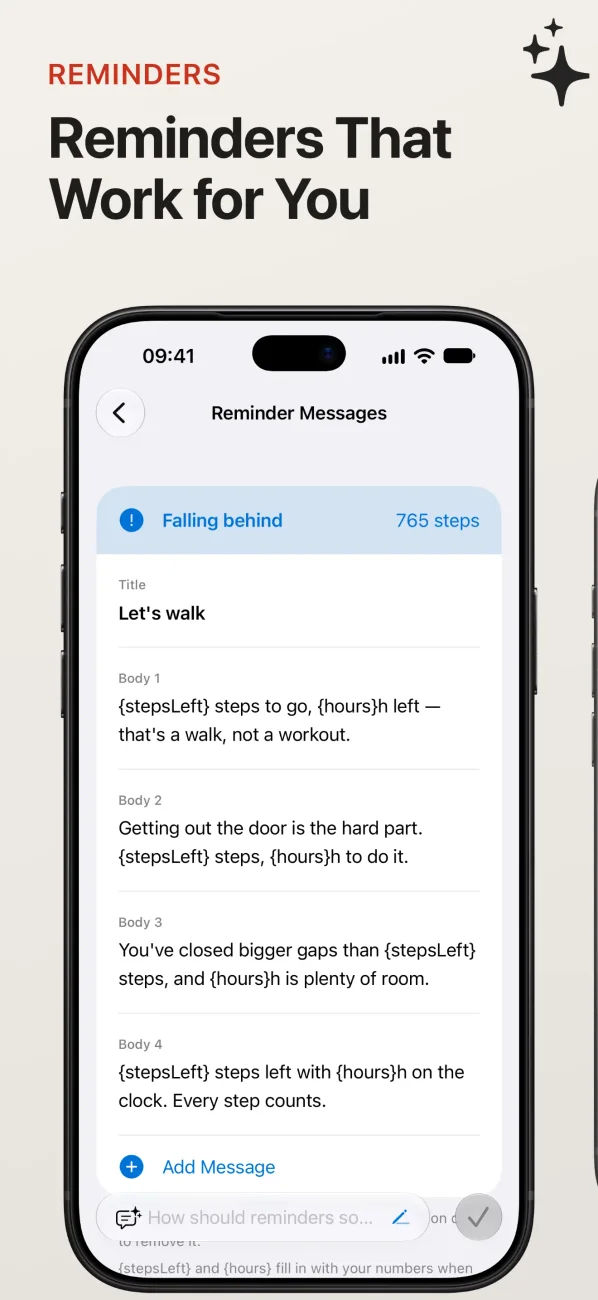
When glancing isn’t enough, Nudge steps in. It learns your routine right on your device and shows up once, only when you’ve actually gone still. One nudge, when it’s earned, and nothing otherwise. Don’t like how a reminder reads? Rewrite it yourself, or let Apple Intelligence reword it on your device.
WHEN YOU WANT THE LATEST NUMBER
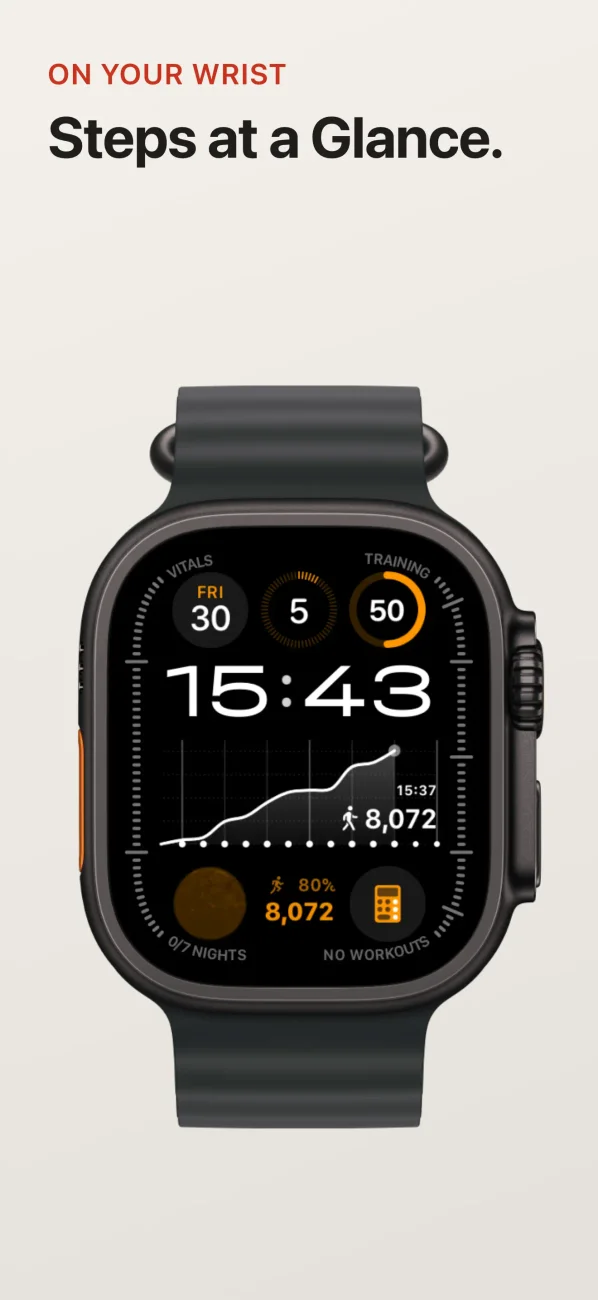
iOS decides when widgets refresh, so your widget catches up through the day rather than the second you walk. When you want to watch the number climb, open the app for a count straight from your iPhone's motion sensor, or use the Apple Watch app to follow your steps as you go.
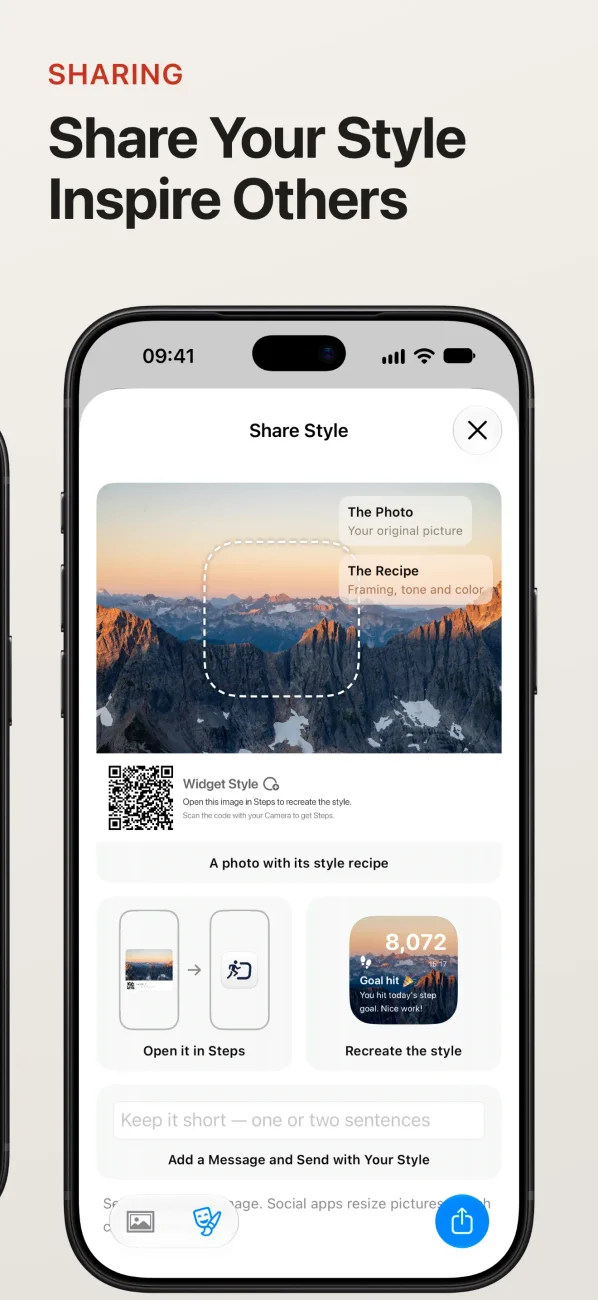
NEW: SHARE YOUR STEPS AND YOUR STYLE
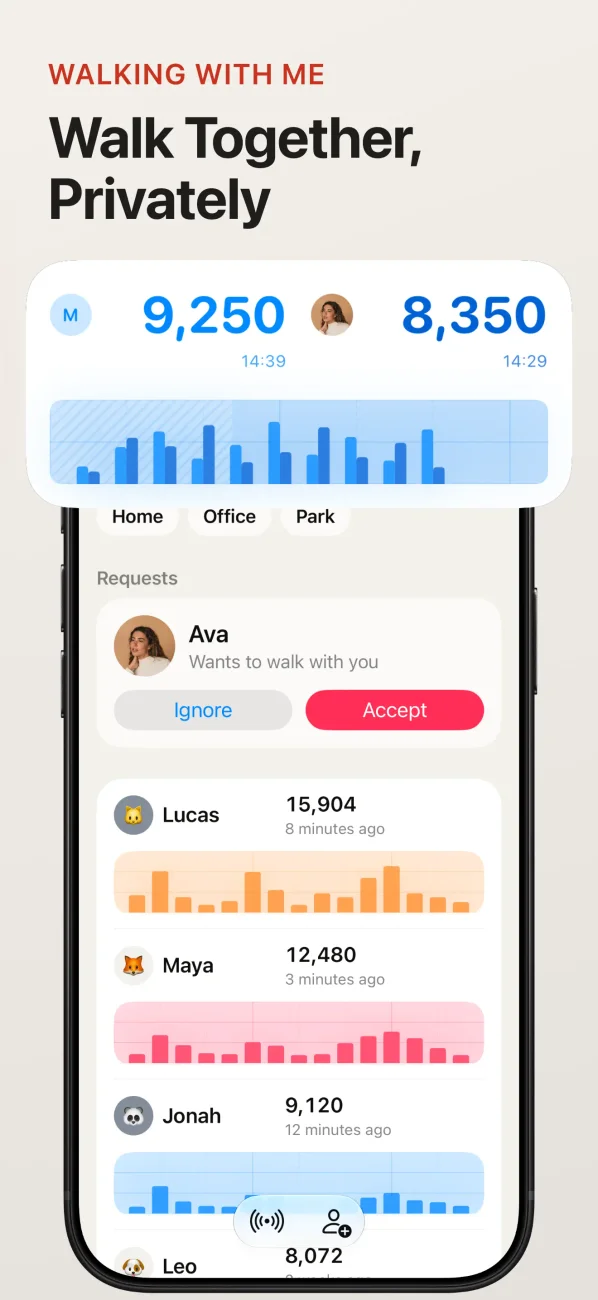
Send today’s steps, your widget, or a style you made into any conversation, with a note of your own. In Messages, a step ranking shows who has walked the most today.
KEY FEATURES
• Beautiful Widgets: Home Screen, Lock Screen, and StandBy, with ring, chart, gauge, and compact layouts.
• Style Editor: Colors, gradients, and light and dark looks, saved as your own styles.
• Photo Styles: Turn any photo into a palette or a widget background.
• Smart Nudges: Learns your routine, alerts you only when you’re inactive, in wording you can edit.
• Motion Sensor Count: The app reads your iPhone's sensor for a fresher number.
• Standalone Apple Watch App: Runs on its own, with complications and move reminders on your wrist.
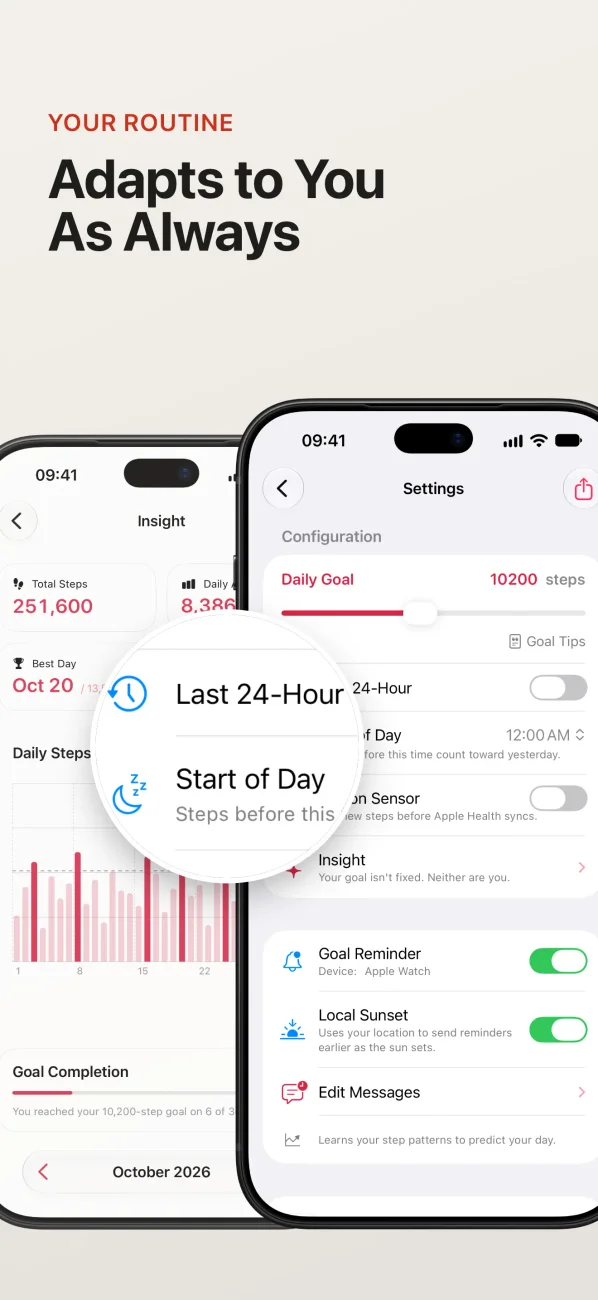
• Insights: Your week, your past year, your best day, and where today will land.
• Siri and Shortcuts: Ask whether you’re on track, or drop your steps into a shortcut.
• Daily Movement Companion: No guilt, no maps, no noise.
NO GPS. BARELY ANY BATTERY.
Your iPhone already counts steps with its built-in motion sensors through Apple Health. Steps Widget simply shows that data—no background GPS tracking, no constant polling, no battery drain.
PRIVATE BY DESIGN
Your health data stays on your device. The app collects no personal identity information.
FREE TO START
Default widget styles and goal reminders are free. A subscription is only needed to change your style with the style editor or photo styles, and the style you built stays on your widgets when a subscription ends.
See your steps, get a gentle nudge. Move a little more every day.
FREQUENTLY ASKED QUESTIONS
Can I set my own daily walking goal?
Yes. Pick the number of steps a day that suits you, and the progress ring fills as you walk toward it.
Why doesn’t my widget update the moment I walk?
iOS schedules widget refreshes, so the number catches up through the day. For an up-to-the-minute count, open the app or use the Apple Watch app.
Do I need an Apple Watch?
No. Steps Widget works on iPhone alone using Apple Health step data. With an Apple Watch you also get complications and move reminders on your wrist.
Terms of Use: https://www.apple.com/legal/internet-services/itunes/dev/stdeula/
What’s new
Version 5.4.1 · Nov 24, 2026
In Last 24-Hour mode, Home no longer shows the “Likely to reach” estimate. It could only ever show your goal there, since a rolling 24-hour window has no end of day to project to.
Steps Widget is made by one person, and I read everything that comes in. If something isn't working, or there's a widget style or a feature you wish existed, there's a way to reach me in Settings under About.
App privacy
What CrazyLazy OU declares on the App Store about how this app handles data.
-
Data not linked to you
May be collected but is not linked to your identity.
- Usage data
- Other data
Privacy practices may vary, for example with the features you use or your age.
Information
- Seller
- CrazyLazy OU
- Category
- Productivity
- Version
- 5.4.1
- Updated
- Nov 24, 2026
- Released
- Jan 1, 2026
- Size
- 95.7 MB
- Requires
- iOS 26.0 or later
- Age rating
- 4+
- Price
- Free
- In-app purchases
- Yes
- Languages
- English, French, German, Japanese, Korean, Polish, Portuguese, Simplified Chinese, Spanish, Traditional Chinese
- Copyright
- © 2026@CrazyLazy OU
You might also like
-
 Steps Widgets (Pedometer)Your Daily Steps, Simplified
-
 Health Widget PedometerSteppy: Walk & Health Widget
-
 step widget minimalistwalk more | scroll less
-
 Crystal Healing by GemiwayDaily Ritual & Mindfulness
-
 Step Counter Widget -MyCount-Simple and Easy.Pedometer App
-
 MySteps: Pedometer & WidgetsStep Counter for Apple Watch
-
 Kegel trainer: easy exercisesPelvic floor training for men
-
 Steps - Simple PedometerDaily Step Count App & Widget
-
 Pedometer - Steps Tracker appStep Counter for Walking
-
 Steppies - A modern pedometerPrivate step tracker & widgets