
Stepwise: Step Counter Walk
Pedometer, widget & route map
Designed for iPhone
Free · In-app purchases
- Age rating4+
- CategoryHealth & Fitness
- DeveloperYoav Sabag
- LanguagesEnglish+ 14 more
- Size6.4 MB
Links to the official App Store page
Download.org hosts no file of Stepwise: Step Counter Walk. The button opens its official App Store page, published by Yoav Sabag. Listing last checked on Nov 17, 2026.
Screenshots
About
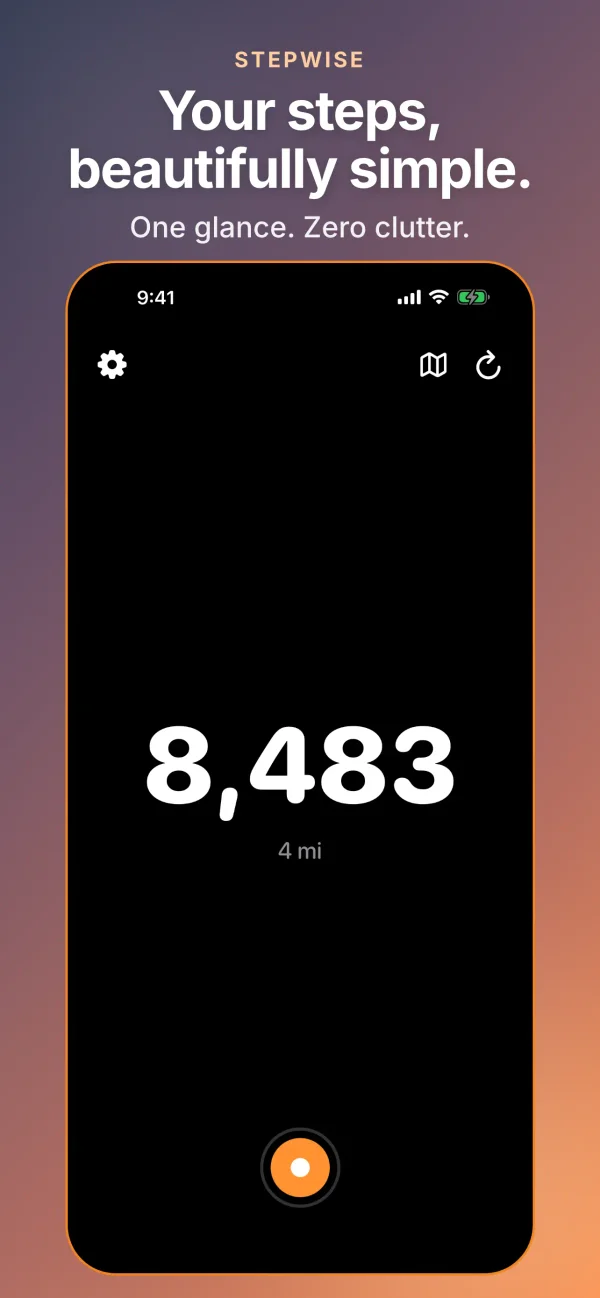
Your steps. One huge number. Nothing else in the way.
Stepwise is a step counter for people who just want to know how far they have walked today — without dashboards, feeds, sign-ups, or a tutorial to sit through. Open it and the number is already there, big enough to read at arm's length.
WHAT YOU GET
• Today's steps, huge and instant
Your step count fills the screen in a clean, rounded typeface you can read in a glance while walking. The number animates as it climbs, so you can watch it move.
• Draw your steps on your own map
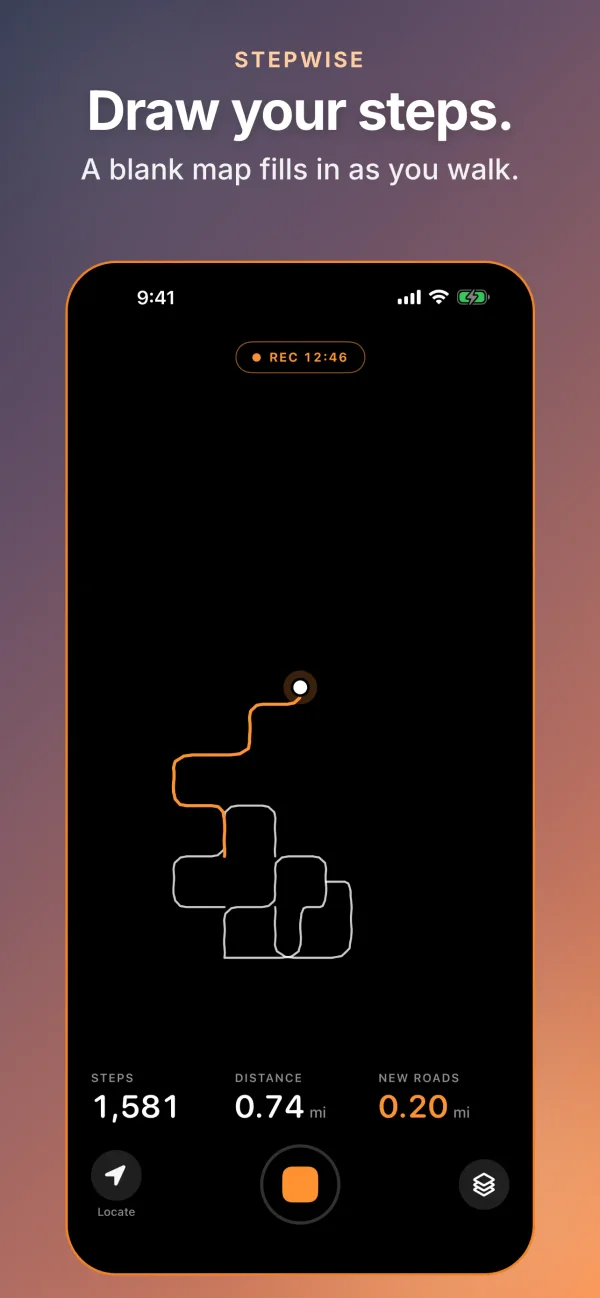
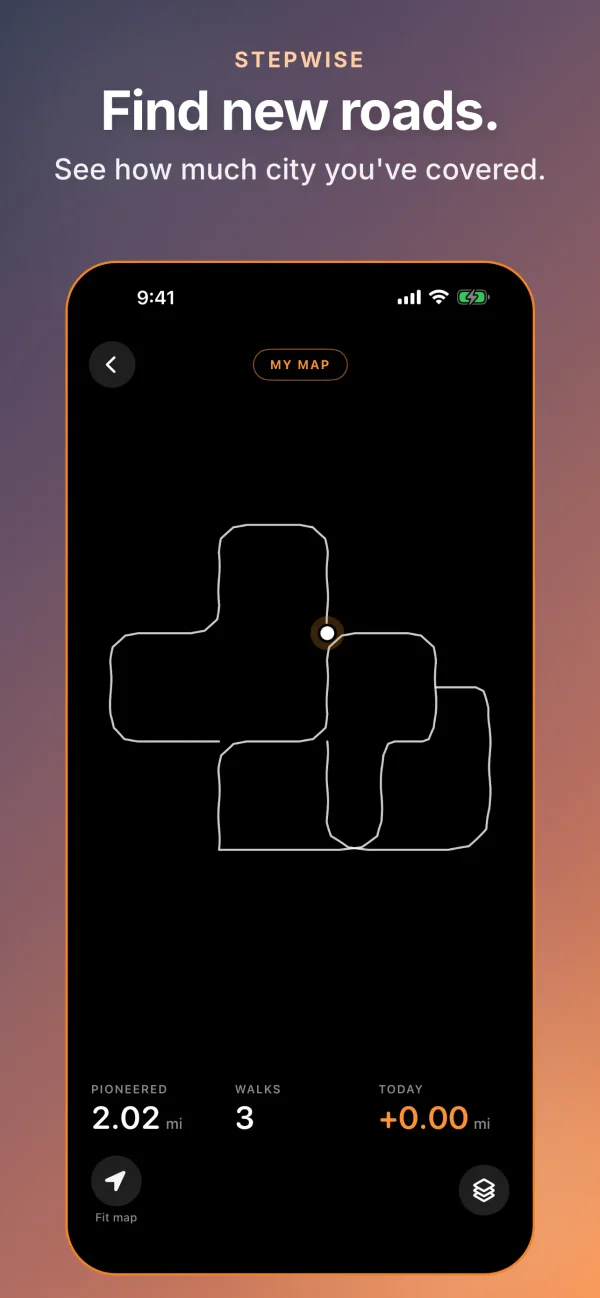
Tap the orange Record button and a blank map fills in behind you as you walk, one road at a time. It keeps recording with the screen locked, and a Live Activity on your Lock Screen shows your time, distance and steps, with a Stop button. See how many new roads you have found, save the walk to My map, and watch it grow. Show faint streets or a colorful map under your trail, or keep it blank.
• Distance, automatically in your units
Right below your steps you get the distance you have covered, in kilometres or miles depending on your region. No settings to dig through.
• A daily goal that actually celebrates you
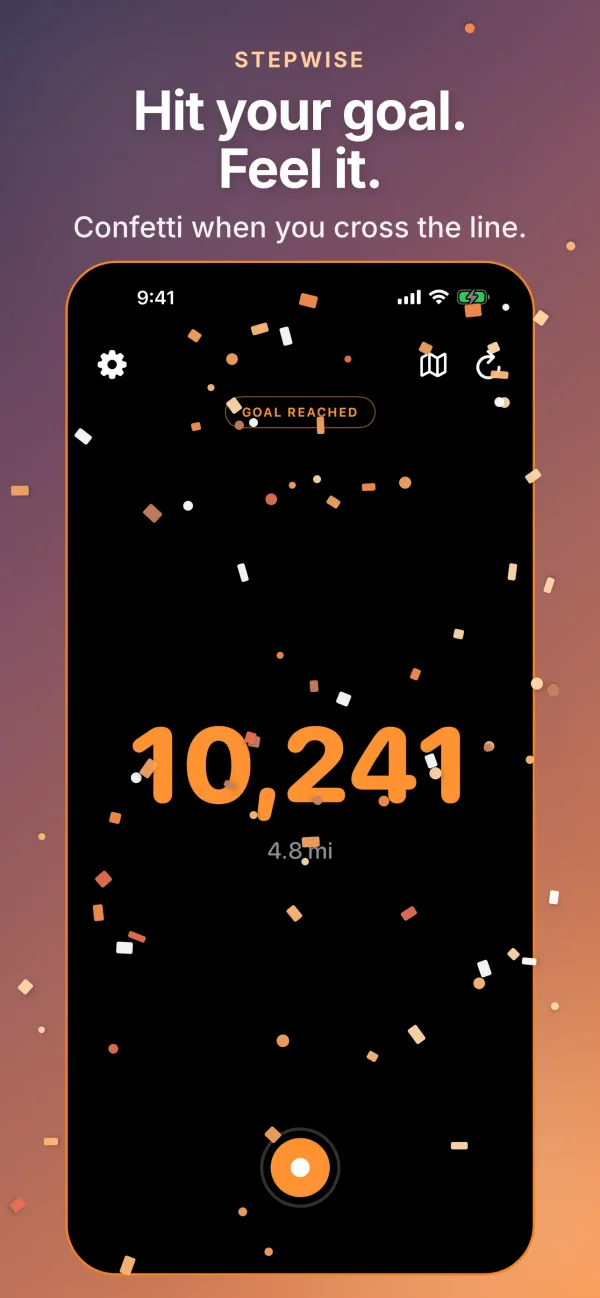
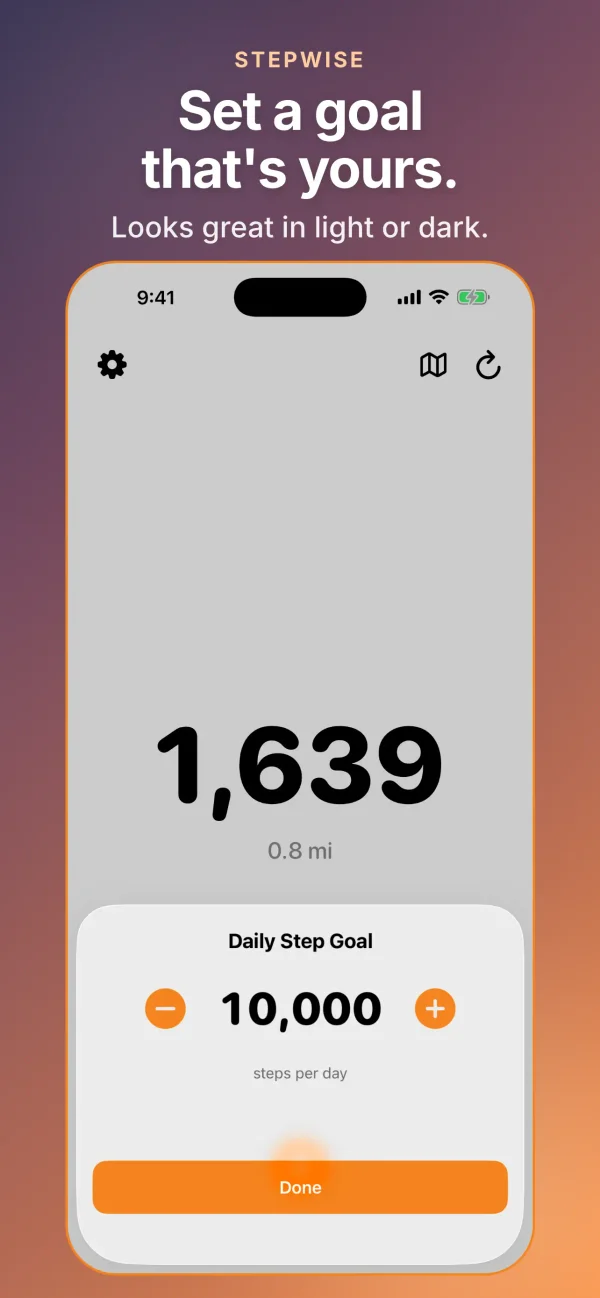
Set any goal from 1,000 to 100,000 steps. Hit it and the screen bursts into confetti — once a day, when you have earned it. Not a badge buried in a profile tab.
• Home Screen widget
Small, medium, or large. Your step count sits on your Home Screen and stays current, so most days you never need to open the app at all.
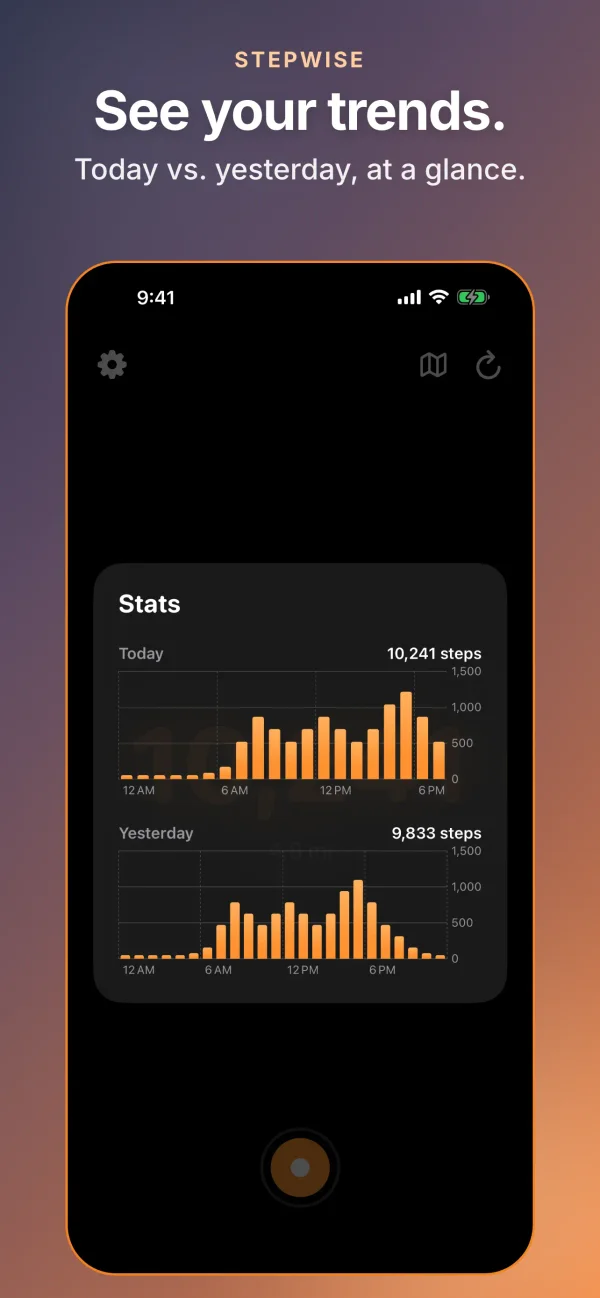
• Hour-by-hour stats
Tap Stats for a clean bar chart of today and yesterday, broken down by hour. See when you actually move — the morning commute, the afternoon slump, the evening walk — and compare today against yesterday at the same hour.
• Light and dark, your call
Follow your system appearance or lock it to light or dark from the menu.
BUILT ON APPLE HEALTH
Stepwise reads your step count from Apple Health, so it counts the steps your iPhone is already recording — including the ones you took before you installed it. There is no separate tracker running in the background and no extra battery drain from a second counter. If you carry your phone, your steps are counted.
PRIVATE BY DESIGN
• No account, no sign-up, no email
• Your step history stays on your device
• Location is used only while you record a walk, and your trails stay on your device
• Read-only access to Health — Stepwise never writes to your Health data
• Everything is saved only on your device, and ads follow your tracking choice
WHO IT IS FOR
If you have tried a fitness app and quit because it wanted your weight, your goals, your notifications and your subscription before showing you a single number — this is the opposite of that. Stepwise does one thing. Walk, glance, done.
Whether you are working toward 10,000 steps a day, keeping a walking habit alive, getting back on your feet after an injury, or just curious how far you actually go in a day, Stepwise keeps the number in front of you and stays out of your way.
GETTING STARTED
Open Stepwise and allow access to your steps in Apple Health
Tap the gear icon and set your daily step goal
Add the widget to your Home Screen: long-press anywhere, tap +, search for Stepwise
That is the whole setup. There is no step four.
Requires an iPhone with step data in Apple Health. Recording a walk uses Location.
Terms of Use: https://sites.google.com/view/yoav-sabag-policy-ios/terms-of-use
Privacy Policy: https://sites.google.com/view/yoav-sabag-policy-ios/privacypolicy
What’s new
Version 1.0.2 · Oct 20, 2026
New: Record your walks. Tap Record on a walk and a blank map fills in behind you, one road at a time, even with the screen locked. See how many new roads you have found and watch your map grow. Your trails stay on your iPhone, and you can delete your map anytime.
App privacy
What Yoav Sabag declares on the App Store about how this app handles data.
-
Data used to track you
May be used to track you across apps and websites owned by other companies.
- Location
- Identifiers
- Usage data
-
Data linked to you
May be collected and linked to your identity.
- Location
- Identifiers
- Usage data
-
Data not linked to you
May be collected but is not linked to your identity.
- Diagnostics
Privacy practices may vary, for example with the features you use or your age.
Information
- Seller
- Yoav Sabag
- Category
- Health & Fitness
- Version
- 1.0.2
- Updated
- Oct 20, 2026
- Released
- Sep 13, 2026
- Size
- 6.4 MB
- Requires
- iOS 26.5 or later
- Age rating
- 4+
- Price
- Free
- In-app purchases
- Yes
- Languages
- English, Dutch, French, German, Indonesian, Italian, Japanese, Korean, Polish, Portuguese, Spanish, Thai + 3 more
- Copyright
- © Yoav Sabag
You might also like
-
 WhyExcited: Heart Rate JournalLog Why Your Heart Rate Spiked
-
 Loop – Run, Ride & WeatherAll your data, classic design
-
 MyAffirmPlay - AffirmationsHealth & Fitness
-
 Pasos - Step CounterA simple step counter App
-
 Step Collector - Walk TrackingTrack steps one walk at a time
-
 LifeSteps — Wellness & SleepAI Coach, Mood & Habit Tracker
-
 Large Text PedometerSimple Step Counter
-
 Dozely: Sleep TrackerYour Sleep Score, Explained
-
 Stepwise: Step & Walk TrackerPedometer, Streaks & Routes
-
 Stride: Walk to ScrollNo steps. No scrolling.