
- Age rating4+
- CategoryProductivity
- DeveloperWei Chen Hung
- LanguagesEnglish
- Size4.3 MB
Links to the official App Store page
Download.org hosts no file of Stepwise Timer. The button opens its official App Store page, published by Wei Chen Hung. Listing last checked on Nov 12, 2026.
Screenshots


About
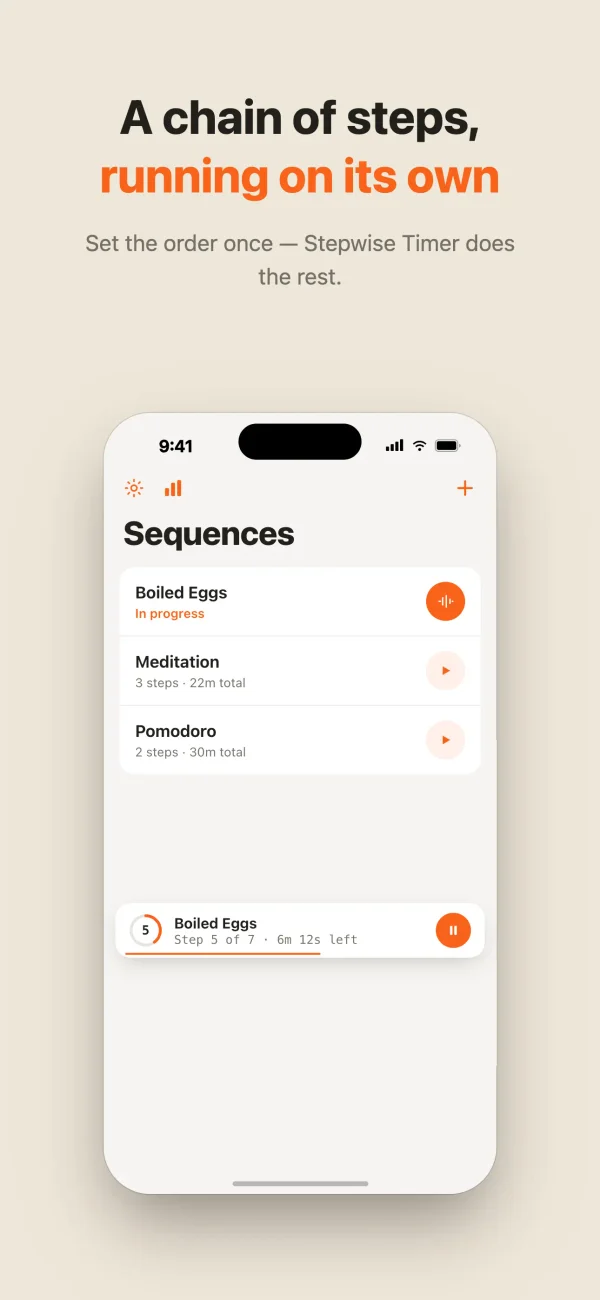
Chain a few timed steps into a "sequence", press play, and Stepwise walks you through it — one step at a time.
Each step counts down on its own. When it ends, the next one starts automatically with a sound and a spoken announcement of what's coming up. You never have to look at your phone mid-routine.
■ Made for
· Morning routines: stretch, meditate, write down today's three things
· Focus work: Pomodoro, with automatic repeat rounds
· Workouts and stretching: one set after another, no stopwatch fiddling
· Cooking and pour-over coffee: bloom, pour, brew
· Winding down: breathe, stretch, lights out
■ What it does
· Sequence timing: set a duration per step; auto-advance or wait for your confirmation
· Spoken announcements: hear the next step's name, eyes closed
· Adjust while running: skip, go back, restart a step, or add +1 minute
· Repeat rounds: run the whole sequence a few more times automatically
· Finish signal: end the last step with a chime or your own spoken message
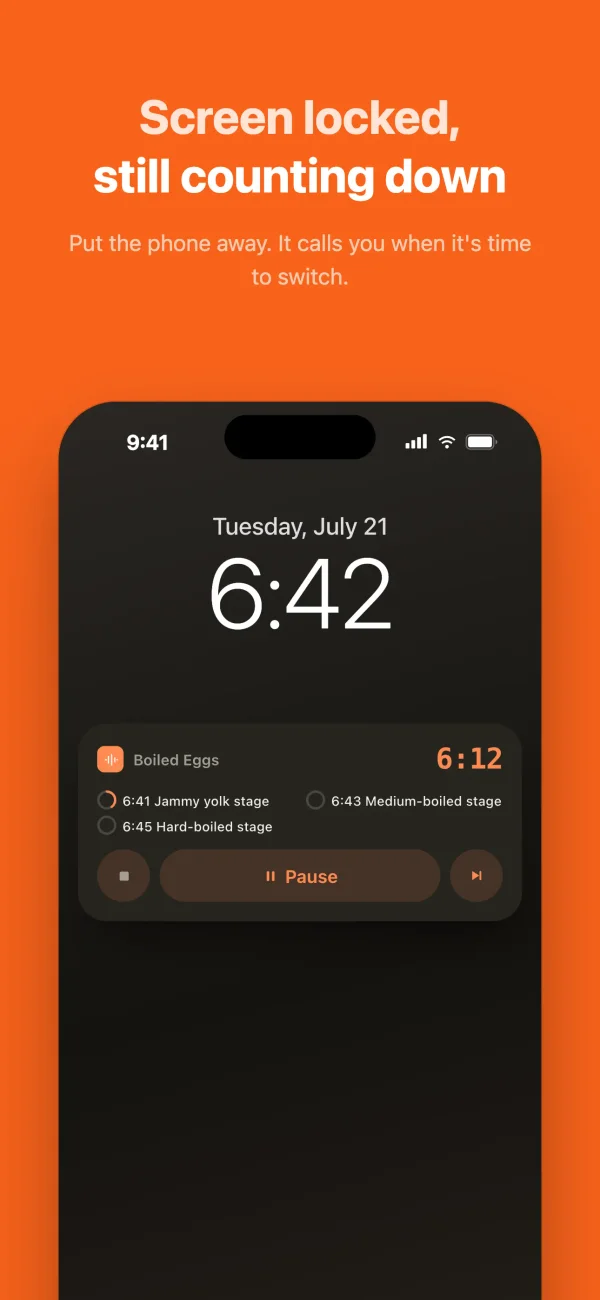
· Live Activity: see the countdown on the Lock Screen, pause or continue right there
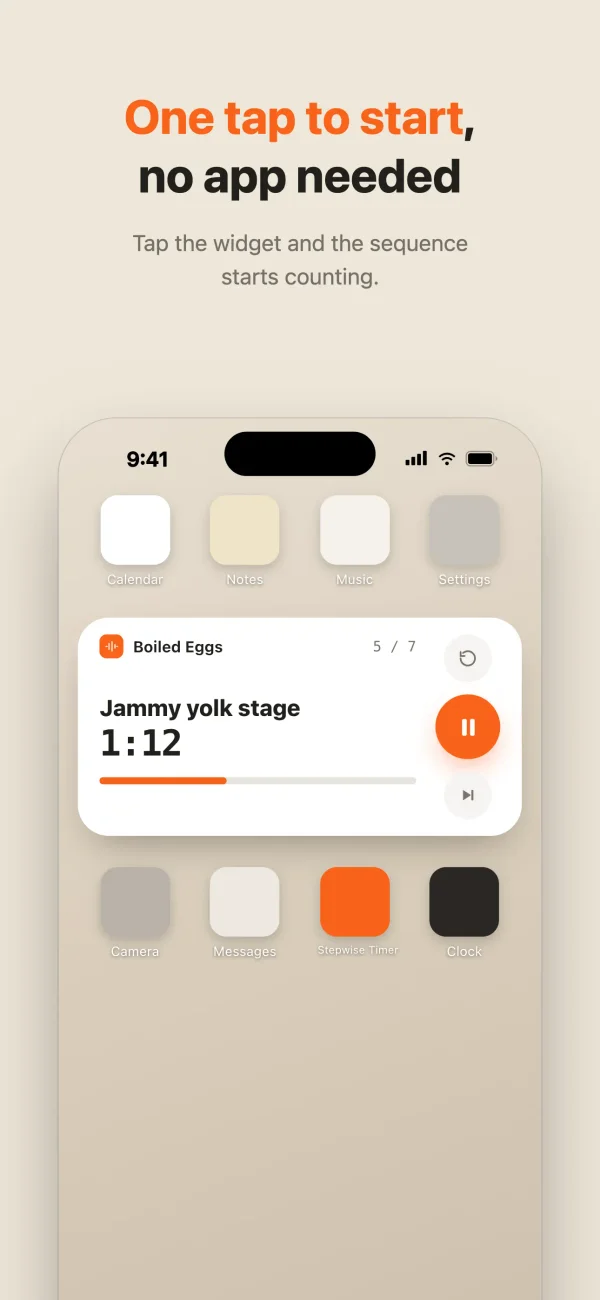
· Home Screen widget: start a specific sequence with one tap
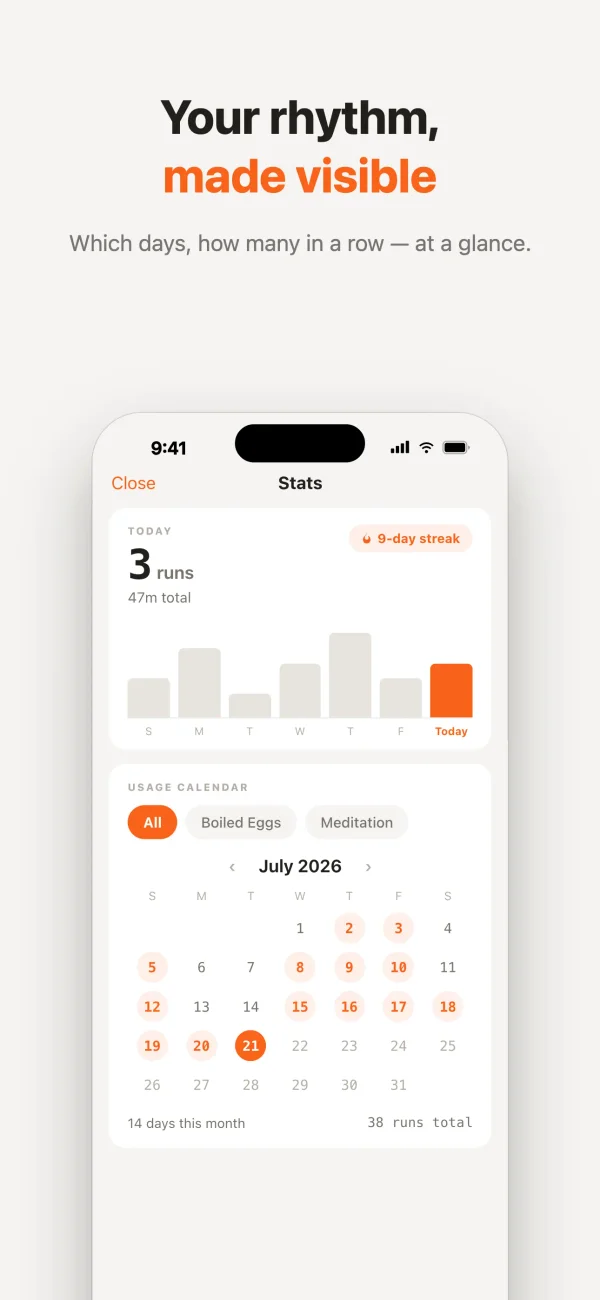
· Usage stats: a diary of every run, with a 7-day rhythm chart, a calendar and streaks
· Folders: keep your sequences organized
· Share: import via QR code, or export CSV as a backup
· Design with AI: paste the prompt from our support page into your favorite AI, then import the CSV it creates
· Fully offline: no account, no ads, no data collection
■ Free vs Premium
The free version includes every feature above, with up to 5 sequences and the last 30 days of stats.
Premium unlocks unlimited sequences and your full stats history (records are always kept — upgrading brings them all back).
■ Premium subscription
· Monthly or yearly plan (price shown on the purchase screen)
· First month free for new subscribers; billing starts automatically when the trial ends
· Subscriptions renew automatically unless cancelled at least 24 hours before the period ends
· Payment is charged to your Apple Account at confirmation of purchase
· Manage or cancel anytime in Settings → Apple Account → Subscriptions
· Terms of Use (EULA): https://jacobhung.com/stepwisetimer/privacy/
· Privacy Policy: https://jacobhung.com/stepwisetimer/privacy/
What’s new
Version 1.2.0 · Nov 4, 2026
New
• Export your stats as CSV: the last 30 days on the free plan, your full history with Premium
• Tap a day in the Usage Calendar to see that day's runs
• Easier-to-read history: the last 7 days are listed day by day, and older months are collapsed until you open them
Fixes & improvements
• Fixed a crash that could happen when opening Stats
• Removed the 1,000-record limit, so your oldest records are no longer deleted automatically
• Stats now explains where your records are stored (on this device, included in iCloud Backup)
App privacy
What Wei Chen Hung declares on the App Store about how this app handles data.
-
Data not collected
The developer does not collect any data from this app.
Privacy practices may vary, for example with the features you use or your age.
Information
- Seller
- Wei Chen Hung
- Category
- Productivity
- Version
- 1.2.0
- Updated
- Nov 4, 2026
- Released
- Aug 14, 2026
- Size
- 4.3 MB
- Requires
- iOS 18.0 or later
- Age rating
- 4+
- In-app purchases
- Yes
- Languages
- English
- Copyright
- © 2026 WEI CHEN HUNG
You might also like
-
 Foghorn: ADHD Routine AlarmsRings through Silent & Focus
-
 Next Step – Sequential TimersStep-by-step workflow timer
-
 Routine Builder: Daily PlannerBuild streaks, reach goals
-
 Deedsworn: RPG Task ManagerGamify your life
-
 Visual Intent - Schedule by AIEasy Event Scheduling
-
 Word Counter - Character CountWriting Word Limit Checker
-
 iDeliberate: Live ConsciouslyFocus Tasks, Track Habits
-
 Memossage : Note like you chatsearch memo with a tap
-
 Deer: Note, Outline, MindMapStructured Notes
-
 LifePlan - Goal & OKR PlannerGoal planner OKR habit tracker