- Age rating4+
- CategoryPhoto & Video
- Developer畅 徐
- LanguagesEnglish+ 2 more
- Size3.8 MB
Links to the official App Store page
Download.org hosts no file of Stille – Manual Camera. The button opens its official App Store page, published by 畅 徐. Listing last checked on Nov 18, 2026.
Screenshots


About
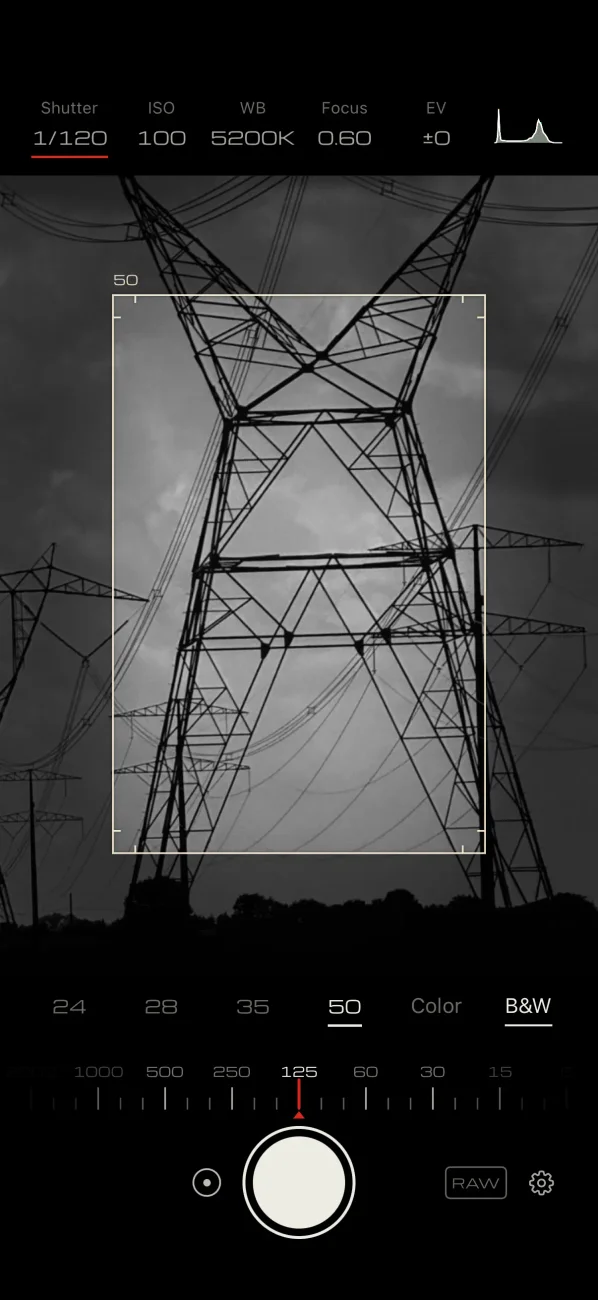
Stille is a photo-only manual camera for iPhone. It finishes the picture the moment you press the shutter — no editing needed.
One mode, two paths
• Auto exposure: Apple's 48MP ProRAW negative on Pro models with ProRAW; other iPhones use the same multi-frame merge. Both are developed by our own engine.
• Manual exposure (shutter or ISO set by hand): a burst of frames, aligned and merged into a cleaner, more detailed negative. At 28 / 35 / 50 mm it uses multi-frame super-resolution, built only from detail the sensor actually recorded — no AI generation.
Our own development
• Restrained color, slightly darker tones, highlights that don't blow out to flat white.
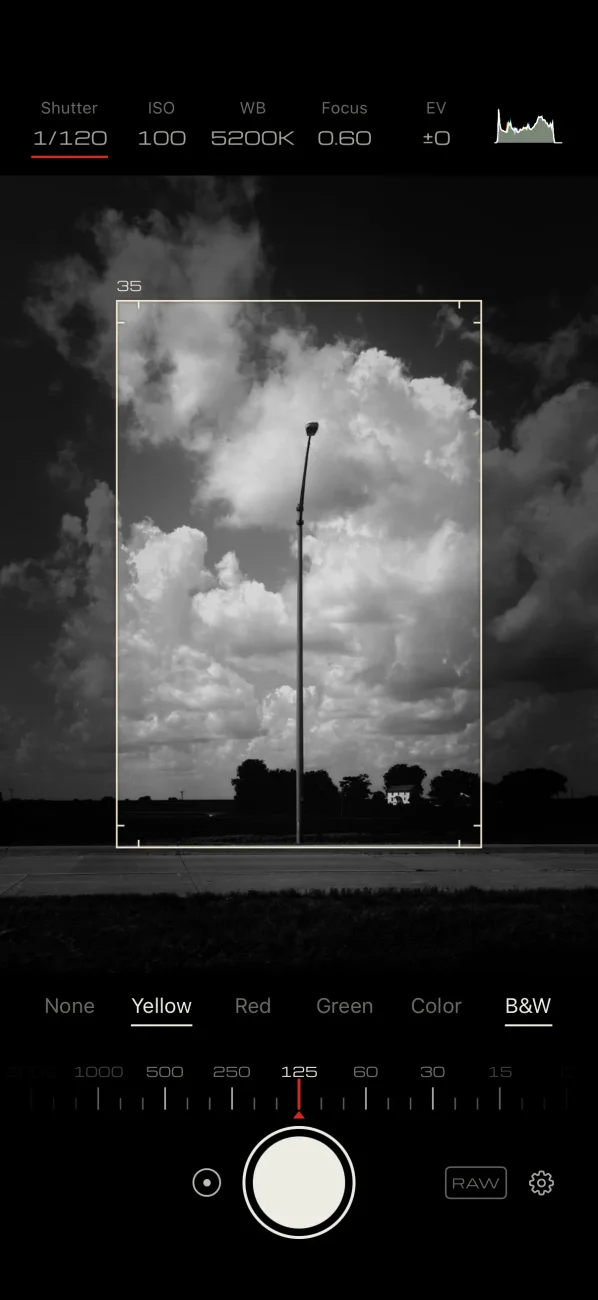
• Five color looks — Standard, Humanist, Warm Negative, Cine Cool and Bleach Bypass — plus Black & White with yellow, red or green filters.
Fully manual
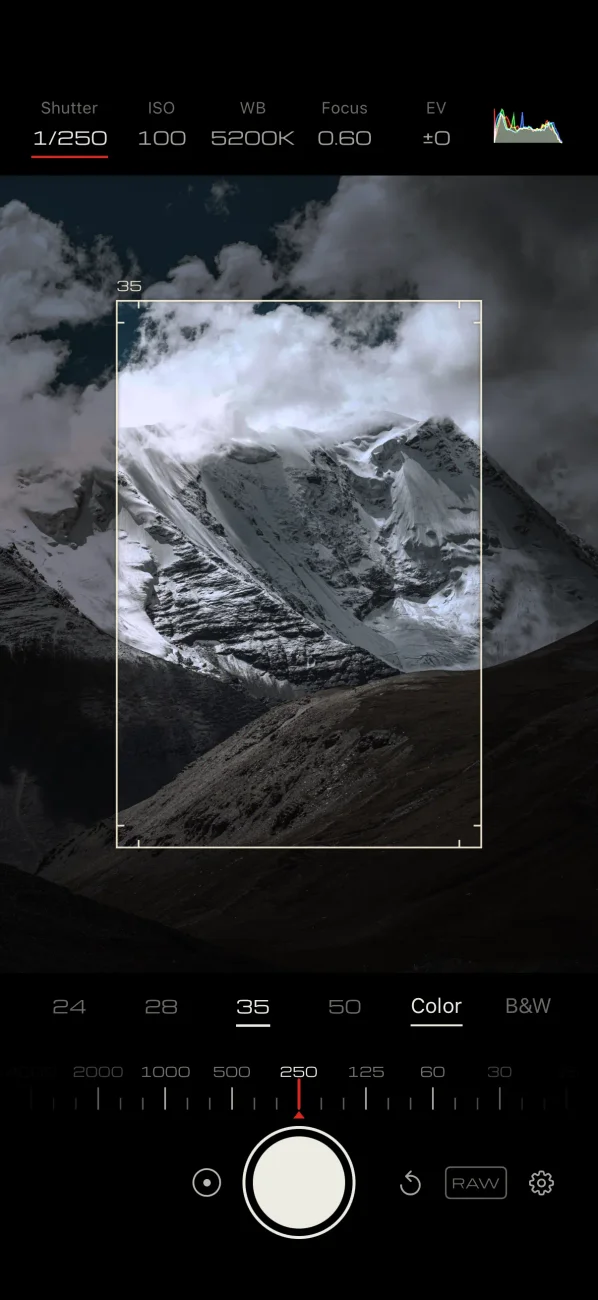
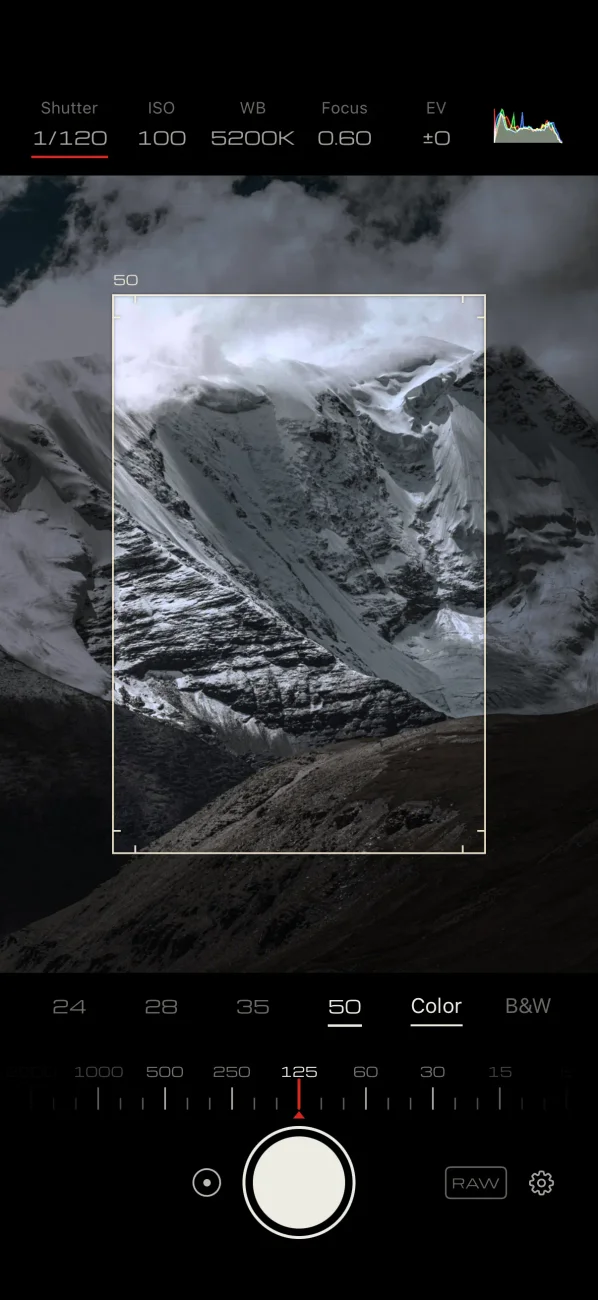
• Shutter, ISO, white balance, focus and exposure compensation on tactile dials with haptic detents; each can be auto or manual independently.
Focal lengths and formats
• Main camera at 24 mm (24 or 26 mm depending on model), with 28 / 35 / 50 mm cropped from it; 13 mm and telephoto on iPhones that have those lenses. Focal lengths match your iPhone's actual equivalent focal length.
• 4:3 or 3:2 aspect ratio.
• HEIF, or HEIF plus the RAW negative.
Quick access
• Camera Control support: press to shoot, slide to adjust settings.
• Open from the Lock Screen or Control Center.
Viewfinder aids
• Focus peaking, zebras, live histogram, light meter, shake meter, level and grid.
• Motion-blur and light-trail preview below 1/30 s.
Privacy
• No network access and no data collection. Photos are saved only to your own library.
Requirements
• iOS 18 or later.
• Works on iPhone 12 Pro and all later Pro models, and on iPhone 16 and later (including iPhone 16e and iPhone Air).
• iPhone 14 and 15 (non-Pro) may have limited support. Earlier non-Pro models, iPhone 11 Pro and iPhone SE are not supported.
What’s new
Version 1.0.1 · Oct 29, 2026
• Four new color looks: Humanist, Warm Negative, Cine Cool and Bleach Bypass. Tap Color to choose.
• The standard Color look is retuned: a little brighter, with richer color.
• New 13 mm ultra-wide and telephoto settings (shown when your iPhone has those lenses). Focal lengths on screen and in the photo's metadata now match your iPhone's actual equivalent focal length.
• New aspect ratio setting: 4:3 (default) or 3:2.
• Browse the photos you've taken inside the app: swipe through them, or see them all in a grid.
• Faster processing and lower memory use.
• Larger, precisely centered framelines; the viewfinder's color is closer to the final photo.
• Fixed: switching away from the app while a photo was processing could make it fail and lose the photo.
• Other small fixes.
App privacy
What 畅 徐 declares on the App Store about how this app handles data.
-
Data not collected
The developer does not collect any data from this app.
Privacy practices may vary, for example with the features you use or your age.
Information
- Seller
- 畅 徐
- Category
- Photo & Video
- Version
- 1.0.1
- Updated
- Oct 29, 2026
- Released
- Oct 28, 2026
- Size
- 3.8 MB
- Requires
- iOS 18.0 or later
- Age rating
- 4+
- Price
- Free
- Languages
- English, Simplified Chinese, Traditional Chinese
- Copyright
- © 2026 Chang Xu
You might also like
-
 FrameOne - LUT CameraPhoto, video & custom color
-
 Darkroom: A Film CameraPhotos worth waiting for.
-
 EvoShutter Pro: Long ExposureLight trails & Motion Blurs
-
 Camera18: Variable ApertureFilm Camera & Seamless Zoom
-
 digi. - Retro Film CameraVintage 90s Cam & Filters
-
 Apperture: Film SimulationManual Camera & Exposure Log
-
 KmeraFilm Camera, RAW & AI Frame
-
 Super Shot 24: Camera & PrintsRealistic retro disposable cam
-
 PureSnap: Natural Film CameraPure Colors & Moody Filters
-
 CinemaCameraPhoto & Video