
Stillscribe: Voice Notes & AI
Offline Transcripts & Summary
Designed for iPhone, iPad
Free · In-app purchases
- Age rating4+
- CategoryProductivity
- DeveloperMinh Thuan Nguyen
- LanguagesEnglish+ 9 more
- Size9.7 MB
Links to the official App Store page
Download.org hosts no file of Stillscribe: Voice Notes & AI. The button opens its official App Store page, published by Minh Thuan Nguyen. Listing last checked on Nov 24, 2026.
Screenshots



About
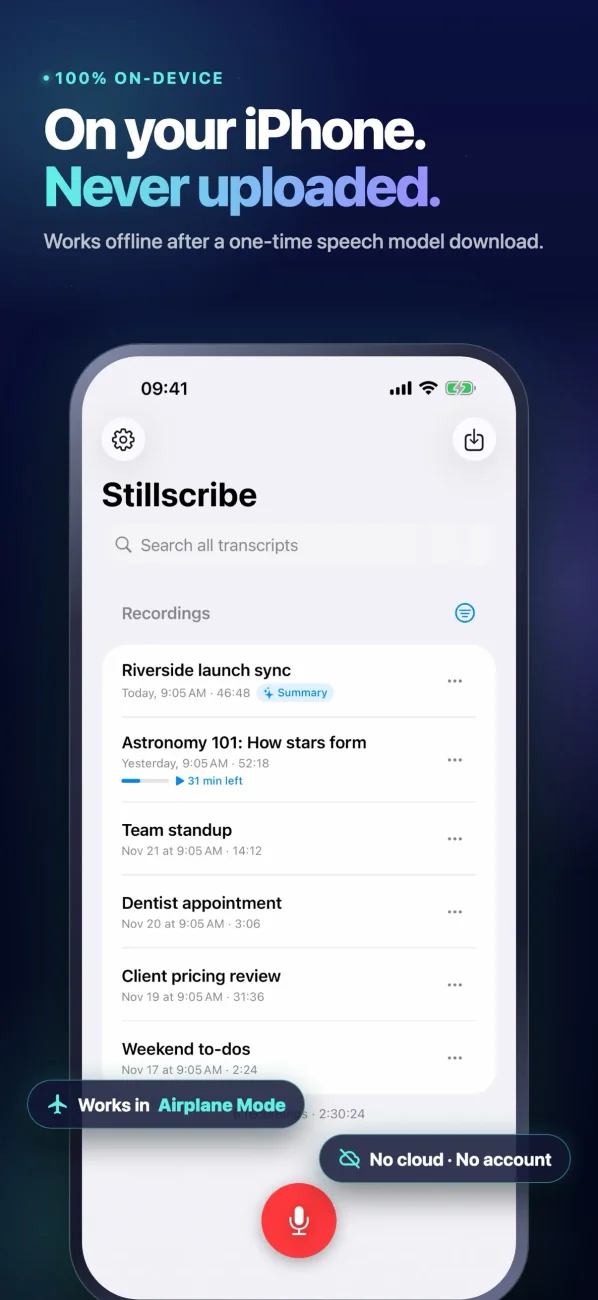
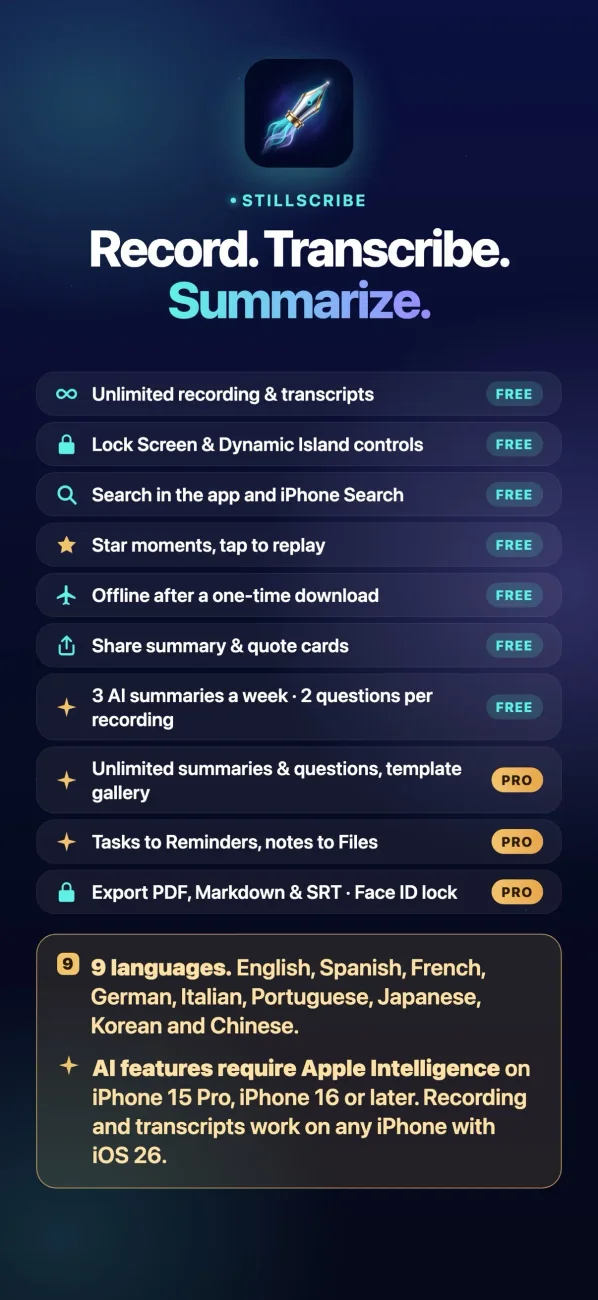
Stillscribe turns meetings, lectures, interviews and voice memos into searchable transcripts and clear summaries you can ask questions about, right on your iPhone or iPad. No account, no cloud uploads, no minute limits.
UNLIMITED FREE TRANSCRIPTION · 100% ON-DEVICE · 9 LANGUAGES
Recording and transcription are free, with no caps and no per-minute fees. Your audio is processed on your device and never leaves it.
PLEASE READ BEFORE DOWNLOADING
• Languages: record, transcribe, summarize and ask in English, Spanish, French, German, Italian, Portuguese, Japanese, Korean and Chinese. The app's interface is in 10 languages.
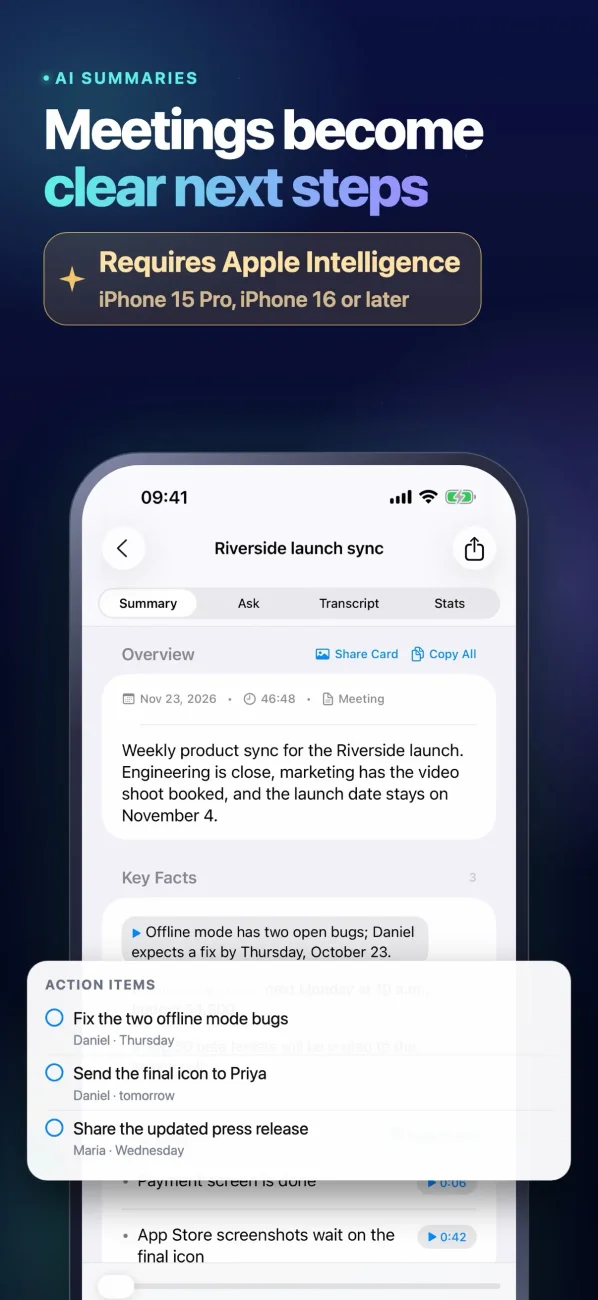
• Any iPhone or iPad that runs iOS 26 or iPadOS 26 can record and transcribe. AI summaries need Apple Intelligence turned on: iPhone 15 Pro, iPhone 15 Pro Max, iPhone 16 or later, or an iPad with M1 or later or iPad mini (A17 Pro).
• First use of a language: Apple's speech model for it downloads once, which needs internet. After that, recording and transcription work offline, even in Airplane Mode. If you record before the download finishes, your audio is saved and transcribed once you're back online.
FREE, NO SUBSCRIPTION NEEDED
• Unlimited recording, with live text as you speak
• Never lose a recording: audio is saved to a file first, even if a call comes in or the app closes
• Keeps recording with the screen locked; pause or stop from the Lock Screen or Dynamic Island
• Choose your mic: built-in, AirPods, wired or USB-C
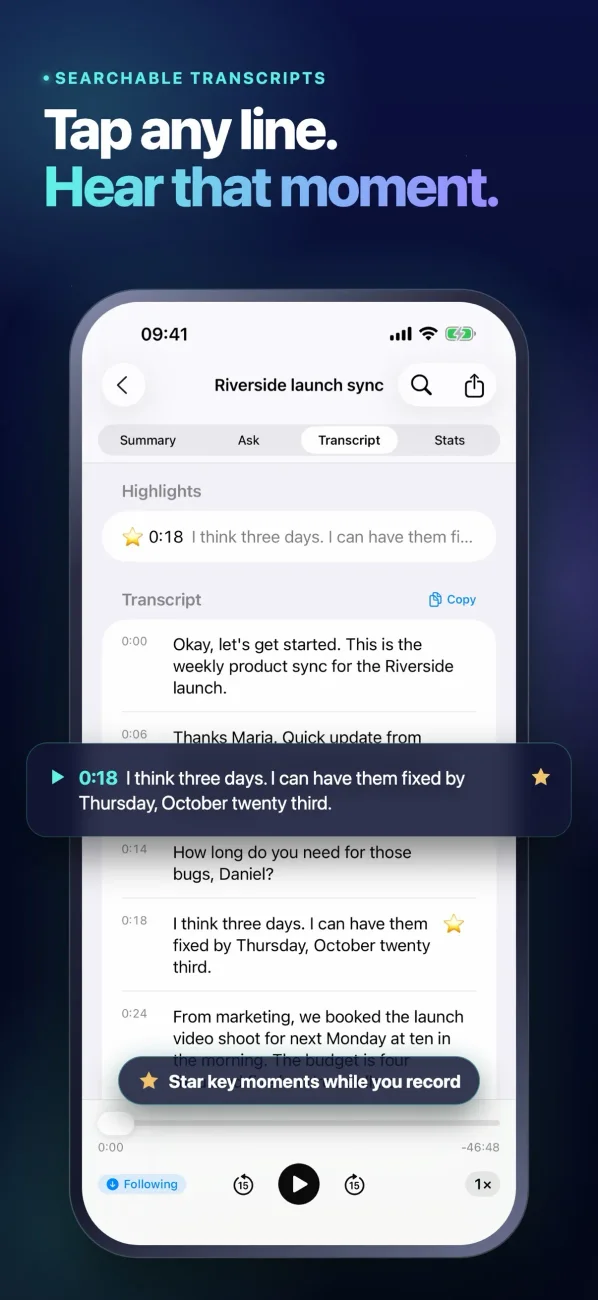
• Star key moments while you record
• Tap any sentence to hear that exact moment; playback picks up where you left off
• Search every transcript in the app or from iPhone and iPad Search (Spotlight)
• Import audio or video from Files or Photos, or share from Voice Memos and other apps
• Start recording with Siri or Shortcuts: "Record a Meeting in Stillscribe"
• 3 AI summaries a week (requires Apple Intelligence) with built-in Meeting, Lecture, Interview and Voice Memo templates: overview, key points and action items
• Ask: 2 questions per recording (requires Apple Intelligence). Answers come from the transcript and link to the moment it was said
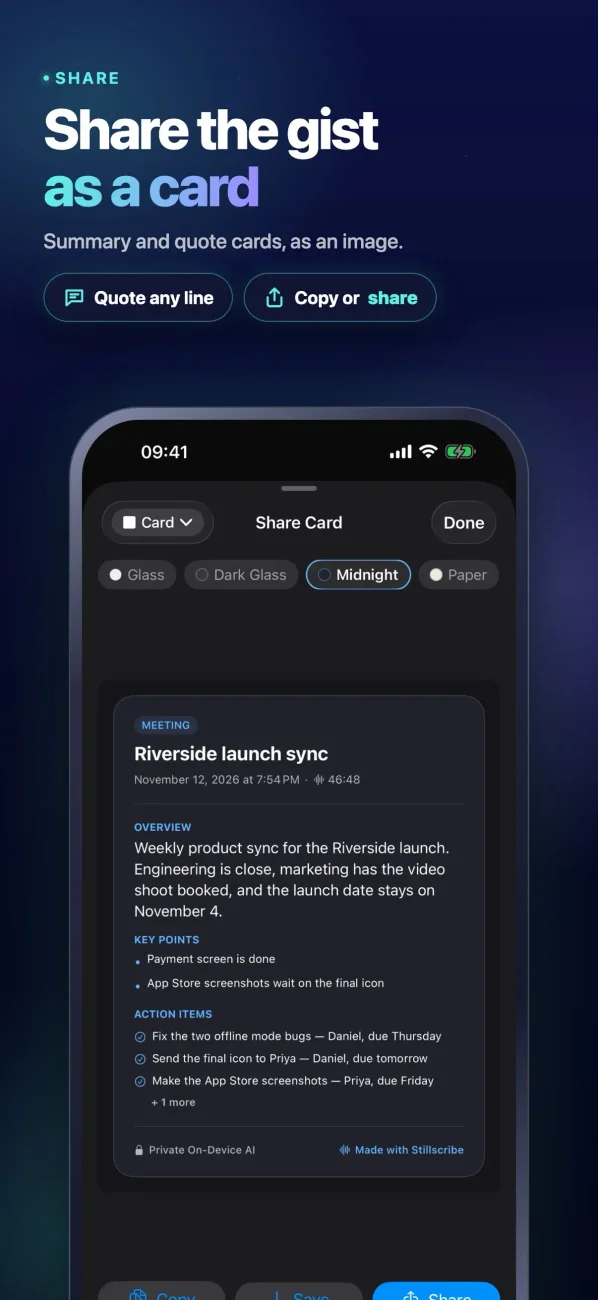
• Share a summary, or any transcript line, as an image card
• Copy text or export plain text (.txt)
STILLSCRIBE PRO (OPTIONAL)
• Unlimited AI summaries
• Unlimited questions with Ask
• Template gallery: 8 ready-made templates, such as Sales call, One-on-one and Doctor visit
• Custom templates: your own instructions, sections and length, plus up to 3 questions answered after every summary
• After each summary: tasks go to a Reminders list and the summary is saved to Files, automatically
• Export PDF, Markdown (.md) and subtitles (.srt)
• Send action items to Apple Reminders
• Filter recordings by summary, highlights or template
• Lock the app with Face ID or Touch ID
AI summaries, Ask, templates, Reminders and summary filters require Apple Intelligence. On a device without it, Pro adds the export formats and the app lock only.
PRIVATE BY DESIGN
No sign-up, no ads, no tracking. Stillscribe collects no data: your recordings, transcripts and summaries stay on your device.
GREAT FOR
• Meetings: minutes and action items
• Lectures: full recordings and study notes, on the iPad that stays on your desk
• Interviews: transcripts that stay private
• Voice memos: loose thoughts turned into to-dos
---
Stillscribe Pro is available as a monthly or yearly subscription (the yearly plan includes a 7-day free trial) or a one-time lifetime purchase. Payment is charged to your Apple Account at confirmation of purchase. Subscriptions renew automatically unless cancelled at least 24 hours before the end of the current period; your account is charged for renewal within 24 hours before the period ends. Manage or cancel anytime in your Apple Account settings.
Terms of Use: https://nguyenminhthuanvnn.github.io/stillscribe/terms-of-use.html
Privacy Policy: https://nguyenminhthuanvnn.github.io/stillscribe/privacy-policy.html
What’s new
Version 1.3.0 · Nov 23, 2026
Stillscribe now speaks your language, and summary templates do much more.
NEW
• 9 spoken languages: record, transcribe, summarize and ask in English, Spanish, French, German, Italian, Portuguese, Japanese, Korean and Chinese. Pick the language on the recording screen or in Settings > Spoken Language. Each language's speech model downloads once from Apple.
• Stillscribe notices when a recording sounds like a different language and offers to switch, even while you record.
• Ask questions in your own language about a recording in another one.
• The app itself is now in 10 languages, following your iPhone or iPad. Change it in Settings > App Language.
• Import a video straight from Photos: only the sound is kept.
• Siri and Shortcuts: say "Record a Meeting in Stillscribe" to start recording right away with the template you pick.
SUMMARY TEMPLATES (PRO)
• Template gallery: 8 ready-made templates, including Sales call, One-on-one, Daily standup, Doctor visit and Job interview.
• Pick any template, including your own, before you record.
• Your questions: add up to 3 questions to a template and get them answered after every summary.
• Your sections: add your own sections, like Objections or Budget, filled in from the recording.
• Choose a length (Short, Standard, Detailed) and turn the Overview or Key Facts off.
• After each summary: add the tasks to a Reminders list and save the summary to a folder in Files, automatically.
• Try on a Recording: see what a template writes before you save it.
IMPROVEMENTS
• When Apple Intelligence won't answer a question, Ask shows the matching lines from the transcript instead.
• Summaries stay in the recording's language with every template.
• Share card preview: pinch, drag and double tap.
• Play buttons on one-word Key Facts land on the right moment.
• Done button above the keyboard in the template editor.
• Smaller fixes and polish.
App privacy
What Minh Thuan Nguyen declares on the App Store about how this app handles data.
-
Data not collected
The developer does not collect any data from this app.
Privacy practices may vary, for example with the features you use or your age.
Information
- Seller
- Minh Thuan Nguyen
- Category
- Productivity
- Version
- 1.3.0
- Updated
- Nov 23, 2026
- Released
- Nov 5, 2026
- Size
- 9.7 MB
- Requires
- iOS 26.0 or later
- Age rating
- 4+
- Price
- Free
- In-app purchases
- Yes
- Languages
- English, French, German, Italian, Japanese, Korean, Portuguese, Simplified Chinese, Spanish, Traditional Chinese
- Copyright
- © 2026 Nguyen Minh Thuan
You might also like
-
 Kayit Transcribe Audio to TextPrivate, On-device, Interviews
-
 Proverbs 31:Daily OrganizerProProductivity
-
 SpeakLiz: audio detectorApp for hearing impairment
-
 World Sounds: for watchIdentify over 300 sounds
-
 Kurn: AI Meeting Note TakerRecord, Transcribe, Summarise
-
 Handled: Calm Daily PlannerTodos, Links, Notes & Calendar
-
 Nodino: Reminders & To Do ListLocation Alerts, Tasks, Widget
-
 Live Conference InterpreterLive captions for any talk
-
 Mimir: AI Meeting MinutesRecord, transcribe, summarize
-
 Timlul - Private transcriberTranscribe hebrew on-device