
- Age rating4+
- CategoryPhoto & Video
- DeveloperGobling Company
- LanguagesEnglish
- Size8.5 MB
Links to the official App Store page
Download.org hosts no file of Stillsplice. The button opens its official App Store page, published by Gobling Company. Listing last checked on Nov 17, 2026.
Screenshots
About
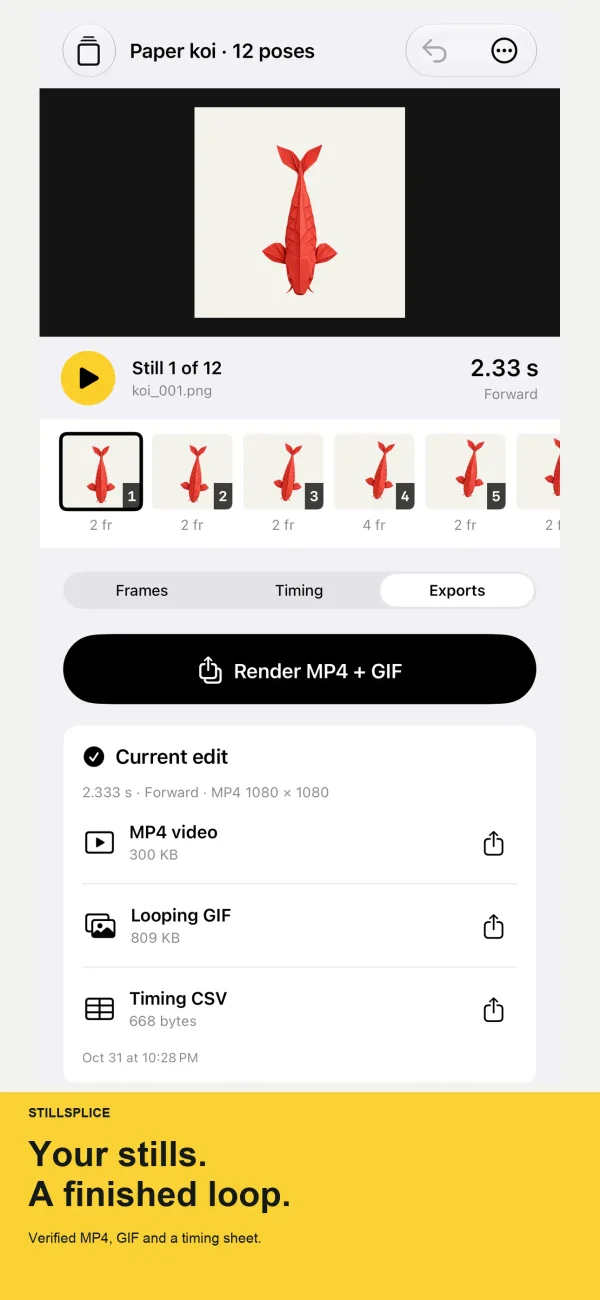
Stillsplice finishes image sequences you have already made. Import PNG, JPEG or HEIC stills from Files, set their timing and export an H.264 MP4 video, a looping GIF and a CSV timing sheet.
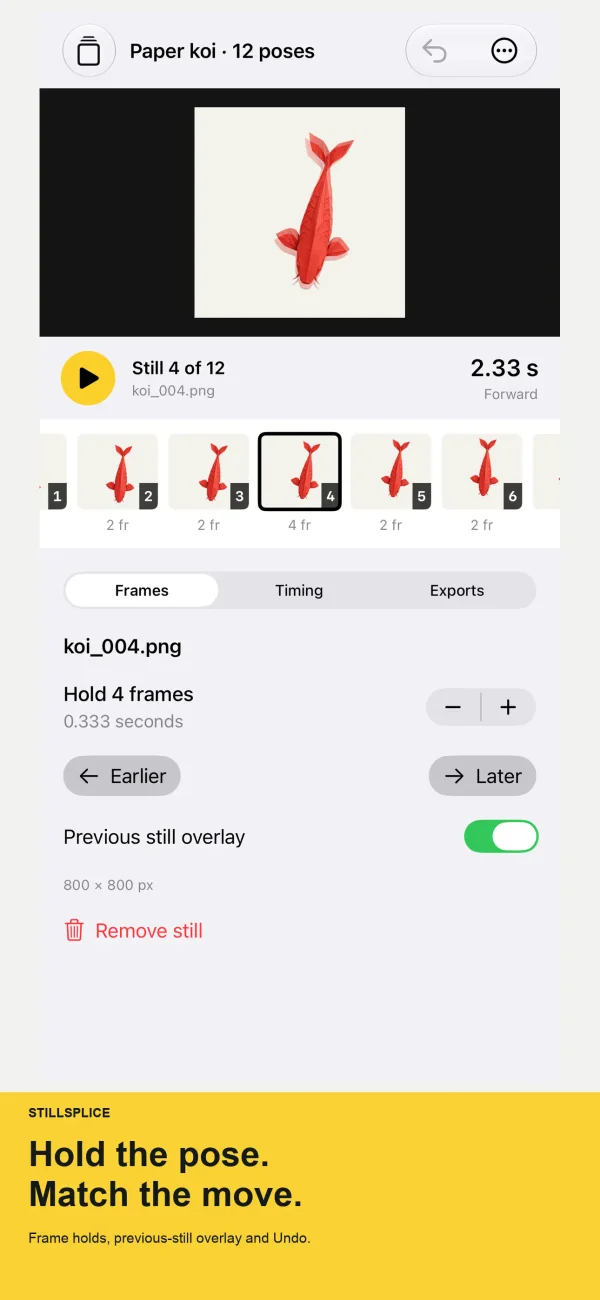
Numbered filenames import in natural order, so frame 2 comes before frame 10. Check for missing sequence numbers and mixed image sizes. Reorder stills, adjust individual holds, set all holds at once, and undo or redo sequence edits. Compare a still with the previous one using a translucent overlay.
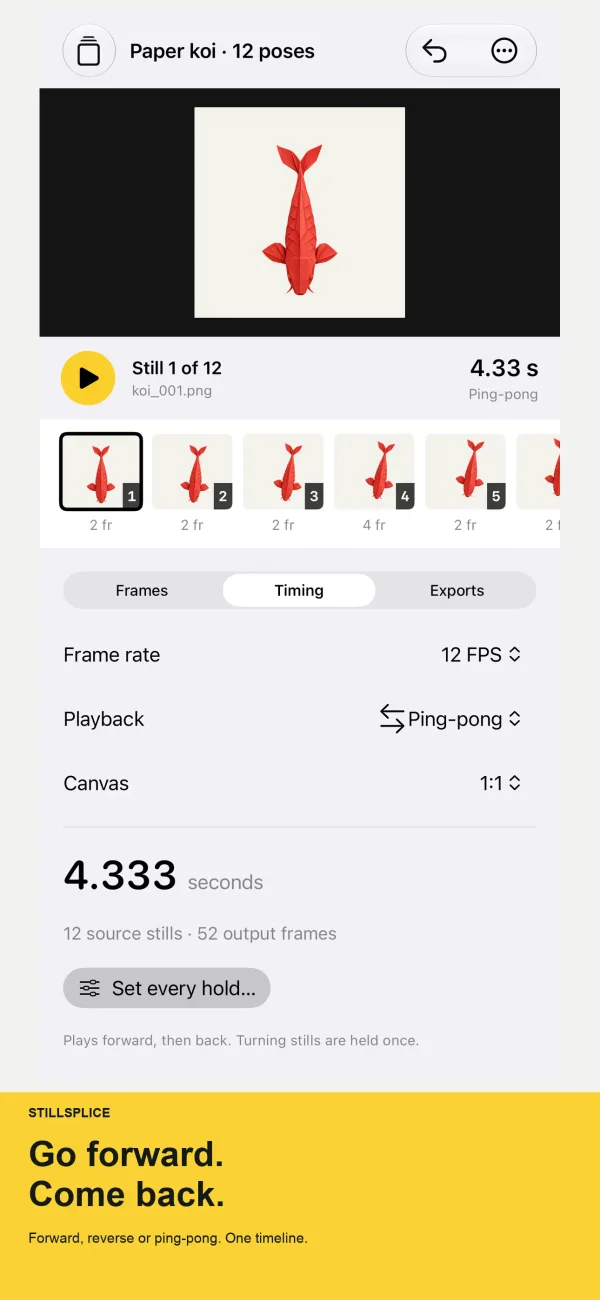
Choose forward, reverse or ping-pong playback, a frame rate from 6 to 30 FPS, and a square, landscape or portrait canvas. Preview and export use the same timing plan. The MP4 is verified against the exact timeline duration. GIFs use a 960-pixel long edge, with cumulative timing rounded to centiseconds to prevent loop drift. Supports up to 500 stills with holds from 1 to 240 frames.
MP4, GIF and CSV files stay with their project. Preview or share the actual files, return to saved exports, and see whether an export matches the current edit. Older projects remain compatible. Normal first launch is empty; an optional paper-koi sample lets you try the workflow.
One purchase includes every feature. No account, subscription, ads, analytics, tracking or developer-operated upload. Projects and imported copies stay on your device unless you choose to share exports. Deleting a sequence removes its local source copies and exports.
Stillsplice finishes existing still images. It does not capture photos, draw frames, add audio or interpolate motion.
What’s new
Version 1.1 · Oct 31, 2026
Fine-tune every loop with forward, reverse and ping-pong playback. Adjust all frame holds together, compare the previous still with an overlay, undo and redo sequence edits, and preview saved exports. Rendering now uses less image memory, verifies exact MP4 timing, prevents cumulative GIF timing drift, and includes a CSV timing sheet. Saved exports identify whether they match the current edit. Improved iPhone and iPad workspaces.
App privacy
What Gobling Company declares on the App Store about how this app handles data.
-
Data not collected
The developer does not collect any data from this app.
Privacy practices may vary, for example with the features you use or your age.
Information
- Seller
- Gobling Company
- Category
- Photo & Video
- Version
- 1.1
- Updated
- Oct 31, 2026
- Released
- Oct 1, 2026
- Size
- 8.5 MB
- Requires
- iOS 17.0 or later
- Age rating
- 4+
- Price
- $4.99
- Languages
- English
- Copyright
- © 2026 Gobling Company
You might also like
-
 SeqnceTime-lapse from photos & video
-
 Renamely: Batch RenameRename many photos & files
-
 SlideShow with TitlesShowing your title metadata
-
 TimeLapsed - Time Lapse CameraStar Trails, Blending & Video
-
 Slidy – Photo SlideshowSimple. Beautiful. Slideshow.
-
 Slideshow Maker・SlideFlowPhotos, Videos & Music + TV
-
 SunSketcherReveal the shape of the Sun!
-
 Shuffle PhotosPhoto slideshow in shuffle
-
 Photo Editor Express+Filters, Retouch & Backgrounds
-
 Slideshow Maker: Music & PhotoSlide Show Video Editor