Stillwell · RAW Camera
Long Exposure, Stars & Film
Designed for iPhone, iPad, Mac
Free · In-app purchases
- Age rating4+
- CategoryPhoto & Video
- Developer飞 吕
- LanguagesEnglish+ 10 more
- Size75.2 MB
Links to the official App Store page
Download.org hosts no file of Stillwell · RAW Camera. The button opens its official App Store page, published by 飞 吕. Listing last checked on Nov 25, 2026.
Screenshots



About
Stillwell is a camera that hands you the exposures other apps hide behind a button. Long exposures, star fields, star trails, focus stacking, time-lapses and library stacking all run on the device, and what you get is RAW and HEIF — not a filter pasted on top.
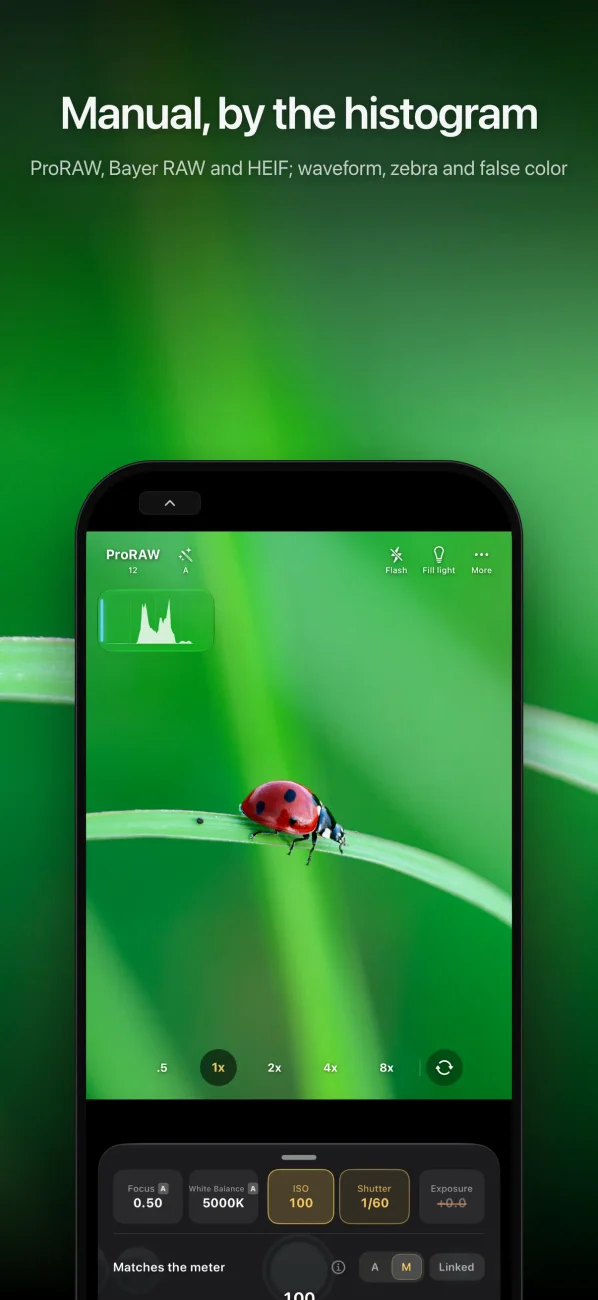
· Capture — ProRAW, Bayer RAW or HEIF, fully manual exposure. On variable-aperture iPhones, aperture, shutter and ISO can each be set to auto. Video records in Apple Log.
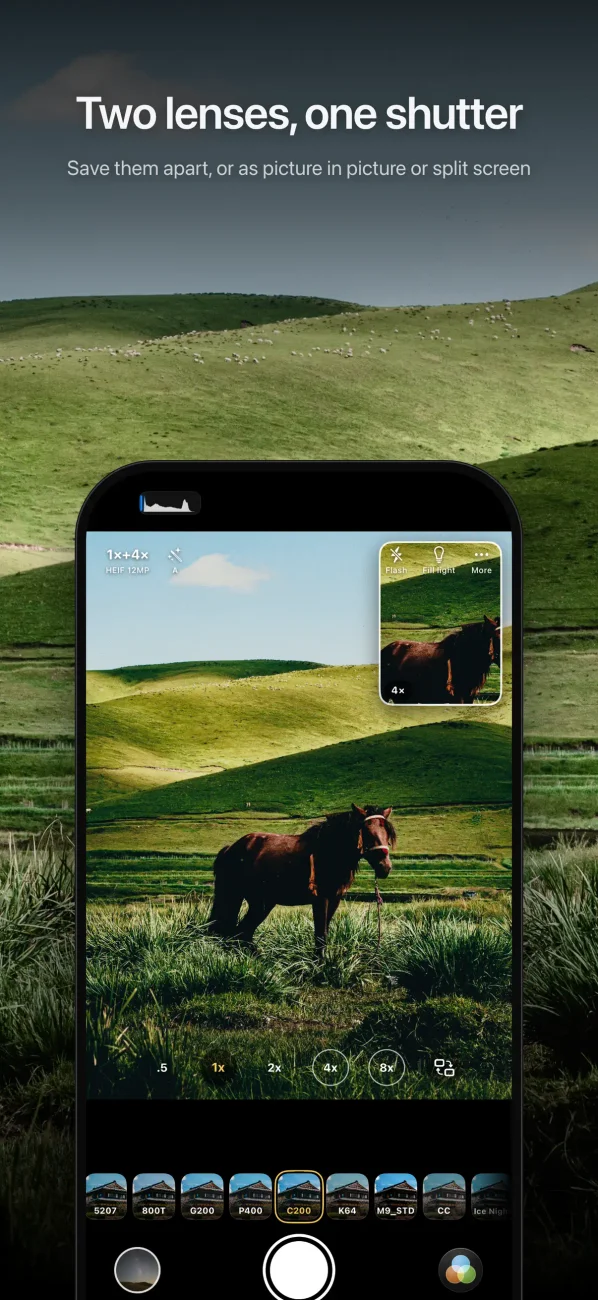
· Dual camera — shoot with front and back, or two back lenses, together; save them separately or as picture-in-picture or split screen.
· Viewfinder aids — live histogram, waveform, zebra and false color, read from the RAW or Log negative and never burned into the file.
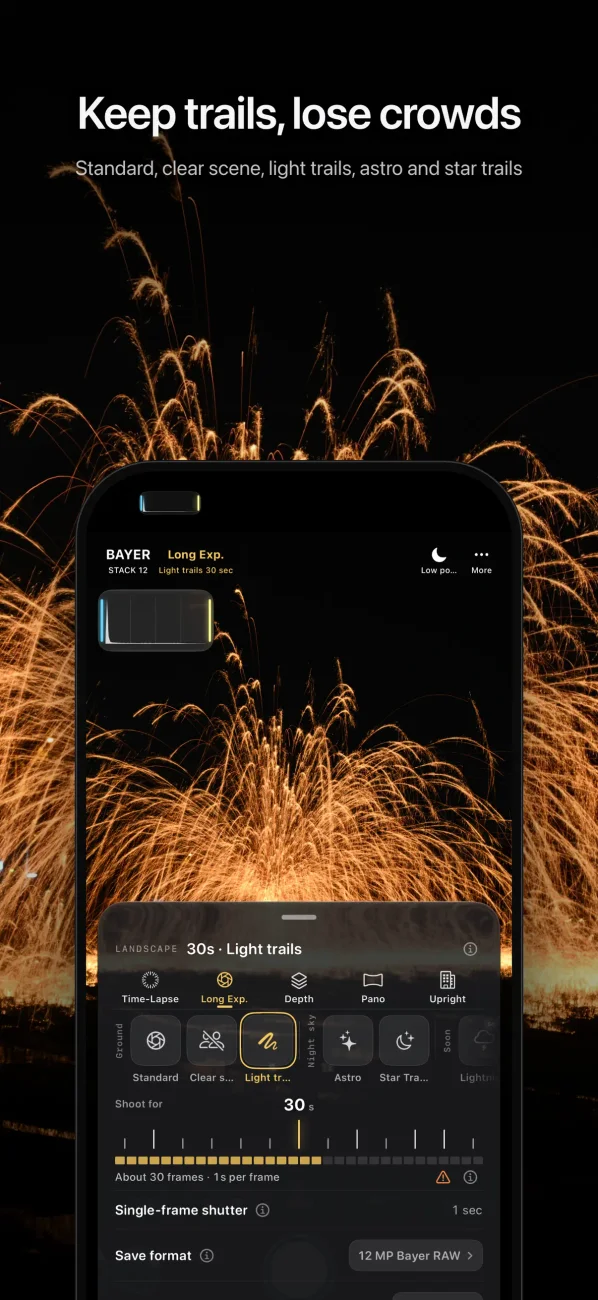
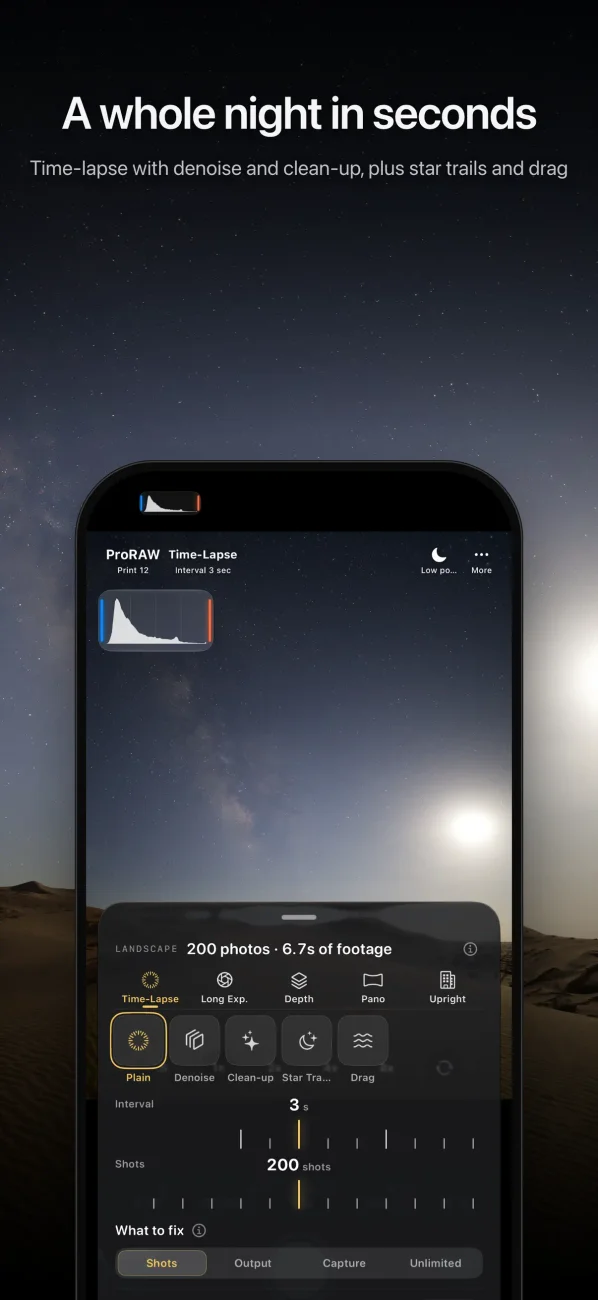
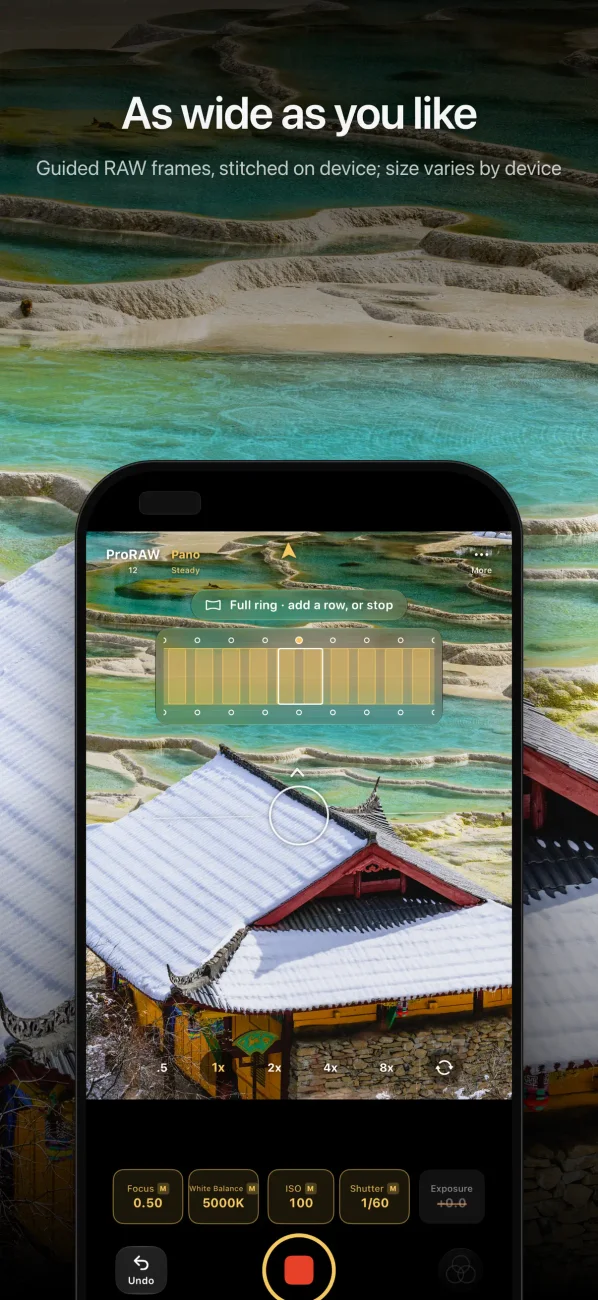
· Landscape — long exposure, Clear Scene, Light Trails, stars, star trails, focus stacking and time-lapse. Guided RAW panoramas stitch on device; keep the originals and stitch again from the library. Camera support and output size depend on the device.
· Upright — tilt up at a building and vertical lines stay vertical, as with a shift lens. The full original is kept and Upright can be fine-tuned later.
· HDR — preview HDR highlights and choose HDR HEIF output per photo in the editor. Regular output defaults to SDR.
· Filters — the glass in front of the lens (mist, star and streak filters), film, LUTs, a colour palette and texture, all set before you press the shutter.
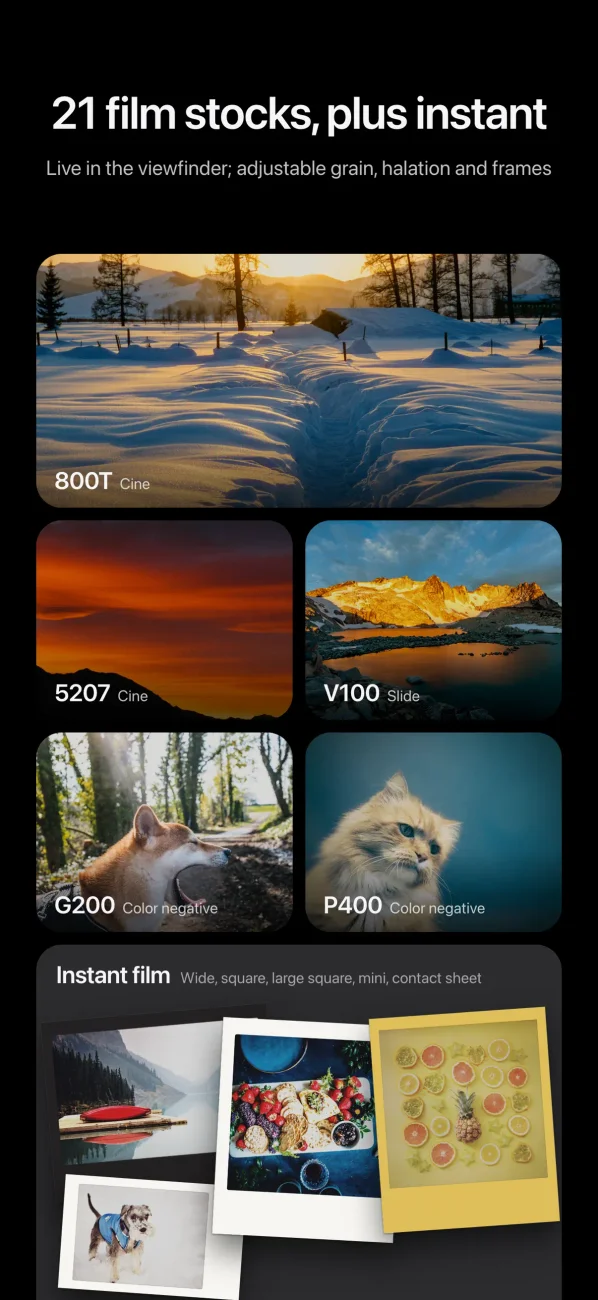
· Render — motion-picture, colour negative and slide-film looks alongside instant film, disposable, CCD and Classic CC. Adjust grain size, halation, softness and edge effects. Softness and edge effects apply to photo output and editing; preview and video burn-in use real-time effects.
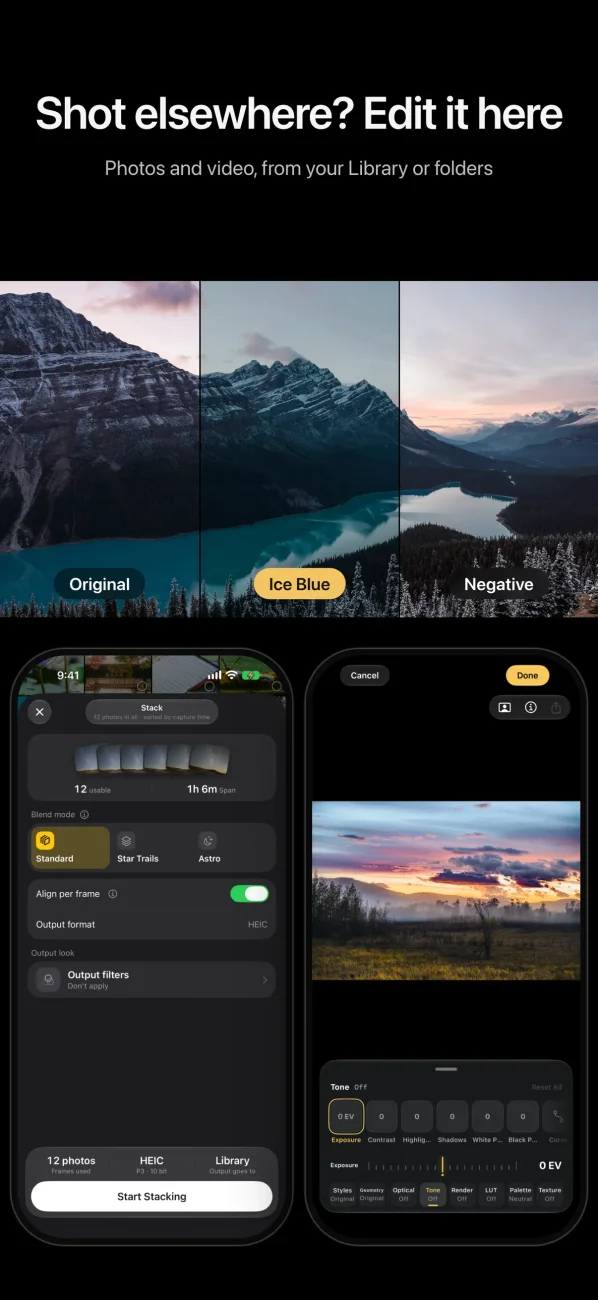
· Editing — what's saved is a recipe, not pixels; the original file is never touched. Exposure, four-channel curves, LUTs, geometry and perspective, and separate exposure for people, background, near and far.
· Library — mean, maximum and star stacking, time-lapse video and star-trail accumulation.
· Metadata — write author, copyright, contact and usage terms straight into photos and videos.
— About Stillwell Pro —
Computational modes, including long exposure, panoramas, focus stacking, library stacking and time-lapse stacking, each come with 3 free completed results that never expire. Lens filters, the colour palette, Upright and geometry can be previewed without Pro; unlocking lets them into your photos. Everything else is free. One Stillwell Pro purchase works on iPhone, iPad and Mac with the same Apple Account.
· Stillwell Pro Annual — auto-renewing yearly subscription
· Stillwell Pro Lifetime — a one-time purchase, never renews
· Stillwell Pro 30-Day Pass — 30 days, does not auto-renew
· Stillwell Pro 7-Day Pass — 7 days, does not auto-renew
Prices for your region are shown in the app before you buy. The annual subscription is charged and renewed within 24 hours before the end of each period unless auto-renew is turned off before then. You can manage or cancel it in your App Store account settings after purchase.
Privacy Policy: https://gwongsam.github.io/cameraraw/privacy/
Terms of Use: https://www.apple.com/legal/internet-services/itunes/dev/stdeula/
What’s new
Version 3.4.0 · Nov 24, 2026
• Bracketing: in Photo mode with Bayer RAW, one press takes a bracket of exposures. Keep the originals, a merged HDR DNG, or both.
• HDR merge in the media library (Pro): select a bracket and merge it into HDR, including brackets from other cameras. Bayer DNG, other RAW and ProRAW merge to HDR; JPEG and HEIC use exposure fusion.
• Bracketed time-lapse: Landscape · Time-lapse can shoot a bracket for every frame and merge each one into an HDR video, with deflicker on by default.
• Aspect ratio: choose a capture aspect ratio in Photo, Landscape, Video and Time-lapse (4:3, 3:2, 5:4, 1:1, 16:9, 65:24; video also 2:1 and 2.39:1), masked right in the viewfinder. Cropping in the editor supports any ratio, and plain cropping is now free.
• New in the editor: White Balance (temperature and tint, with an eyedropper) and Dynamic Range, which compresses the contrast between highlights and shadows in photos.
• Astro DNGs now get the same night-sky brightening as the HEIF result; for older files, measure it in Night Sky.
• Long exposure, astro and focus stack results record how the phone was held, so the editor can level the horizon in one tap.
• Focus stack sequences can be re-composited from the media library, and panorama stitching and focus compositing keep running in the background.
App privacy
What 飞 吕 declares on the App Store about how this app handles data.
-
Data not collected
The developer does not collect any data from this app.
Privacy practices may vary, for example with the features you use or your age.
Information
- Seller
- 飞 吕
- Category
- Photo & Video
- Version
- 3.4.0
- Updated
- Nov 24, 2026
- Released
- Jan 6, 2026
- Size
- 75.2 MB
- Requires
- iOS 26.0 or later
- Age rating
- 4+
- Price
- Free
- In-app purchases
- Yes
- Languages
- English, French, German, Italian, Japanese, Korean, Portuguese, Russian, Simplified Chinese, Spanish, Traditional Chinese
- Copyright
- © 2026 FEI LYU
You might also like
-
 Latent – RAW Film CameraFilm-first RAW camera
-
 Shredly: Photo CleanerShred unwanted photos for fun
-
 LAM · Film Camera & CinemaRetro Vintage Photo & Video
-
 CrossFrame Dual Format CamFront Rear PiP Split Record
-
 AlbumX: Photo CleanerFind Similar Photos & Organize
-
 KAIM Camera: AI CompositionSmart Framing & Film Filters
-
 Lumora: Photo Cleaner & FeedSwipe to sort & delete dupes
-
 PicPost EZCapture, Note & Share Photos
-
 StampCam - Site CameraConstruction Photo Watermark
-
 Movie EditorLayered video editor