
Stockly: Inventory Tracker
Scan. Track. Done.
Designed for iPhone, iPad, iPod touch
Free · In-app purchases
- Age rating4+
- CategoryBusiness
- DeveloperIgor Souza
- LanguagesEnglish+ 5 more
- Size36.8 MB
Links to the official App Store page
Download.org hosts no file of Stockly: Inventory Tracker. The button opens its official App Store page, published by Igor Souza. Listing last checked on Nov 20, 2026.
Screenshots


About
Know what your business has, how much, and where — straight from your phone. Scan a barcode and you're done.
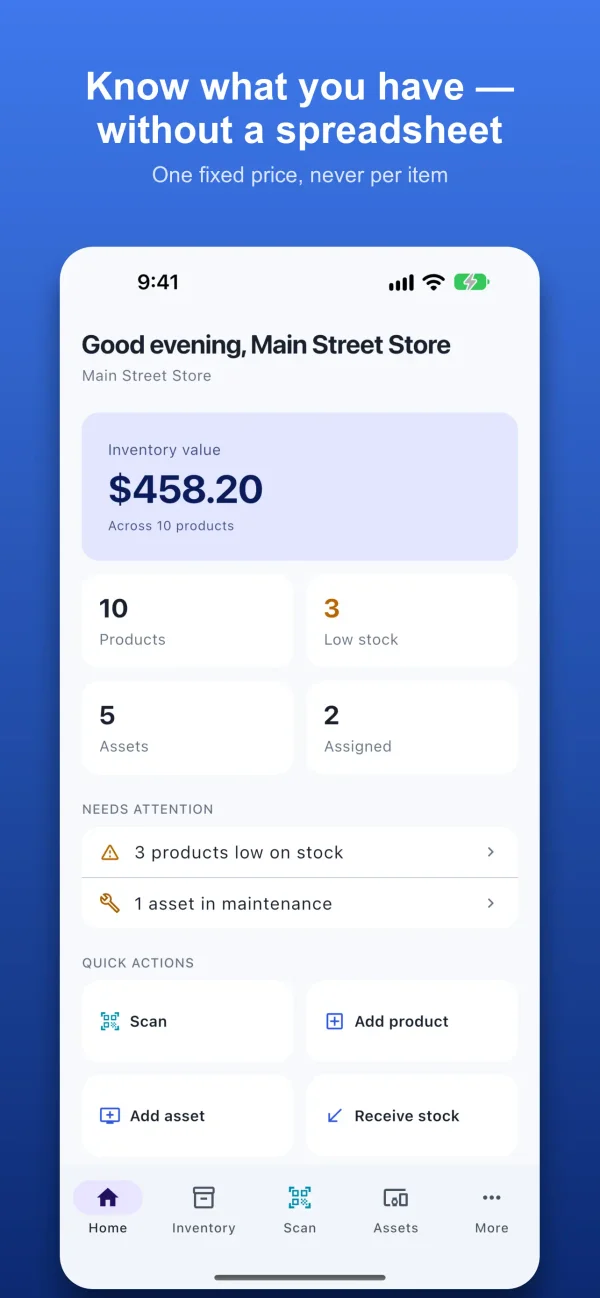
Stockly is inventory and asset tracking for small businesses that are done with spreadsheets: shops, workshops, studios, warehouses, restaurants and service providers. No heavy ERP, no training. Open the app, scan, and move on.
ONE FIXED PRICE, NEVER PER ITEM
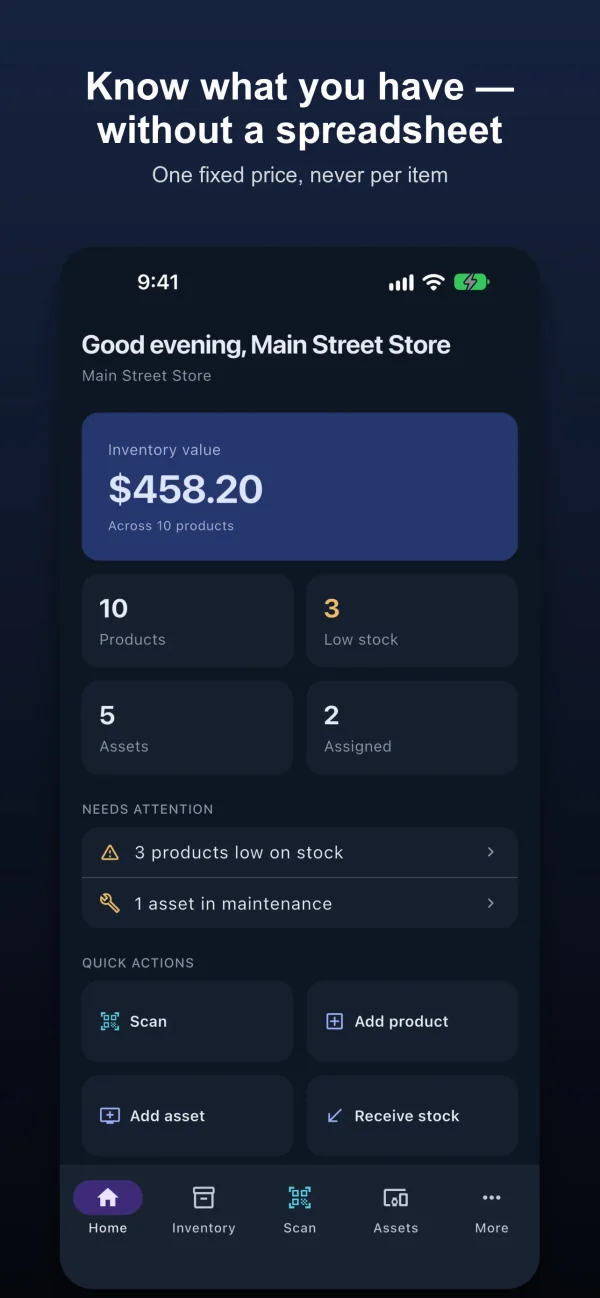
Stockly Pro is a single subscription, however much you track. Add as many products, equipment and locations as you need without paying more per item. Not ready to pay? The free plan is a real plan, not a trial.
SCAN AND GO
• Scan barcodes and QR codes with your camera to find or add an item in seconds
• Add photos, categories, locations, cost and selling price
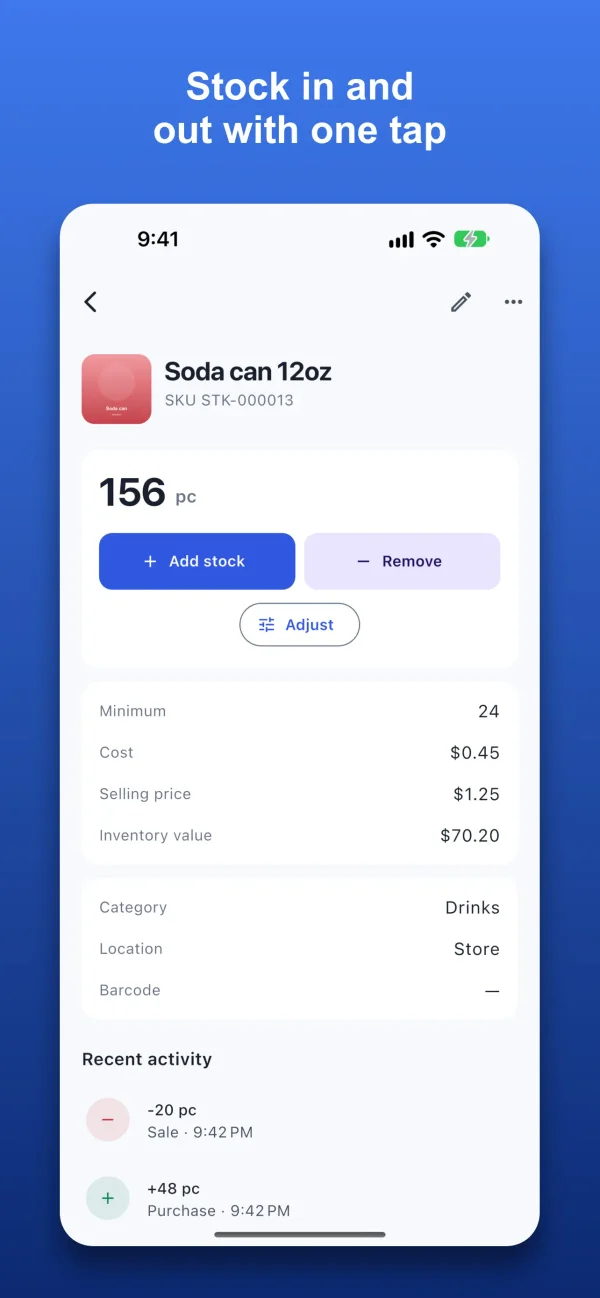
• Record stock in and out with one tap — every movement is kept in the history
• Units from a list (pcs, box, pack, kg, m…) and packs: receive 2 boxes of 12 and stock goes up by 24
• Search the way you talk: “screws low stock” applies the filter for you
FILL IN FROM A LABEL
• Take a photo of the label and Stockly fills in name, brand, model, code, serial number, unit, pack and asset number
• The label is read on your iPhone, and you review every field before saving
• Get a warning when a product looks like a duplicate, and merge the two without losing history
SIRI, SHORTCUTS AND THE ACTION BUTTON
• Say “Scan in Stockly”, “New count in Stockly” or “Low stock in Stockly”
• Use the same actions in the Shortcuts app and on the Action button
NEVER RUN OUT
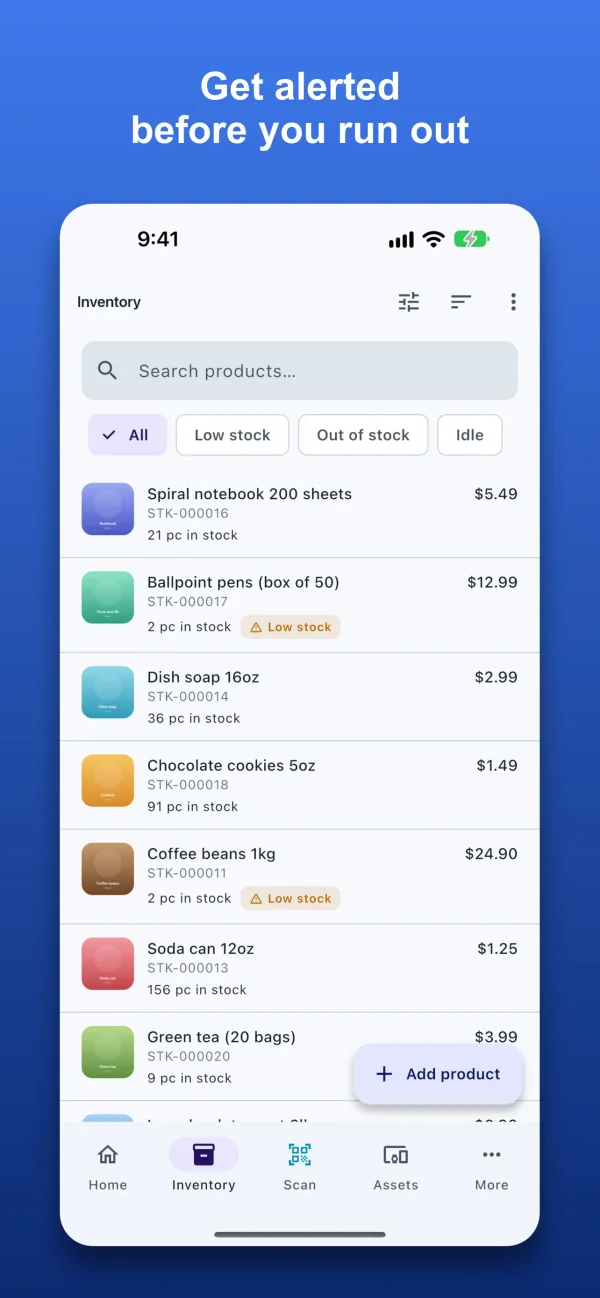
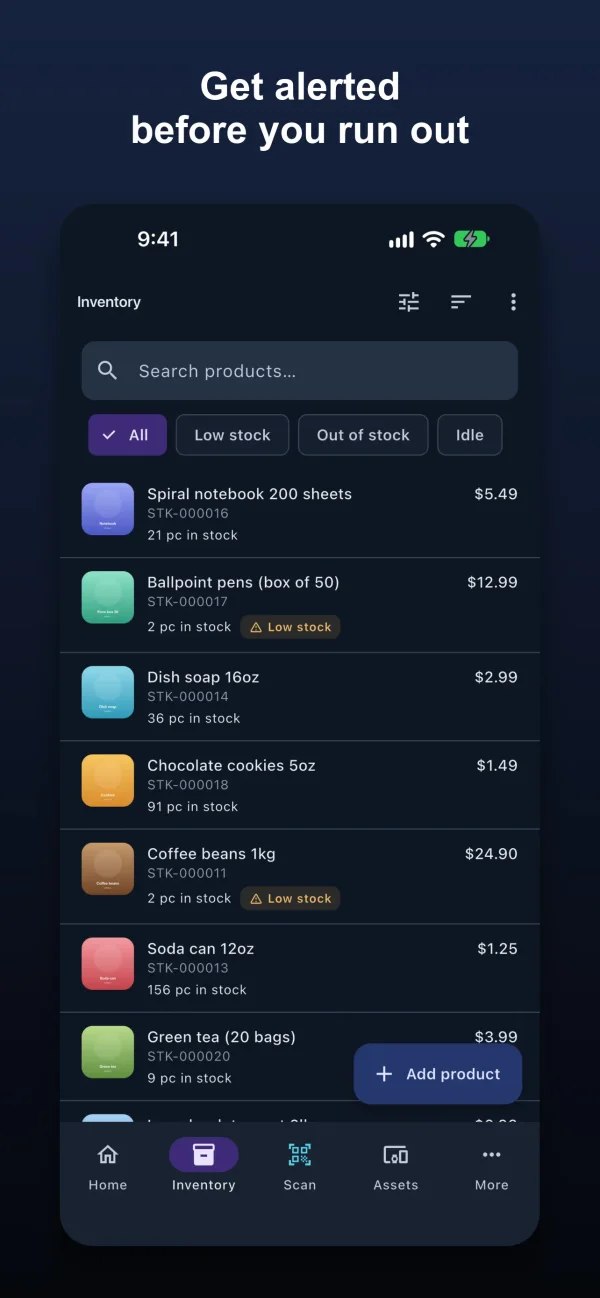
• Set a minimum for any product
• Get a notification the moment it drops below the minimum (free on every plan)
• See everything that's running low on the dashboard
• See how much to reorder, how many days your stock will last and what hasn't moved in months
• Unusual stock outs and repeated entries are flagged for you to check
EQUIPMENT AND ASSETS
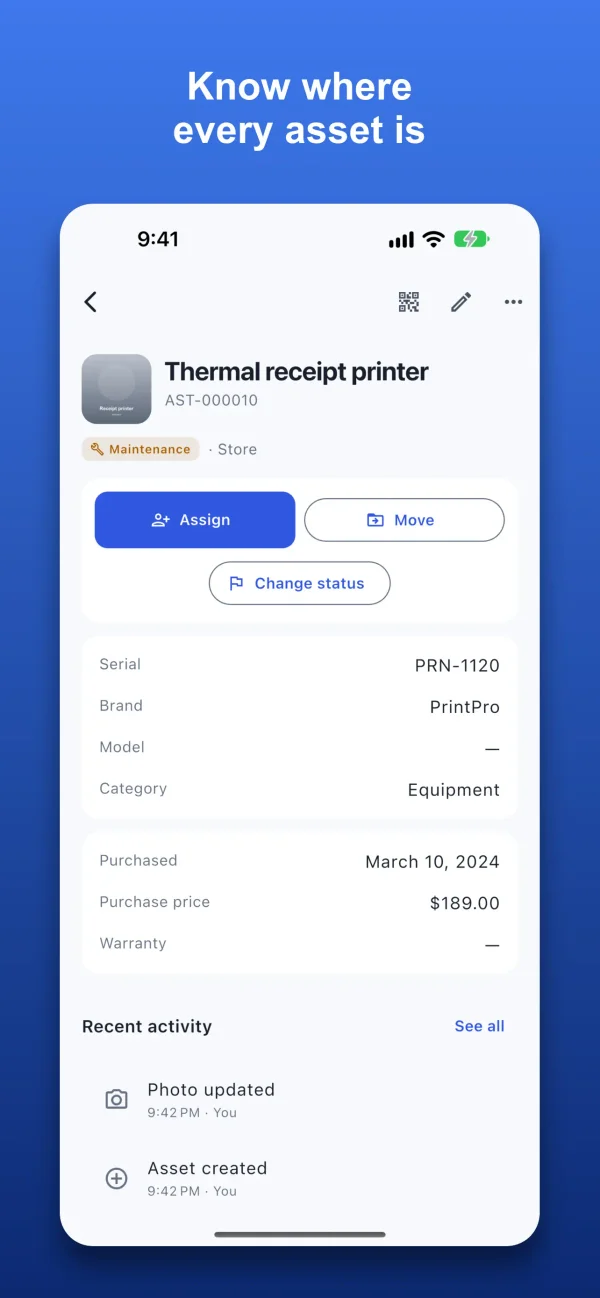
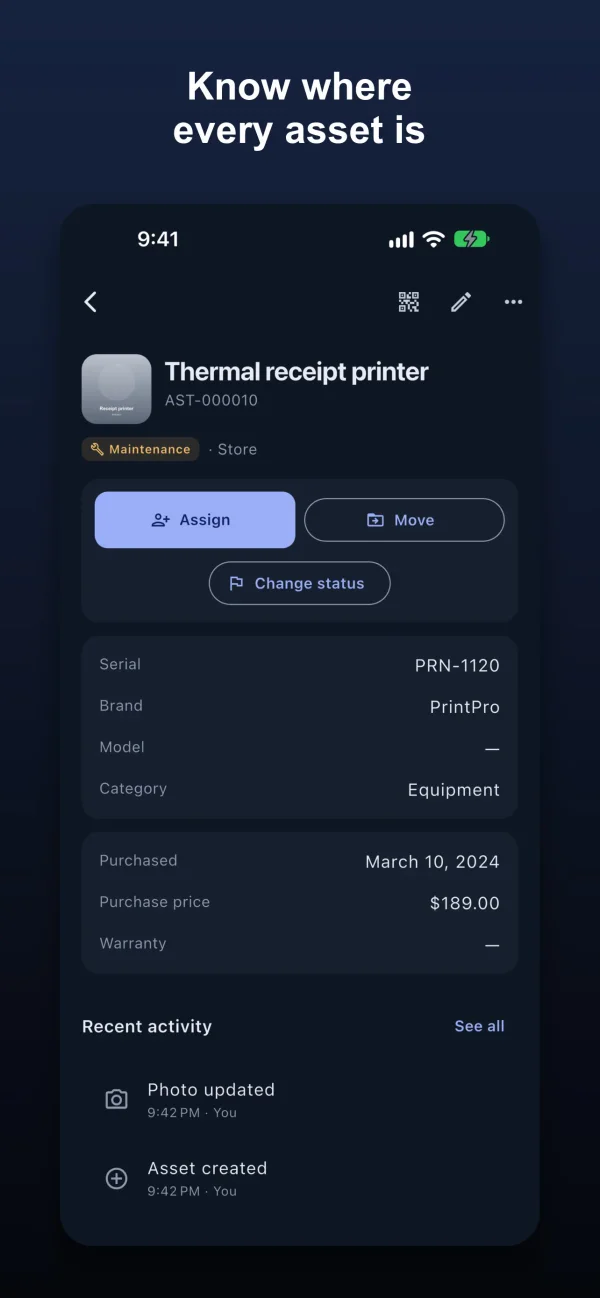
• Track tools, machines and devices alongside your stock
• Serial number, location, status and who has it
• Warranty dates, so nothing expires unnoticed
STOCK COUNTS WITHOUT A SPREADSHEET
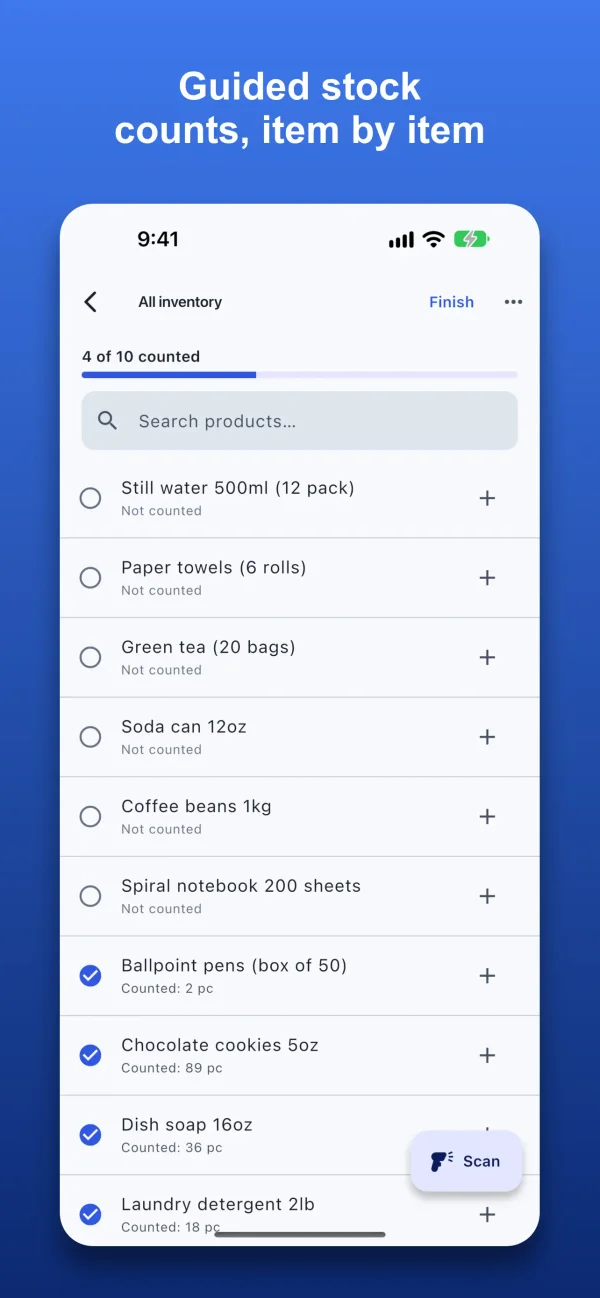
• Guided counts: walk the shelves item by item
• Stockly compares what you counted with what the system expected and shows the differences before you apply them
• Cycle counts: the app suggests a few items at a time, starting with the ones that matter most
BRING YOUR DATA IN, TAKE IT OUT
• Import your items from CSV or Excel (.xlsx) for free — columns are matched automatically
• Print QR labels on standard sheet sizes for items without a barcode
• Export to CSV and PDF reports (Pro)
• Take a photo of a printed list or table and check the rows before importing
• Columns with other names are suggested, and barcodes with a wrong check digit are flagged
FREE PLAN
Up to 50 products, 20 assets and 1 location, with scanning, stock counts, import, QR labels and low-stock alerts.
STOCKLY PRO
Unlimited products, assets and locations, CSV export, PDF reports, advanced labels and the advanced dashboard.
Available in English, Portuguese, Spanish, French, German and Italian.
SUBSCRIPTION DETAILS
Stockly Pro is available as a monthly or yearly auto-renewing subscription. Payment is charged to your Apple ID account at confirmation of purchase. The subscription renews automatically unless it is cancelled at least 24 hours before the end of the current period, and your account is charged for renewal within 24 hours before the end of the current period. You can manage or cancel your subscription in your App Store account settings.
Terms of Use: https://stockly.igorfsz.workers.dev/terms
Privacy Policy: https://stockly.igorfsz.workers.dev/privacy
What’s new
Version 1.3 · Nov 1, 2026
• Faster photos: product and asset pictures now load as small thumbnails and are kept on your device, so lists open quicker and use less data.
• Password reset links now work on any device, including your computer.
• Bug fixes and performance improvements.
App privacy
What Igor Souza declares on the App Store about how this app handles data.
-
Data linked to you
May be collected and linked to your identity.
- Purchases
- Contact info
- User content
- Identifiers
-
Data not linked to you
May be collected but is not linked to your identity.
- Diagnostics
Privacy practices may vary, for example with the features you use or your age.
Information
- Seller
- Igor Souza
- Category
- Business
- Version
- 1.3
- Updated
- Nov 1, 2026
- Released
- Sep 10, 2026
- Size
- 36.8 MB
- Requires
- iOS 15.0 or later
- Age rating
- 4+
- Price
- Free
- In-app purchases
- Yes
- Languages
- English, French, German, Italian, Portuguese, Spanish
- Copyright
- © 2026 Stockly
You might also like
-
 Depo: Stock & InventoryBarcode inventory & counts
-
 Stockly: Inventory ScannerBarcode Stock Tracker & Count
-
 COLORERYour Backbar, Organized
-
 inventory stock tracker proBarcode Scanner & Stock List
-
 Nookta: Inventory & POSStock, sales & finance offline
-
 QuincaPilotBusiness
-
 BarTime - Buvette de clubBusiness
-
 Homen GestionBusiness
-
 Disclosed: Politician TradesCopy Congress stock trades
-
 BuMo : Business MobileBusiness