StockScan – Inventory Scanner
Stock counts. CSV & Excel.
Designed for iPhone, iPad
Free · In-app purchases
- Age rating4+
- CategoryUtilities
- DeveloperSascha Bommels
- LanguagesEnglish+ 9 more
- Size15.7 MB
Links to the official App Store page
Download.org hosts no file of StockScan – Inventory Scanner. The button opens its official App Store page, published by Sascha Bommels. Listing last checked on Nov 12, 2026.
Screenshots



About
Count your stock, review uncounted items and share the results as a spreadsheet. StockScan keeps your inventory count organized from the first item to the final file.
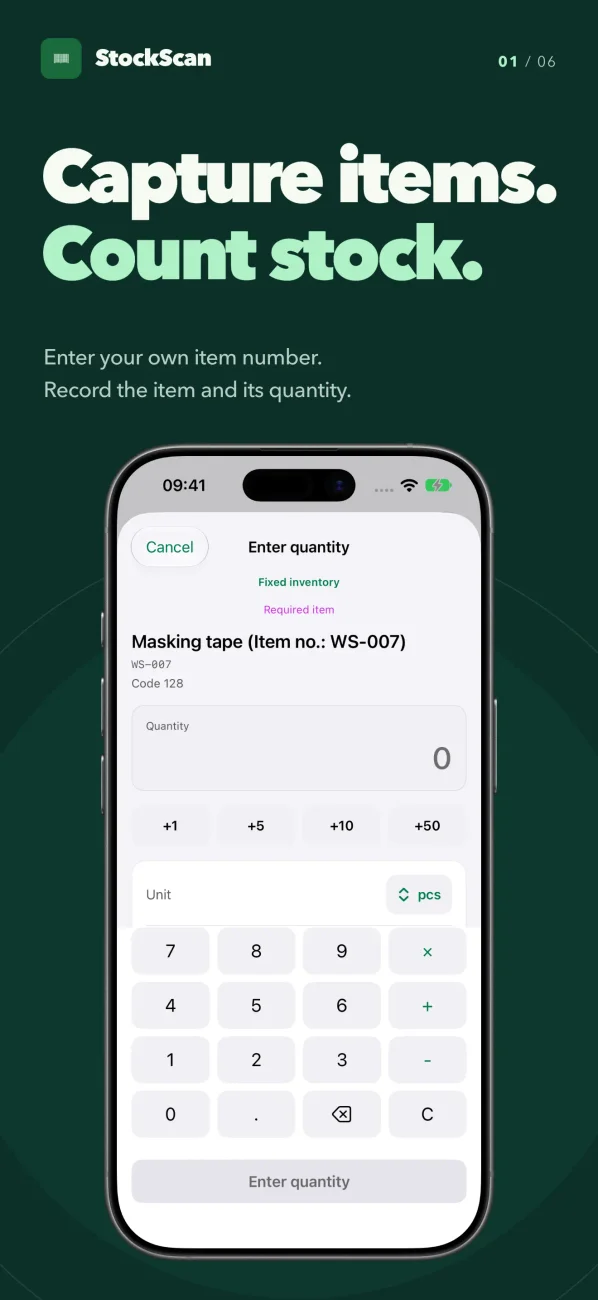
Built for warehouses, workshops and service vans, StockScan lets you scan barcodes or enter your own item numbers, record quantities and review your progress. Core counting works offline.
COUNT FREELY OR FOLLOW A CHECKLIST
Start with an empty inventory or import a fixed item list from Excel, CSV or TSV. Uncounted required items stay visible. Before completing a fixed inventory, count each one or explicitly skip it. Extra items are marked separately.
USE YOUR OWN PRODUCT DATA
Import your product catalog to see matching names and units when you scan. Calculate quantities as you enter them, such as packs × units per pack, and add comments where needed.
PUT THE RESULTS TO WORK
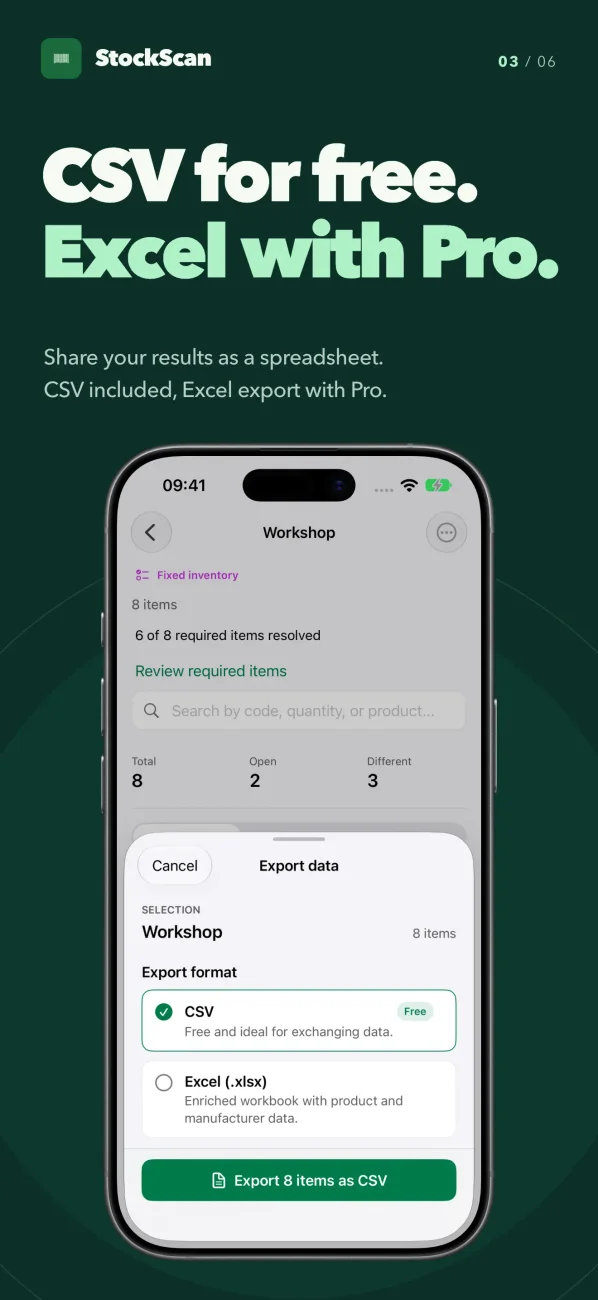
Share your count as CSV and continue in your spreadsheet software. Pro adds Excel reports, target-versus-actual review and comparisons between completed inventories. Keep completed counts in history for reference.
GET READY FOR THE NEXT COUNT
Reset a fixed inventory to count its checklist again. With Pro, you can also create inventories from saved templates and share difference reports.
COUNT FROM YOUR WRIST
Use the single-item counter on your paired Apple Watch. Pro adds count lists for multiple items. Live Activities show your inventory progress on supported devices.
START FOR FREE
One active inventory with up to 100 distinct items, product catalog and checklist imports, completion, history and unlimited CSV export. Explore the workflow with the sample inventory before starting your own.
DO MORE WITH PRO
Pro removes the free version's list and item limits and adds Excel export, Fast Scan, templates, target-versus-actual review, inventory comparisons, difference reports and Watch count lists. Optional private iCloud sync keeps your data available across your own devices.
Available in English, German, French, Spanish, Italian, Portuguese (Portugal), Dutch and Polish.
Pro is an auto-renewing monthly or yearly subscription with Apple Family Sharing. The price and billing period are shown before purchase. Manage or cancel your subscription in your App Store account settings. Eligible purchasers of the original paid app retain Pro access. Existing inventory data remains visible and can still be exported as CSV without Pro.
Start with your item list, or scan your first item.
Privacy policy: https://nature0ne.github.io/stockscan-website/privacy.html
Terms of use: https://www.apple.com/legal/internet-services/itunes/dev/stdeula/
Compatible Bluetooth handheld scanners in HID/keyboard mode require StockScan Pro.
What’s new
Version 1.5.2 · Nov 9, 2026
Find the inventory list you need with filters for free and fixed inventories. Sort by name or creation date, and StockScan remembers your choices.
• Switch between a large number pad and the standard keyboard when entering item numbers. Your entry stays intact, including leading zeros.
• Scan a barcode straight into the comment when editing an item.
• Use division in quantity entry again, for example to split a total across several packs. When editing a quantity, StockScan flags entries with too many decimal places.
• When quantity confirmation is enabled, the first camera scan after switching lists opens the quantity field again.
App privacy
What Sascha Bommels declares on the App Store about how this app handles data.
-
Data not collected
The developer does not collect any data from this app.
Privacy practices may vary, for example with the features you use or your age.
Information
- Seller
- Sascha Bommels
- Category
- Utilities
- Version
- 1.5.2
- Updated
- Nov 9, 2026
- Released
- Mar 12, 2026
- Size
- 15.7 MB
- Requires
- iOS 18.0 or later
- Age rating
- 4+
- Price
- Free
- In-app purchases
- Yes
- Languages
- English, Dutch, French, German, Italian, Japanese, Polish, Portuguese, Spanish, Turkish
- Copyright
- © 2026 Sascha Bommels
You might also like
-
 Counter Smart | Tally CounterCount & Analyze
-
 Decibel Meter - Sound TestLive dB, history & PDF
-
 QuickAlarm - WidgetSet Alarms With One Tap
-
 CameraAddressUtilities
-
 AirShoutUtilities
-
 ConverterMeasurement Converter Pro
-
 Fidelio: Wallet ProAll your loyalty cards
-
 StorySheetYour Story in Photos & Videos
-
 Spectra — System MonitorCPU, Battery, Memory & Network
-
 Promptly - TeleprompterScript reader for creators