
Stop Motion Plus
Create stop-motion video
Designed for iPhone, iPad, iPod touch
$4.99
- Age rating4+
- CategoryPhoto & Video
- DeveloperHeng Jia Liang
- LanguagesEnglish
- Size2.3 MB
Links to the official App Store page
Download.org hosts no file of Stop Motion Plus. The button opens its official App Store page, published by Heng Jia Liang. Listing last checked on Nov 12, 2026.
Screenshots
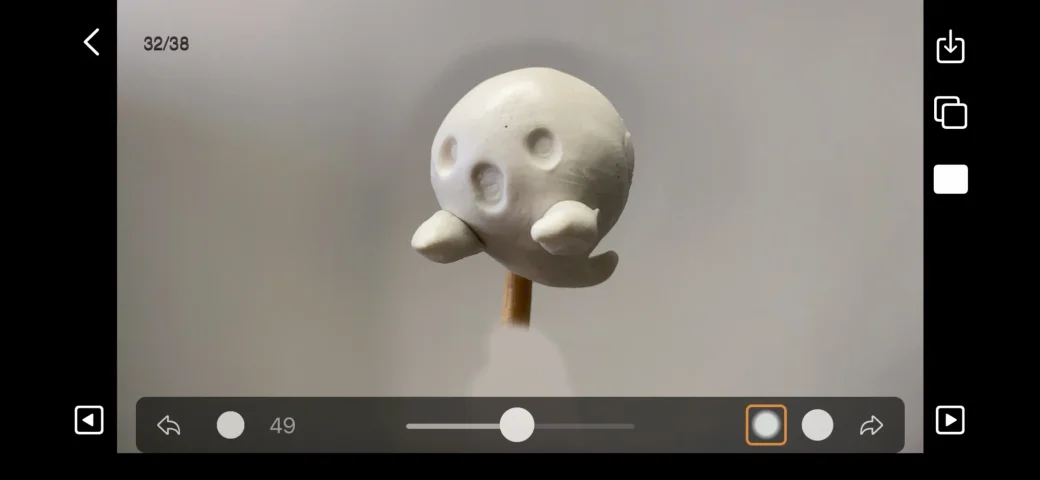
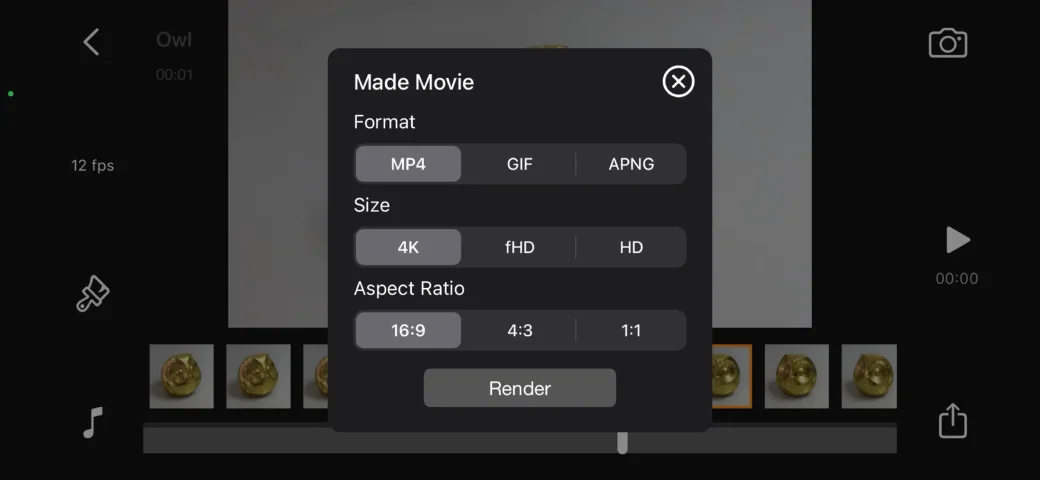
About
Stop Motion for iOS
Simple and robust stop motion app. Create amazing stop-motion videos with ease. Perfect for casual users with an easy-to-use control panel.
Project Management:
• Rename, delete project, or export movie option via long press.
• Projects are copyable to other devices using the Files app. Go to Stop Motion and copy the project folder.
Stop Motion Plus Camera Features:
• Default highest photo quality output depending on device.
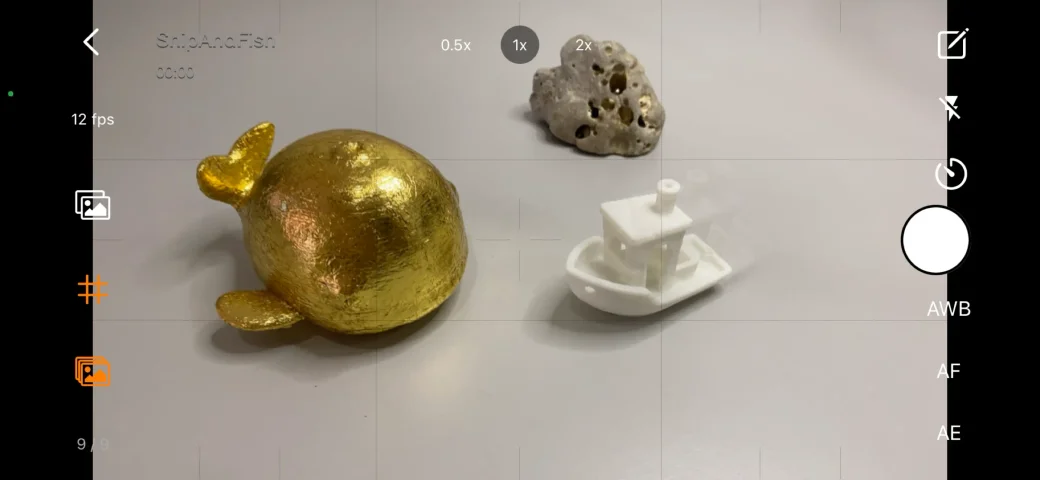
• Support for dual-lens or triple-lens devices.
• Auto/Lock White Balance.
• Auto/Touch Focus/Exposure control.
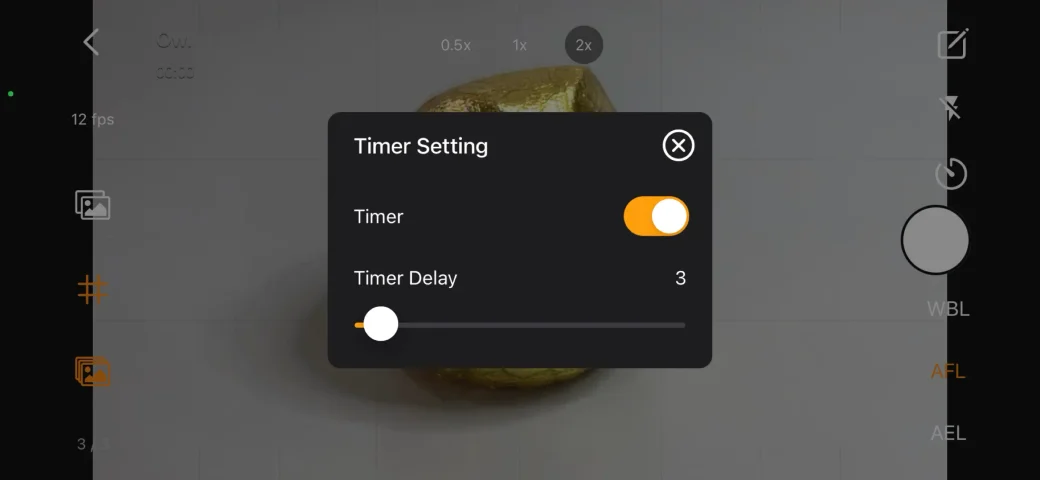
• Timer for interval capture ranging from 1–60 seconds.
• Show/Hide grid option.
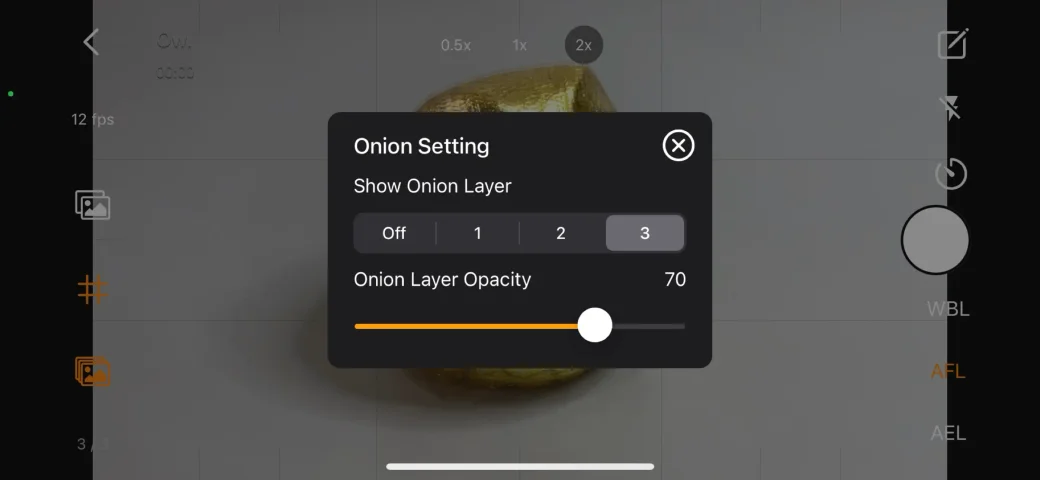
• Option to show onion/overlay of previous frames for reference — up to 3 overlay frames.
• Opacity adjustment for onion/overlay frames.
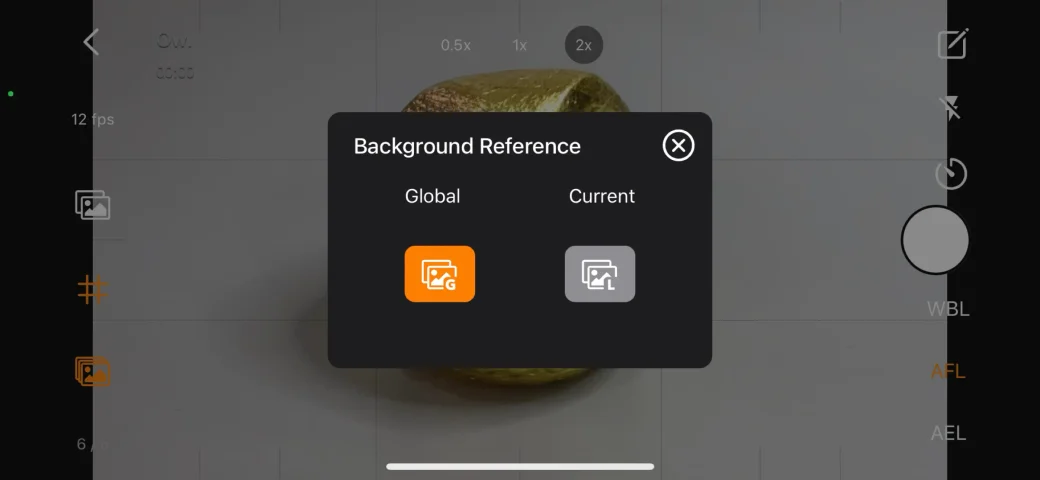
• Capture background reference to support object removal.
• Photos are saved immediately to prevent accidental data loss.
• Photos are saved to internal storage and available for external editing (access files via iTunes or Files app).
• Support for voice control to capture images.
• Simple UI and easy to use.
Stop Motion Plus Edit Panel Features:
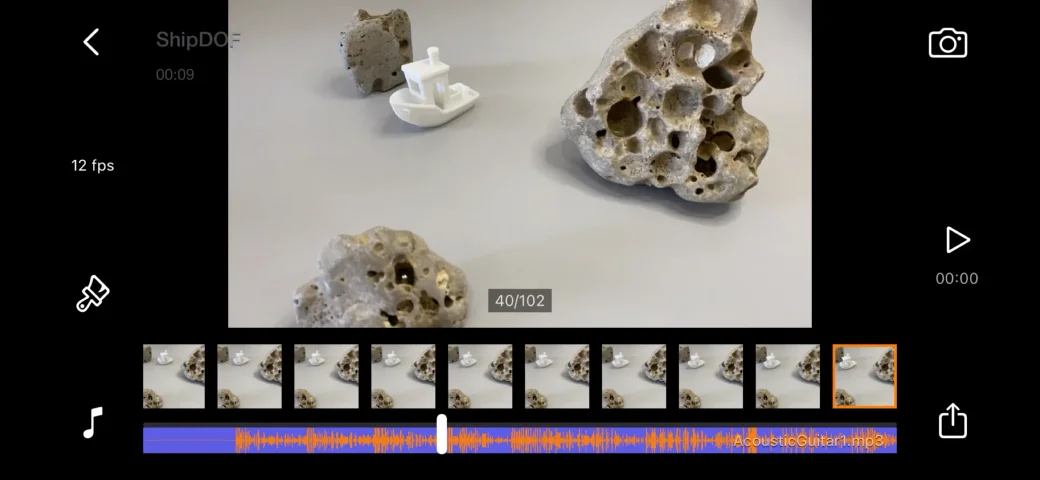
• Set movie frame rate (FPS) from 1–60 fps.
• Edit images by removing supporting structures using background reference.
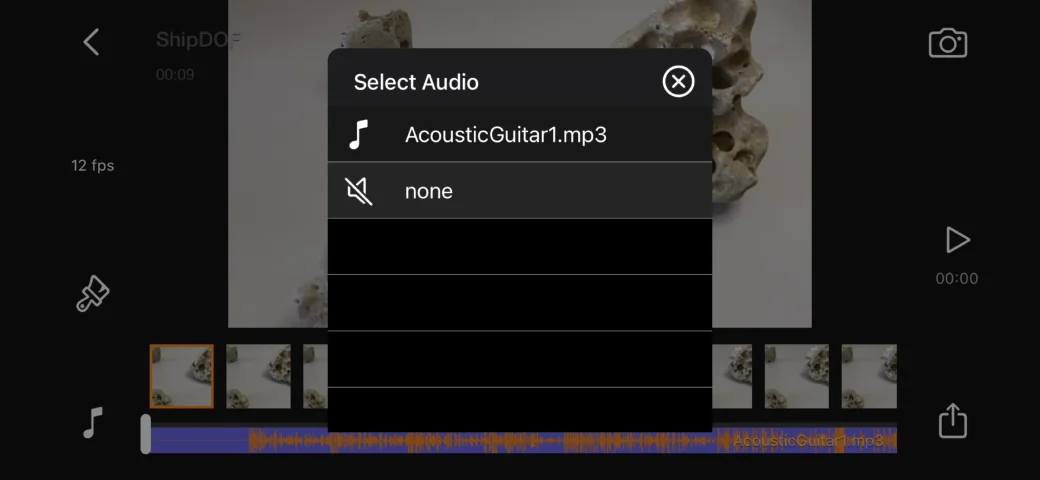
• Add sound to project — sounds are placed in Files app > Stop Motion > [Project Name] > Audio folder.
• Preview stop motion animation.
• Switch between Camera Panel and Edit Panel.
• Select a frame in Edit Panel, switch back to Camera Panel, and new capture will be inserted after the selected frame.
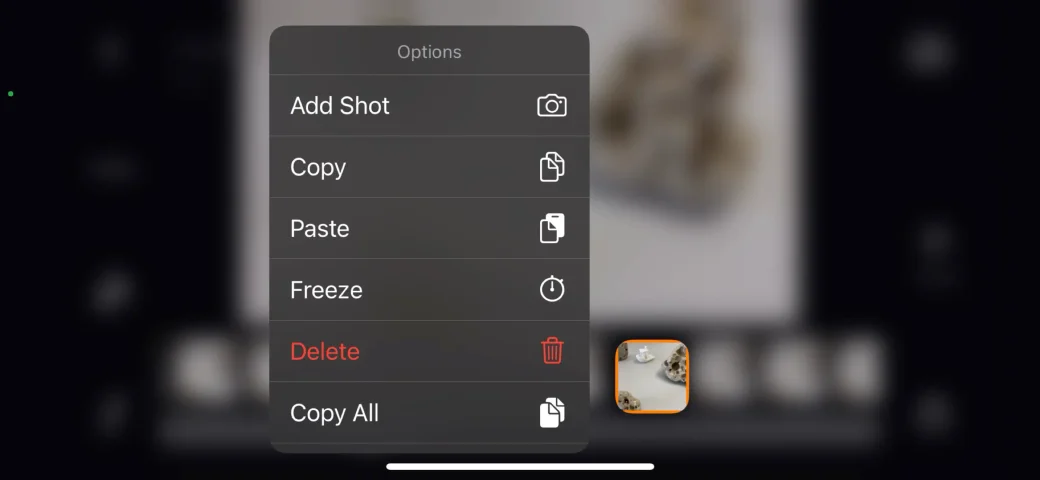
• Long press frame thumbnail to access Copy/Paste/Delete frame options.
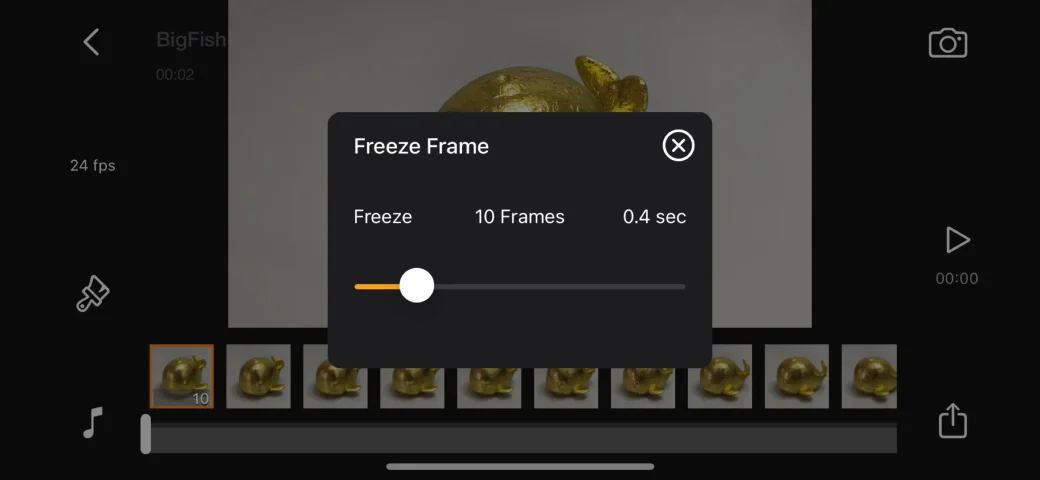
• Add freeze-frame duration for delay/pause effect.
• Copy All Frames / Paste Frames / Paste Inverted Frames.
• Copy Selected Frames / Paste Frames / Paste Inverted Frames.
• Movie info available for better understanding of video length.
Render Panel:
• Video name matches the project title (e.g., Ship.mp4).
• Set video resolution: HD, Full HD, or 4K.
• Set video aspect ratio: 16:9, 4:3, or 1:1.
• Render output as animated GIF or APNG.
• Size options for GIF/APNG: 1280x720, 640x360, or 320x180.
• Videos and animated GIFs are saved to the camera roll.
• Animated APNGs are saved into the project folder.
Quick Start Guide:
1. Tap on the Create button and enter a name.
2. Tap on the project name to load it.
3. Position your camera and start capturing.
4. After finishing, go to the Edit Panel.
5. Set your desired FPS and preview your animation.
6. Hit Render and your video will be saved to the camera roll.
2 Types of Background Reference:
• Global Reference – for static backgrounds; uses a single background image.
• Current Reference – for dynamic backgrounds; captures individual background images for each frame.
Tips:
• Use the overlay image feature to help position objects precisely.
• Use the grid for better object alignment.
• Start your project in a well-lit environment. Ideally, use a dedicated light source.
• Use voice control to capture frames if your hands are occupied.
• Create your project in multiple scenes and use iMovie for advanced video editing.
What is Stop Motion?
Stop motion is an animated filmmaking technique in which objects are physically manipulated in small increments between individually photographed frames. When played in sequence, the objects appear to move independently. Dolls with movable joints or clay figures are often used because they are easy to reposition. Stop-motion animation using plasticine is called clay animation or claymation.
However, stop motion isn't limited to figures or models. It can also involve humans, household items, or everyday objects—often used for comedic or creative effects. Sequential drawings can also be used, similar to traditional animation, like a flipbook. When stop motion involves human actors, it's referred to as pixilation or pixillated animation.
Thanks for your support!
Visit nitrio.com for more apps for your iOS devices.
What’s new
Version 1.9 · Jul 21, 2025
- Updated for the newest devices.
- Minor bugs fixed.
App privacy
What Heng Jia Liang declares on the App Store about how this app handles data.
-
Data not collected
The developer does not collect any data from this app.
Privacy practices may vary, for example with the features you use or your age.
Information
- Seller
- Heng Jia Liang
- Category
- Photo & Video
- Version
- 1.9
- Updated
- Jul 21, 2025
- Released
- Feb 12, 2014
- Size
- 2.3 MB
- Requires
- iOS 13.0 or later
- Age rating
- 4+
- Price
- $4.99
- Languages
- English
- Copyright
- © Heng Jia Liang
You might also like
-
 Smoovie: Stop Motion AnimationFun and Creative Movie Making
-
 Photo Art: Filters & EffectsPhoto Art
-
 Lightsaber Camera DeluxePhoto & Video
-
 Easy Reel Camera : Stop MotionBecome a Master Filmmaker
-
 Captions Bro: Auto SubtitlesTeleprompter for Talking Video
-
 Pawtastic: Live Cat EffectsStyle your cat
-
 2Cam: Dual Camera RecorderFront & Back Camera at Once
-
 Lento: Long Exposure CameraSlow Shutter Night Photography
-
 VizzywigPro Video Capture and Editor
-
 Add Text: Videos & PhotosPhoto & Video