
Story World Builder
Webtoon Novel Plot & Character
Designed for iPhone, iPad, iPod touch
Free · In-app purchases
- Age rating4+
- CategoryProductivity
- DeveloperJIhyoung Seol
- LanguagesEnglish+ 4 more
- Size49.4 MB
Links to the official App Store page
Download.org hosts no file of Story World Builder. The button opens its official App Store page, published by JIhyoung Seol. Listing last checked on Nov 26, 2026.
Screenshots




About
Story World Builder is a story-planning tool designed by webtoon and web novel professionals — for when an idea strikes, when you're shaping a character, when the plot gets stuck.
Key Features
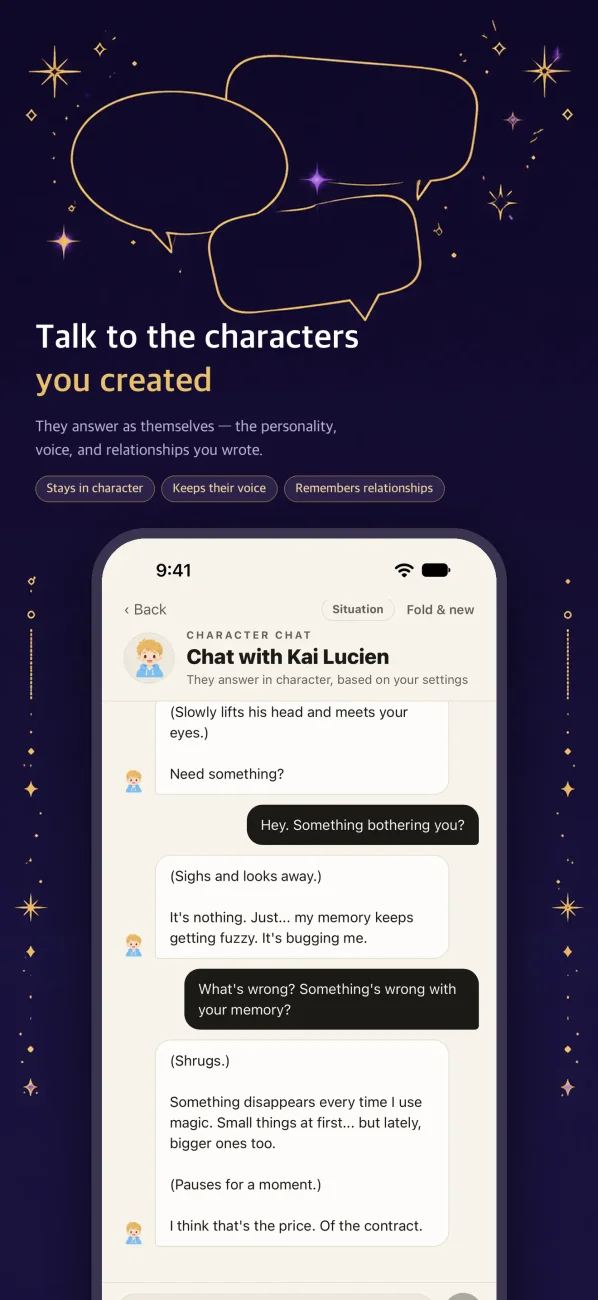
1. Chat with Your Characters (AI Pass)
Talk directly to the characters you've created.
They answer as themselves, drawing on the personality, speech, relationships, and world you wrote.
2. Build a Scenario — on a proven story structure
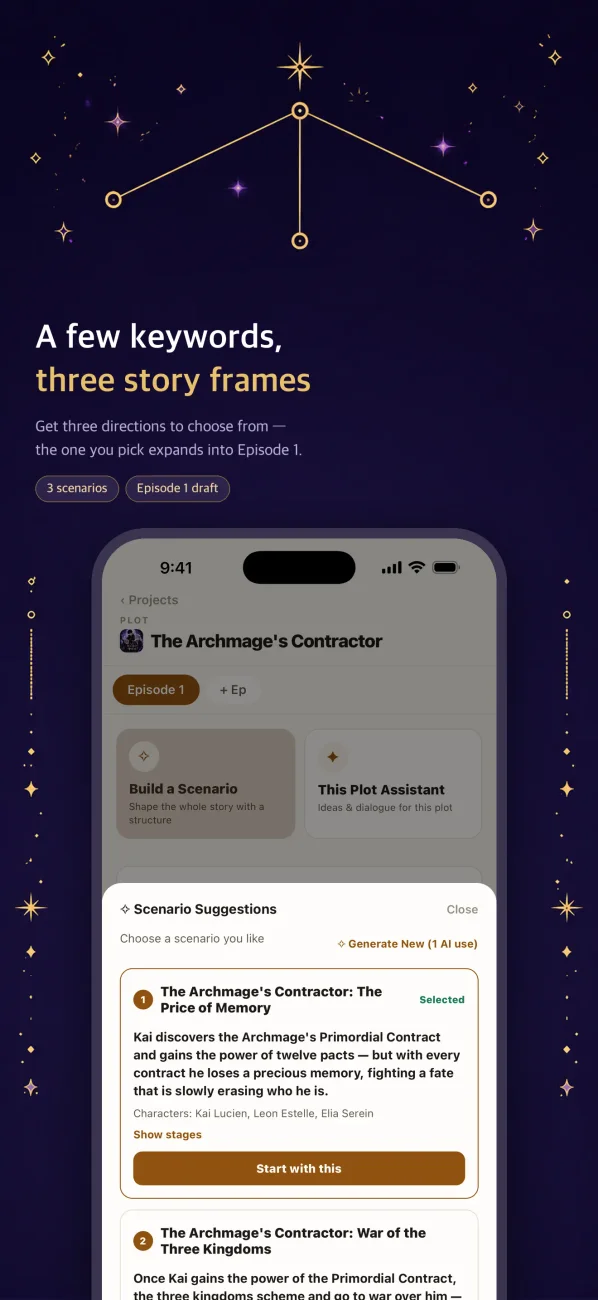
Pick a few keywords and a story structure, and AI proposes three scenarios in different directions.
Three-Act, Hero's Journey, Save the Cat and more — work through a structure instead of a blank page.
Pick one and it expands into an Episode 1 plot draft, with its cast added to your Characters in one tap.
3. Worldbuilding
Record your world systematically — background, rules, magic systems, and places.
Write what doesn't exist in your world in the "Taboos / Limits" field, and the AI won't cross that line in any suggestion.
The AI assistant expands settings and checks for contradictions.
World Map (AI Pass Light): make a continent or upload your art, and pin places the AI knows.
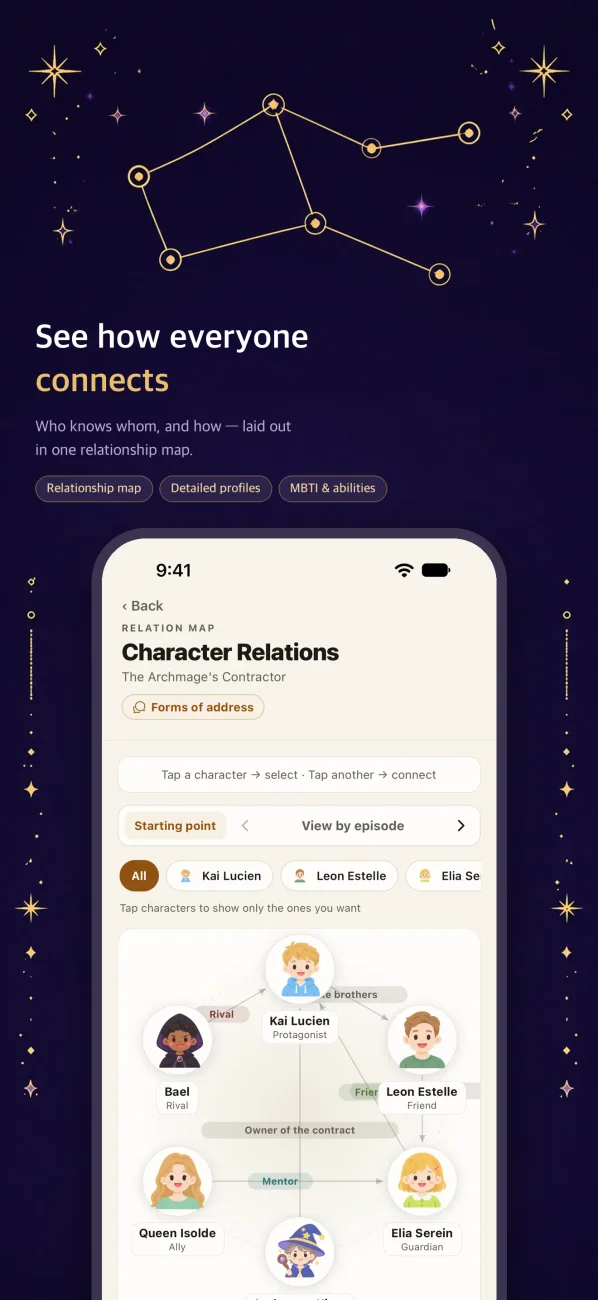
4. Character Management
Design characters in detail — personality, MBTI, appearance, abilities — and see how they connect on the relationship map.
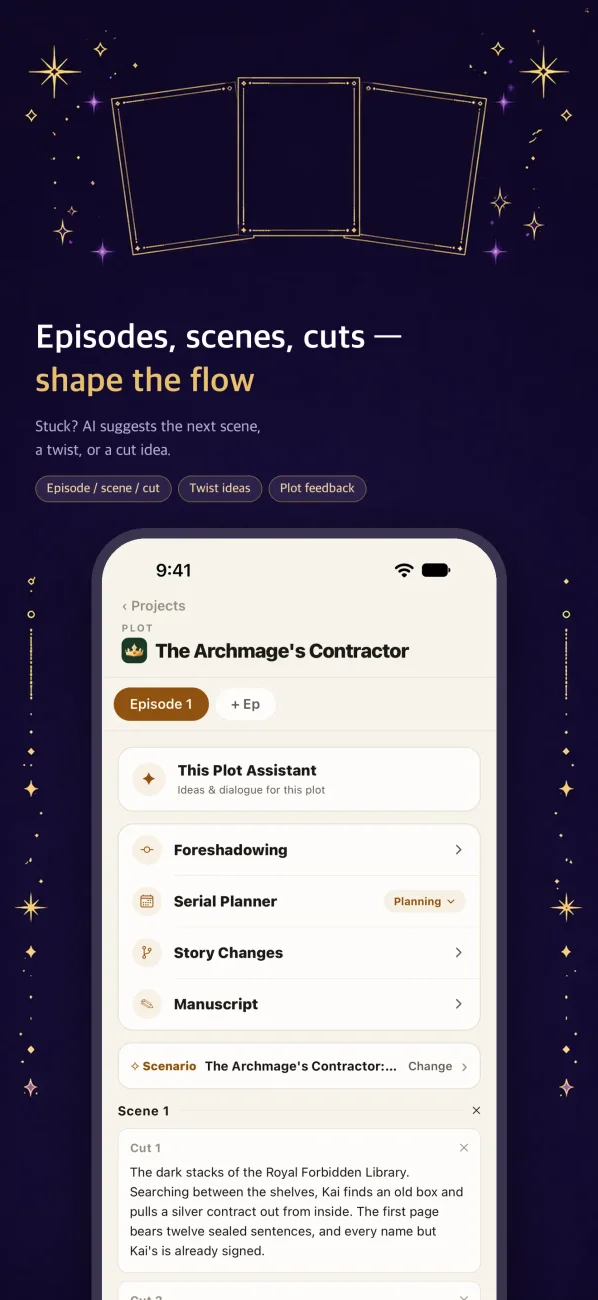
5. Plot Builder
Structure your story with episodes, scenes, and cuts. AI suggests next scenes, twists, cut ideas, and feedback.
Foreshadowing list (AI Pass): what you planted and where it pays off. Anything past due moves to the top.
Setting Check (AI Pass): AI finds conflicts with your characters and world, and flags unpaid foreshadowing.
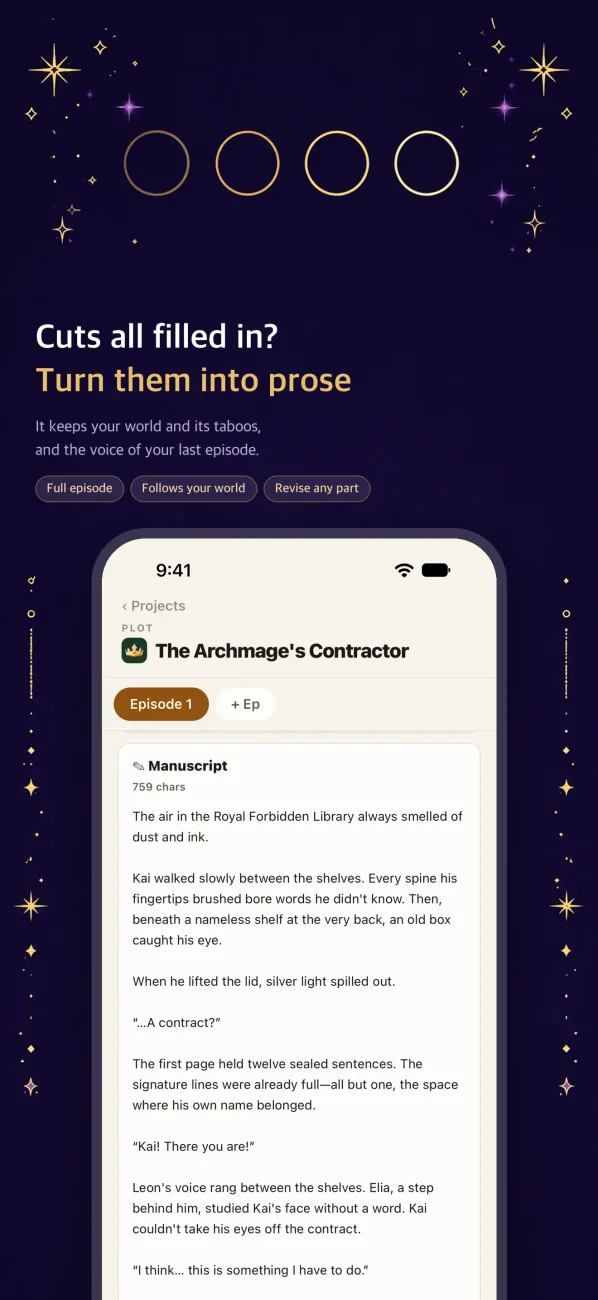
6. Write a Full Episode Manuscript (AI Pass)
Turn a filled-out episode into publishable prose that follows your world, characters and "Taboos / Limits", keeping the voice of your last manuscript.
Ask for a revision — change only the part you picked, or rewrite it all.
7. Timeline
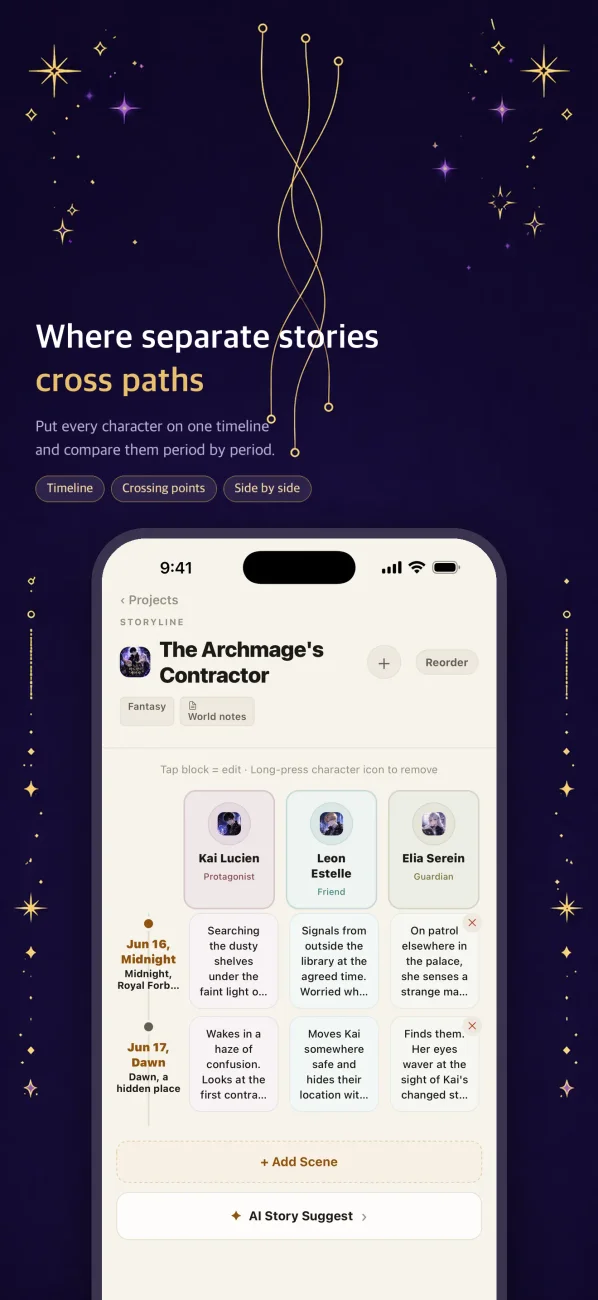
See how characters' stories cross on a subway-style map, one colored line each. AI can fill in what each character is doing, hour by hour.
8. AI Writing Assistant
- Start from a scene you have in mind: write down one scene and we build the project and its world from that alone.
- Naming Studio: 15 names for characters, places, factions, magic, items, or monsters that fit your world, each with a note on how it reads.
- Dialogue and scene ideas whenever you're stuck.
- Mood presets: romance, fantasy, mystery, slice of life, dark, or comedy.
9. Export as PDF, Word, or Markdown
Pick the sections you want — world, characters, scenario, plot, foreshadowing, manuscript, timeline, scene memos — as one PDF (relationship map included), a Word file, or Markdown for Obsidian or Notion.
10. Serial Planner & Color Themes (AI Pass Standard)
Set your posting days and track each episode from Planning to Posted. See your buffer, get posting-day reminders and a heads-up before it runs out, log word counts and streaks, plan a finish date, and see a monthly calendar. Plus 4 color themes.
Good to Know
- One project is free, with all creative features, saving, and export.
- The AI Assistant is free for 5 uses a month. Each character's first hello is free too.
- For more projects, AI uses, chat, manuscripts, or Setting Check, subscribe to AI Pass. Manuscripts: Light 2 a month, Standard 6. Setting Check: Light 3 a month, Standard 10.
Subscription Details
- AI Pass Light: $1.99 per month / $19.99 per year
- AI Pass Standard: $3.99 per month / $39.99 per year
- Payment is charged to your Apple Account at confirmation of purchase.
- Your subscription renews automatically for the same period unless cancelled at least 24 hours before the end of the current period. Renewal is charged within 24 hours before the period ends.
- Manage your subscription or turn off auto-renewal in Settings > Apple Account > Subscriptions.
- Terms of Use (EULA): https://www.apple.com/legal/internet-services/itunes/dev/stdeula/
- Privacy Policy: https://pentagonal-clover-eec.notion.site/38381493fd0e80d69fb6ea34fd6a83ef
What’s new
Version 1.0.56 · Nov 25, 2026
Try before you choose.
- Tap a locked color theme to preview it across the whole app. Look around your own screens, and if you like it, start using it with Standard.
- Added "Delete this character" at the bottom of the character edit sheet. Characters couldn't be deleted in 1.0.55.
- Fixed a few small bugs, such as the sheet closing without saving.
App privacy
What JIhyoung Seol declares on the App Store about how this app handles data.
-
Data not linked to you
May be collected but is not linked to your identity.
- Purchases
- Usage data
- Diagnostics
Privacy practices may vary, for example with the features you use or your age.
Information
- Seller
- JIhyoung Seol
- Category
- Productivity
- Version
- 1.0.56
- Updated
- Nov 25, 2026
- Released
- Jun 18, 2026
- Size
- 49.4 MB
- Requires
- iOS 15.1 or later
- Age rating
- 4+
- Price
- Free
- In-app purchases
- Yes
- Languages
- English, Japanese, Korean, Spanish, Traditional Chinese
- Copyright
- © BLUCY LAB
You might also like
-
 Lorebind: Worldbuilding NotesStory bible for writers & GMs
-
 World Builder: Story PlannerStory, lore & character notes.
-
 Story WikiWorldbuilding Simplified
-
 Pencil Farm: Story PlannerCharacter, Plot & Worlds
-
 Writers StudioAI Fiction & Worldbuilding
-
 TomeWorlds: World BuildingWorld building simplified.
-
 Myriad WorldsNext-level world building
-
 pensiv: Writing app for novelsWrite novels and screenplays.
-
 Writing App: PlotWordsBook Writing Wordcount Tracker
-
 Novalist - Novel WritingThe workspace for novelists