
Strawberry Notes & Flashcards
Handwritten Notes, AI Quizzes
Designed for iPhone, iPad
Free · In-app purchases
- Age rating17+
- CategoryEducation
- DeveloperStrawberry Notes LLC
- LanguagesEnglish+ 15 more
- Size189.1 MB
Links to the official App Store page
Download.org hosts no file of Strawberry Notes & Flashcards. The button opens its official App Store page, published by Strawberry Notes LLC. Listing last checked on Nov 24, 2026.
Screenshots




About
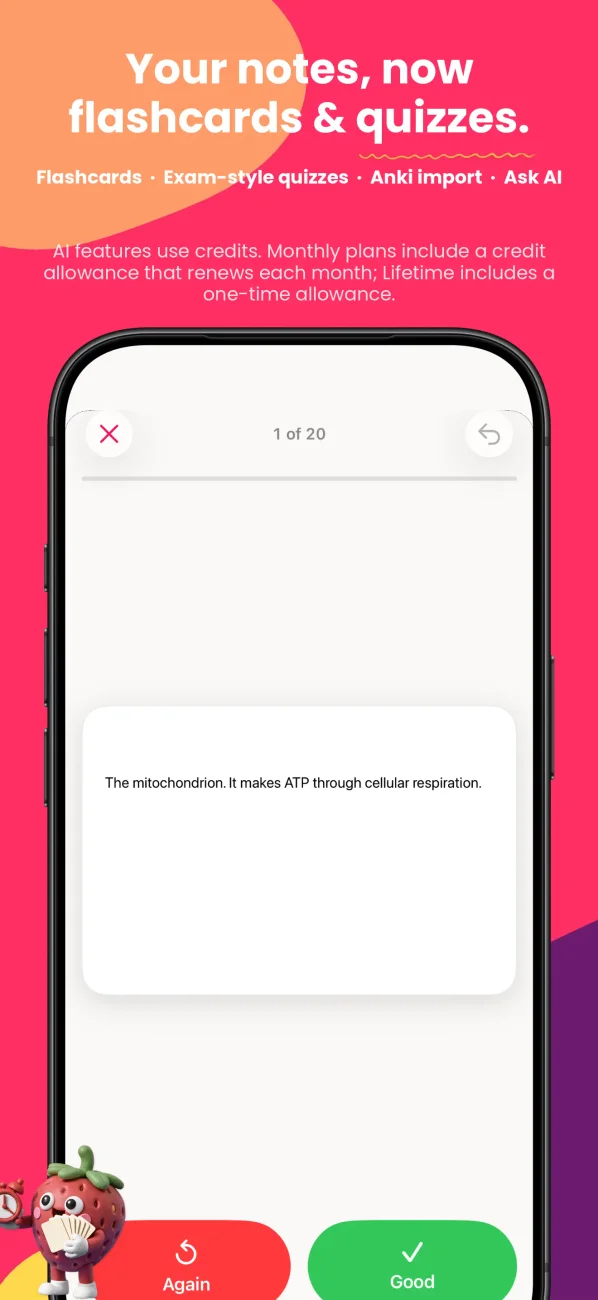
Take handwritten notes, annotate lecture PDFs, and circle what you wrote to turn it into a flashcard. Spaced repetition brings each card back when it's due, so you review what you need, not everything.
Strawberry Notes is note taking that tastes sweet to your brain, built for college: lectures, problem sets, exam review and class presentations in one place. The AI assistant comes with free starter credits when you sign in.
CONNECT YOUR IDEAS
• Infinite canvas with infinite zoom. Write small in the margin, zoom out to see the whole derivation.
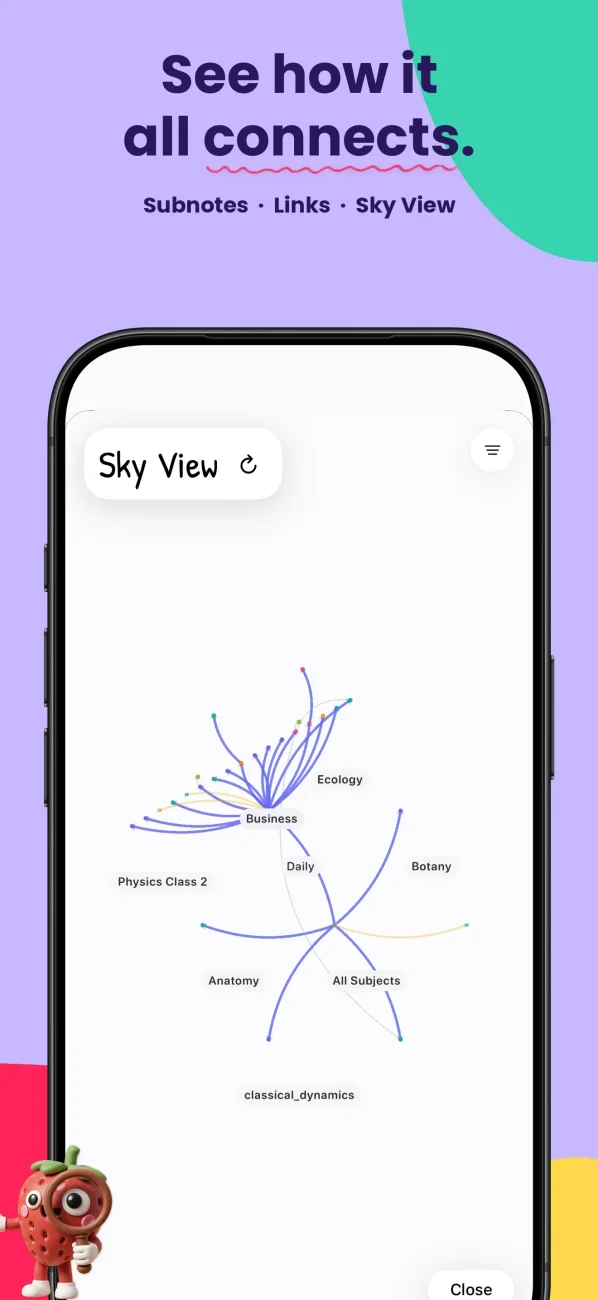
• Link notes to each other like a wiki, and jump from an idea to the lecture it came from.
• Graph view (Sky View): every note and every connection drawn as a live map of your brain's understanding.
• Subnotes: any note can live inside another note. A subject holds its classes, a class holds its topics, a topic holds its subtopics — nested as deep as your learning actually goes.
NOTES THAT FEEL BETTER THAN PAPER
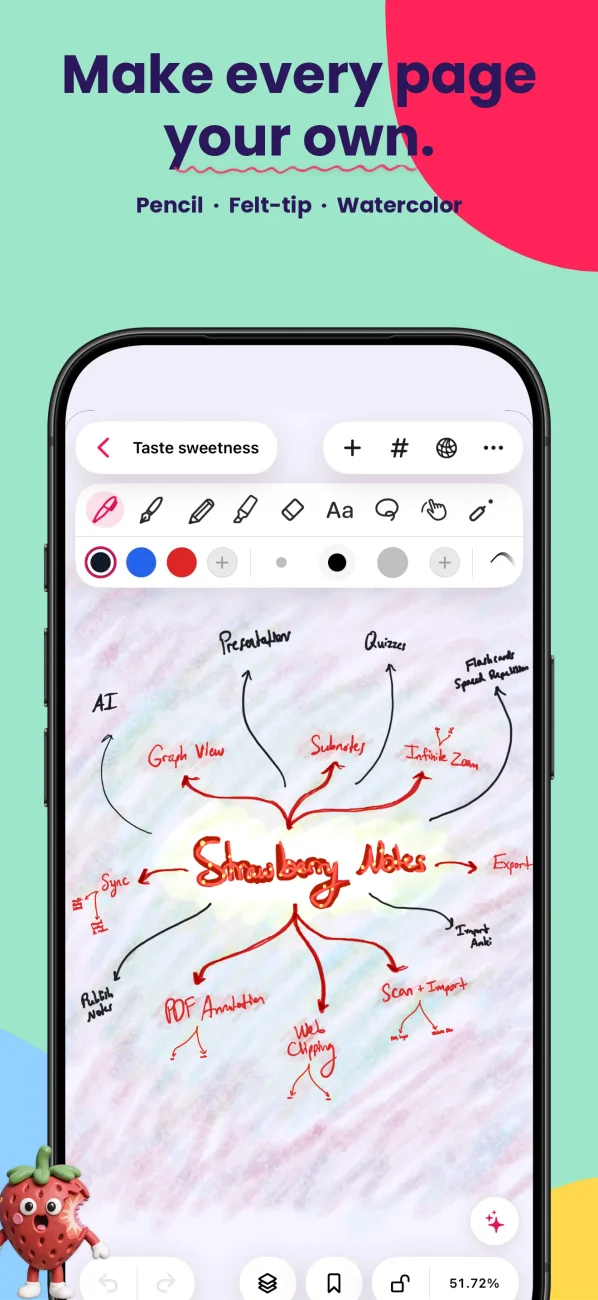
• Whiteboard or Notebook: an endless board or real pages. Switch between them anytime.
• Ballpoint and ink pens, a broad-nib calligraphy pen, a chisel-tip marker, a tilt-sensitive graphite pencil, highlighter and laser pointer.
• Snap to Shape for clean arrows and circles, plus layers.
REMEMBER WHAT YOU WROTE
• Write and draw every card by hand or ask AI to make them for you. Add images and PDF snippets.
• FSRS spaced repetition, with retention and daily limits you set.
• Tape: cover answers, tap to peek, peel it off once you know it. Taped cards become occlusion cards.
• Stats, streaks and a daily reminder when cards are due.
• Import Anki decks (.apkg) or CSV.
AI STUDY TOOLS (sign in; uses AI credits)
• Circle what you wrote and ask: it reads handwriting and diagrams and points back to the spot it used.
• Practice quizzes: up to 40 questions in 7 formats, with hints and explanations.
• Flashcard decks from your notes that join your reviews.
• Interactive games and simulations that turn a concept into a hands-on model.
• Summaries, outlines, study guides, step-by-step solutions and "check my work".
PRESENT FROM YOUR NOTES
• Your notes are the slides: bookmark views of a note, tap Present, and the canvas flies and zooms between them with the toolbars hidden.
• Advance at your pace or auto-play on a loop.
• Tap a link to continue into another note, or open a video or simulation mid-talk.
BRING IN YOUR CLASS MATERIAL
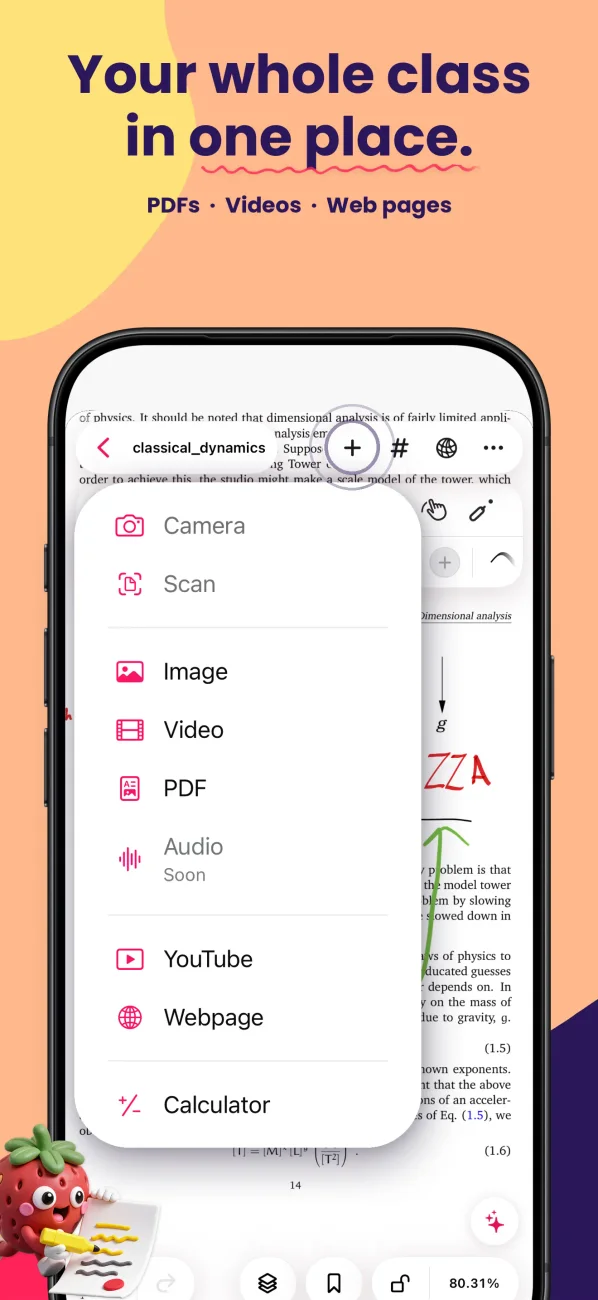
• Lay PDF pages on the canvas with room to write around them.
• On iPad, write beside a lecture video, a web page, a PDF or a second note.
• Scan handouts or share files into a note.
• Color-coded subjects, tags and tasks with reminders.
• Search your typed text and handwriting.
PRIVATE AND BACKED UP
• No ads. No tracking. Handwriting recognition runs on your device.
• Notes and decks sync through your own iCloud, no account needed.
• Back up your whole library to one file; restore it on any device.
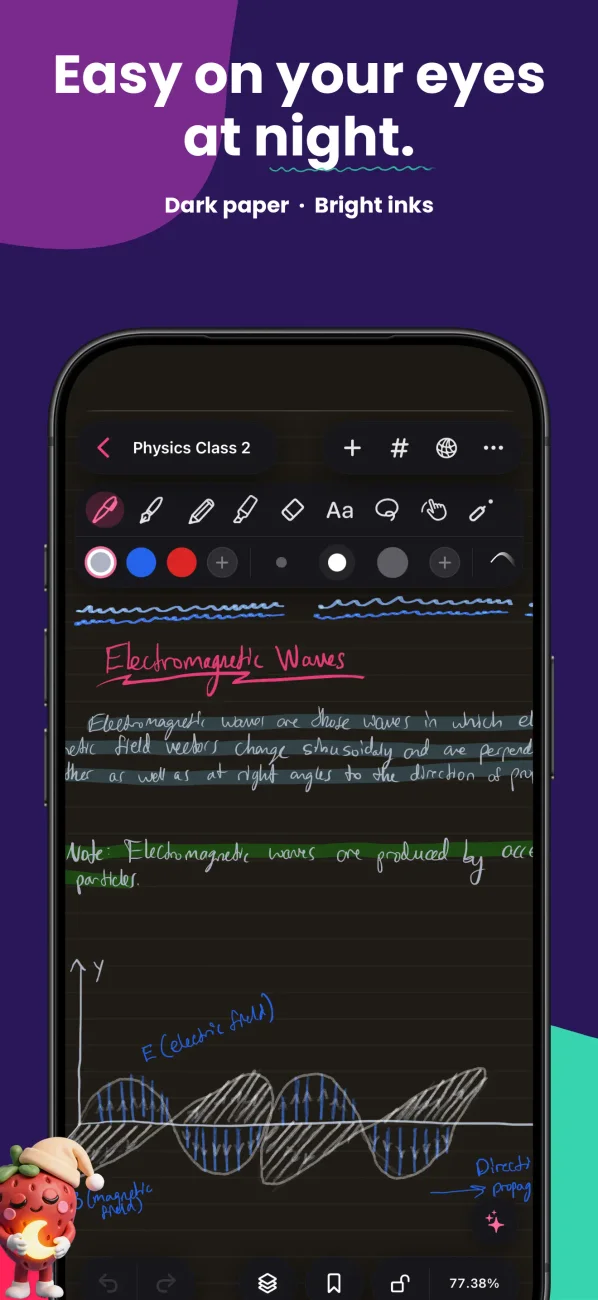
• Dark mode that keeps ink readable, and 16 languages.
PREMIUM
Premium includes everything: unlimited notes and decks, Calendar, presentations, Sky View, layers, the calligraphy pen and chisel-tip marker, web, video and PDF panes, and tables and drawings in text documents. Choose a monthly or yearly subscription (yearly includes a 7-day free trial for eligible new subscribers) or a one-time Lifetime purchase. Subscriptions renew automatically unless cancelled at least 24 hours before the period ends; manage them in Settings > [your name] > Subscriptions. Lifetime doesn't cancel a subscription. If you already use the free version from an earlier release, you keep it.
AI CREDITS
Sign in with Apple or Google for free starter AI credits; more are sold in the app, or use your own OpenRouter key. Credits never expire. With your permission, your question and the notes it reads (by default, your selection or what's on screen) go to third-party AI providers.
Terms of Use (EULA): https://www.strawberrynotes.com/terms
Privacy Policy: https://www.strawberrynotes.com/privacy
What’s new
Version 1.6.1 · Nov 23, 2026
A big update, packed with new ways to write, study and focus.
RECORD & CONVERT
• Record Audio: record while you write, then tap your ink to jump to that moment. Get a live transcript as you go.
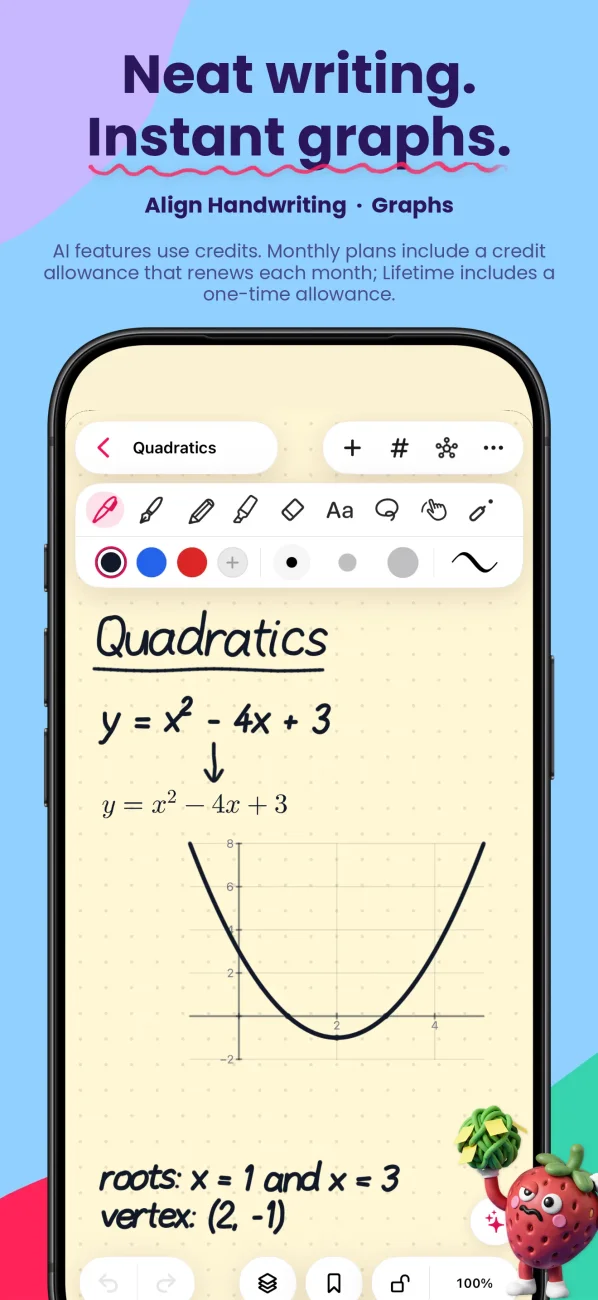
• Convert Handwriting: turn handwriting into text, typed math or a graph. Back to Handwriting brings your ink back.
• Copy as Text: copy your handwriting as typed text.
• Handwriting Guide: your words settle onto a straight line as you write. Align Handwriting tidies what you already wrote.
SWEET STUDY
• Blitz: skip the lessons and just practice, with daily quizzes, flashcards and practice tests.
• Pick which pages or sections of each source your plan covers.
• Keep my plan now stays kept, and the focus timer joins your study sessions.
YOUR PAGE
• Edit pictures: crop, slice into pieces, or erase part of one with the precision eraser.
• Lasso part of a text box or picture to copy or cut just that part.
• Stickers: over 160 to pick from, or save your own drawing as one.
• Dashed and dotted lines for your pens, pencil and markers.
• Text boxes wrap to the width you set.
• Custom brush sizes, smoother shapes and lines, and several links on one item.
FOCUS & PRESENT
• Focus Timer in the + menu, with quick games for your breaks.
• A fresh calculator that keeps a tape of your answers.
• Reading Mode hides the tools so you can read or present without stray marks.
• Laser pointer styles: a trail or a dot, in Glow, White or Rainbow.
AND MORE
• Text documents: a formatting bar, exact font sizes, and / to format as you type.
• On iPad, float the AI chat in its own window, or lasso part of your page to ask about it.
• Your folders in the sidebar, and Move or Copy To for selections.
• Repeating tasks, every day or every week.
• Refreshed Blueberry, Grape, Peach, Lemon and Graphite themes.
• Every notebook cover pack in the Marketplace is now free.
• Monthly and Lifetime plans now include AI credits.
• Better right-to-left layouts, gentler Reduce Motion and many fixes.
App privacy
What Strawberry Notes LLC declares on the App Store about how this app handles data.
-
Data linked to you
May be collected and linked to your identity.
- Purchases
- Contact info
- User content
- Identifiers
- Usage data
-
Data not linked to you
May be collected but is not linked to your identity.
- User content
- Diagnostics
Privacy practices may vary, for example with the features you use or your age.
Information
- Seller
- Strawberry Notes LLC
- Category
- Education
- Version
- 1.6.1
- Updated
- Nov 23, 2026
- Released
- Oct 4, 2026
- Size
- 189.1 MB
- Requires
- iOS 16.4 or later
- Age rating
- 17+
- Price
- Free
- In-app purchases
- Yes
- Languages
- English, Arabic, Dutch, French, German, Hindi, Indonesian, Italian, Japanese, Korean, Malay, Portuguese + 4 more
- Copyright
- © 2026 Strawberry Notes LLC
You might also like
-
 NewtonDesk: Study NotesJEE NEET GATE Preparation App
-
 Reazy: Text to SpeechListen Instead of Read
-
 HangulHada: Learn KoreanHangul, words & travel phrases
-
 VibeNodes - AI MindmapsAI Mind Maps & Brainstorming
-
 مكتبة الوانEducation
-
 Scroll Bible: Daily VerseScripture, Devotion & Quotes
-
 AI Note Taker - Donotestudy guide, flashcards, quiz
-
 세무사 1차 필기 모의고사 - 오답노트 시험 대비Education
-
 MathsGenie: GCSE & A LevelWorksheets, papers & more
-
 Eye Color Identifier: IrisLensDetect Identify Eye Story