
- Age rating12+
- CategoryEntertainment
- DeveloperBrent Cooper
- LanguagesEnglish
- Size6.4 MB
Links to the official App Store page
Download.org hosts no file of StreamCal: TV Calendar. The button opens its official App Store page, published by Brent Cooper. Listing last checked on Nov 26, 2026.
Screenshots


About
StreamCal is a calendar of new TV. Pick any day and see every new episode coming out on US broadcast networks, cable channels and streaming services, all in one list. Follow the shows you love, check off episodes as you watch, and let StreamCal keep track of what you haven't seen yet.
EVERY RELEASE, EVERY DAY
• See every new episode out today, or swipe to any day before or after. Jump straight to a date with the date picker.
• Episodes are grouped by network or streaming service, with the shows you follow at the top.
• Hide what you don't watch: news, talk and sports are hidden to start, and you can hide other show types, stick to English-language shows, pick your own networks and services, or touch and hold a show to hide it.
• Switch to Movies to see what's new on streaming, on digital and Blu-ray, and in theaters each day.
KEEP TRACK OF WHAT YOU'VE WATCHED
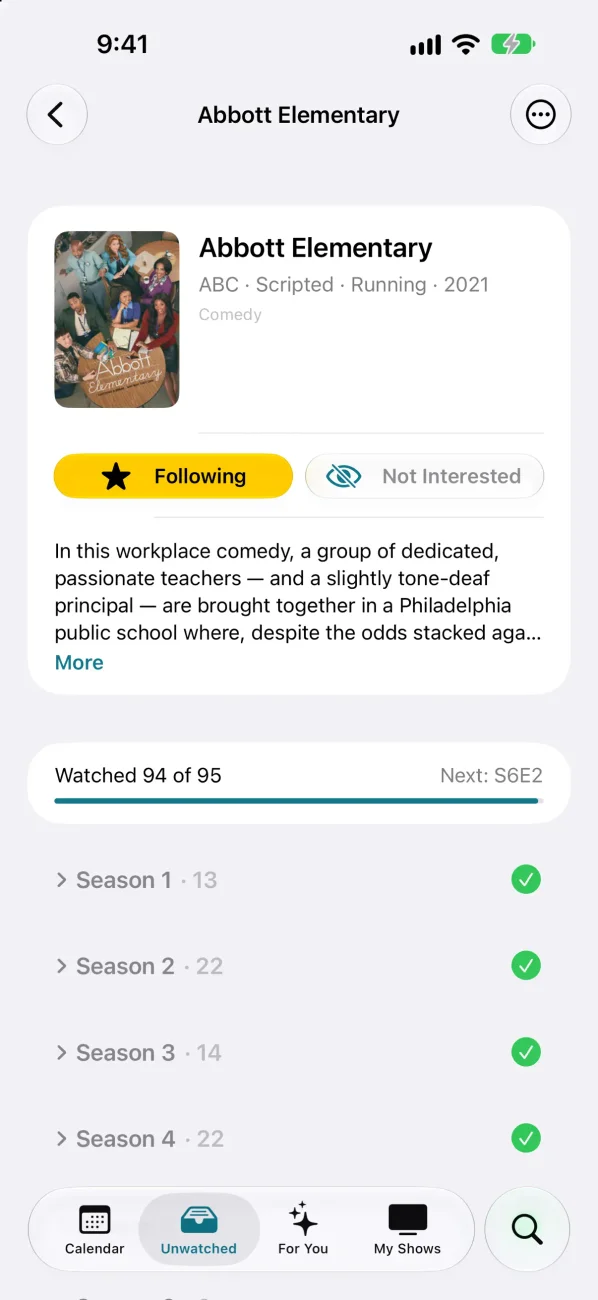
• Tap the circle to check off an episode, mark a whole season at once, or mark everything that's out.
• Following a show that's already running? StreamCal offers to mark the episodes already out as watched.
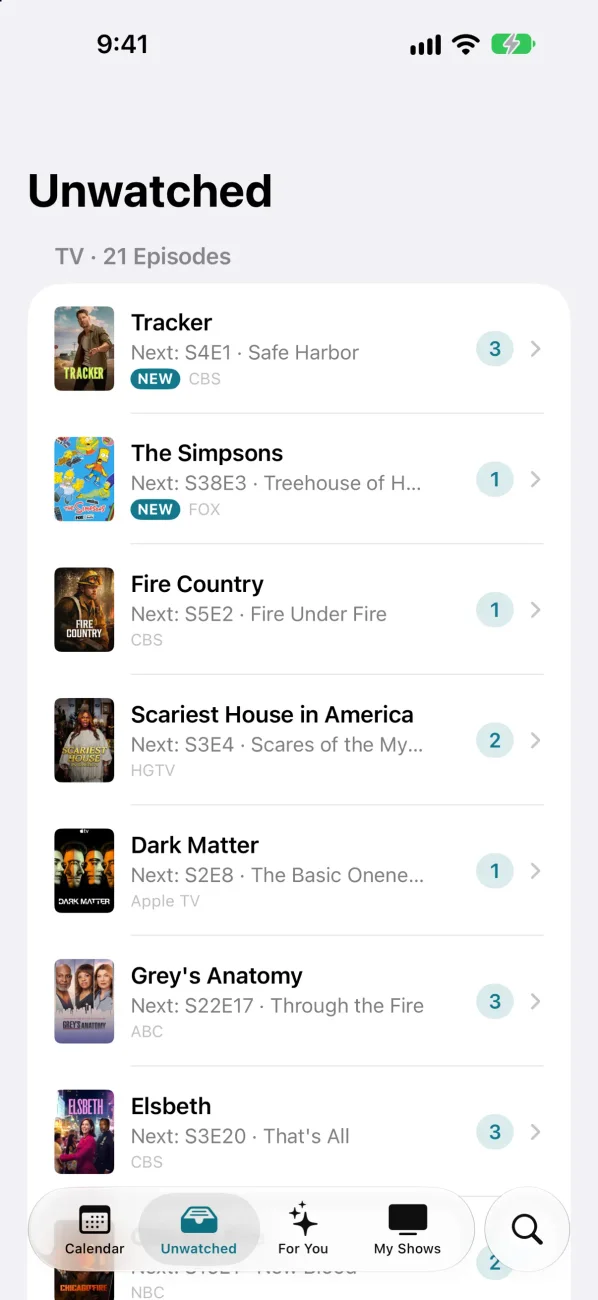
• Unwatched collects every released episode you haven't seen from the shows you follow, newest first, along with your movie watchlist.
• My Shows lists everything you follow, with an Airing Now section for shows in the middle of a season.
KEEP TRACK TOGETHER
• Watching With: invite the people you watch with, then choose the shows and movies you watch together.
• Watch together and one check marks an episode or movie watched for everyone. Watch at your own pace and you each keep your place and see what the others have watched.
• Shared through iCloud, with nothing to sign up for.
FIND SOMETHING NEW
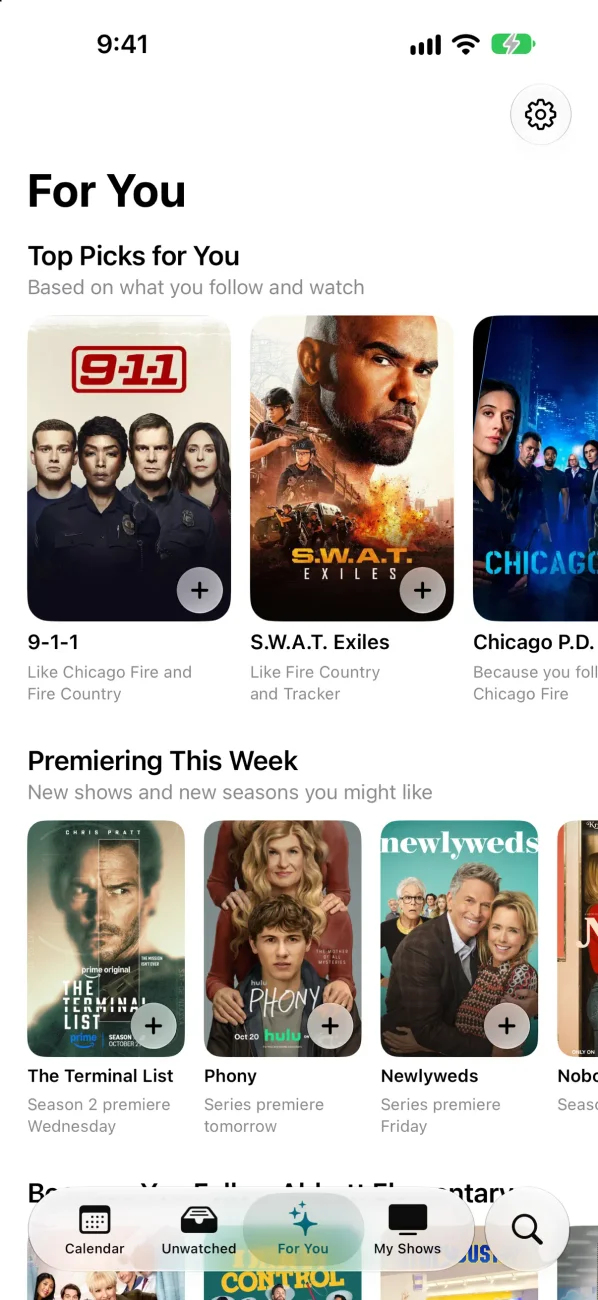
• For You suggests shows like the ones you follow, plus what's trending, the most anticipated new shows and the premieres coming up this week.
• Search for any TV show or movie, and tap Add to Watchlist to save a movie for later.
• Where to Watch: show and movie pages list the services that have them in your country, with your own services first.
NEVER MISS AN EPISODE
• New Episode Alerts tell you when an episode of a show you follow comes out.
• Tonight's Lineup sends one evening summary, at a time you choose, of everything new you haven't watched. Anything that comes out later that night rolls into the next day's lineup.
• Notifications are created on your iPhone. There's nothing to sign up for.
WAIT FOR STREAMING
Watch network and cable shows on a streaming service the next day? Turn on Wait for Streaming and StreamCal counts TV episodes as out the morning after they air, on the Calendar, in Unwatched and in your notifications. Streaming originals aren't affected.
SNOW SPORTS (OPTIONAL)
Turn on snow sports in Settings and the Calendar adds ski and snowboard World Cup events and the Freeride World Tour, with start times in your time zone, where to watch and reminders.
BRING YOUR WATCH HISTORY (OPTIONAL)
Use Trakt? Connect your Trakt account to check off the episodes and movies you've already watched, using the history Trakt collects from your linked streaming services. StreamCal works fully without it.
SYNCED WITH ICLOUD
Your followed shows, watched episodes and movie watchlist sync across your devices through your own private iCloud account.
ON APPLE WATCH
See today's new episodes from your shows and your Unwatched list, check episodes off on your wrist, and put your next episode on your watch face.
PRIVATE BY DESIGN
No account to create. No ads. No tracking or analytics. StreamCal has no servers of its own and collects no data.
StreamCal is free, with no in-app purchases.
TV show and episode information comes from TVmaze.com and is used under the CC BY-SA 4.0 license. Movie information, recommendations and watch history come from Trakt.tv. Where shows and movies stream in each country comes from JustWatch, through the TMDB API. Snow sports schedules come from FIS and the Freeride World Tour. StreamCal isn't affiliated with or endorsed by any of them.
What’s new
Version 1.3.1 · Nov 25, 2026
New in 1.3.1:
• Follow a sport. With a sport turned on in Settings, tap the star beside it on the Calendar: its events collect in Unwatched until you check them off, an alert comes before each one, and its page lists the season so far and what's coming. What you follow and check off is the same on all your devices.
• Unwatched has a switch at the top (All, TV, Sports, Movies), so sports and your movie watchlist are a tap away under a long list of shows.
• My Shows lists the sports you follow.
• Fixed: swiping sideways to change the day could check an episode or movie off when the swipe started on its checkmark.
• Fixed: with StreamCal on more than one device, people called "Unnamed" could keep appearing under Watching With.
• Fixed at the largest text sizes: words broken in the middle on the Sports list, and the line under the Calendar's date growing after a filter was switched.
App privacy
What Brent Cooper declares on the App Store about how this app handles data.
-
Data not collected
The developer does not collect any data from this app.
Privacy practices may vary, for example with the features you use or your age.
Information
- Seller
- Brent Cooper
- Category
- Entertainment
- Version
- 1.3.1
- Updated
- Nov 25, 2026
- Released
- Oct 21, 2026
- Size
- 6.4 MB
- Requires
- iOS 18.0 or later
- Age rating
- 12+
- Price
- Free
- Languages
- English
- Copyright
- © 2026 Brent Cooper
You might also like
-
 Episodex: TV TrackerTV tracker and watchlist
-
 Boxset: TV TrackerEpisode countdowns & watchlist
-
 IchnosTV: TV & Movie TrackerWatchlists & episode progress
-
 My Next ShowTV Show Tracker Schedule Guide
-
 CouchPotatoLog: TV TrackerTrack shows, movies & episodes
-
 ShowTracker - vonnerTrack TV shows you've watched.
-
 KnowShow: TV Show TrackerTrack what you watch
-
 Help Me Binge: TV Show TrackerWatchlist & streaming savings
-
 Screen Night: TV Show TrackerEpisode calendar & watchlist
-
 LogIT: TV & Movie TrackerTrack TV and movies together