
Stretching Timer: No Screen
Daily stretches. Less screen.
Designed for iPhone, iPad
Free · In-app purchases
- Age rating4+
- CategoryHealth & Fitness
- DeveloperPouria Assadipour
- LanguagesEnglish
- Size112.5 MB
Links to the official App Store page
Download.org hosts no file of Stretching Timer: No Screen. The button opens its official App Store page, published by Pouria Assadipour. Listing last checked on Nov 18, 2026.
Screenshots


About
Make a little time to stretch.
Choose your stretches, set how long to hold each one, and let Stretching Timer keep your place. Build a routine that fits your day, then save it so it's ready next time.
STRETCH WITH LESS SCREEN TIME
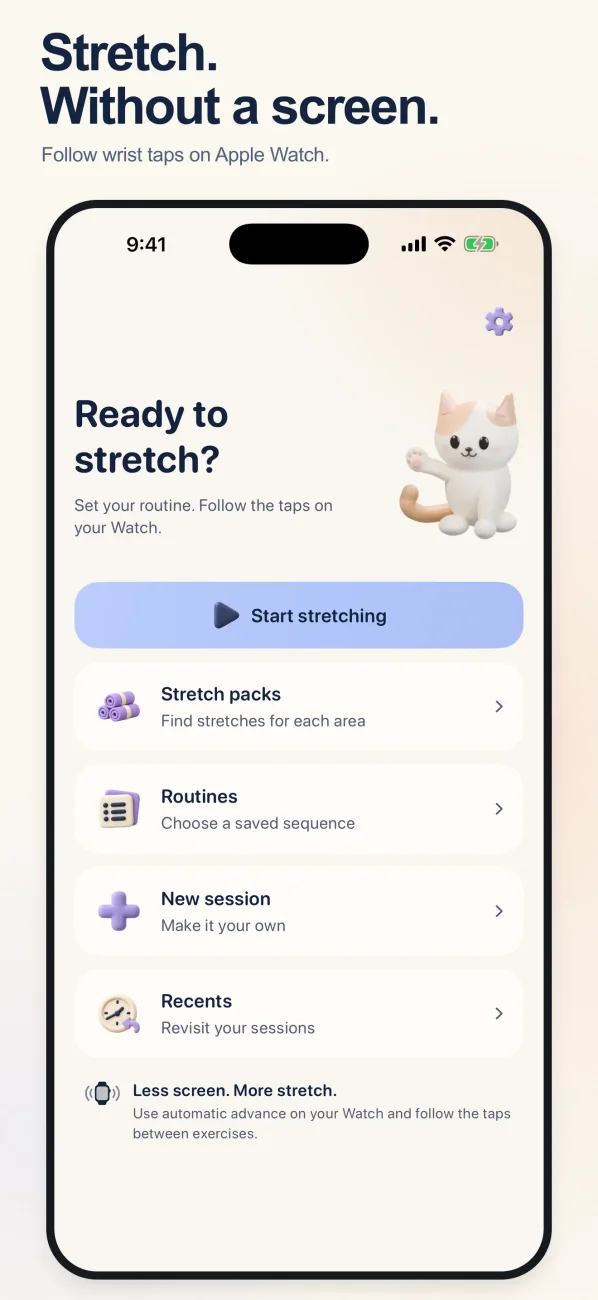
Run your session on Apple Watch and feel a tap when an interval ends. Automatic mode moves to the next stretch for you. Prefer to take your time? Manual mode waits until you tap Next.
FIND YOUR STRETCH
Explore 10 focused stretch packs, from neck and shoulders to calves and ankles. Choose a whole pack or individual steps, with named movements, left and right holds, and short setup instructions. Add saved routines or create custom stretches with your own descriptions.
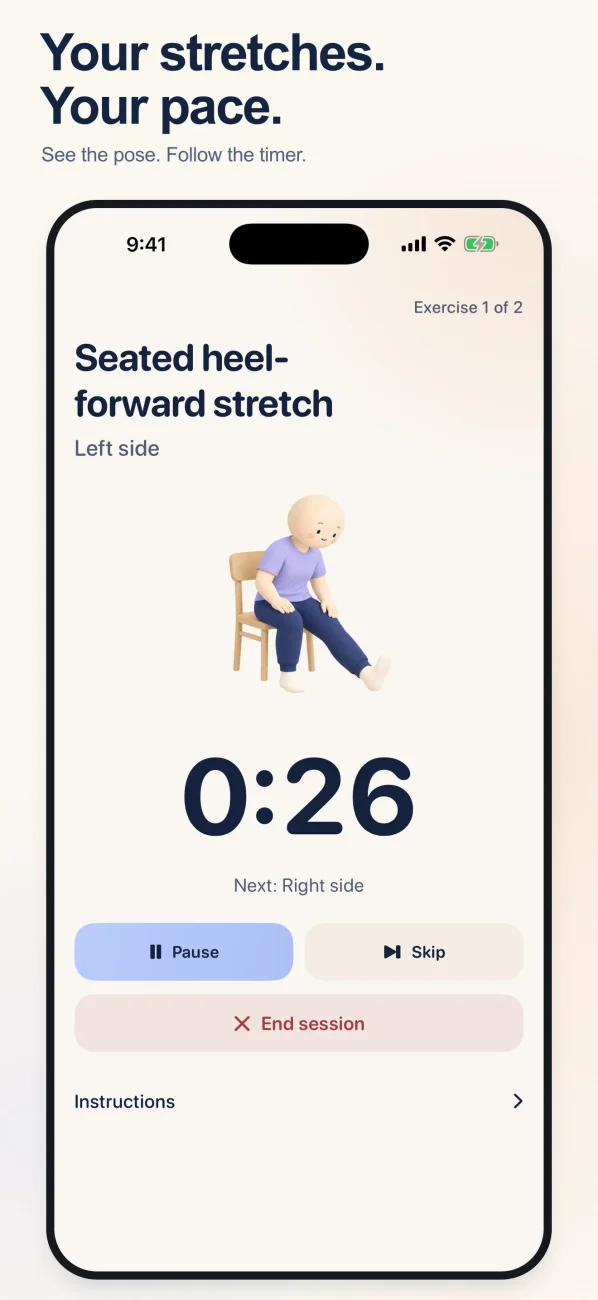
YOUR STRETCHES, YOUR PACE
Adjust durations, reorder your sequence and choose rest between stretches. Save your usual timing defaults, then change them for a particular session whenever you want. Pause, skip or finish when you need to.
READY FOR NEXT TIME
Save your routines and reuse recent sessions. Keep your familiar sequence close, whether you're taking a short break or making room for a longer stretch.
WORKS ON IPHONE AND IPAD TOO
Use the timer on iPhone or iPad even if you don't have an Apple Watch. iPad sessions run locally. With a paired iPhone and Watch, choose which of those devices runs the session. Wrist taps are an Apple Watch feature.
OPTIONAL APPLE HEALTH SAVES
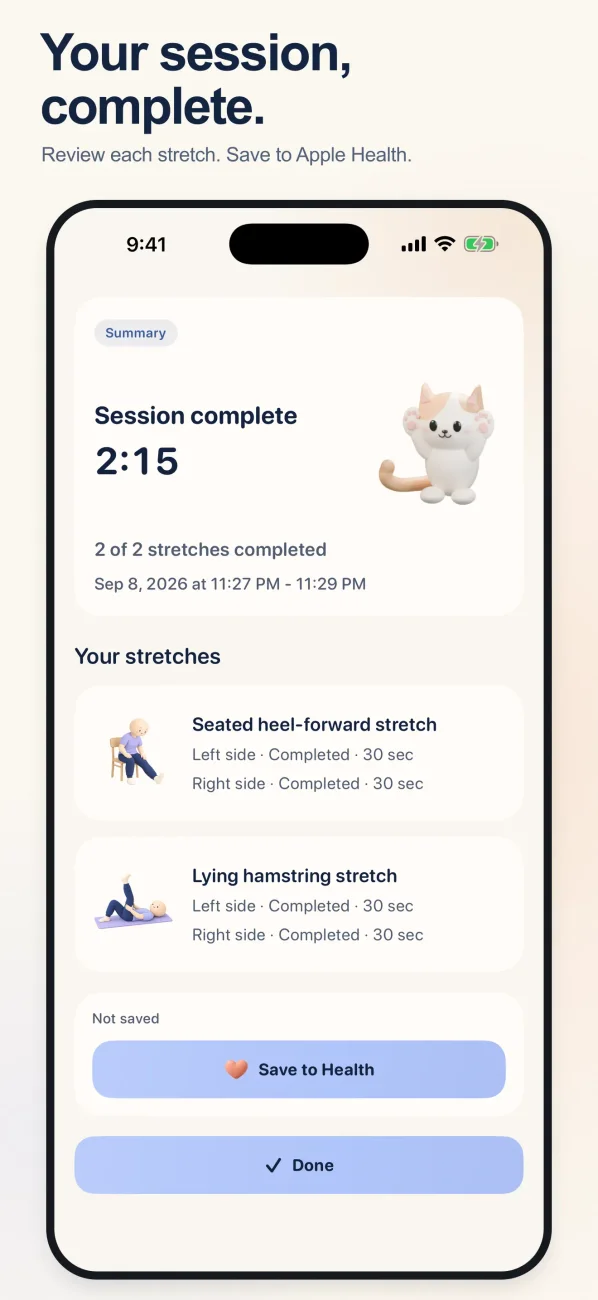
Choose Save to Health after a session to keep a workout in Apple Health. You can also finish without saving.
A LITTLE COMPANY
A peach calico cat stretches along with you, from getting ready to finishing your session.
No account is needed. Your routines and recent sessions stay on your devices and can sync between your paired iPhone and Apple Watch.
Stretching Timer provides exercise illustrations, timing and written setup cues; it does not assess your form or provide personalized medical advice. Requires iOS 26 or later on iPhone, or iPadOS 26 or later on iPad. The Apple Watch app requires watchOS 26 or later.
SUBSCRIPTION PLANS
Stretching Timer requires a subscription to start sessions. Choose an annual or monthly plan. Eligible new subscribers can start the monthly plan with a seven-day free trial, followed by monthly renewal. The current localized price, trial eligibility and renewal terms are shown before purchase. Subscriptions renew automatically unless canceled in your App Store subscription settings. Restore purchases is available in the app.
Terms of Use (EULA): https://www.apple.com/legal/internet-services/itunes/dev/stdeula/
App privacy
What Pouria Assadipour declares on the App Store about how this app handles data.
-
Data not linked to you
May be collected but is not linked to your identity.
- Purchases
Privacy practices may vary, for example with the features you use or your age.
Information
- Seller
- Pouria Assadipour
- Category
- Health & Fitness
- Version
- 1.0
- Updated
- Sep 17, 2026
- Released
- Sep 17, 2026
- Size
- 112.5 MB
- Requires
- iOS 26.0 or later
- Age rating
- 4+
- Price
- Free
- In-app purchases
- Yes
- Languages
- English
- Copyright
- © 2026 Pouria
You might also like
-
 StretchCheckHealth & Fitness
-
 StretchPrep: Routine BuilderCustom Stretching & Mobility
-
 Stretch Timer - FlexibilityLoosen Up & Feel Flexible
-
 Stretch Timer - GetFlexySimple repeating stretch timer
-
 Stretch Timer - make your ownStretch simply and smartly!
-
 Stiff: Desk Stretch & PostureNeck, Back & Eye Break Timer
-
 Being HumanoBest Life & Health Coaching
-
 Head ShadowOne-Sided Hearing Support
-
 Simple Stretch TimerNo-nonsense repeating timer
-
 Nix SoloReal-time hydration data