
- Age rating4+
- CategoryProductivity
- DeveloperDominik Meierhofer
- LanguagesGerman+ 5 more
- Size4.4 MB
Links to the official App Store page
Download.org hosts no file of Strich. The button opens its official App Store page, published by Dominik Meierhofer. Listing last checked on Nov 6, 2026.
Screenshots


About
Strich is an app for keeping lists. Nothing else.
No reminders, no due dates, no priorities, no tags, no statistics. The restraint is the product. A list in Strich is a permanent catalog, not a throwaway note: strike things off as you go, then reset the list with one gesture and use it again. Packing lists, grocery runs, routines, rituals: anything you do more than once. And if you like, Strichbot lends a hand: with Apple Intelligence, no account and no key.
WHY STRICH
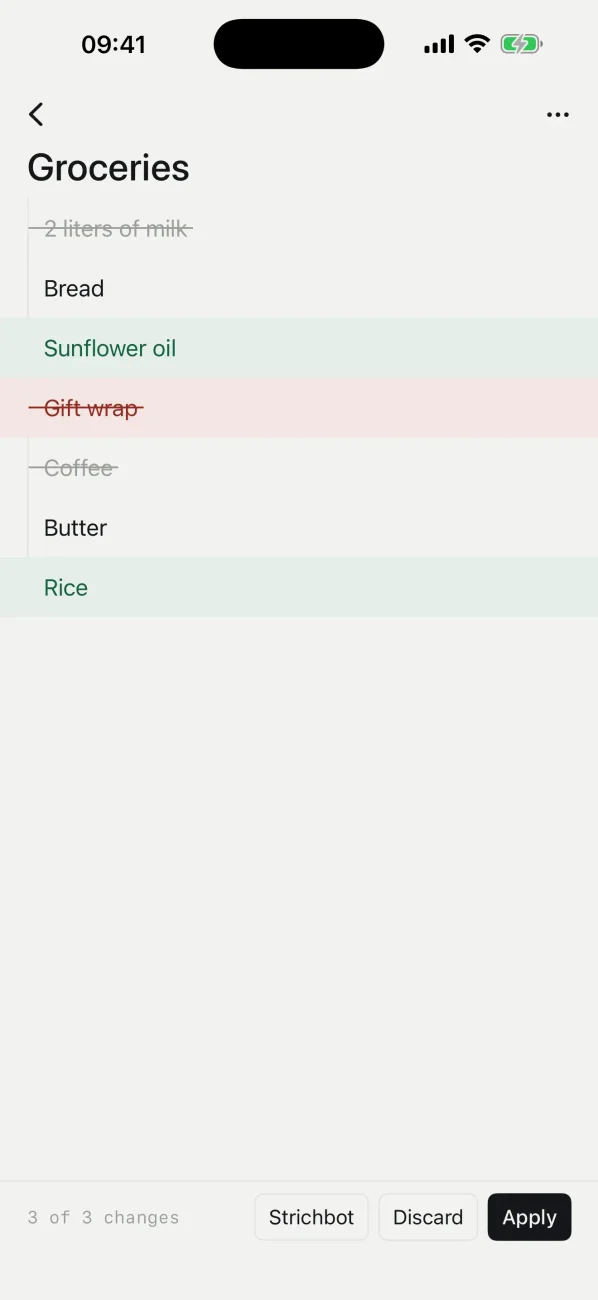
• Strike, don't check. Done items get a single clean stroke, the app's namesake ("Strich" is German for stroke).
• Reusable by design. Reset a finished list and it's ready for next time. The list is permanent, the checkmark is temporary.
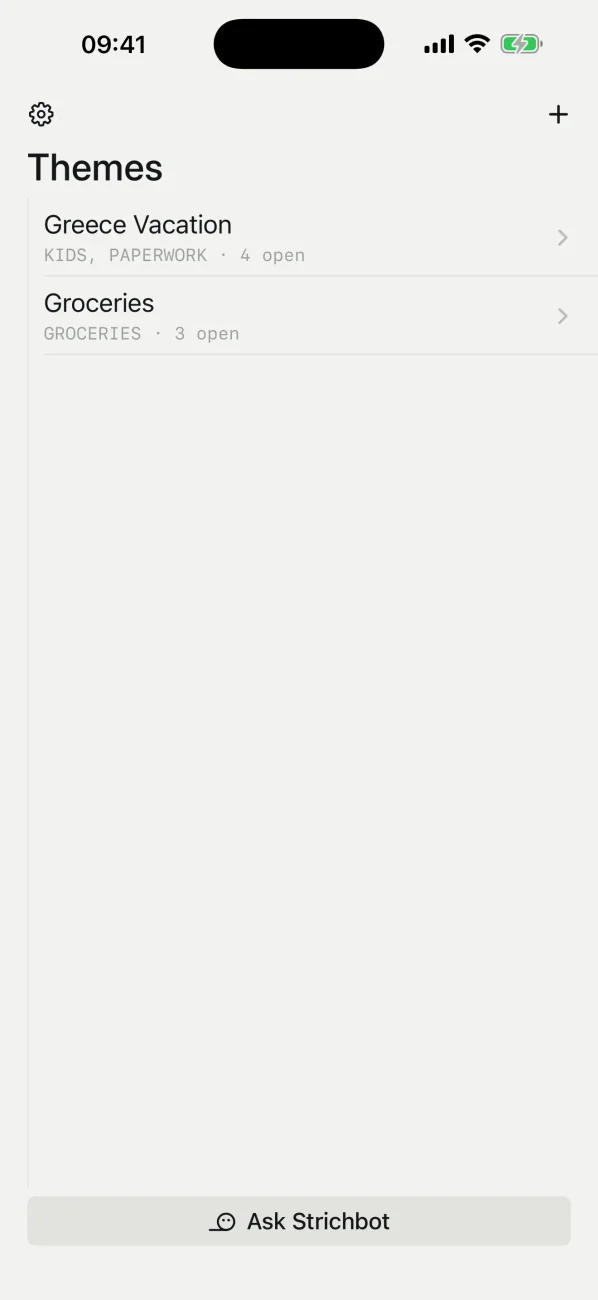
• Topics hold what belongs together: the vacation with its packing list, kids' gear and paperwork, each topic with as many lists as you need.
• A bench instead of a trash can. Whatever you take off the list waits on the bench below it and comes back with a tap. Nothing is lost, nothing gets added twice.
• Sections keep long lists readable. Type a chip or a colon prefix to file new items where they belong, or turn any line into a heading.
• Ruled paper, not another sterile productivity app.
STRICHBOT WITH APPLE INTELLIGENCE
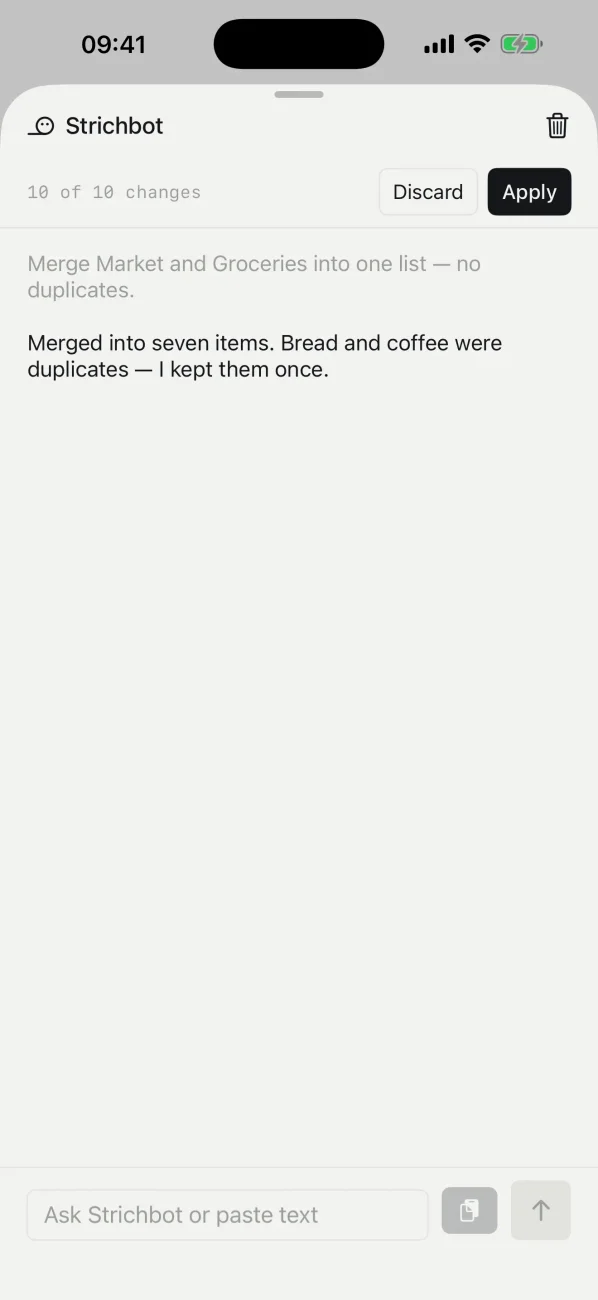
Every topic and every list has a chat. Strichbot reads your lists and proposes changes: add the usual suspects to a grocery list, group a long list into sensible sections, tidy things up. From the topics overview it creates whole topics, or merges two into one without duplicates.
• No account, no key. From iOS 27, on devices with Apple Intelligence, Strichbot runs on Apple Private Cloud Compute, with a daily quota.
• A photo of the note. Snap a shopping list on paper or a recipe, and Strichbot turns it into items.
• An empty chat suggests what fits the list.
• Stop it at any time, and right after applying, undo the whole proposal with one tap.
It only ever proposes. You see your real list in its future state, tap away the changes you don't want, and apply the rest. Nothing happens automatically.
Prefer another model? Use your own API key, from Anthropic for example, stored securely in your device's Keychain. Strichbot is entirely optional. Strich has no servers of its own, no account, no tracking.
WIDGETS, SIRI AND THE LOCK SCREEN
• Widgets in two sizes, for one list or two. Tap an item to strike it.
• Siri and Shortcuts: “Add to Groceries in Strich”, strike, reset, hear what is still open.
• The next open items on the Lock Screen and in the Dynamic Island, struck without unlocking.
• A “New Item” button in Control Center, on the Lock Screen or on the Action button.
• Open any list from Search on the Home Screen.
ON ALL YOUR DEVICES, AND WITH THE PEOPLE YOU SHARE WITH
Your lists follow you across iPhone and iPad through your own iCloud account. Switch phones and everything is simply there.
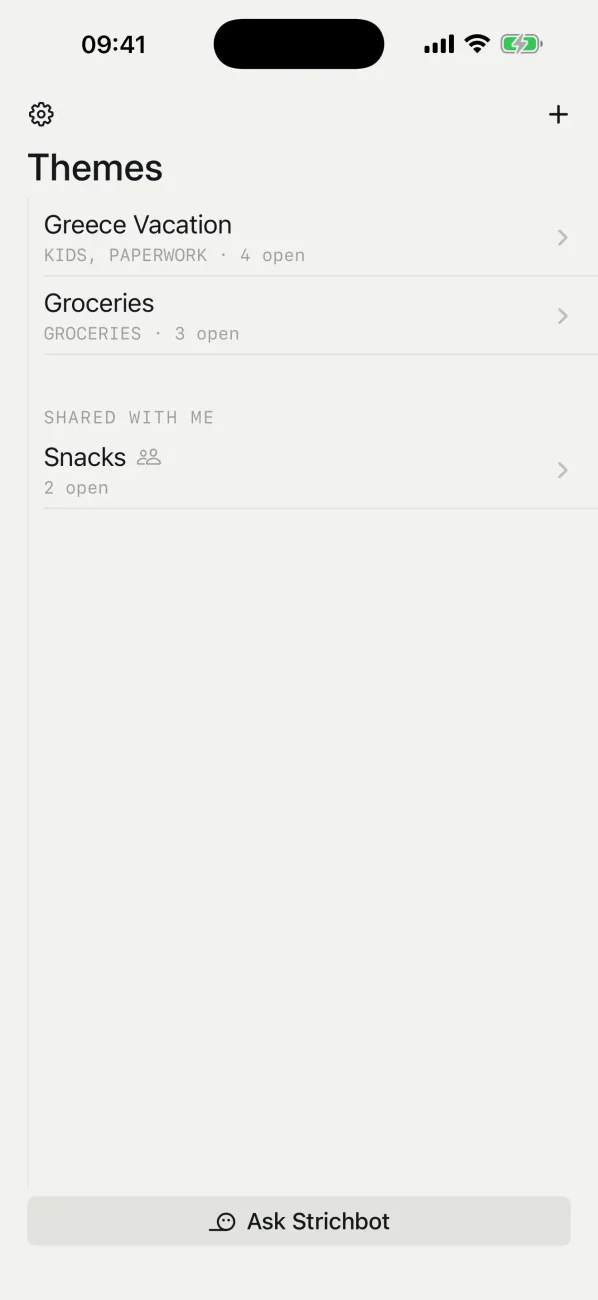
And when a list is not only yours: share a single list or a whole topic by link. The other person opens it in their Strich, and from then on you write the same list: they strike an item, it is struck for you. The shopping list for two, without a group chat. If you like, Strich lets you know when someone adds or crosses off something. Or share it view-only, so others can read but not write. What others share with you gathers under "Shared with me", and you can leave a share whenever you want. Your chat with Strichbot stays on your own device.
EVERYTHING ELSE
• iPhone and iPad, every orientation on the pad
• Import from any app via the iOS share sheet
• Export and share your lists as text
• Search within any list
• Duplicate topics and lists: a good list becomes a template
• Send all done items to the bench at once, reset a whole topic at once
• English, German, Spanish, French, Japanese and Portuguese (the system language or the one you pick), light and dark
• No account, no sign-up, no ads
• Your data lives on your device and in your own iCloud, never on servers of ours
What’s new
Version 3.0.1 · Oct 29, 2026
Big lists are quick again
Lists with hundreds of items open right away again, and crossing off, typing and scrolling respond without delay.
Shared lists on all your devices
Lists someone shares with you now show up on all your devices, not just the one where you accepted the invitation.
Delete readable in dark mode
The delete button you get by swiping was white on white in dark mode. It is now dark with white text.
“Open” filter tidies up right away
What you cross off with the “Open” filter on stays for two seconds, so you can take back a mis-tap, and then steps out of view. Until now it stayed until you switched the filter.
App privacy
What Dominik Meierhofer declares on the App Store about how this app handles data.
-
Data not collected
The developer does not collect any data from this app.
Privacy practices may vary, for example with the features you use or your age.
Information
- Seller
- Dominik Meierhofer
- Category
- Productivity
- Version
- 3.0.1
- Updated
- Oct 29, 2026
- Released
- Aug 28, 2026
- Size
- 4.4 MB
- Requires
- iOS 18.0 or later
- Age rating
- 4+
- Languages
- German, English, French, Japanese, Portuguese, Spanish
- Copyright
- © 2026 gugus.io
You might also like
-
 Listiy: Shared Grocery ListFamily shopping, synced live
-
 Shared To Do List — VeritaskTask Manager. Checklist. ToDo
-
 Local Grocery ListCreate Grocery List and Share
-
 MyListMakerSimplify Life, Use Lists
-
 Sticky Notes Widget. StickiesMemo papers plus color drawing
-
 Checklist: Get things doneStay organized and productive!
-
 Checklist+: Daily To Do & TaskShare & Sync Grocery Lists
-
 Tasks: To Do Lists & RemindersKanban Board, Planner & Widget
-
 ePost AppThe Swiss Post digital mailbox
-
 Vibe by Mistral (ex-Le Chat)Your AI agent for daily tasks