
Stringer: Stair Layout
Stair stringer cut sheets
Designed for iPhone, iPad
Free · In-app purchases
- Age rating4+
- CategoryProductivity
- Developer家宝 戴
- LanguagesEnglish+ 12 more
- Size1.5 MB
Links to the official App Store page
Download.org hosts no file of Stringer: Stair Layout. The button opens its official App Store page, published by 家宝 戴. Listing last checked on Nov 13, 2026.
Screenshots
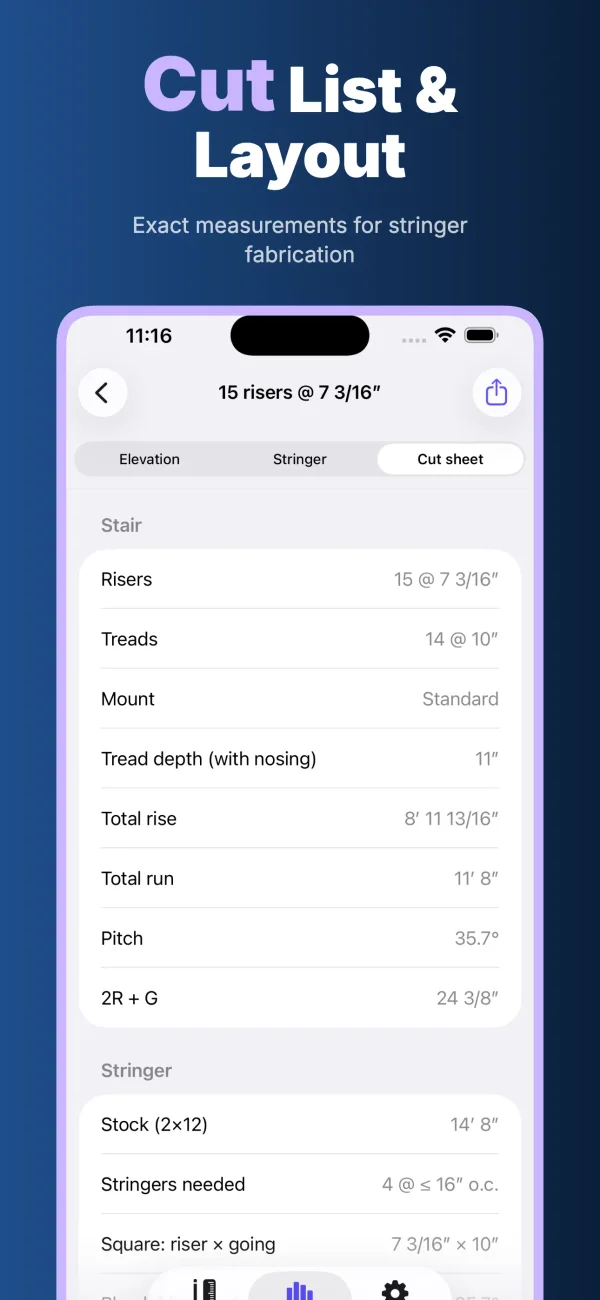
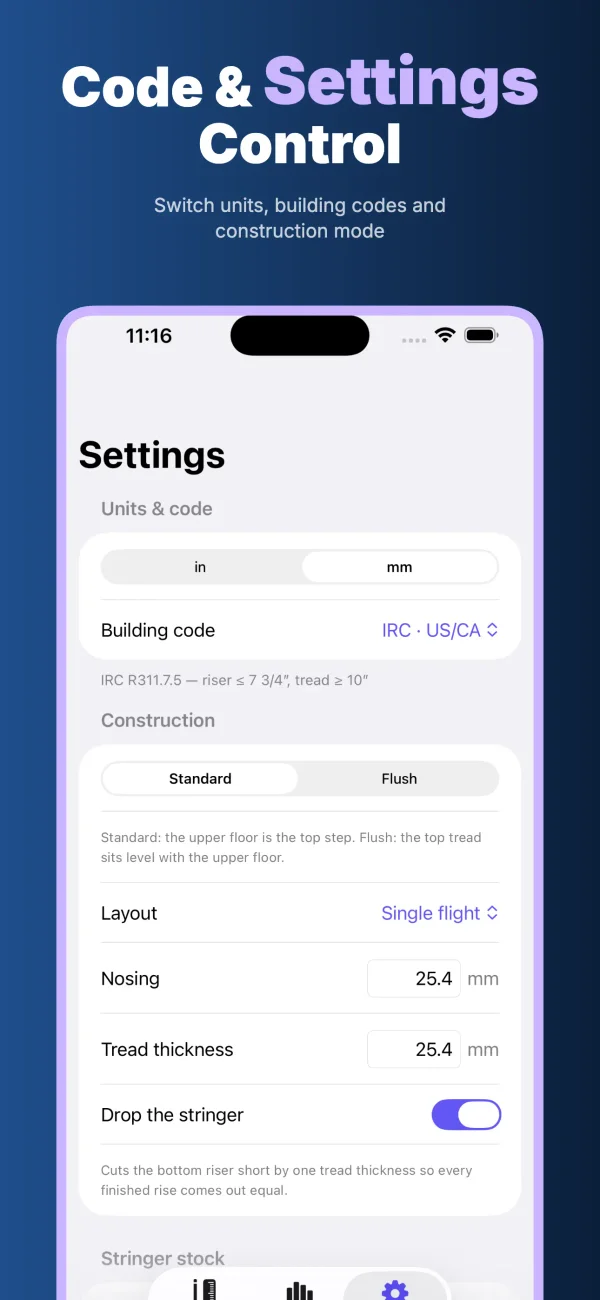
About
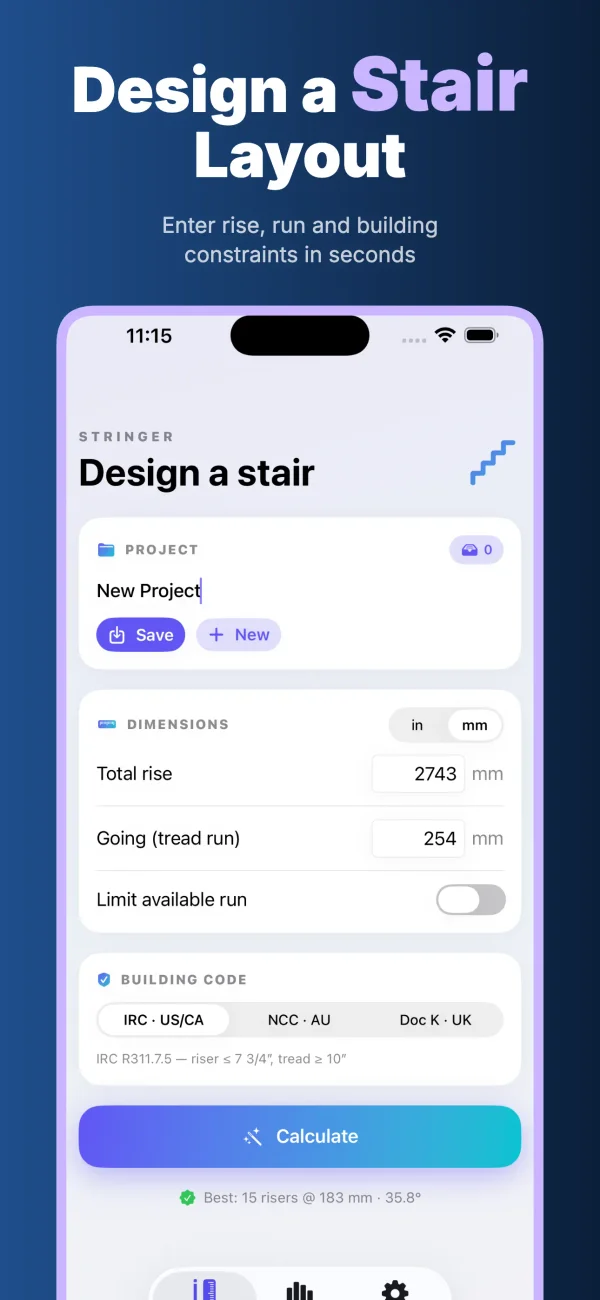
Stringer is a focused stair and stair-stringer calculator for builders, remodelers, deck crews, finish carpenters, makers, inspectors, and careful DIYers who want usable numbers before cutting timber. Enter the total rise and the going, choose imperial or metric units, pick the building-code reference you want to compare against, and Stringer turns the job into clear stair options you can read on site.
Privacy is built into the workflow: Offline / No Login / Privacy First / On Device / No Cloud Upload. You can open the app in a basement, garage, workshop, rural jobsite, or anywhere without reliable service. Calculations, saved projects, settings, and exported cut sheets stay on the device. There is no account to create, no sync step to wait for, and no project data being uploaded to a cloud service.
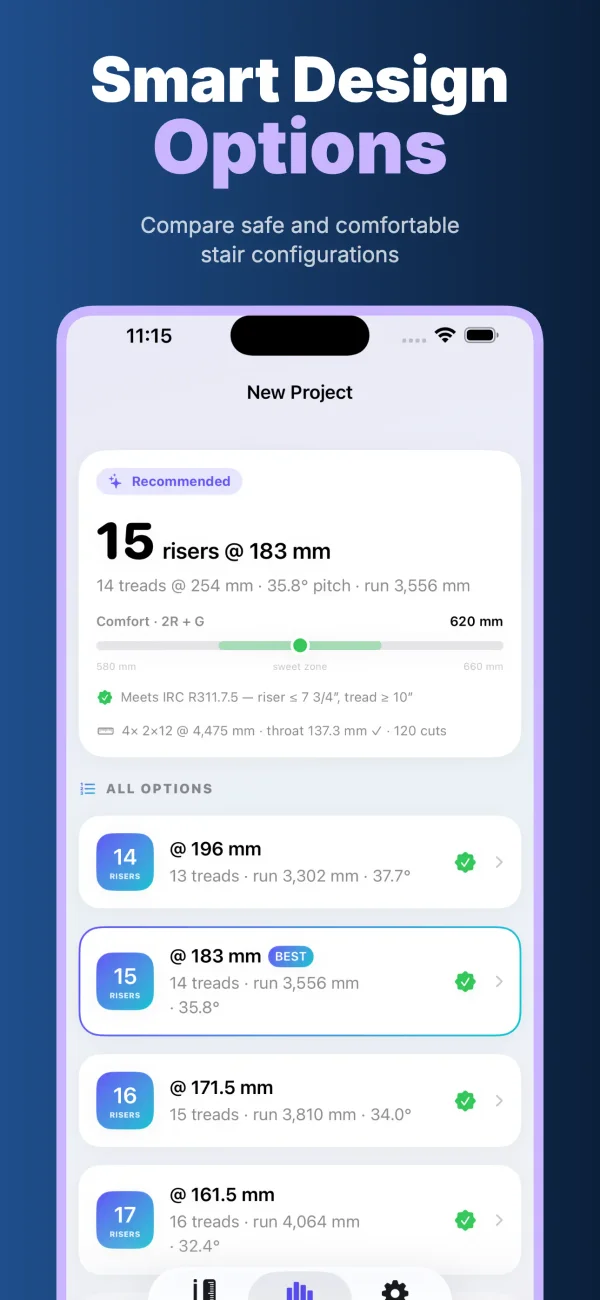
Use Stringer when you need to decide how many risers fit a stair, what each riser height should be, how many treads are needed, and what total run and pitch that choice creates. The results screen highlights a recommended option, then lists nearby alternatives so you can compare 14, 15, 16, 17, 18, or 19 risers at a glance. Each option shows the riser height, tread count, total run, pitch angle, and code status, making it easier to choose a layout that works for the space instead of guessing from a scrap of paper.
The calculator is made for real construction details. Set total rise, going or tread run, maximum available run, stair width, nosing, tread thickness, stringer stock, stock price, standard or flush construction, and whether the bottom stringer should be dropped. Switch between inches and millimetres as needed. The app also estimates board length, cut count, throat depth, first cut, and the framing-square rise and run values you need when laying out a stringer by hand.
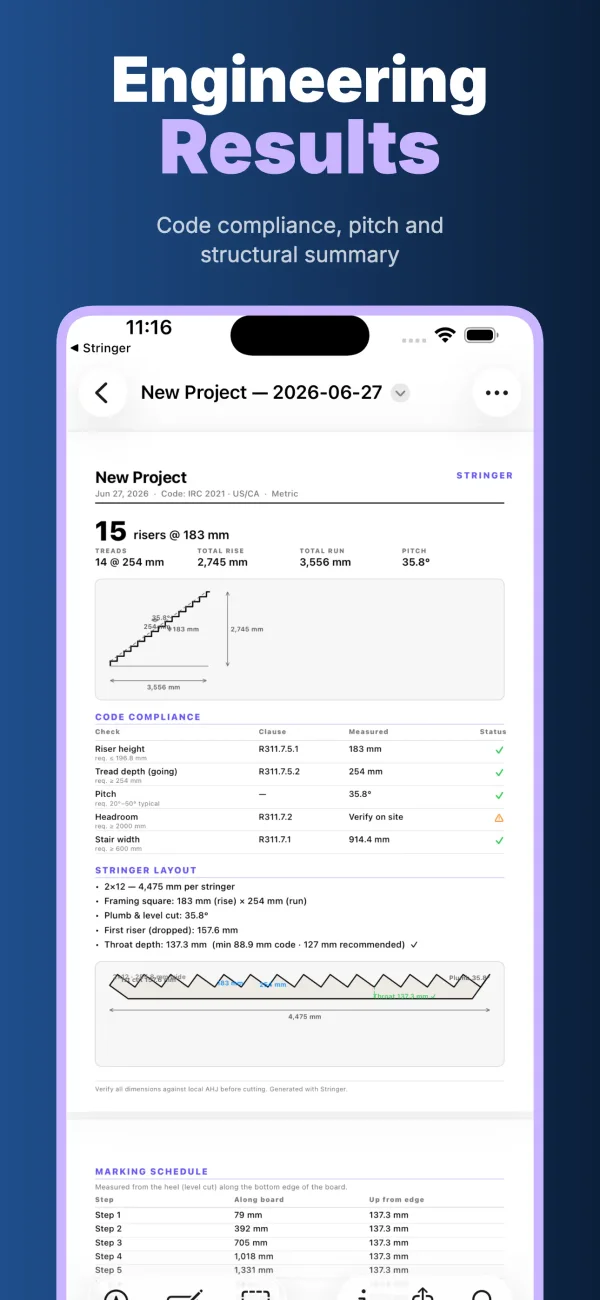
Code references are available for quick checks against common stair rules, including IRC for US/CA work, NCC for Australia, and Doc K for the UK. Stringer can flag riser height, tread depth, pitch, stair width, and headroom notes in a readable compliance panel. These checks are intended as a field aid, not as a replacement for local code review, permits, or professional judgement. Always verify site conditions, headroom, landings, guards, handrails, and local amendments before final construction.
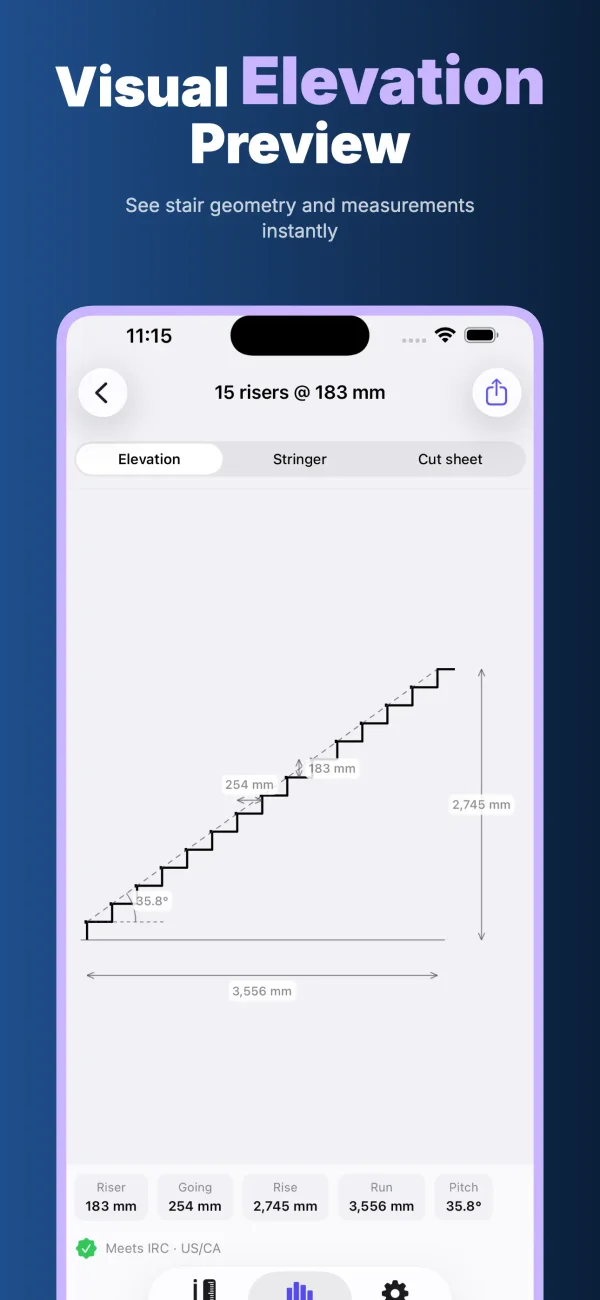
The visual results are designed to reduce mistakes. View the stair elevation, the full stringer shape, or the cut sheet. Dimension callouts show rise, going, total rise, total run, pitch, board length, throat depth, plumb angle, and first cut. The stringer layout view helps you see how the stair will land on the stock before you mark the board. This is useful when checking whether a 2x12 has enough throat, whether the run fits the opening, or whether a different riser count gives a better balance.
Projects help keep jobsite numbers organized. Save a project, create a new one, return to previous calculations, and keep your settings ready for the next stair. When the layout is ready, export a professional-looking Stair Cut Sheet PDF with a summary, diagram, code-compliance table, and stringer layout notes. Share it with a crew member, client, inspector, or your own future self before lumber is cut.
Stringer is intentionally simple: no login wall, no cloud workspace, no noisy collaboration feed, and no hidden web requirement. It is a practical stair layout tool for people who need fast answers, readable drawings, and repeatable numbers while keeping project information private and local.
Stringer now requires an active Stringer Pro subscription to use the app. The subscription unlocks stair layout calculations, code checks, saved projects, and PDF cut sheet export.
Privacy Policy
https://woodcuttool.com/legal/Stringer/privacy/
Terms of Use
https://www.apple.com/legal/internet-services/itunes/dev/stdeula/
What’s new
Version 1.0.2 · Nov 2, 2026
Added support for iPhone Duo, with layouts adapted for both outer and inner displays.
Improved performance and responsiveness.
Added Stringer Pro subscription support.
App privacy
What 家宝 戴 declares on the App Store about how this app handles data.
-
Data not collected
The developer does not collect any data from this app.
Privacy practices may vary, for example with the features you use or your age.
Information
- Seller
- 家宝 戴
- Category
- Productivity
- Version
- 1.0.2
- Updated
- Nov 2, 2026
- Released
- Jun 30, 2026
- Size
- 1.5 MB
- Requires
- iOS 17.6 or later
- Age rating
- 4+
- Price
- Free
- In-app purchases
- Yes
- Languages
- English, Arabic, French, German, Indonesian, Italian, Japanese, Korean, Portuguese, Simplified Chinese, Spanish, Traditional Chinese + 1 more
- Copyright
- © 2025 JiaBao Dai. All rights reserved.
You might also like
-
 Stair Calculator: Stringer ProRise & Run, Spiral, Code Check
-
 SMARTOBRA360Productivity
-
 ServiceWRKService Management System
-
 一人親方の現場台帳|請求書・工事台帳・出面・経費・確定申告Productivity
-
 Life's a GanttVisual Day Planner
-
 Cutlist: Cabinet PlannerSheets, Boards & Cut Diagrams
-
 Minha Linknet TelecomProductivity
-
 Rastrearr.comProductivity
-
 Rally for OnshapeA modern Onshape experience