
StripPii
Redact & Anonymize Documents
Designed for iPhone, iPad, Mac
Free · In-app purchases
- Age rating4+
- CategoryUtilities
- DeveloperJolson Da Costa
- LanguagesEnglish
- Size175.4 MB
Links to the official App Store page
Download.org hosts no file of StripPii. The button opens its official App Store page, published by Jolson Da Costa. Listing last checked on Nov 14, 2026.
Screenshots



About
Redaction that actually removes the words.
Most tools draw a black box over text that is still in the file. Copy and paste from the "redacted" PDF and the name is right there. StripPii removes the text itself - what comes out has nothing underneath the black.
Nothing leaves your device. Ever.
StripPii makes no network requests at all. It holds no network permission. There are no servers, no accounts, no analytics, no crash reporting. Your bank statements, medical letters and passport scans are read on your device and stay there - not as a policy, but because the app is technically incapable of doing otherwise.
Finds what matters, in any language.
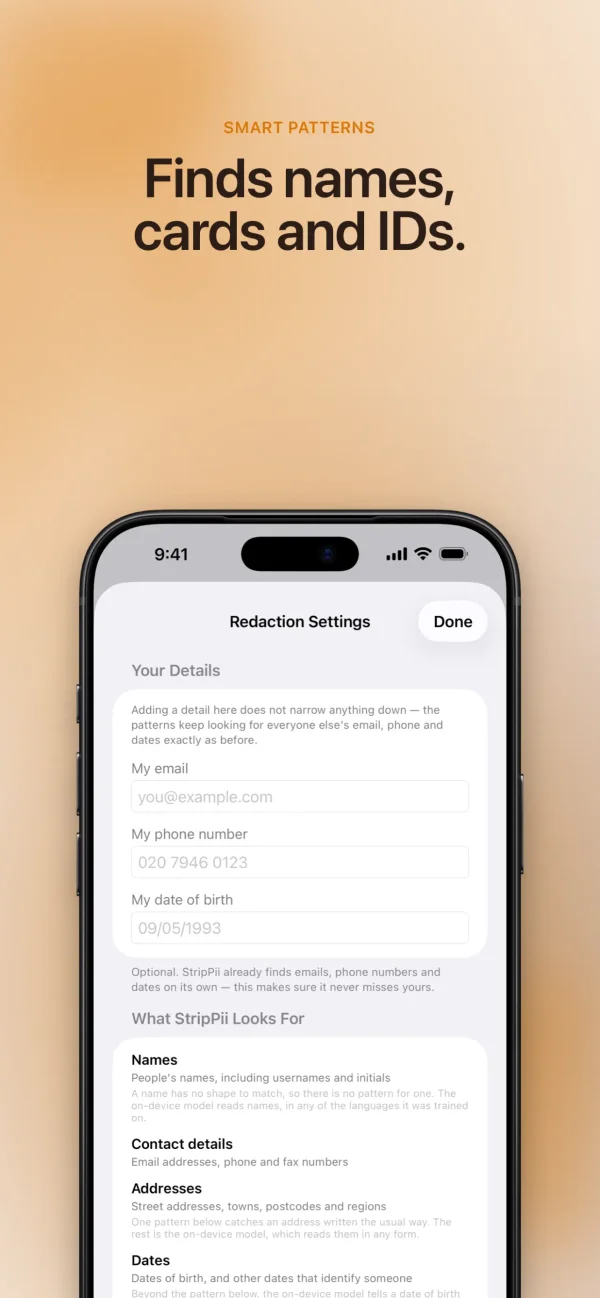
Names, addresses, emails, phone numbers, dates of birth, passport and licence numbers, national IDs, card and account numbers, medical record numbers - and faces in photos, covered automatically.
An on-device machine-learning model reads names and addresses that have no fixed shape to match, in any of the languages it was trained on. Exact patterns handle the things that do - the ones with checksums, like an IBAN or a National Insurance number. Each catches what the other cannot.
On devices with Apple Intelligence, an extra on-device pass runs alongside. Also local. Also free.
Detection is the same whether you pay or not.
Every PII type. The AI. The lot. We are not going to find less of your personal data because you have not paid us.
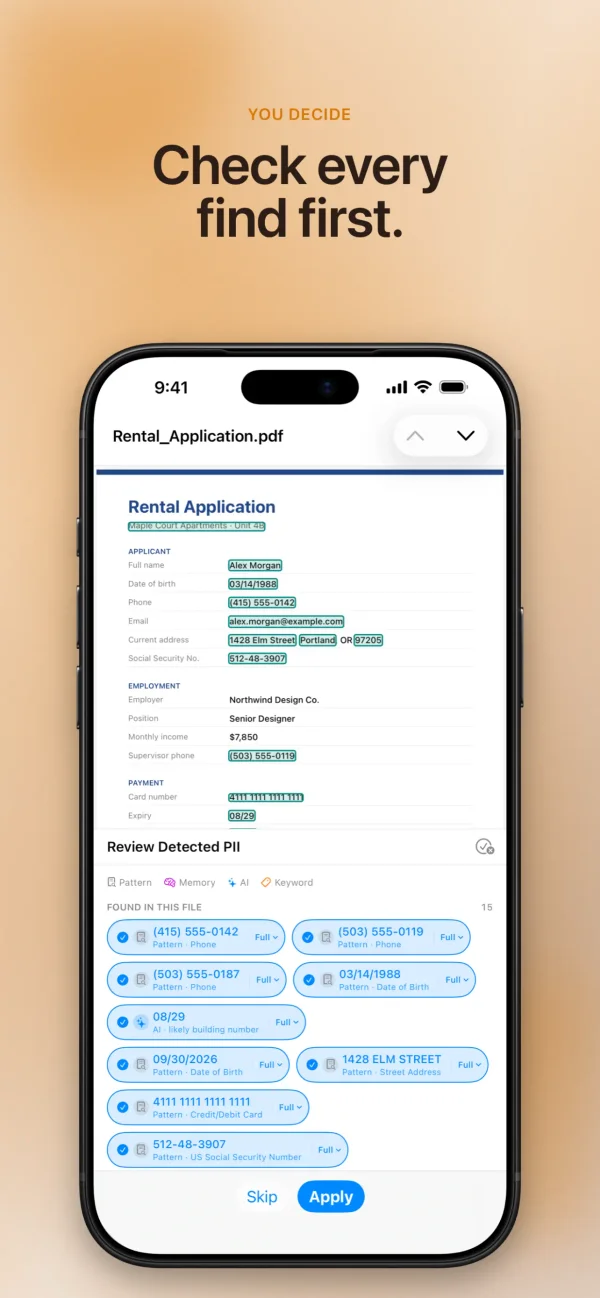
You decide before anything is redacted.
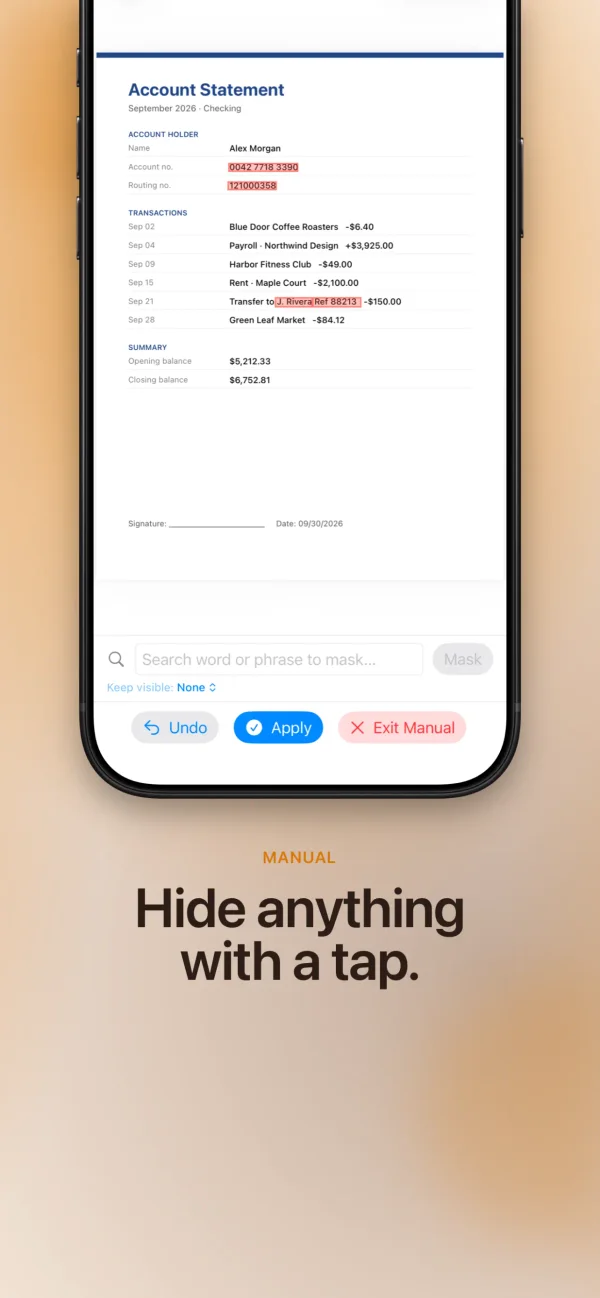
Review every detection, with a label saying how it was found. Deselect anything that shouldn't go. Black out anything the app missed by hand. StripPii remembers what you confirmed, so the next document is faster.
Free
• PDF, text and images
• Every PII type, on-device AI, automatic face detection
• Manual redaction, review before redacting
• One file at a time, watermarked export
Pro - one-time purchase, no subscription
• Clean export, no watermark
• Whole folders at once - files, folders and ZIP archives
• DOCX and multi-image documents
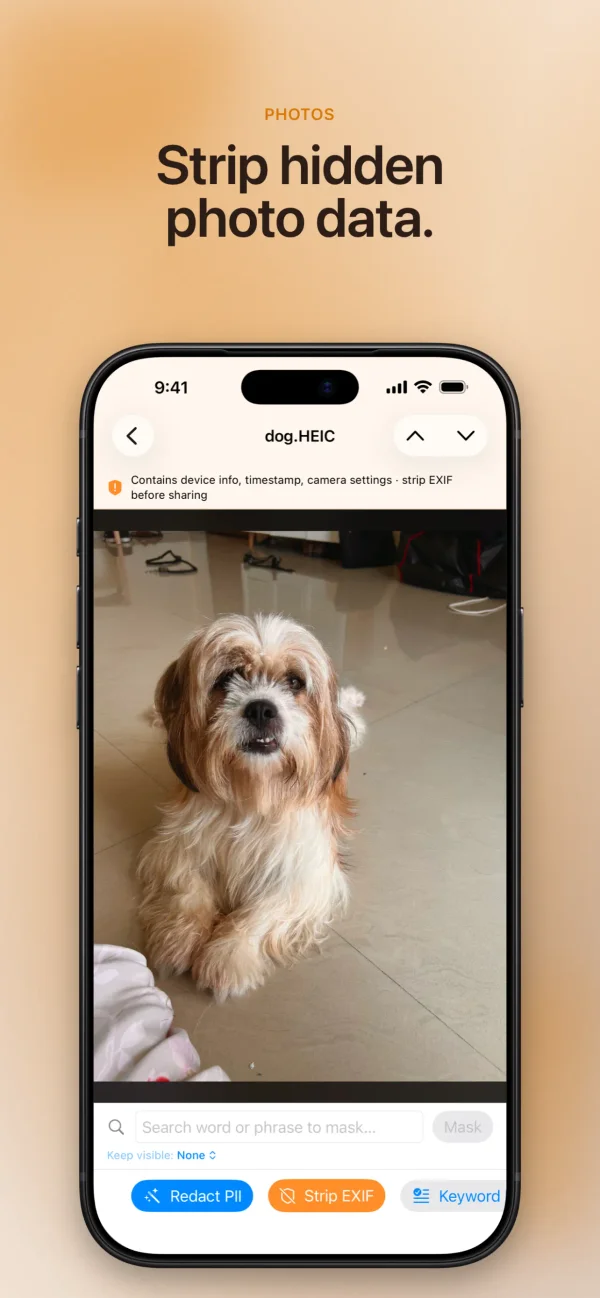
• Strip hidden metadata: PDF properties, DOCX authors, tracked changes and comments
• Remove EXIF - GPS location, device model, camera settings
• Password-protected PDFs stay protected on the way out
• Search & Mask, custom keywords and rules
• Blur and frosted-glass redaction
• Scan and redact with the camera (iPhone and iPad)
One purchase covers iPhone, iPad and Mac.
What’s new
Version 2.4.0 · Oct 31, 2026
- Rotated pages now export complete and the right way round.
- A ticked name is now covered everywhere it appears: every page, headers, footers and across line breaks.
- Page checks: the review shows what was found on each page and flags pages that couldn't be read. Export warns you if a page came out different, or if the file wasn't redacted.
- Remove a box: select it and tap the × to remove it.
- Search & Mask now cleans every page and finds words in form fields.
- Spanish dates keep the year.
- Photos load the right way up.
- Plus smaller fixes throughout.
App privacy
What Jolson Da Costa declares on the App Store about how this app handles data.
-
Data not collected
The developer does not collect any data from this app.
Privacy practices may vary, for example with the features you use or your age.
Information
- Seller
- Jolson Da Costa
- Category
- Utilities
- Version
- 2.4.0
- Updated
- Oct 31, 2026
- Released
- Mar 11, 2026
- Size
- 175.4 MB
- Requires
- iOS 17.6 or later
- Age rating
- 4+
- Price
- Free
- In-app purchases
- Yes
- Languages
- English
- Copyright
- © 2026 Jolson Da Costa
You might also like
-
 Redact PDF - Black Out TextHide Bank Details & SSN Info
-
 PuryFile: Metadata RemoverBatch File Privacy Cleaner
-
 Metadata Cleaner: Remove EXIFStrip GPS location in one tap
-
 ShareWipe: Privacy CleanerOn-device privacy before share
-
 Photo Compress & Image ResizeTiny files, stunning quality
-
 App Privacy Report AnalyzerMonitor Network & Data Access
-
 Audiscript: Voice RecorderAI Transcribe Audio to Text
-
 Hidden Camera Detector: LensWiFi & Bluetooth Device Clues
-
 Blur Info: Redact Photos & PDFHide ID & censor screenshots
-
 Highlighter for SafariAnnotate & take notes on pages