
Classroom Companion
Seating Charts & Participation
Designed for iPhone, iPad, Mac
Free · In-app purchases
- Age rating4+
- CategoryEducation
- DeveloperChristopher Gorham Calvin
- LanguagesEnglish
- Size6.1 MB
Links to the official App Store page
Download.org hosts no file of Classroom Companion. The button opens its official App Store page, published by Christopher Gorham Calvin. Listing last checked on Nov 24, 2026.
Screenshots
About
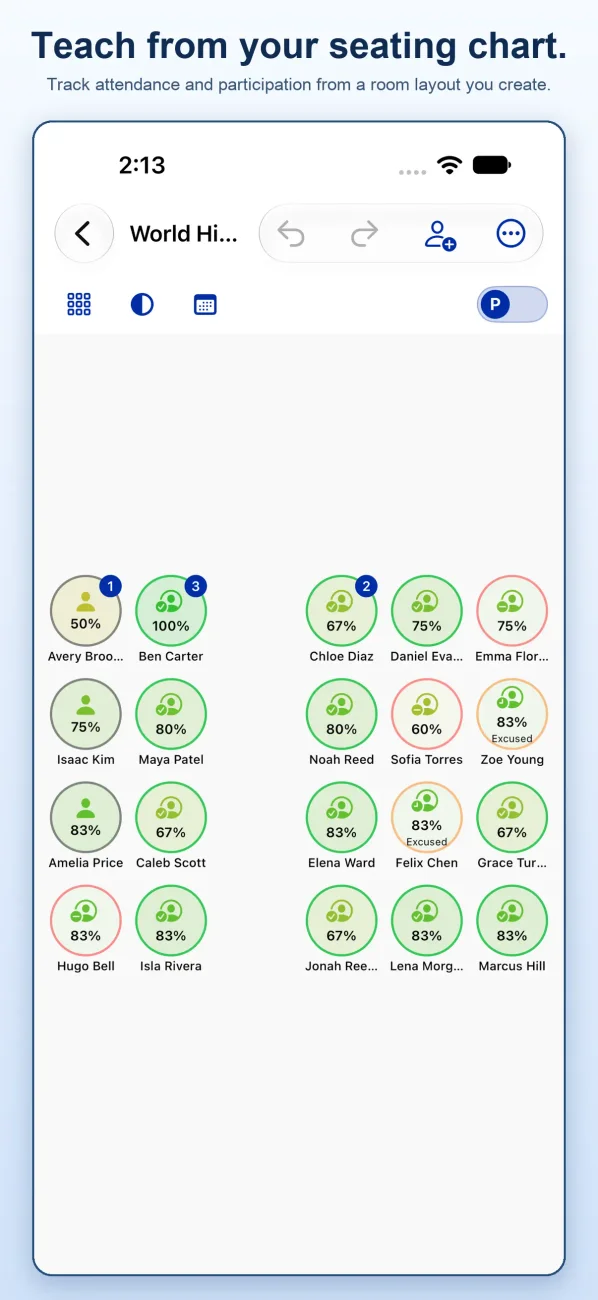
TEACH FROM YOUR SEATING CHART
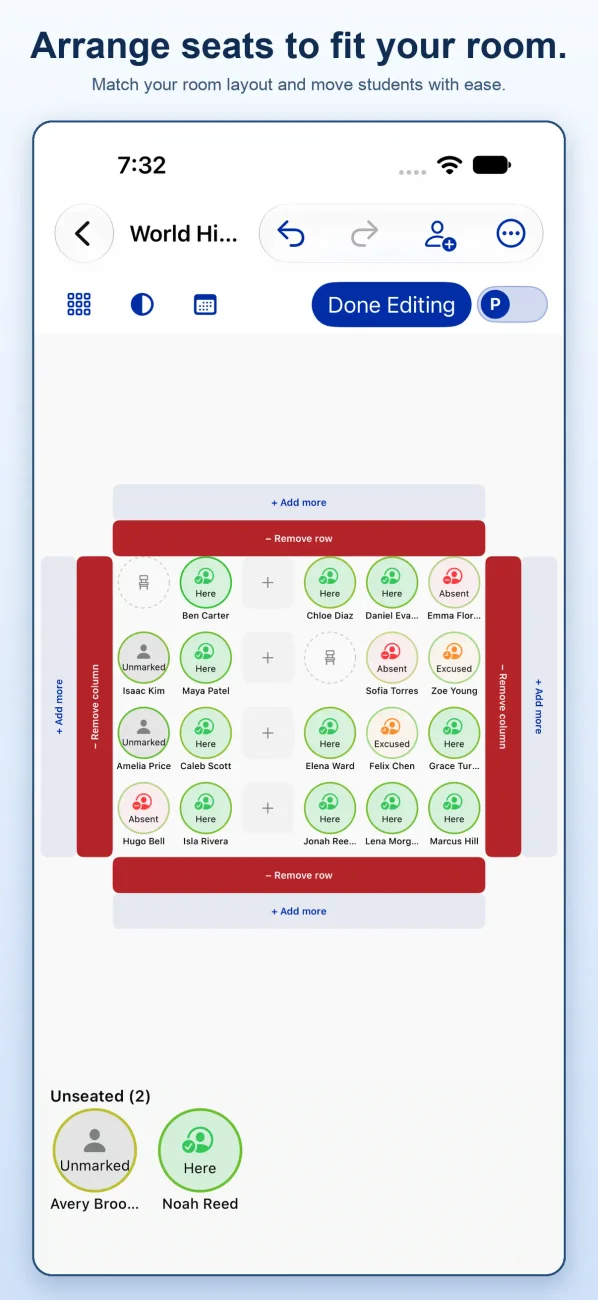
Arrange the chart to match your room. Add and remove seats, create aisles, and drag and drop students. Their participation and attendance history stays with them when they move.
KEEP THE DISCUSSION MOVING
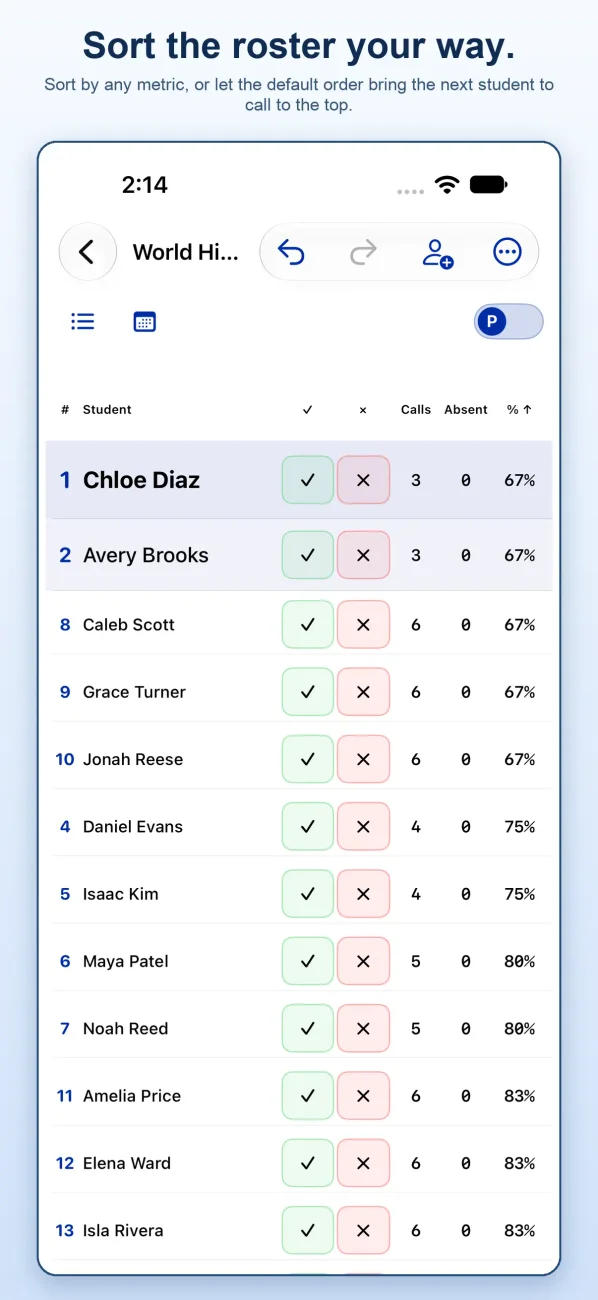
See the next three students to call on the seating chart. In List view, sort by the metric you need, or let the default order bring the next student to call to the top.
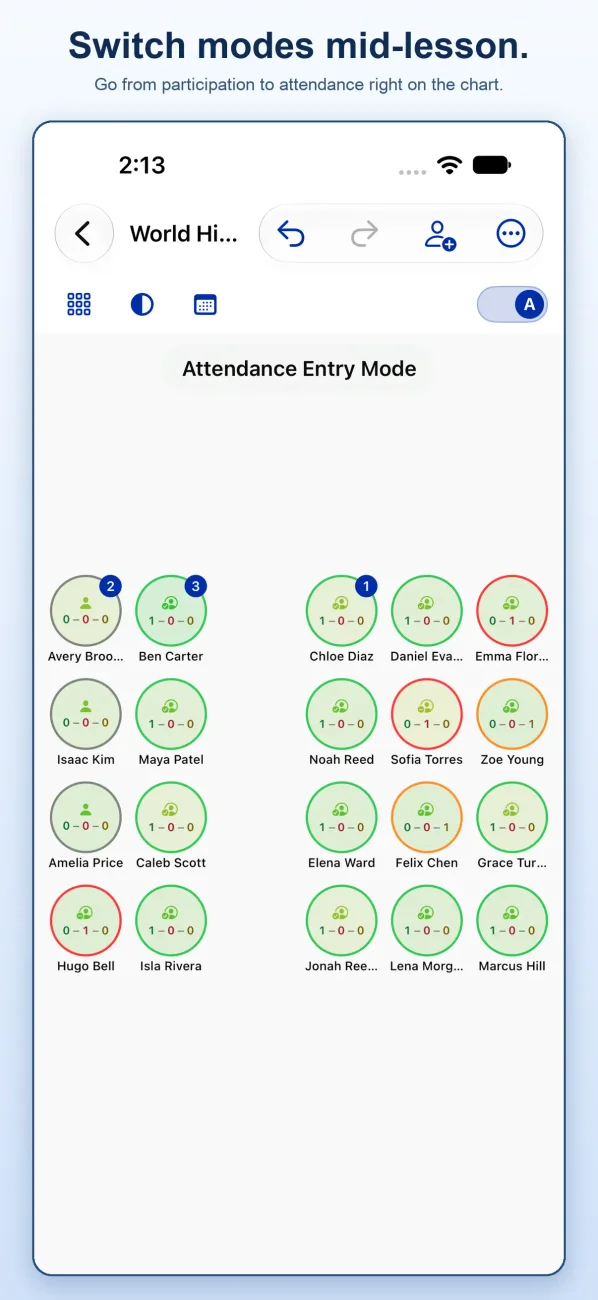
SWITCH BETWEEN PARTICIPATION AND ATTENDANCE
Use the mode switcher without leaving the chart. In Participation, click a seat once for Correct or twice for Incorrect. In Attendance, click a seat to cycle through Here, Absent, Excused, and Unmarked. Undo or redo a change when you need to.
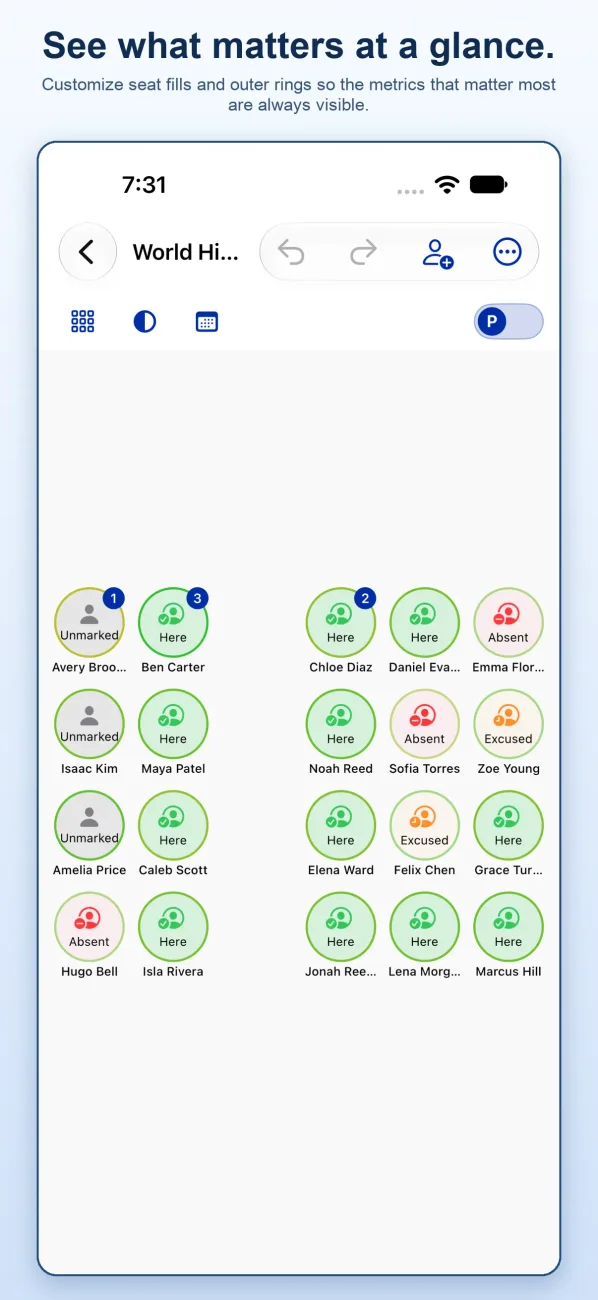
SEE THE METRICS THAT MATTER
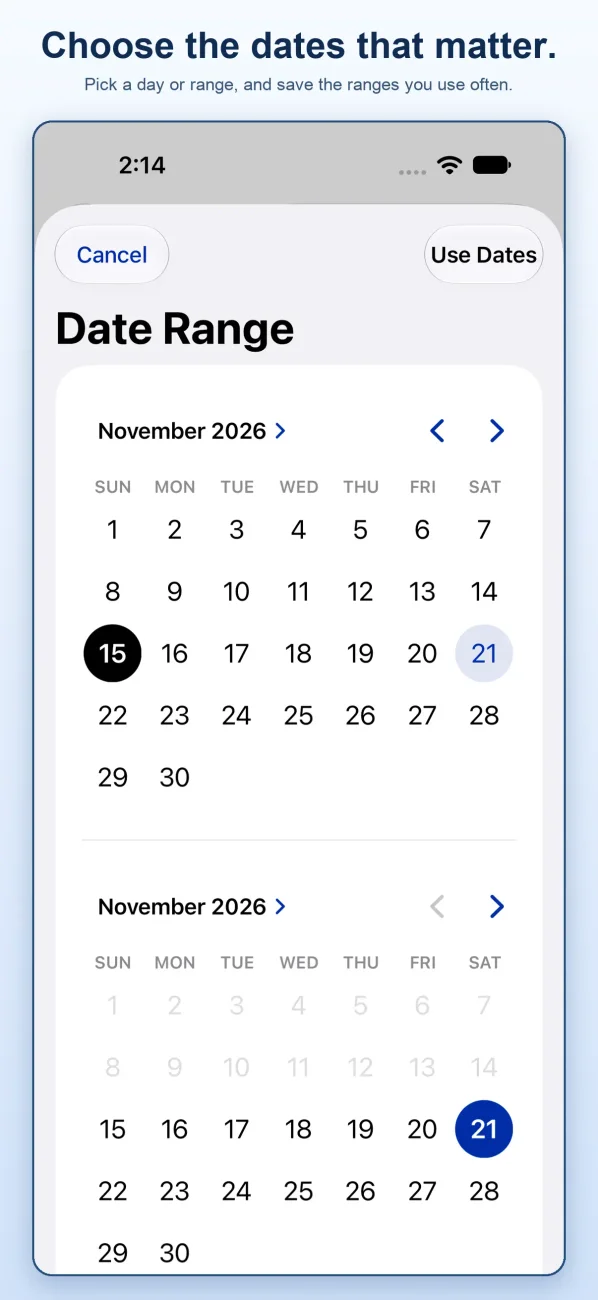
Choose what each seat's fill and outer ring show. See today's attendance alongside correct-answer rate, or choose a combination that better meets your needs. Pick a day, set a custom date range, or reuse a saved range. Each class remembers its selection.
SEE MORE OF YOUR CLASSROOM
Switch between Seating Chart and List view, or keep the chart and roster together in Split view on supported displays and windows. Zoom in for details or fit the whole room on screen.
KEEP YOUR CLASSROOM HISTORY ORGANIZED
Review student participation and attendance over time, add private notes for context, and correct past entries. Clear old history for a student, a class, or the app while keeping your rosters intact.
PRIVATE NOTES, ENCRYPTED SYNC AND BACKUPS
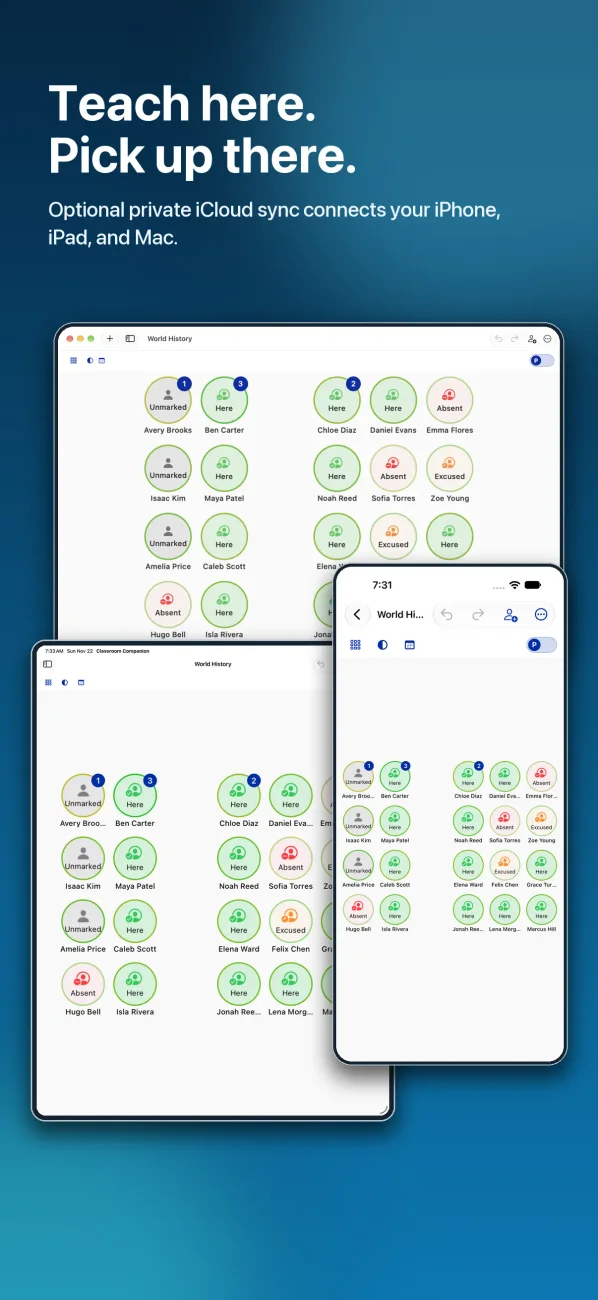
Optional encrypted iCloud sync keeps your seating charts and class records available on iPhone, iPad, and Mac. Optional encrypted backup saves classes, students, history, notes, date windows, and seating layouts in a single recovery file. Use a PIN or device authentication to protect access to the app.
EASY TO START, NO SUBSCRIPTION
Add students individually or import a roster. Start free with one class and up to 30 students, with all functional features included. An optional one-time Full Access purchase removes the class and student limits. No separate app account is required.
DISCLAIMER
Classroom Companion is intended for a teacher's private notes and personal memory aids, not sharing, grading, formal assessment, or official student records. Encryption alone does not determine FERPA sole-possession eligibility. Follow your institution's policies for student information, personal devices, and iCloud use.
What’s new
Version 2.1 · Nov 23, 2026
Student Participation Tracker is now Classroom Companion!
• Switch between Participation and Attendance from the same seating chart. Click once for Correct or twice for Incorrect, or cycle through attendance status.
• Choose which metrics the seat fill and outer ring show. Pick a day, set a custom range, or use a saved range across attendance and participation.
• Move between Seating, List, and Split with one control. Sort by the metric you need or use the default order to bring the next student to call to the top.
• Encrypted iCloud sync checks for updates when you return to the app. If a check fails, keep working offline and sync your edits when the connection returns.
UPGRADING SYNCED DEVICES
Update every device that uses the same iCloud library to 2.1 before opening the updated app or making edits. If you are upgrading from a version before 1.2, save your encryption recovery code and follow iCloud Sync settings to upgrade previous cloud copies. Losing all copies of your key and recovery code will result in losing access to that encrypted library.
App privacy
What Christopher Gorham Calvin declares on the App Store about how this app handles data.
-
Data not collected
The developer does not collect any data from this app.
Privacy practices may vary, for example with the features you use or your age.
Information
- Seller
- Christopher Gorham Calvin
- Category
- Education
- Version
- 2.1
- Updated
- Nov 23, 2026
- Released
- Sep 10, 2026
- Size
- 6.1 MB
- Requires
- iOS 17.0 or later
- Age rating
- 4+
- Price
- Free
- In-app purchases
- Yes
- Languages
- English
- Copyright
- © 2026 Christopher Gorham Calvin
You might also like
-
 Mason Public LibraryEducation
-
 Tinkamo BlockHands-on algorithm coding
-
 Dhikr Counter - TasbeehEasy Dhikr counter Ramadan
-
 ScratchOdds: Lotto TrackerBest scratch tickets to buy
-
 Save the Cat!The Language of Storytelling!
-
 Clear Wave SpeakersEducation
-
 My City: Doctor HospitalDoctor games for kids!
-
 Speak English ConversationEducation
-
 Merge ExplorerHands-on science simulations
-
 Learn Chinese Chinesimple HSK1Your beginner Chinese course