Study Timer & Focus Planner
Exam Blocks & Daily Streak
Designed for iPhone
In-app purchases
- Age rating4+
- CategoryProductivity
- DeveloperLinh Phan Nhat Khanh
- LanguagesRussian+ 43 more
- Size4.3 MB
Links to the official App Store page
Download.org hosts no file of Study Timer & Focus Planner. The button opens its official App Store page, published by Linh Phan Nhat Khanh. Listing last checked on Nov 12, 2026.
Screenshots
About
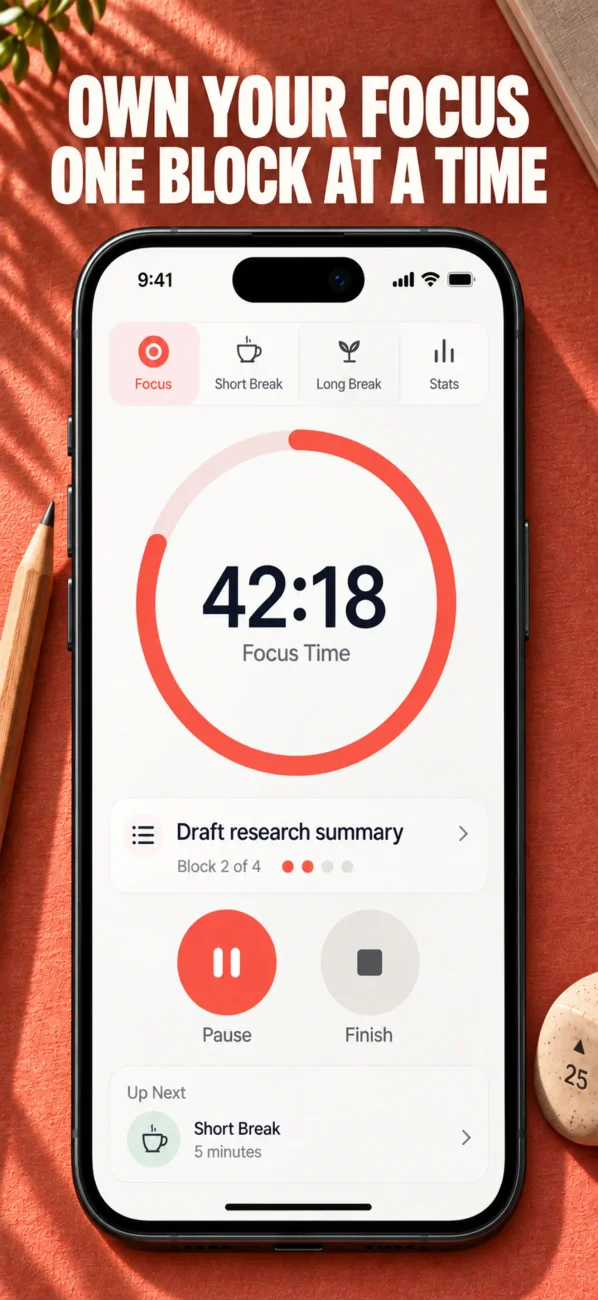
One thing at a time, with a clock on it. Set how long your focus block lasts, choose what you are working on, and let every completed block count towards it.
THE COUNTDOWN
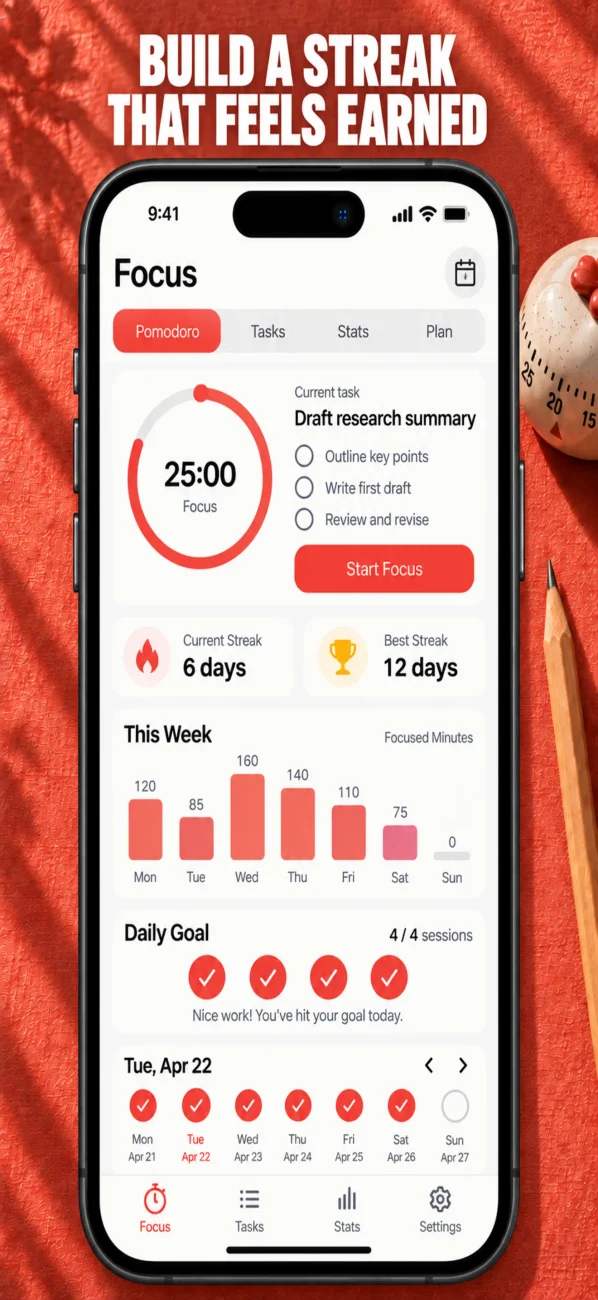
A single ring shows which phase you are in and how many blocks remain before the next long break. Start, pause, reset or skip ahead with one tap. Turn auto-start on and the next phase begins by itself, so an entire cycle runs without you touching the screen.
INTERVALS YOU SET
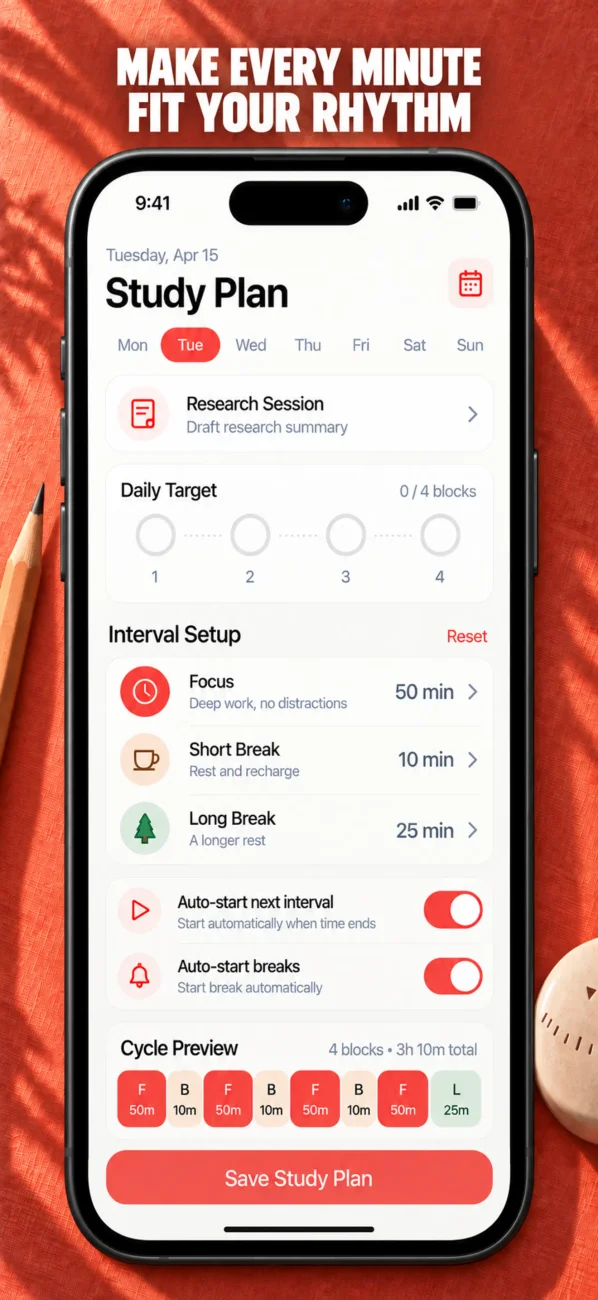
Nothing is pinned to the textbook figures. A focus phase can run from 1 to 90 minutes, short breaks up to 30, long breaks up to 60, and you decide how many focus blocks come before the long break arrives. Short bursts on restless days, long stretches when the work deserves them.
A LIST THAT KEEPS SCORE
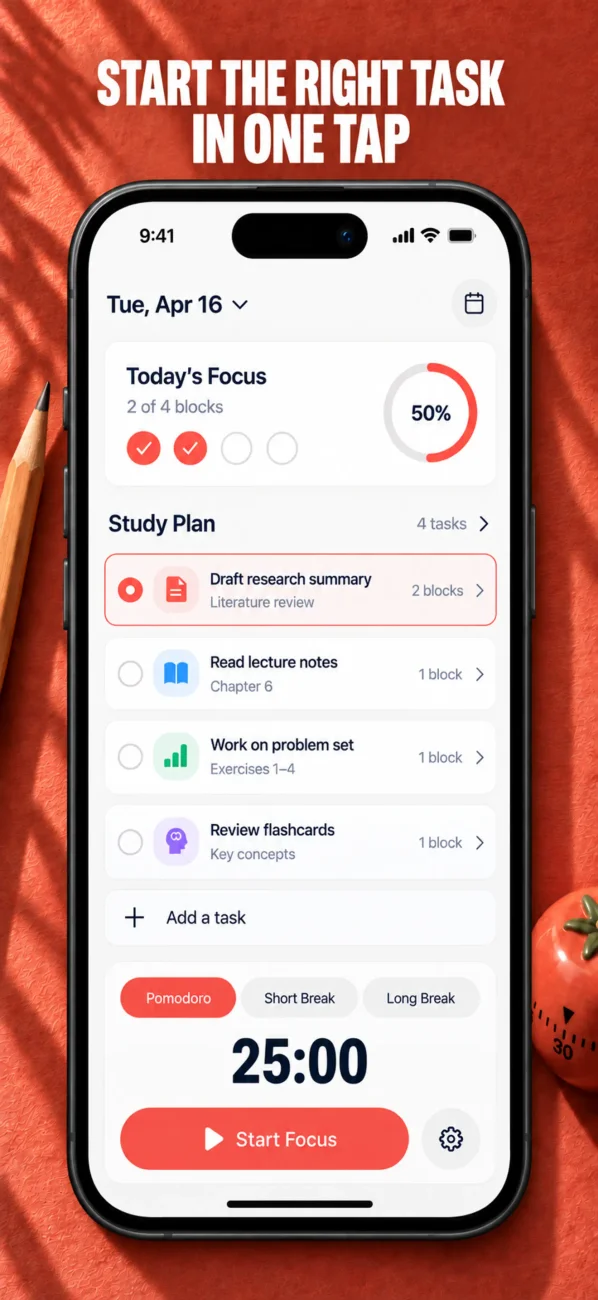
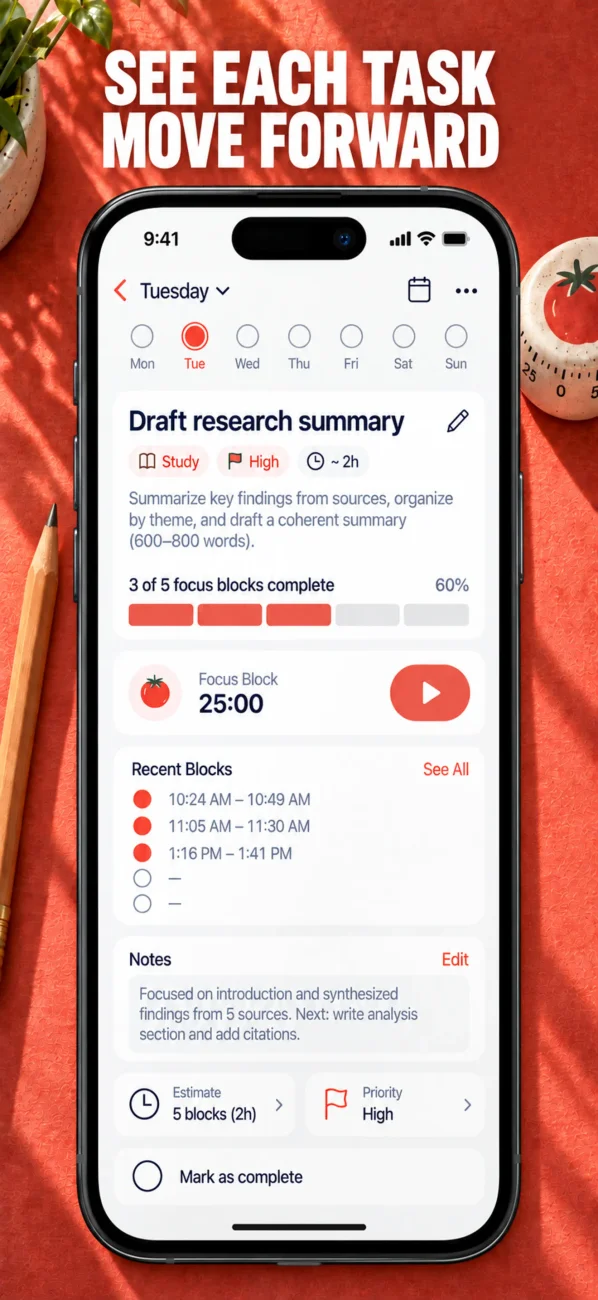
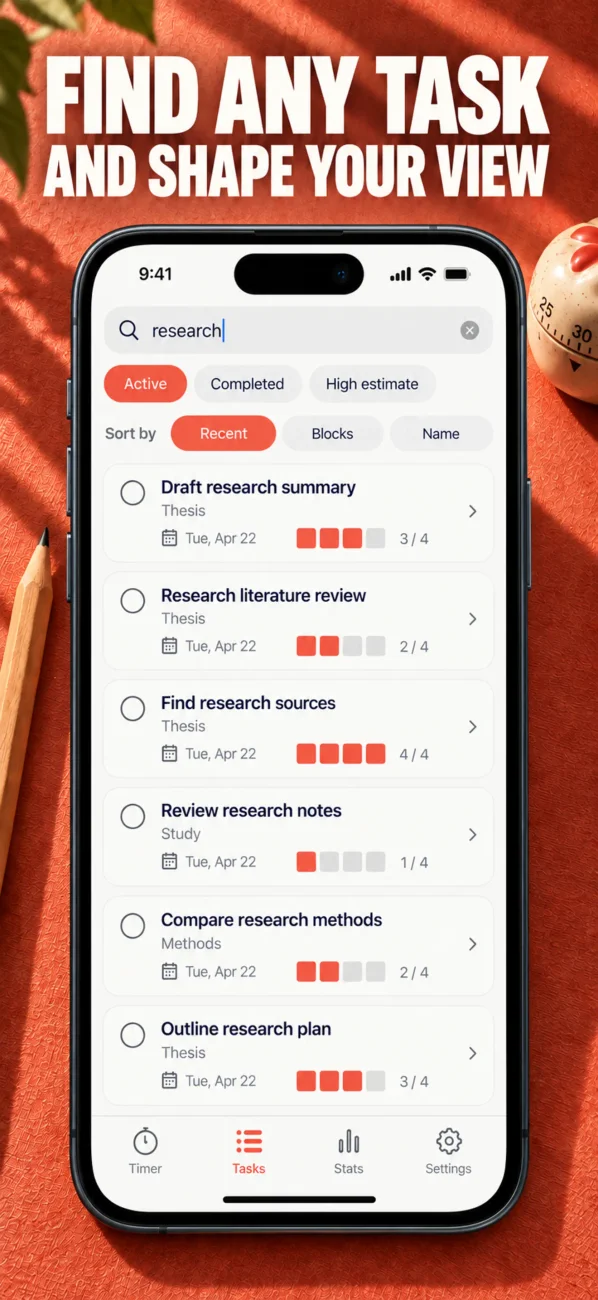
Write down what you need to get through and estimate how many blocks each item will take. Select one, and every completed phase is tallied against it, so a progress bar fills rather than a vague sense that you were busy. Tick items off when they are done.
SEE YOUR HISTORY
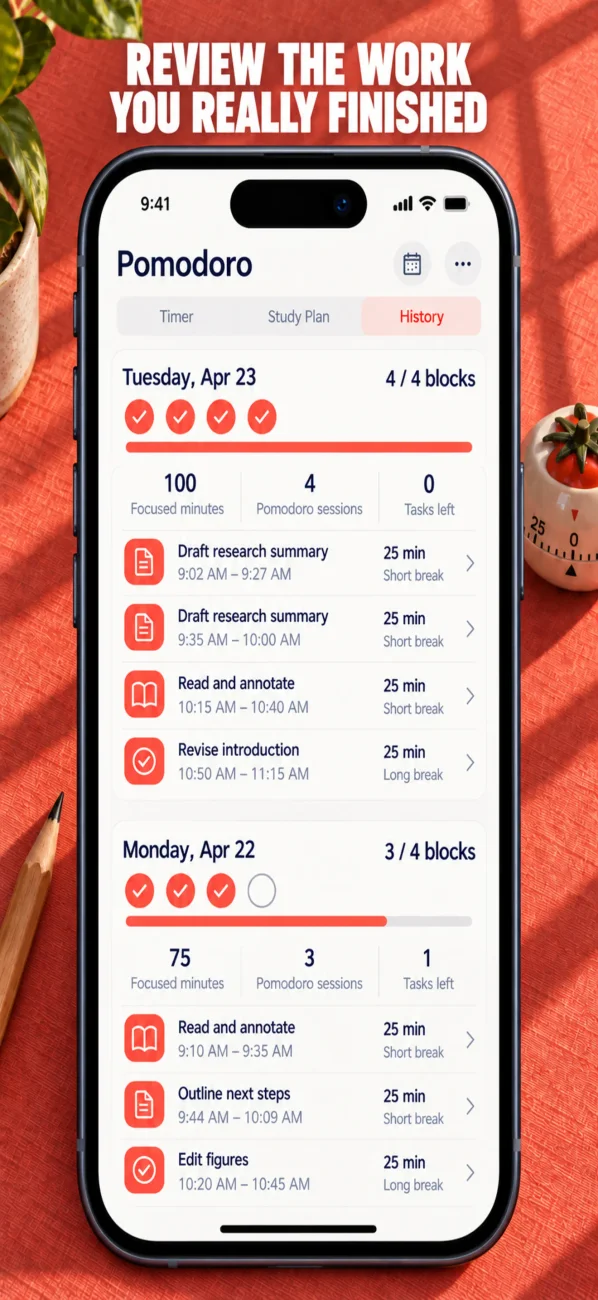
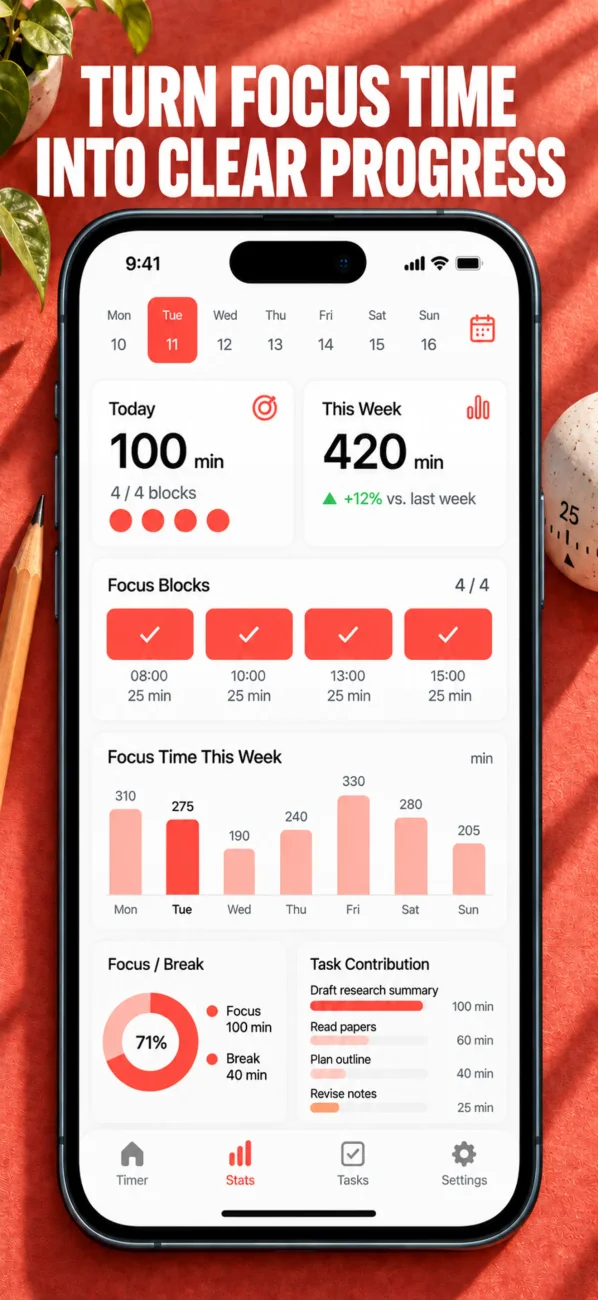
Totals for today, for the past week and for all time, plus a seven-day bar chart of focused minutes. Your current run of consecutive days and your best run are tracked day by day, so a skipped afternoon is visible and easy to put right tomorrow.
SOUND, ALERTS AND FEEL
A soft tick can run beneath a focus phase to mark that the clock is live, and a chime signals the end of one. Completion notifications reach you even when the app is in the background. Haptic feedback confirms the transitions you care about. Every one of these is a switch you control.
FIVE COLOUR THEMES
Coral, Graphite, Pine, Iris or Ember. The accent colour carries through the ring, the tab bar and the charts, so the app looks the way you want to look at it for hours.
BUILT TO STAY OUT OF THE WAY
Your blocks, your list and your history are stored on your device, and the app is organised so there is no account to create, no feed, and no banners between you and the countdown.
Study Timer & Focus Planner requires Premium to run a focus block. Premium opens the complete app: full control over focus, short break and long break lengths and how many blocks come before the long break; the task list with per-item block estimates and progress bars; the statistics screen with today, this week and all-time totals, the seven-day chart of focused minutes and your current and best streak; and all five colour themes, Coral, Graphite, Pine, Iris and Ember. Plans: a weekly subscription, a yearly subscription, or a one-time lifetime purchase. Payment is charged to your Apple ID account at confirmation of purchase. The subscription renews automatically unless it is cancelled at least 24 hours before the end of the current period, and your account is charged for renewal within 24 hours before the end of that period. You can manage your subscription and turn off auto-renewal in your Account Settings after purchase.
Privacy policy: https://pnkl26.web.app/privacy-policy
Terms of use: https://pnkl26.web.app/terms-of-service
What’s new
Version 1.1 · Oct 26, 2026
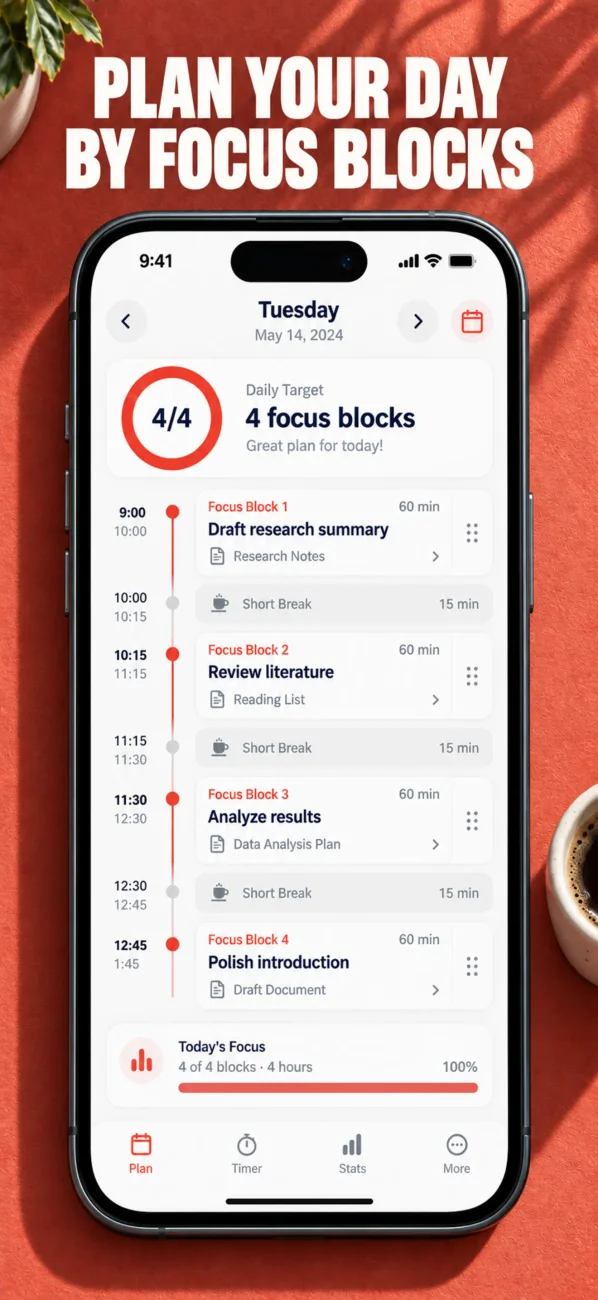
New Focus home with a countdown ring, a Today view and a day plan.
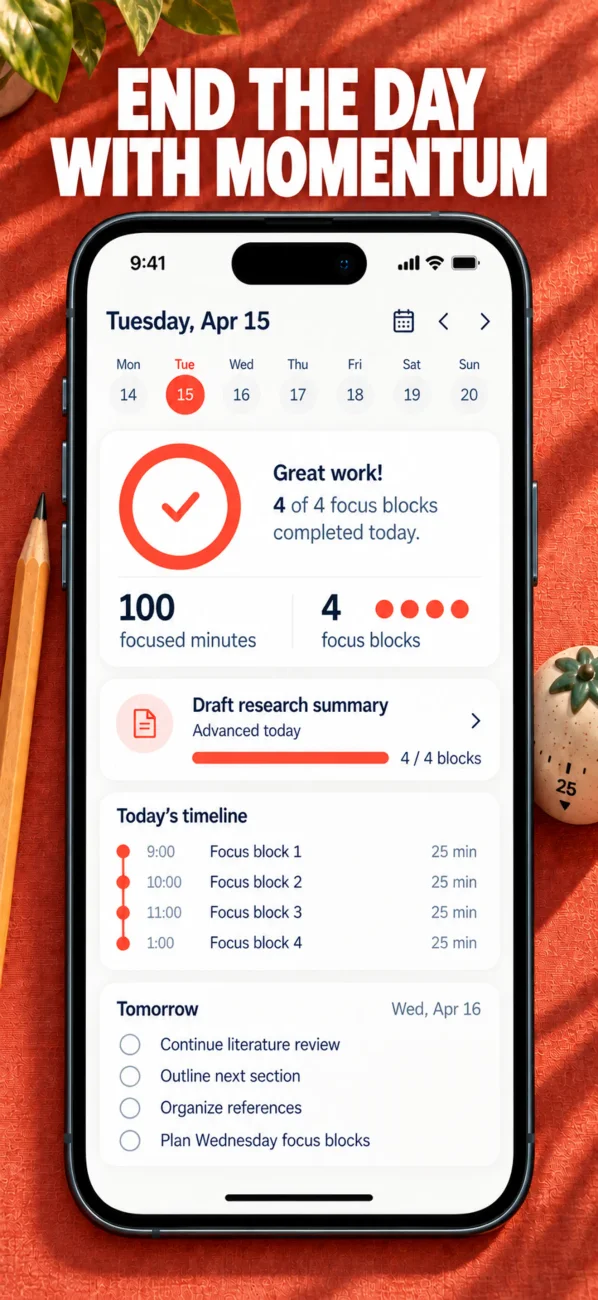
Task details with session estimates, session history and an end-of-day review.
Pro access through weekly or yearly subscriptions, or the new lifetime plan.
Design refresh and bug fixes.
App privacy
What Linh Phan Nhat Khanh declares on the App Store about how this app handles data.
-
Data not collected
The developer does not collect any data from this app.
Privacy practices may vary, for example with the features you use or your age.
Information
- Seller
- Linh Phan Nhat Khanh
- Category
- Productivity
- Version
- 1.1
- Updated
- Oct 26, 2026
- Released
- Jun 15, 2026
- Size
- 4.3 MB
- Requires
- iOS 17.0 or later
- Age rating
- 4+
- In-app purchases
- Yes
- Languages
- Russian, Bengali, Gujarati, Hindi, Oriya, Slovenian, Urdu, Vietnamese, English, Arabic, Hungarian, Dutch + 32 more
- Copyright
- © 2026 PNKL
You might also like
-
 Zen Meld - AI Focus TimerDeep Work, Pomodoro & Study
-
 Pomodoro Timer: PomoKitFocus, Study & Concentration
-
 SpeakerTimer: Stage ClockStage countdown for speakers
-
 Pomodoro Timer - SLOXFocus 25, break 5. Repeat.
-
 baseline: life and routinesLife. Without the noise.
-
 No-ads Quran & Athan with A.ITadbur the Holy Quran.
-
 Pomodoro : Minuteur gamifiéFocus,Productivité,TDAH & fun
-
 TwentyFive - Pomodoro TimerFocus. No ads. Just timing.
-
 Visual Timer: Tomato TimerStudy Time & Pomodoro Timer
-
 Pomodoro Focus Timer ProSmart Productivity Timer