
Style Days: Outfit Calendar
Photo Lookbook & OOTD Diary
Designed for iPhone, iPad
Free · In-app purchases
- Age rating4+
- CategoryLifestyle
- DeveloperJia yan
- LanguagesEnglish+ 2 more
- Size51.3 MB
Links to the official App Store page
Download.org hosts no file of Style Days: Outfit Calendar. The button opens its official App Store page, published by Jia yan. Listing last checked on Nov 23, 2026.
Screenshots


About
Put your favorite looks on your calendar.
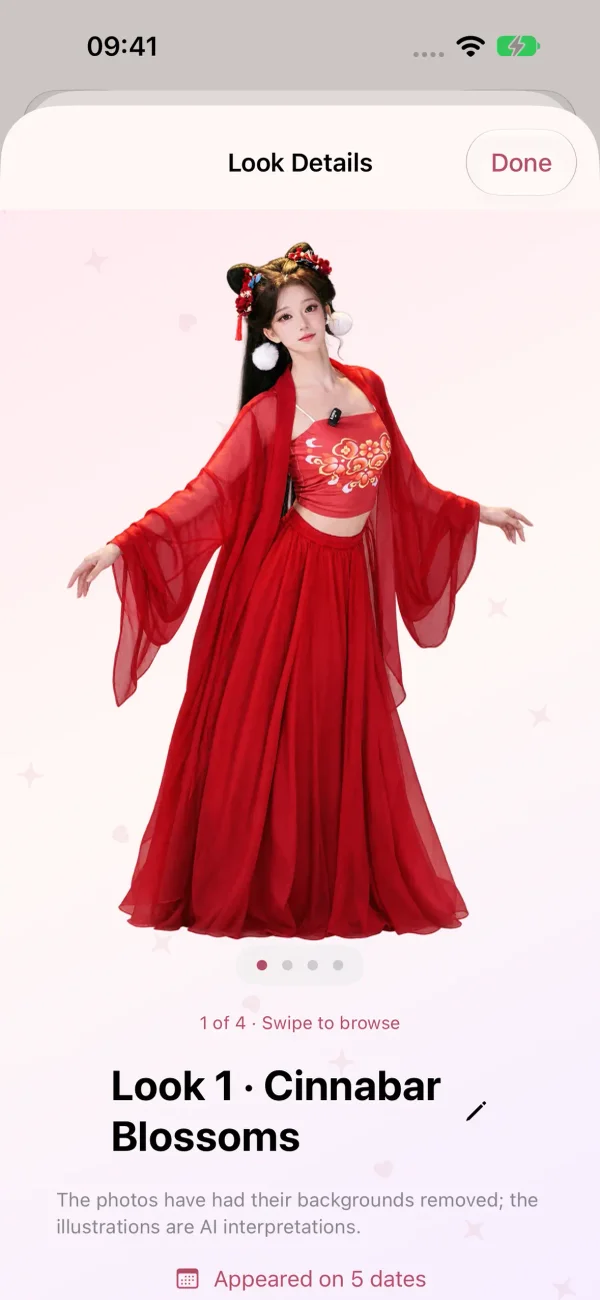
Style Days makes it easy to add your own outfits and portraits: choose photos, create a look, and place it on a date. Enjoy your personal style in an animated calendar without taking a new photo every day or cataloging every item in your wardrobe.
ADD YOUR LOOKS WITH LESS EFFORT
Select several photos of the same outfit. Smart on-device subject cutout and cropping help tidy the images, while different poses stay together in one look.
ADD ONCE, USE ON DIFFERENT DAYS
Tap a date and choose a saved look. Reuse it whenever you like, without importing the photos again. Add a mood or life icon and a note to remember the little things about your day.
OPEN YOUR CALENDAR AND ENJOY YOUR STYLE
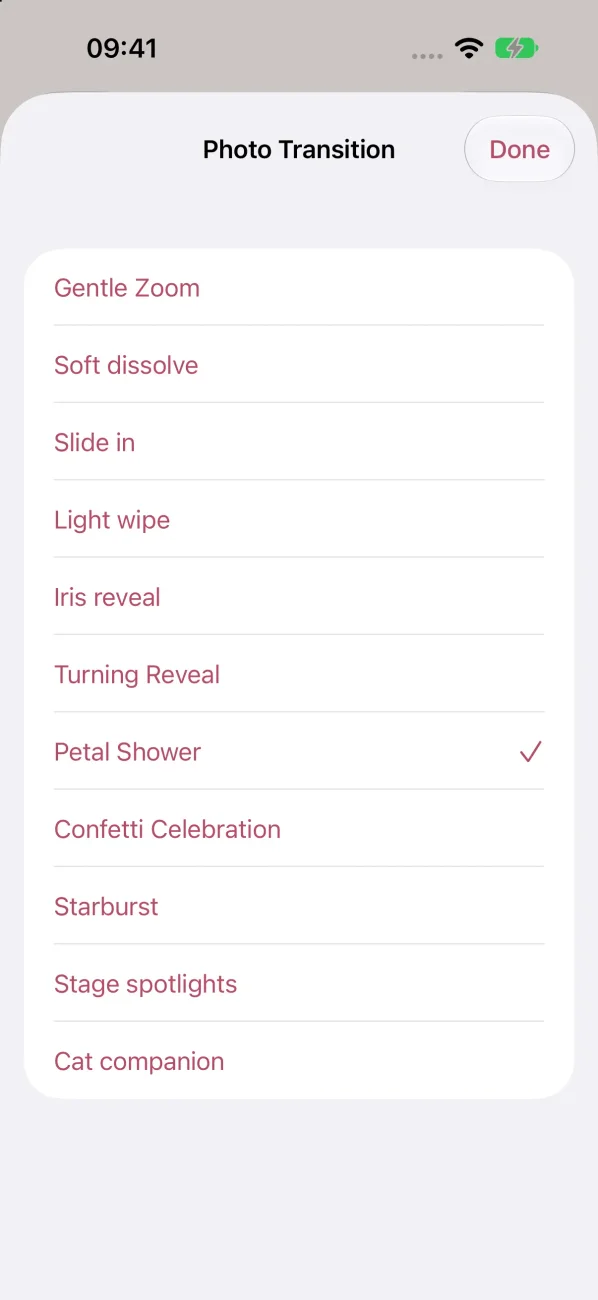
Watch your looks appear in date order, with different poses taking turns on screen. Choose effects such as stage spotlights and add background music to give your month its own atmosphere.
TRY LULU'S EXAMPLES, THEN MAKE IT YOURS
Lulu's included looks show how outfits and different poses come to life in the calendar. Explore the examples, then add your own photos to create a display that is yours.
You can also download the latest public looks, photos, calendar arrangements, and notes from Lulu's look website. Update checks run when opening the app or returning to the foreground. Refresh manually or turn automatic updates off in Settings. Previously downloaded content remains available offline.
PERSONAL CONTENT STAYS ON YOUR DEVICE
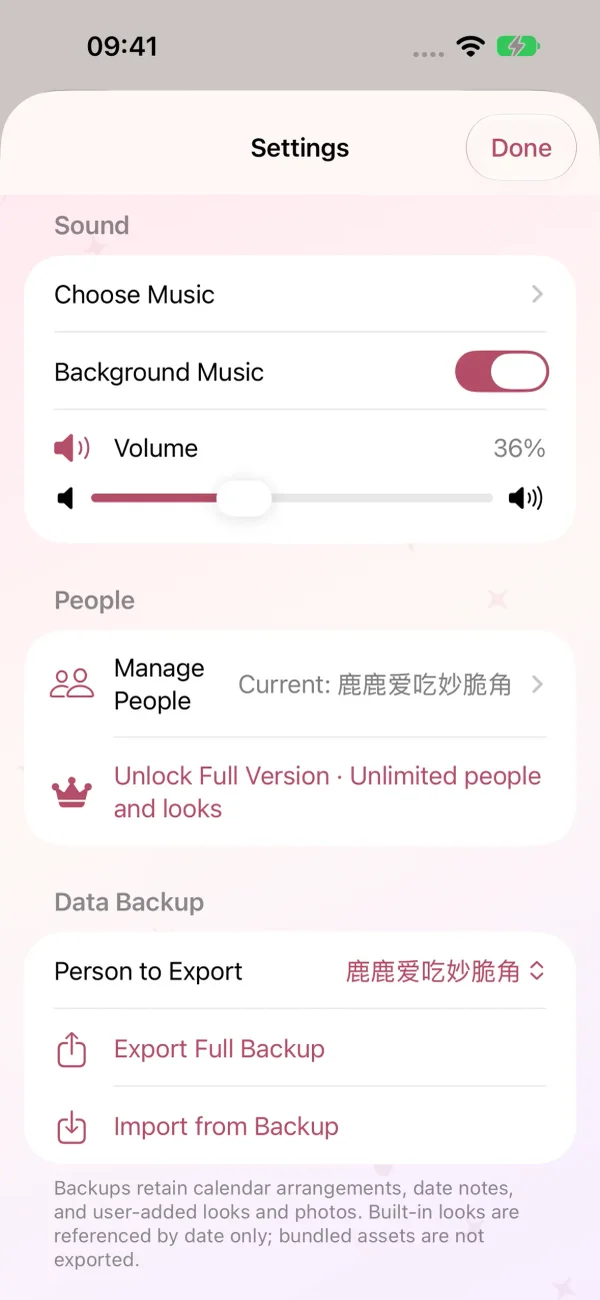
No account is required. Your photos, private notes, and personal calendar records stay on your device. Subject cutout and cropping run on-device. Website updates download Lulu's public content without uploading your photos or private records.
OPTIONAL PERMANENT VIP UNLOCK
The free version lets you add one person with up to four custom looks. A one-time, non-consumable purchase removes the person and look limits and enables per-person backup import and export. No subscription. Restore purchases with the same Apple Account.
PLEASE NOTE
Website updates and App Store purchases or restoration require internet access. Downloaded content and ordinary personal calendar browsing and editing work offline. Lulu's calendar is a curated showcase, not a complete record of daily livestream activity. Built-in imagery remains protected: backups exclude its image files, and months containing built-in imagery cannot be exported as videos. Video export is available for months using only your own imagery.
What’s new
Version 1.2 · Nov 22, 2026
- Improved calendar sync. The app reuses matching photos already on your device, including built-in photos, and downloads only new or changed images.
- Sync now starts with today’s looks, then works backward through earlier dates.
App privacy
What Jia yan declares on the App Store about how this app handles data.
-
Data not collected
The developer does not collect any data from this app.
Privacy practices may vary, for example with the features you use or your age.
Information
- Seller
- 佳 闫
- Category
- Lifestyle
- Version
- 1.2
- Updated
- Nov 22, 2026
- Released
- Nov 6, 2026
- Size
- 51.3 MB
- Requires
- iOS 17.0 or later
- Age rating
- 4+
- Price
- Free
- In-app purchases
- Yes
- Languages
- English, Simplified Chinese, Traditional Chinese
- Copyright
- © 2026 Jia Yan
You might also like
-
 Beloved OnesFamily clock, SOS and tasks
-
 今日穿搭Lifestyle
-
 WearcasterYour Wardrobe in the Sky
-
 Every First Time — 人生第一次Lifestyle
-
 Climate ClosetWeather based outfit stylist
-
 DailyPhotoLifestyle
-
 Mood31 - Emoji CalendarDaily calendar & mood journal
-
 DADA搭嗒-一键搭配生成穿搭效果图Lifestyle
-
 Clothes Box: AI Closet StylistSmart Closet & Outfit Planner
-
 解压大师专家-zip解压软件多格式文件解压密码加压Lifestyle