Submemo - Subscription Tracker
Renewal alerts, no bank link
Designed for iPhone
Free
- Age rating4+
- CategoryFinance
- DeveloperJun Tsuda
- LanguagesEnglish+ 1 more
- Size7.0 MB
Links to the official App Store page
Download.org hosts no file of Submemo - Subscription Tracker. The button opens its official App Store page, published by Jun Tsuda. Listing last checked on Nov 17, 2026.
Screenshots
About
Can you say what your subscriptions cost you?
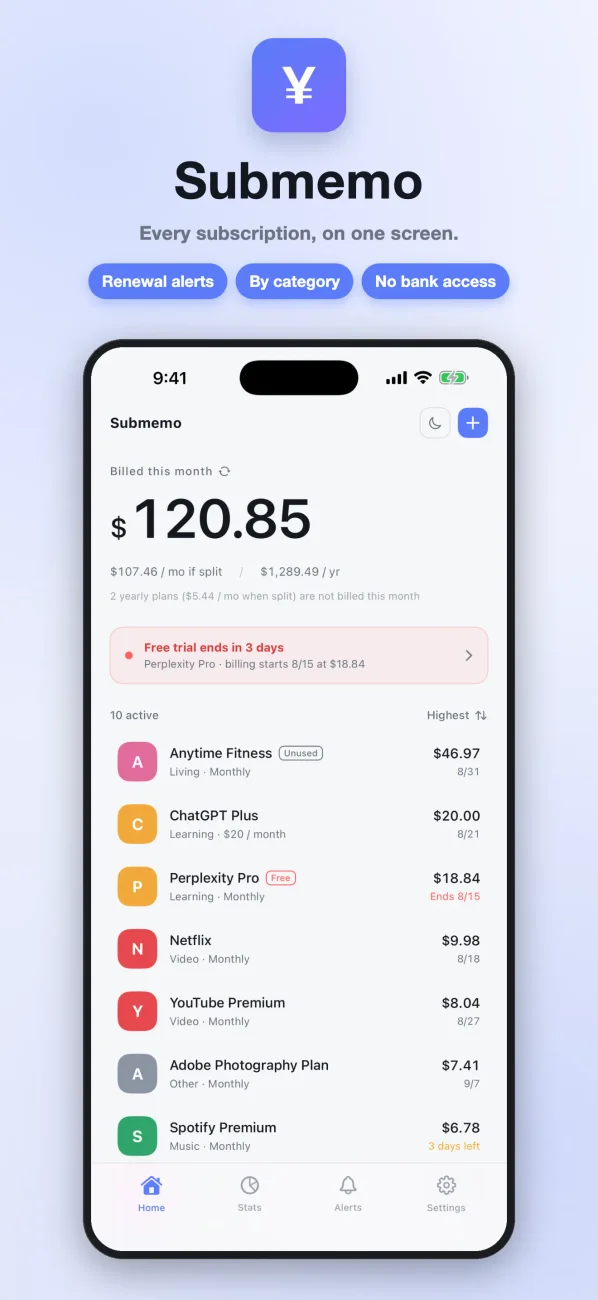
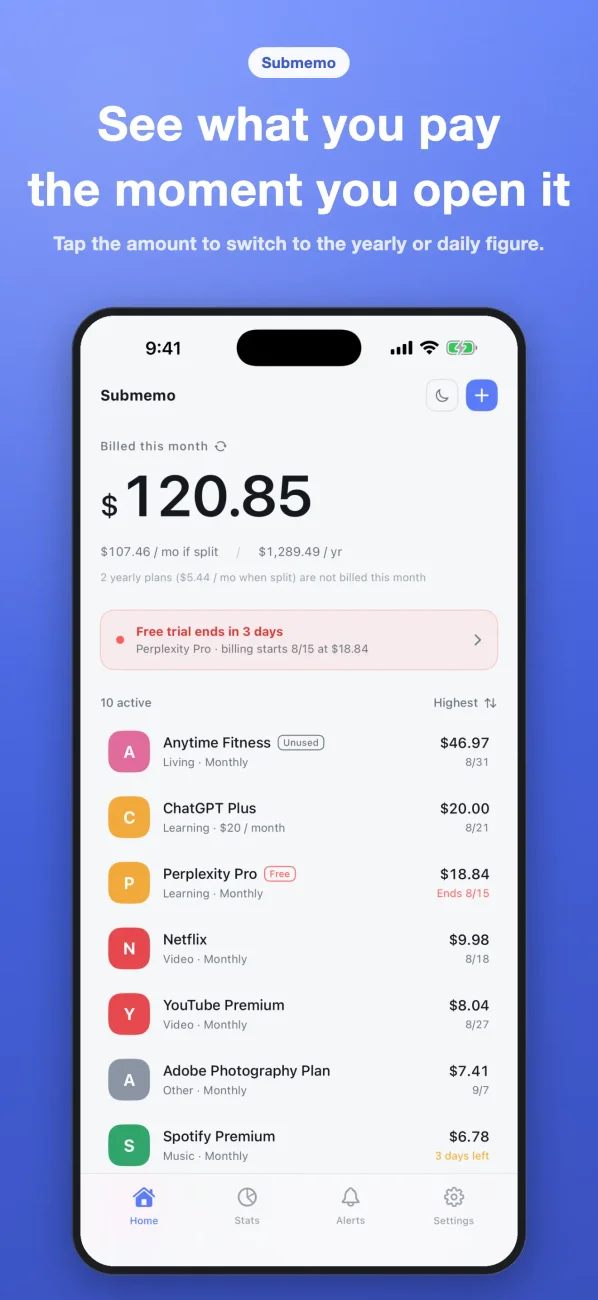
Submemo lets you write down the subscriptions you already pay for, then shows this month's total and the next renewal on a single screen. It never connects to your bank or credit card, and there is no account to create.
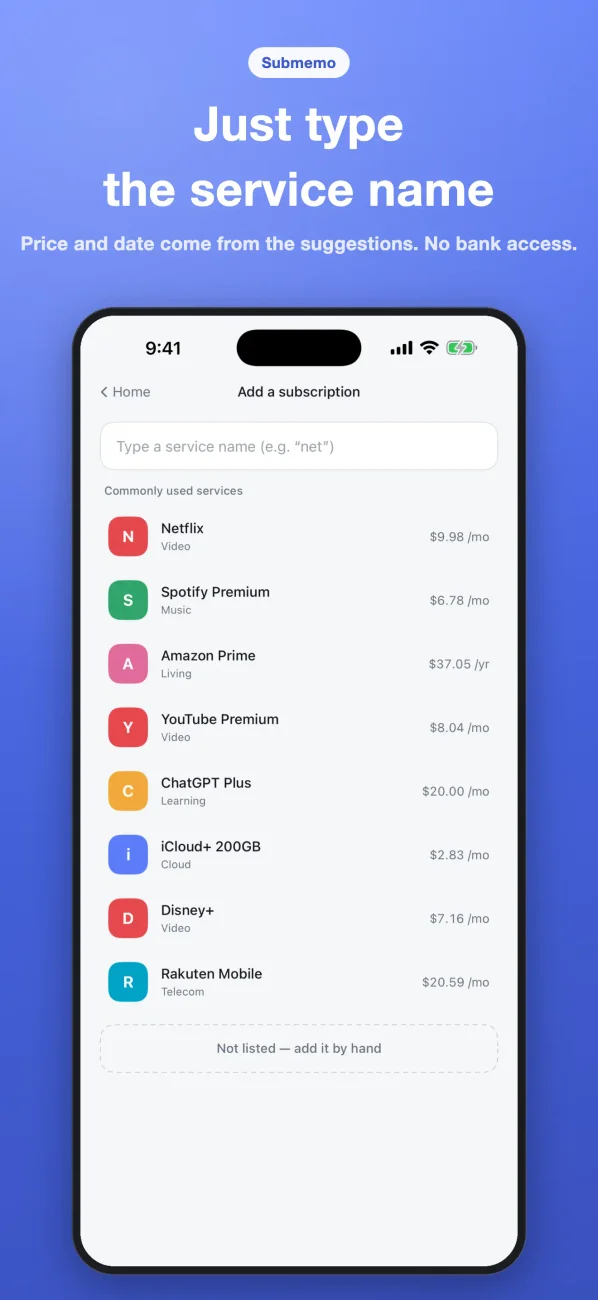
■ Just type the service name
A built-in catalog of common services fills in the price and billing cycle for you. Anything not listed can be added by hand. Monthly, yearly, weekly and every-two-months billing are all supported, and the monthly and yearly figures are worked out for you.
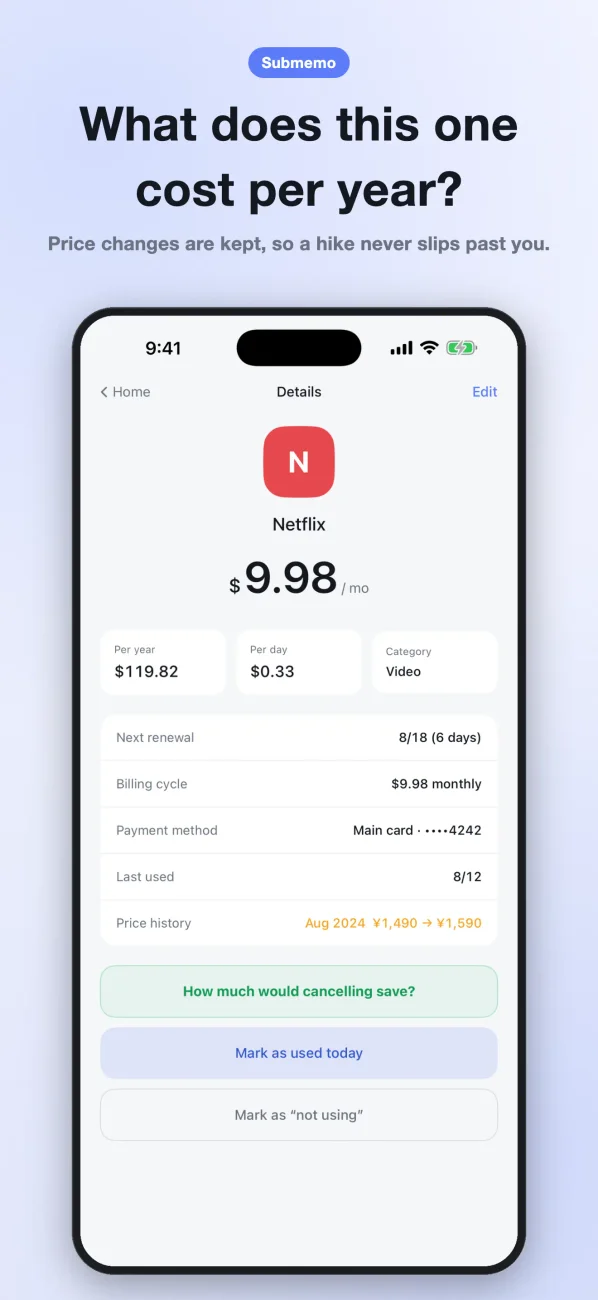
■ This month, per year, per day
This month's bill is shown up front. Tap the amount to switch to the yearly equivalent or the daily cost, so you can judge for yourself whether something is worth it. Yearly plans are also shown split by month, side by side with monthly ones.
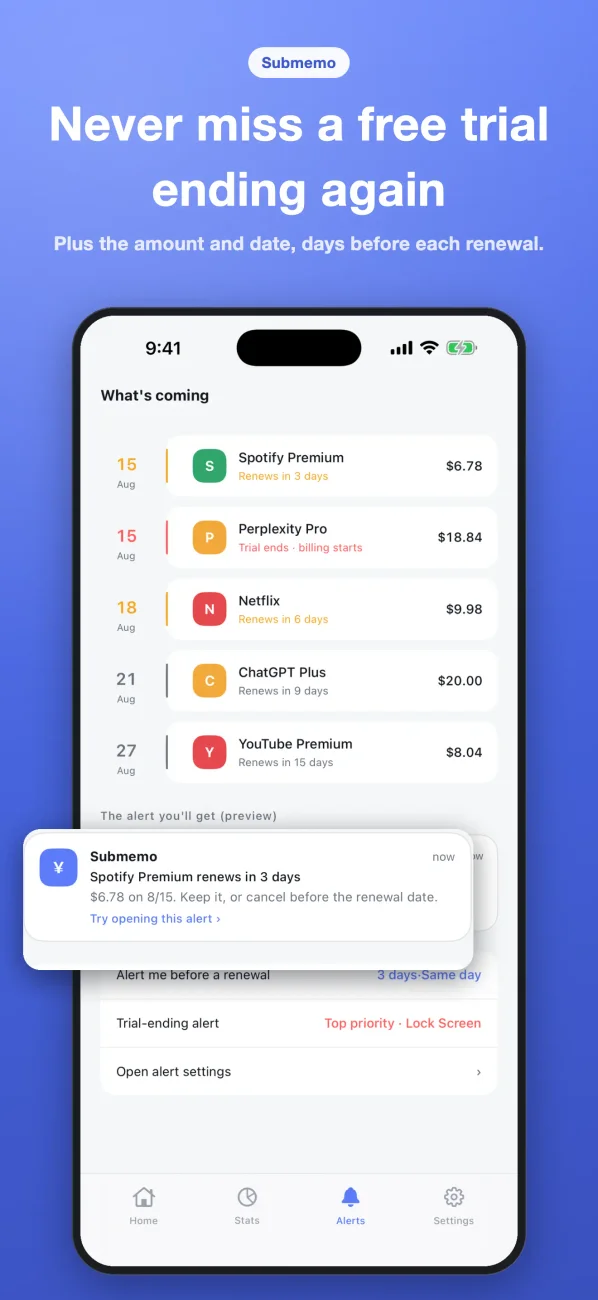
■ Never miss a free trial ending
A top-priority alert a few days before a trial ends, shown on the Lock Screen. The amount and the date are in the text, so you can decide without opening it. For renewals, choose 7 days, 3 days, the day before, or the same day — and tap "Later" to be reminded again.
■ Where the money goes, by category
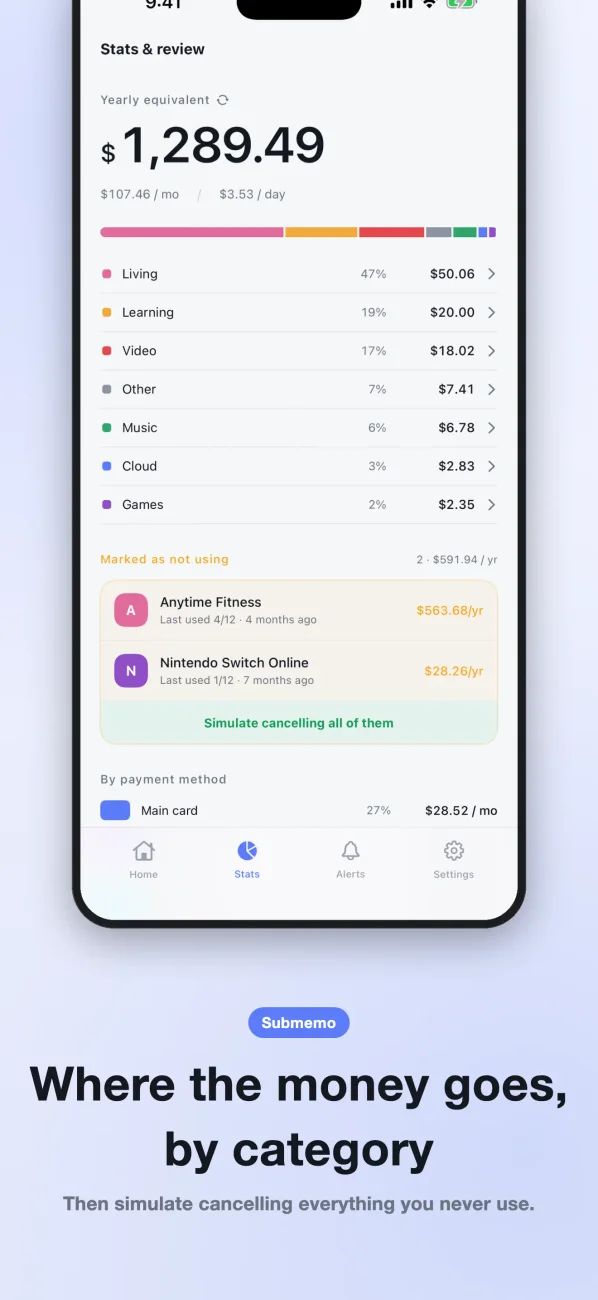
See the share and amount for each category: video, music, cloud, games, learning, telecom, living and more. Tap a category to open everything inside it. You can add and edit categories yourself.
■ Find what you never use
Mark the ones you barely touch, then see what cancelling them would save you in a year. Tap to include or exclude each one, so you can try "keep this, drop that" before deciding. There is a highest-first list too.
■ Foreign currency, converted
USD and EUR prices are converted to yen and included in the total. Rates come from the European Central Bank automatically, or you can set them yourself.
■ Also included
- iCloud sync (can be turned off)
- CSV export (opens straight in Excel or a spreadsheet)
- Breakdown by payment method
- A record of price increases
- Dark and light appearance
- English and Japanese
■ No bank. No card. Ever.
There is no statement-reading machinery here. What you add stays on your device and is never sent to our servers. No usage analytics, no advertising measurement.
The only outside connection is fetching an exchange rate to convert foreign currencies. Even then, the request contains currency codes alone — none of your entries, and nothing identifying your device.
What’s new
Version 2.0 · Sep 3, 2026
Made some minor improvements.
App privacy
What Jun Tsuda declares on the App Store about how this app handles data.
-
Data used to track you
May be used to track you across apps and websites owned by other companies.
- Identifiers
-
Data not linked to you
May be collected but is not linked to your identity.
- Identifiers
Privacy practices may vary, for example with the features you use or your age.
Information
- Seller
- Jun Tsuda
- Category
- Finance
- Version
- 2.0
- Updated
- Sep 3, 2026
- Released
- Aug 24, 2026
- Size
- 7.0 MB
- Requires
- iOS 17.0 or later
- Age rating
- 4+
- Price
- Free
- Languages
- English, Japanese
- Copyright
- © 2026 Jun Tsuda. All rights reserved.