
- Age rating4+
- CategoryEntertainment
- DeveloperSonic Baume LTD
- LanguagesEnglish
- Size43.2 MB
Links to the official App Store page
Download.org hosts no file of SubZone. The button opens its official App Store page, published by Sonic Baume LTD. Listing last checked on Nov 25, 2026.
Screenshots

About
“Within 30 seconds this thing helped me make a decision that I’ve been vacillating about for six months now.”
Audio Unleashed podcast
“This has to be the biggest no-brainer we’ve ever come across.”
LB Tech Reviews
When sound waves reflect off the walls, ceiling, and floor of your room, they create “room modes” that change the sound by boosting some frequencies and canceling others. The result is bass that is boomy in one spot and thin in another. The right placement minimizes these effects, and the wrong placement can compromise the sound of even the best subwoofers.
The traditional solution is the “subwoofer crawl”, where you move your sub to your listening position, then crawl around the room on your hands and knees listening for the best spot. SubZone replaces that with a scientific calculation you can run from the comfort of your seat.
How it works:
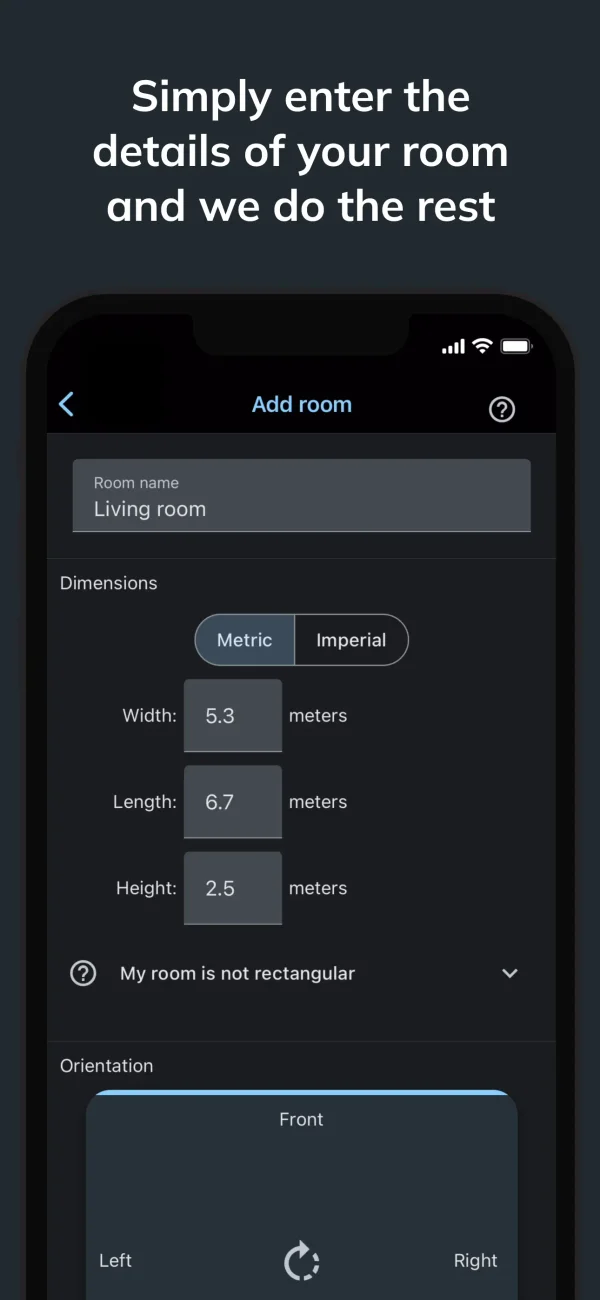
1. Measure your room by scanning it with your iPhone*, or by simply entering its dimensions.
2. Choose your room’s construction materials and mark your listening position.
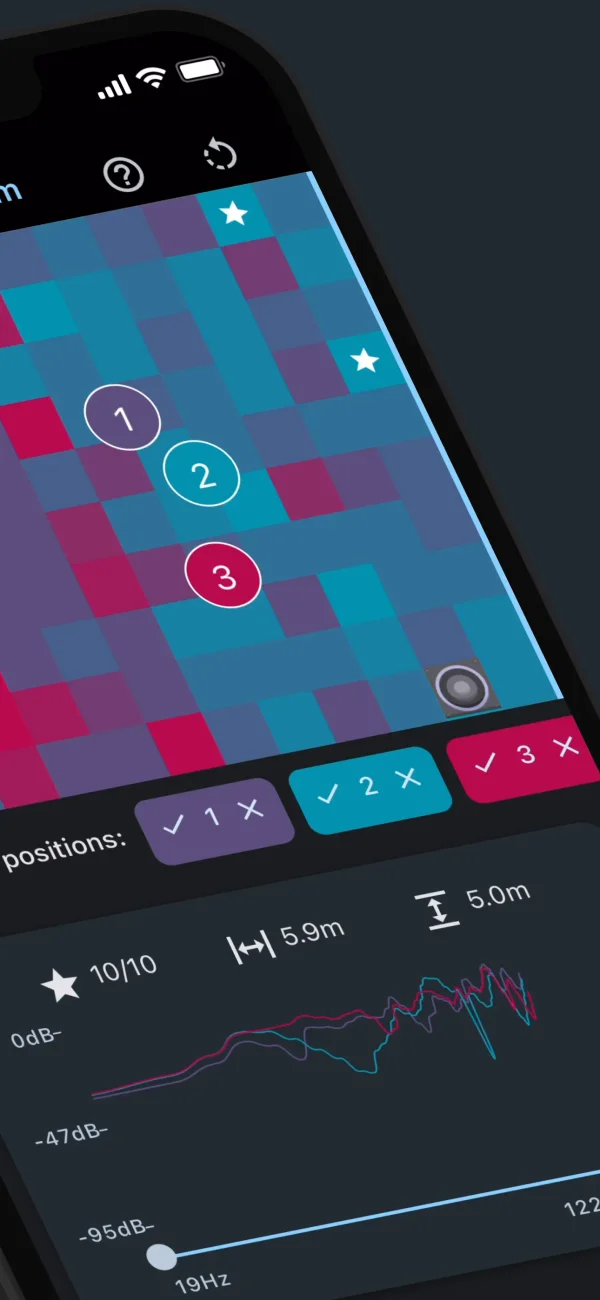
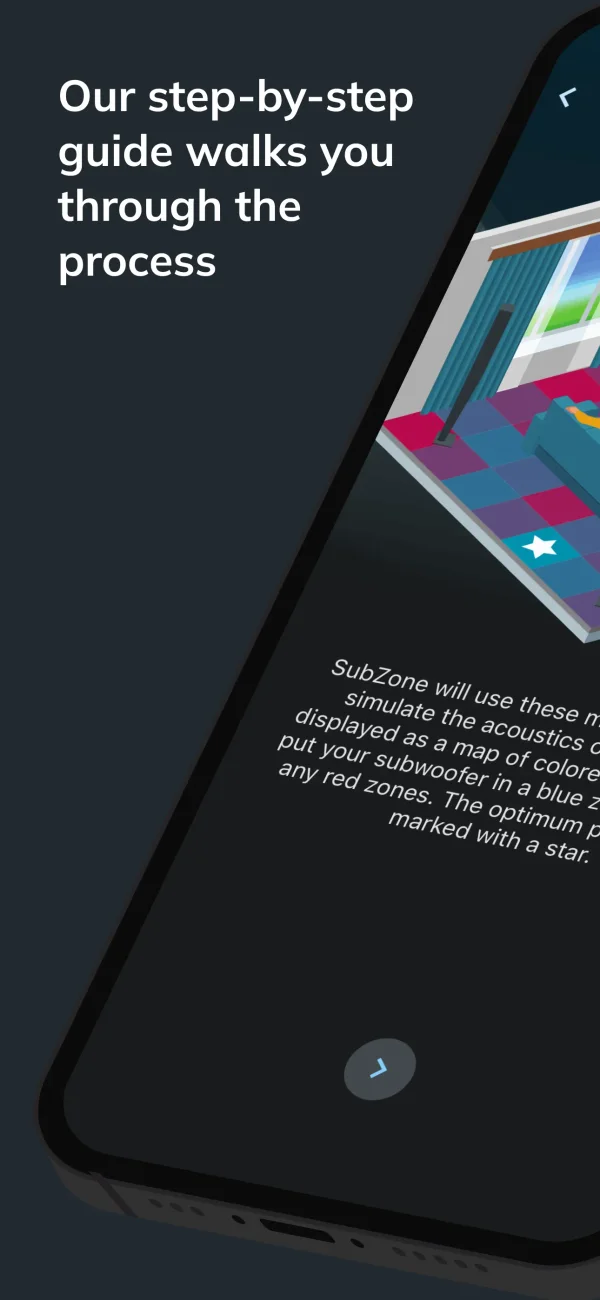
3. SubZone generates a heatmap showing the best places for your subwoofer, with the top zones marked with a star.
Adding a second or third subwoofer can sometimes help to smooth out bass response, but it is an expensive experiment. With SubZone you can add as many subwoofers as you like and see exactly what effect they have, and how they interact. Use the optimize feature to automatically search for the ideal combination of positions, then see whether the improvement justifies the purchase.
Features:
• Full acoustic simulation of every possible subwoofer position, based on your room’s dimensions, construction, and listening positions
• Frequency response plot for each zone, showing which frequencies are boosted or cut, and by how much
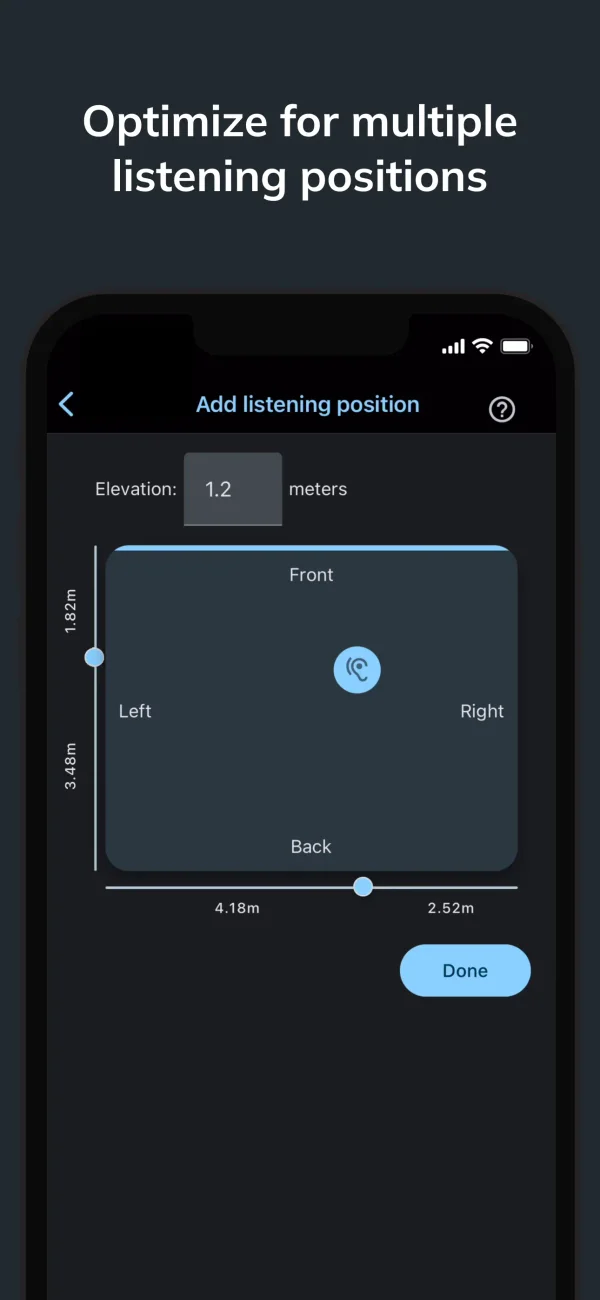
• Add multiple listening positions, so that the whole seating area sounds good
• Simulate multiple subwoofers to see how they interact, or search for their ideal positions automatically
• Step-by-step tutorial to get you started, plus full detailed documentation
• Expert support on hand for any questions or issues
• All data is stored and processed on your device, and no account or sign-in is required
• Everything included, with no artificial limits on rooms, simulations, listening positions, or subwoofers
• Dark and light color schemes
Please note: SubZone runs a full acoustic simulation rather than estimating individual room modes, which is what keeps its results accurate. As a result, it currently supports only rectangular “shoebox” rooms.
* Room scanning requires an iPhone 12 Pro or later Pro model, but room dimensions can be entered manually on all devices.
What’s new
Version 2.0.1 · Nov 24, 2026
Version 2.0 adds support for multiple subwoofers and room scanning. 2.0.1 fixes a crash affecting users running iOS 16.
App privacy
What Sonic Baume LTD declares on the App Store about how this app handles data.
-
Data not linked to you
May be collected but is not linked to your identity.
- Identifiers
- Usage data
- Diagnostics
Privacy practices may vary, for example with the features you use or your age.
Information
- Seller
- Sonic Baume LTD
- Category
- Entertainment
- Version
- 2.0.1
- Updated
- Nov 24, 2026
- Released
- Mar 27, 2023
- Size
- 43.2 MB
- Requires
- iOS 16.4 or later
- Age rating
- 4+
- Price
- $9.99
- Languages
- English
- Copyright
- © 2026 Sonic Baume LTD
You might also like
-
 Le Pole TrailEntertainment
-
 Sudoku All in One ProSudoku Auto Solver, 10K Puzzle
-
 Horizon. Media TrackerWatchlist, diary, games, music
-
 dCS Mosaic 2Control for dCS systems
-
 Belfast City Hall ARMagical AR at City Hall
-
 SoundViz - Sound VisualizerTurn Sound into Visual Art
-
 Entertainer ConnectApp for MT Entertainer Venues
-
 EC PlayEntertainment
-
 Tattoo.AI - Ink Art MakerAI Tattoo Design and Try On
-
 Yes or No Wheel SpinnerSpin to decide yes or no