
- Age rating4+
- CategoryProductivity
- DeveloperWolters Kluwer Italia s.r.l.
- LanguagesEnglish
- Size5.9 MB
Links to the official App Store page
Download.org hosts no file of SuiteNext AppFlow. The button opens its official App Store page, published by Wolters Kluwer Italia s.r.l. Listing last checked on Nov 12, 2026.
Screenshots

About
APPflow is the Wolters Kluwer Italia solution to manage while working on the go Legal Department approval flows and External Lawyers conferral of mandates , in compliance with the corporate policies.
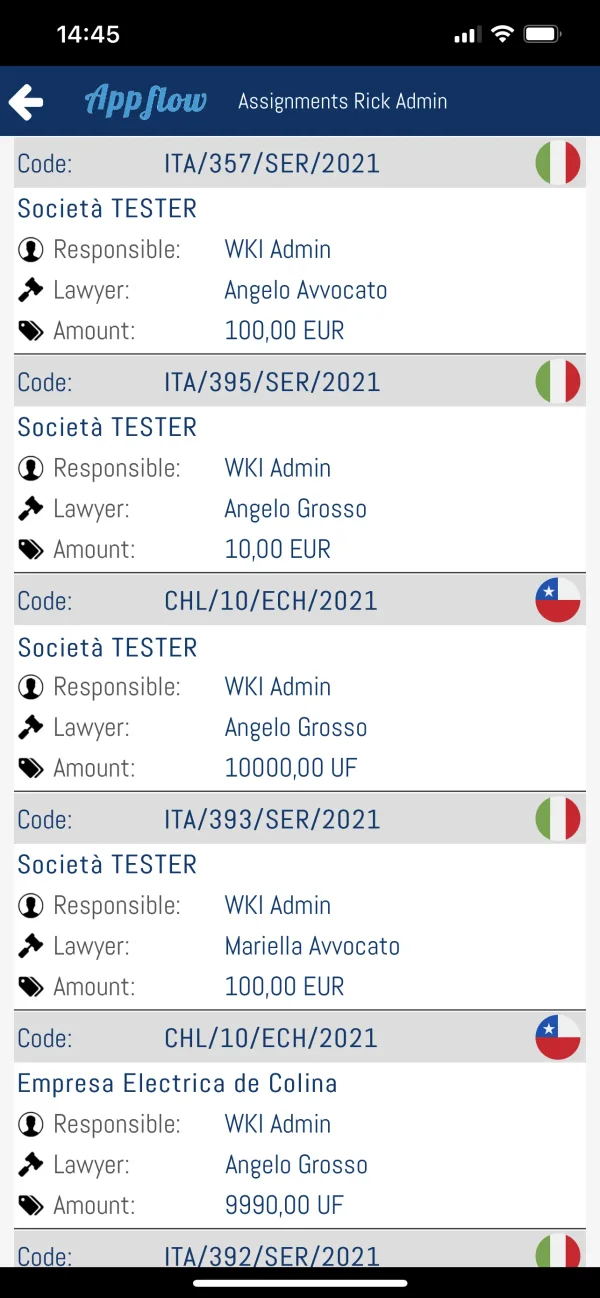
Once logged in, the in House lawyer can view:
1. Conferral of assignments
▪ Case Id
▪ External lawyer assigned to the case
▪ State
▪ In House Lawyer Approver
▪ Approval date
▪ Approval level
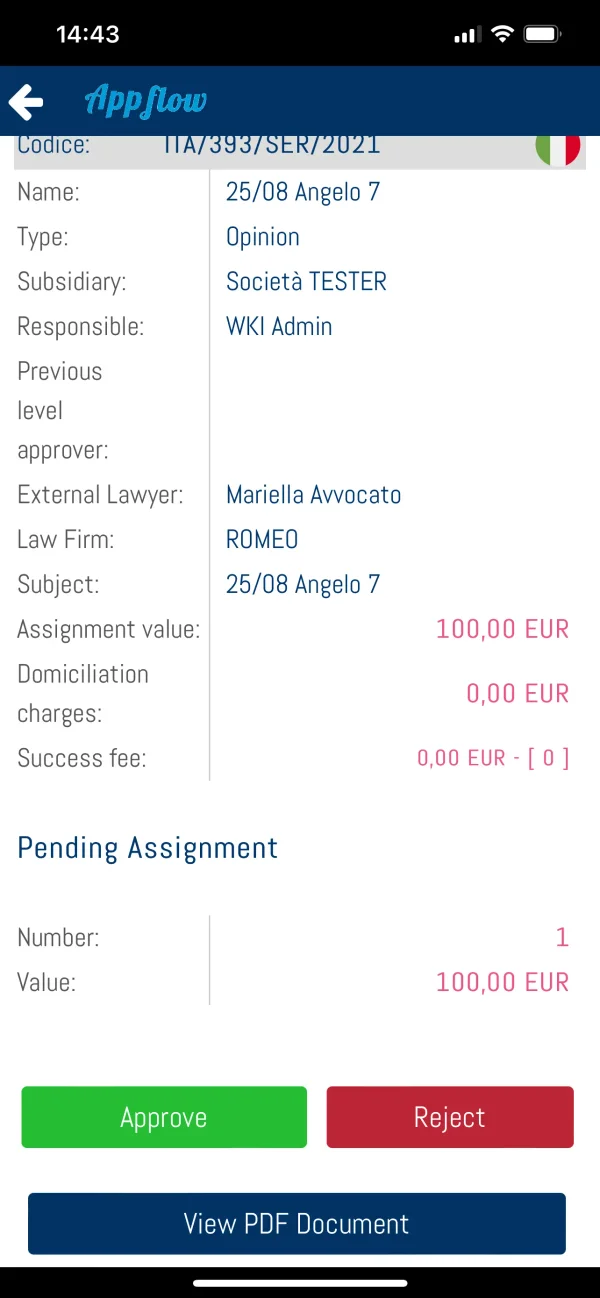
It is also possible to view the details of the individual assignment to be approved with several additional information, in order to have a full overview to complete the approval process.
2. Risk Fund Certification.
Each case is associated with a value / budget related to the risk fund provision which will cover expenses in case of disputes.
Dedicated view to ensure constant availability of the list of suspended certifications in charge of each approver. App allows workflow triggering to manage the approval\refusal.
In order to support the certification process, user is provided with several information:
▪ Holding Company involved
▪ initial fund amounts
▪ final fund
▪ provision
▪ fund usage
▪ adjustments / cancellations
▪ reference period
▪ button for certification
▪ button for refusal of certification.
▪ Notes / reason for refusal
3. Conventions and Agreements
Two main indicators are associated with each agreement signed with an Ext. lawyer: the total amount to be paid to the lawyer and the unit amount for each case.
Dedicated view to ensure a clear and immediate detail of the list of Ext. lawyers assignments to each pending agreement, in charge of the approver. App allows workflow triggering to manage the approval\refusal.
In order to support the Ext lawyer agreement assignment process, user is provided with several information:
▪ Agreement Description
▪ Unit value
▪ Overall value
▪ Minimum number of cases
▪ Maximum number of cases
▪ External lawyer
▪ Previous level approver
4. Payments
Allowed In house professional can access to payment related approve functionalities:
- Passive invoices and request for payment from Ext Layers, related to their assignments
- Payment 3rdy part devices (F23, CTU, Counterparty fees)
The information displayed to support the process:
▪ Case ID
▪ Case name
▪ Holding Company involved
▪ Payment type
▪ Payment number and date
▪ Name of Professional / Subject to be paid
▪ Payment amount
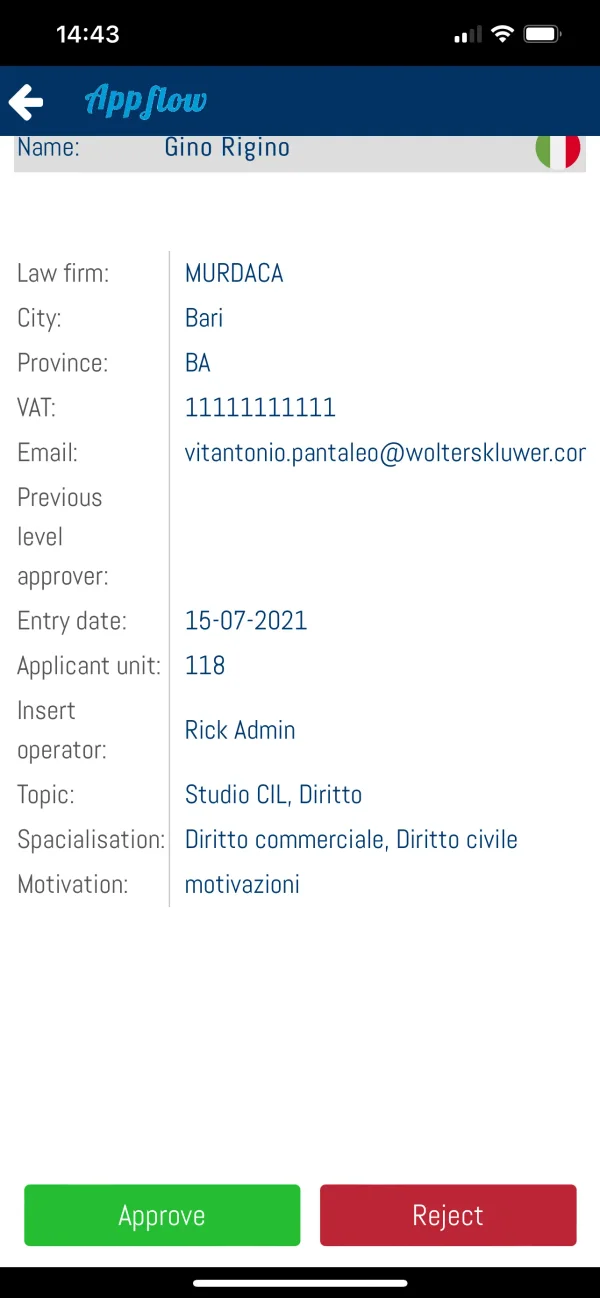
5. Enrollment in the Ext lawyer register
Allowed In house professional can approve proposed external lawyers to be enrolled in the register
The information displayed to support the process:
▪ Law firm
▪ City
▪ VAT account
▪ Requesting unit
▪ Matter
▪ Specialization
▪ Reason for enrolment
The information entered and the changes made by mobile device are displayed in real time from office and in house professional.
Just enter the username and password provided by the system administrator to start using the functions described.
What’s new
Version 1.4 · Apr 21, 2025
- Aligned with the latest iOS SDKs
- Aligned with Suite Next version 1.93
- Fixed a bug on notifications
- Other minor bugs
App privacy
What Wolters Kluwer Italia s.r.l. declares on the App Store about how this app handles data.
-
Data not collected
The developer does not collect any data from this app.
Privacy practices may vary, for example with the features you use or your age.
Information
- Seller
- Wolters Kluwer Italia s.r.l.
- Category
- Productivity
- Version
- 1.4
- Updated
- Apr 21, 2025
- Released
- Nov 2, 2021
- Size
- 5.9 MB
- Requires
- iOS 12.0 or later
- Age rating
- 4+
- Languages
- English
- Copyright
- © Wolters Kluwer Italia Srl