Summarly: Voice Notes to Text
Record, transcribe, summarise
Designed for iPhone
In-app purchases
- Age rating4+
- CategoryProductivity
- DeveloperMuhammed Furkan Kfrevi
- LanguagesEnglish+ 1 more
- Size1.5 MB
Links to the official App Store page
Download.org hosts no file of Summarly: Voice Notes to Text. The button opens its official App Store page, published by Muhammed Furkan Kfrevi. Listing last checked on Nov 14, 2026.
Screenshots

About
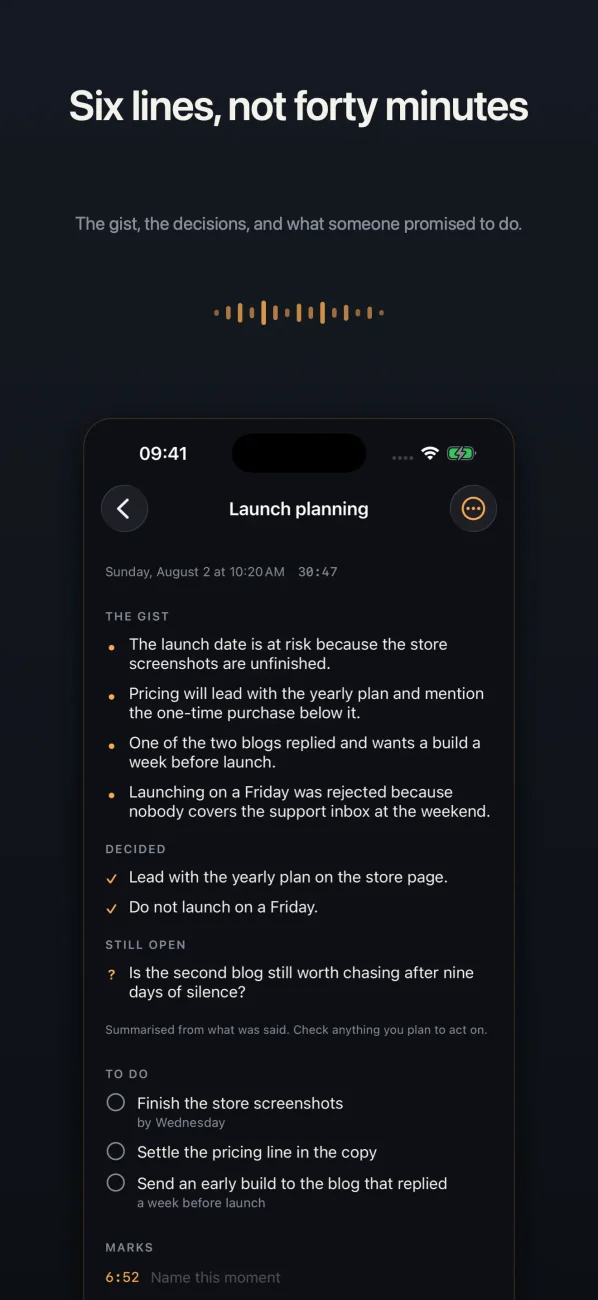
A forty minute meeting leaves you with a forty minute recording. Summarly leaves you with six lines.
Record, and the app turns the speech into text on the iPhone itself. Then, if you want it, it pulls out what the recording was actually about: the points, the decisions that were settled, the questions nobody answered, and the things people said they would do.
NOTHING LEAVES THE PHONE
There is no account to create and no server of ours to sign in to. Recordings, their text and their summaries stay on the device. Speech recognition runs offline, so it works in a basement meeting room with no signal. If you want a backup you can turn on iCloud sync, and that is your own iCloud, not ours.
RECORDING AND TRANSCRIPTION ARE FREE
Apple's own Voice Memos records and transcribes for nothing, so charging for that would be dishonest. Recording, transcription, search and the archive are unlimited on the free plan, and always will be. Pro is for the summaries.
WHAT IT DOES
• One tap to record, and it keeps going when you leave the app or lock the screen
• A live indicator on the Lock Screen and in the Dynamic Island while it runs
• Mark a moment while recording, name it later, jump back to it in one tap
• On-device transcription in English and Turkish
• Long recordings handled in pieces, so an hour-long lecture transcribes fully
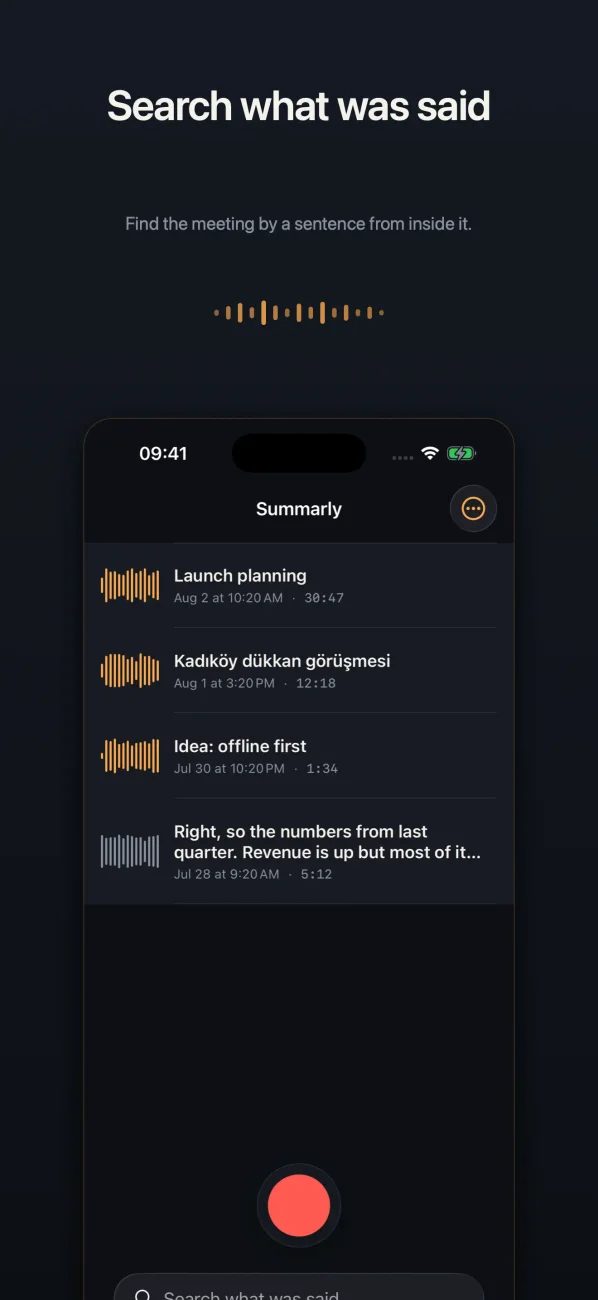
• Search every word you have ever recorded
• Folders, for keeping a project's recordings together
• Fix anything the recogniser misheard
• Export as plain text, Markdown, SRT subtitles, or the audio file itself
• Delete the audio and keep the text, when storage matters more than the voice
• A Home Screen widget that starts recording without opening the app
• Works completely offline
ABOUT THE SUMMARIES
On iPhone 15 Pro and later, Summarly uses Apple's on-device intelligence to read the transcript and pull out what mattered. Nothing is sent anywhere for this. On earlier iPhones the summary feature is unavailable, but recording, transcription, search and export all work exactly the same.
The summary is built only from what was said. It does not add advice, opinions or conclusions of its own, and where the recording is unclear it leaves the passage out rather than guessing. Check anything you plan to act on, the same as you would with your own notes.
FREE AND PRO
Five summaries a month are free. Pro removes the limit and unlocks Markdown and subtitle export.
Pro has one price, not a list: a yearly plan, or a single payment if you would rather never think about it again.
Terms of Use (EULA): https://www.apple.com/legal/internet-services/itunes/dev/stdeula/
Privacy Policy: https://pinkontin.com/legal/summarly/
App privacy
What Muhammed Furkan Kfrevi declares on the App Store about how this app handles data.
-
Data not collected
The developer does not collect any data from this app.
Privacy practices may vary, for example with the features you use or your age.
Information
- Seller
- Muhammed Furkan Kfrevi
- Category
- Productivity
- Version
- 1.0
- Updated
- Aug 21, 2026
- Released
- Aug 20, 2026
- Size
- 1.5 MB
- Requires
- iOS 18.0 or later
- Age rating
- 4+
- In-app purchases
- Yes
- Languages
- English, Turkish
- Copyright
- © 2026 Pinkontin
You might also like
-
 Kernio - Voice NotesRecord & Transcribe Offline
-
 echoAI: AI Meeting RecorderTranscribe to Actions & Memos
-
 Verbi Lecture Recorder & NotesTranscribe Audio to Text by AI
-
 Murble: AI Voice NotesPrivate on-device voice notes
-
 Voice Memos to Text - SozTranscribe Audio, AI Notes
-
 Feather: Remove Short FormBlock Reels & Shorts
-
 Transcribe Voice Notes: NoteMeAudio, Video, Speech to Text
-
 Fathom AI NotetakerCapture, Transcribe, Summarize
-
 Mobile CMSProductivity
-
 Pikaslice - 3D Print SlicerSTL, Gcode, Resin & Filament