Sun Compass: GPS Coordinates
Altimeter, Heading, Waypoints
Designed for iPhone
Free · In-app purchases
- Age rating4+
- CategoryNavigation
- DeveloperPhuc Pham
- LanguagesEnglish
- Size20.0 MB
Links to the official App Store page
Download.org hosts no file of Sun Compass: GPS Coordinates. The button opens its official App Store page, published by Phuc Pham. Listing last checked on Nov 12, 2026.
Screenshots

About
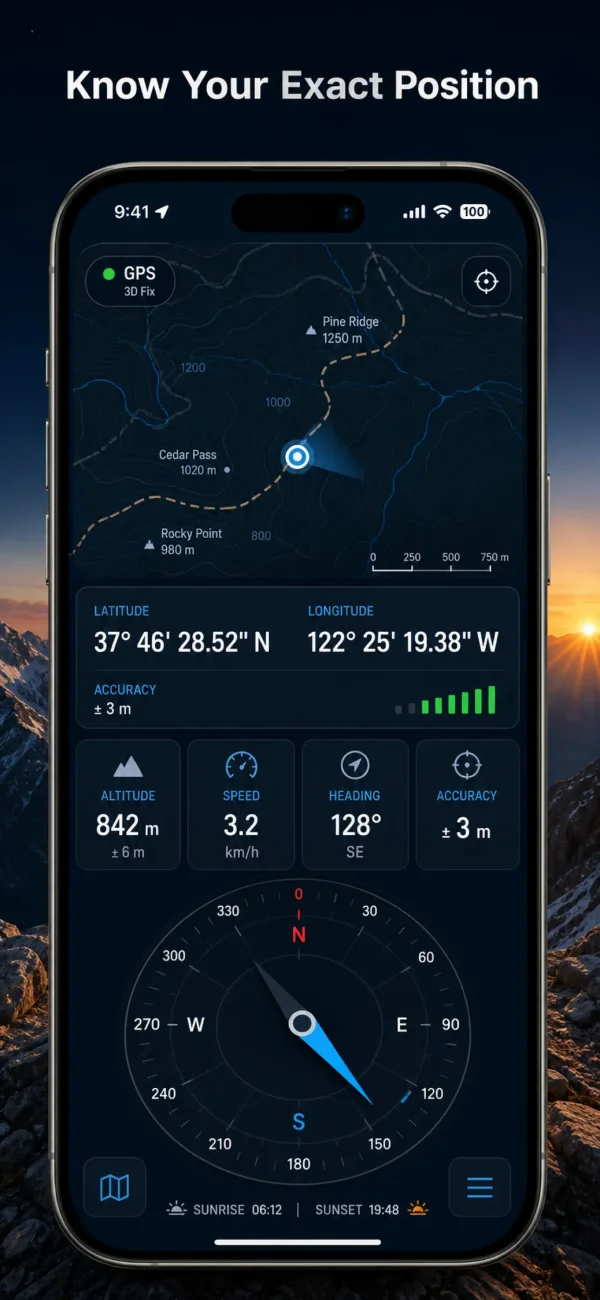
Your exact GPS coordinates, a true compass heading, and the sun's position for the spot you are standing on — all on one screen, all read straight from your iPhone's own sensors.
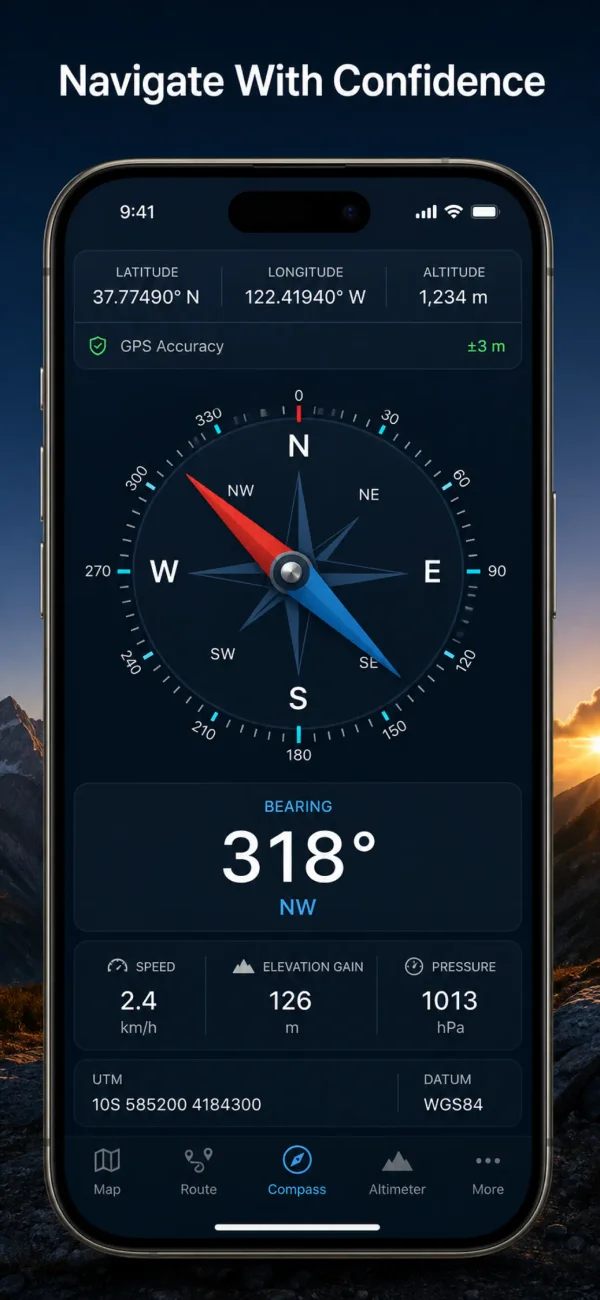
Most compass apps stop at a needle. This one is built like an instrument: latitude and longitude in DD, DMS or DDM, barometric altitude, speed, true and magnetic heading with declination, live accuracy in metres, and an astronomical sun calculator that runs entirely on device. The core readings keep working with no signal — GPS, compass and barometer do not need the internet.
WHAT YOU GET
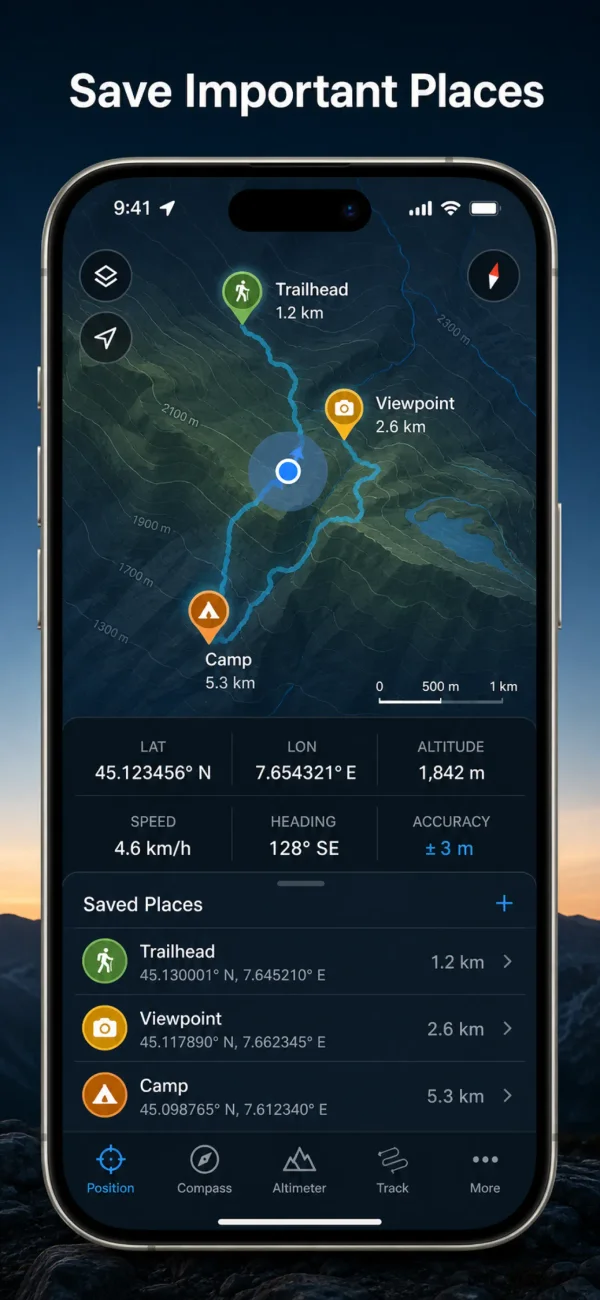
- Read your precise position in DD, DMS or DDM, copy it to the clipboard, and send it to anyone as a tappable map link in two taps
- Know exactly which way you are facing with a smooth compass rose showing true heading, magnetic heading and declination
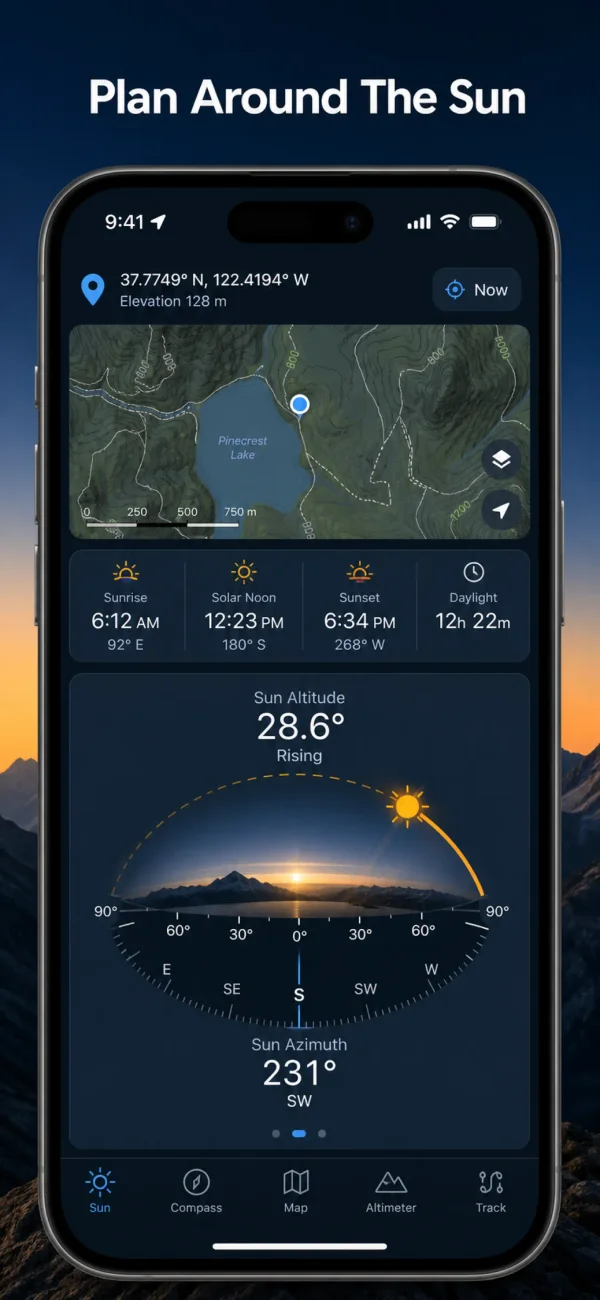
- See where the sun is right now — solar altitude, azimuth, sunrise and sunset calculated for your exact coordinates and date
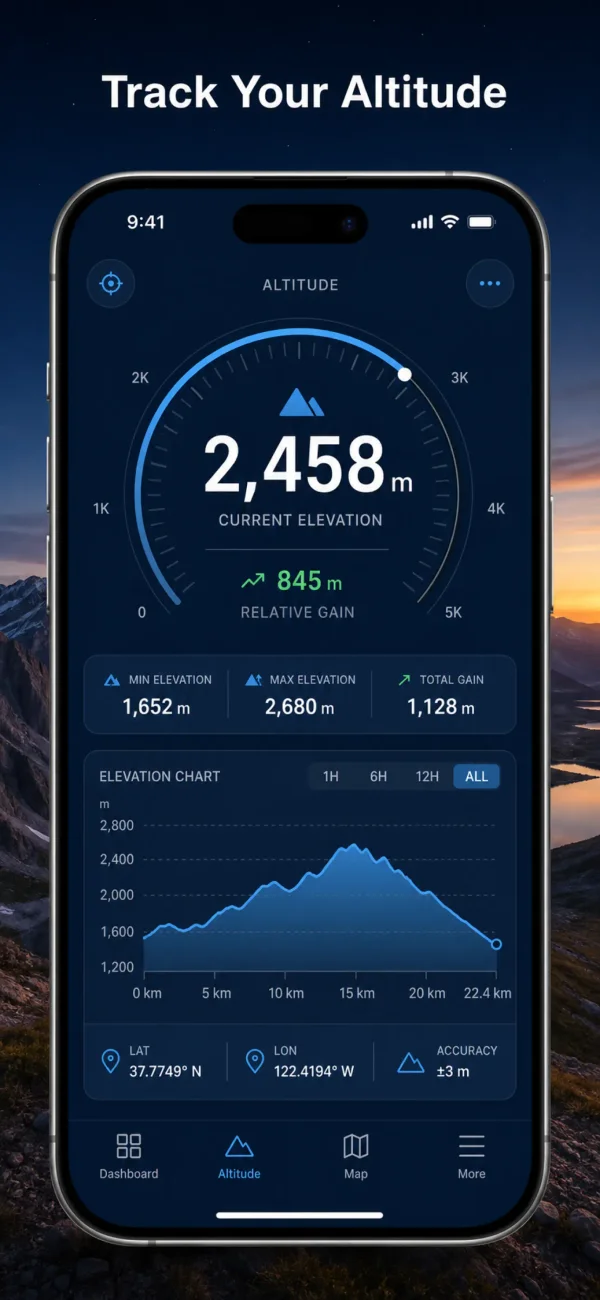
- Check your elevation from the barometer, plus speed and horizontal and vertical accuracy, on a full instrument panel
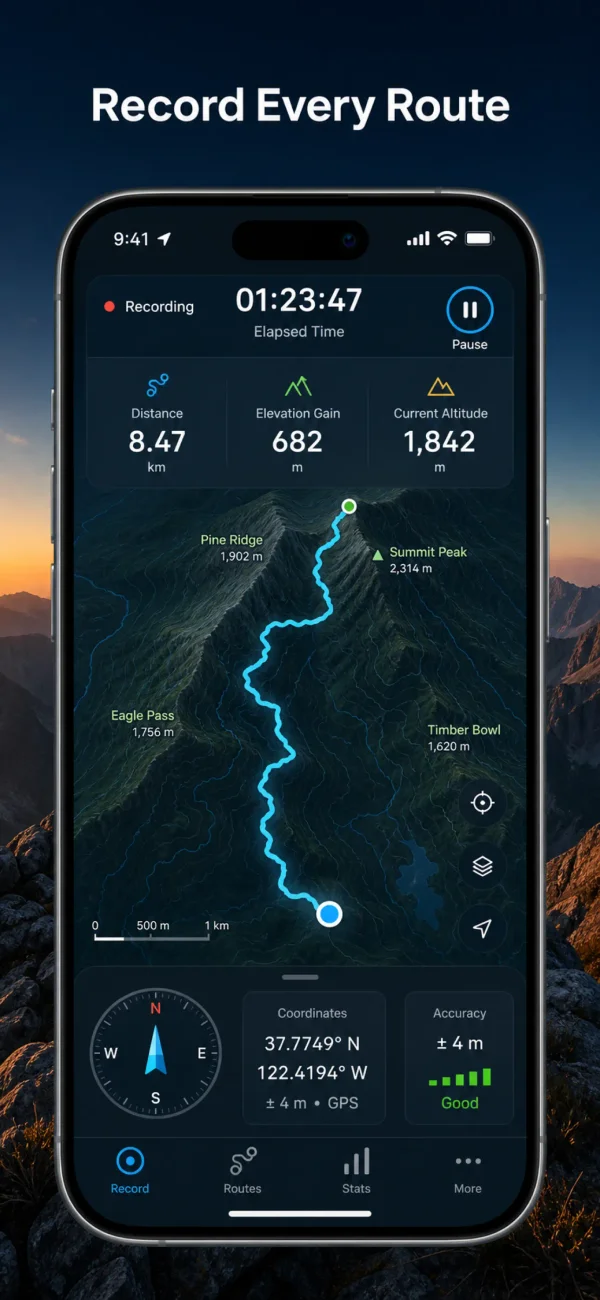
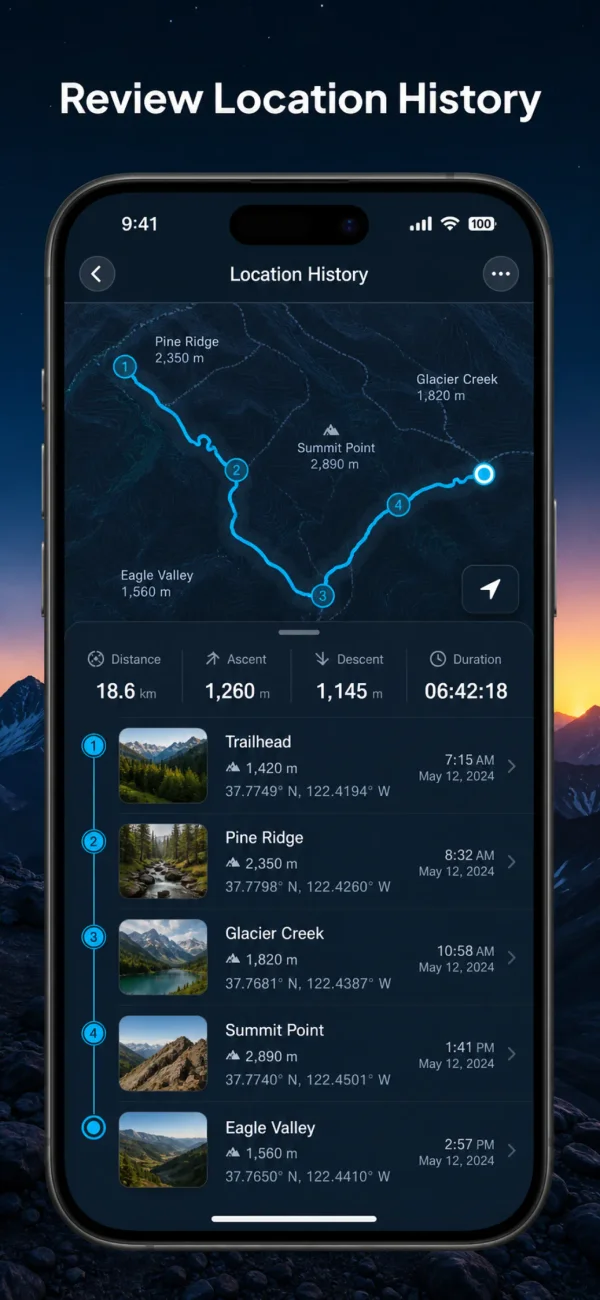
- Record a walk, hike or drive as a route with live distance and time, then replay the finished track on the map
- Drop named waypoints with notes and watch the live distance to each one change as you move
PERFECT FOR
- Hikers, trail runners and campers who need elevation, heading and a marked way back
- Photographers and gardeners planning around sunrise, sunset and where the light will fall
- Travellers and road trippers who want a log of where they have been and a fast way to share a pin
- Anyone who has to give a driver, a friend or a rescue service an exact coordinate instead of a vague address
WHY NOT JUST USE THE BUILT-IN COMPASS APP?
It shows a heading and a rough coordinate, and that is the end of it. There is no solar altitude or azimuth, no saved waypoints, no recorded route with replay, no barometric instrument panel, no area measurement, and no way to hand someone a clean location card. Everything here sits in one place, formatted the way navigators actually read it.
A NOTE ON ACCURACY
Readings come from consumer iPhone GPS and sensors. They are excellent for hiking, travel and everyday orientation, but they are not survey-grade or aviation-grade, and the app should not be your only tool in a genuine emergency.
PRIVACY
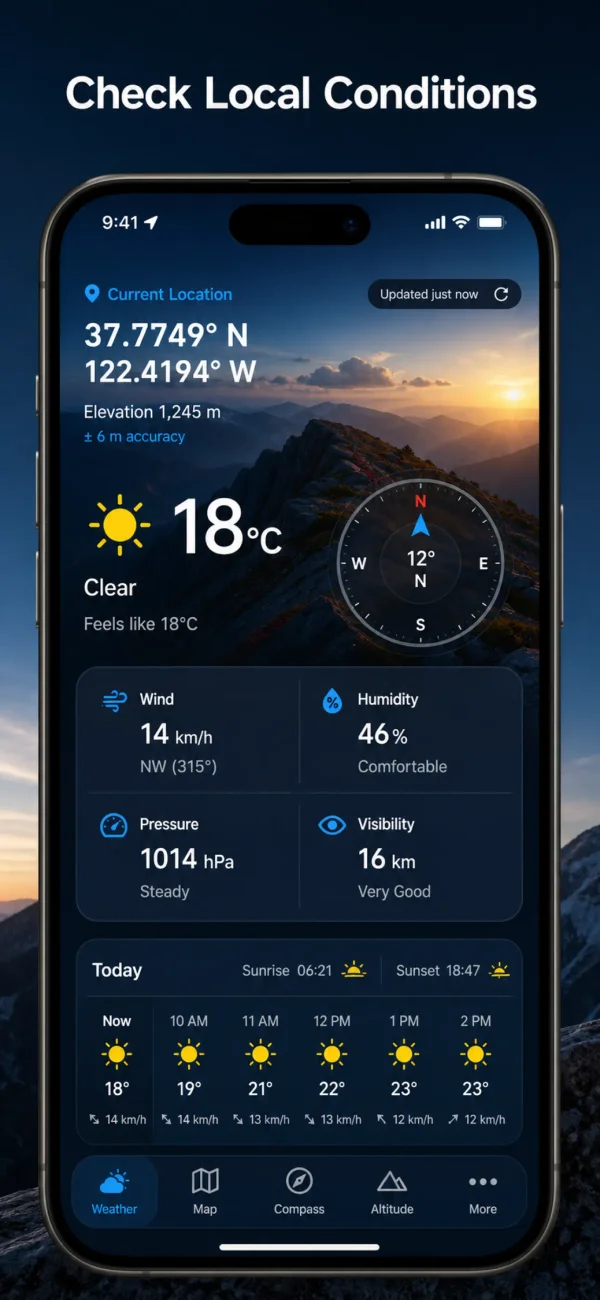
Your coordinates, routes, waypoints and history are stored on your device and nowhere else. No account, no sign-up, no ads, no cloud sync, no tracking. The only network request is the optional weather lookup, which sends your coordinates to the weather provider when you open the Weather screen.
FULL ACCESS
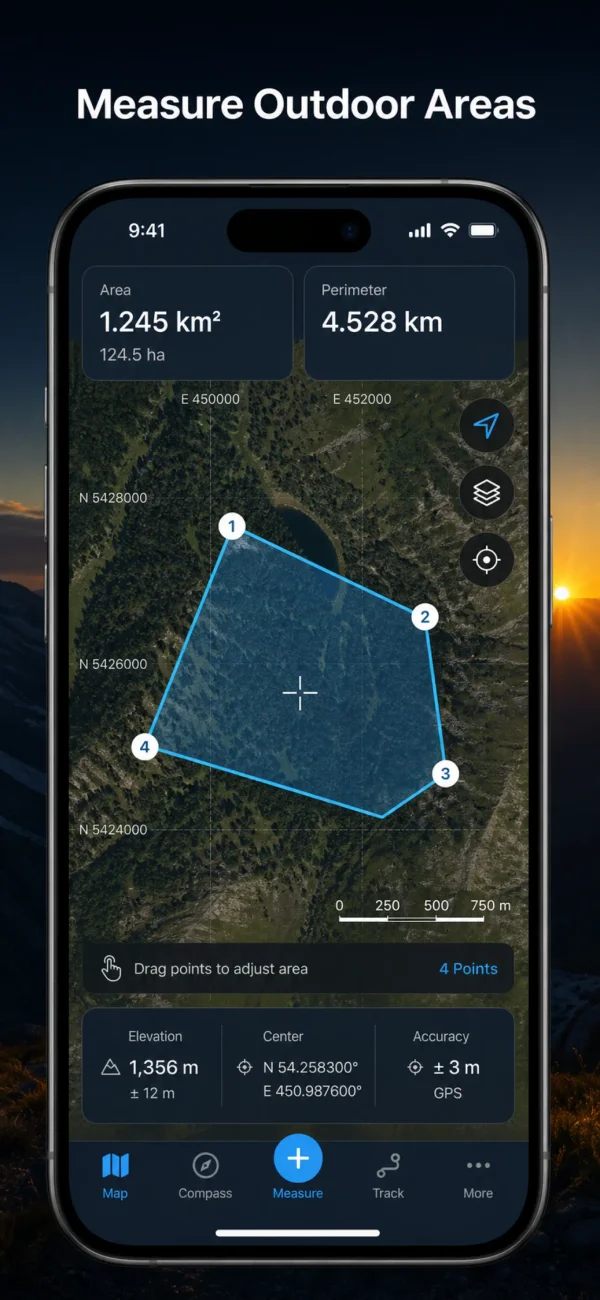
Full Access unlocks unlimited waypoints (three are free), route recording with map replay, live weather for your position, satellite and hybrid map styles, the two-point distance calculator, the flight seat guide, field area measurement on the map, and the shareable location card. It is available as a weekly subscription, a yearly subscription, or a one-time lifetime purchase — choose one at the paywall and everything unlocks instantly.
Open the app, allow location once, and your coordinates, heading and sun times are on screen before you take your first step.
Terms of Use (EULA): https://web-levi.web.app/terms
Privacy Policy: https://web-levi.web.app/privacy-policy
Questions? tphuc.work@gmail.com
What’s new
Version 1.1 · Aug 18, 2026
Bug fixes and performance improvements.
App privacy
What Phuc Pham declares on the App Store about how this app handles data.
-
Data not collected
The developer does not collect any data from this app.
Privacy practices may vary, for example with the features you use or your age.
Information
- Seller
- Phuc Pham
- Category
- Navigation
- Version
- 1.1
- Updated
- Aug 18, 2026
- Released
- Jul 22, 2026
- Size
- 20.0 MB
- Requires
- iOS 17.0 or later
- Age rating
- 4+
- Price
- Free
- In-app purchases
- Yes
- Languages
- English
- Copyright
- © 2026 Phuc Pham
You might also like
-
 Compass: Direction FinderGPS Altimeter & Hiking Radar
-
 GPS Coordinates: My LocationAltimeter, Speedometer & Trip
-
 Marine Compass ProCompass, anchor watch & GPS
-
 Compass Altimeter: Sun & MoonGPS Elevation & Barometer
-
 GPS Coordinates: Where Am ILatitude Longitude Finder GPX
-
 OnlyTrailsOffline hiking maps & Watch
-
 Gemma GPSPrecision Navigation
-
 Johannesburg OfflineHoliday, Trip, Tour, Cruise
-
 Pitto - Parking Memo & NavParking Memo & Find My Car
-
 Archies ExplorerWalk Tracker & Star Finder