Sun Path & Shade
Sun study you can hand over
Designed for iPhone, iPad
In-app purchases
- Age rating4+
- CategoryUtilities
- Developerryo muranaka
- LanguagesRussian+ 43 more
- Size10.6 MB
Links to the official App Store page
Download.org hosts no file of Sun Path & Shade. The button opens its official App Store page, published by ryo muranaka. Listing last checked on Nov 12, 2026.
Screenshots

About
Will winter morning sun reach the living room? Enter an address and turn seasonal sun paths and shadows into a report you can hand over. No ads.
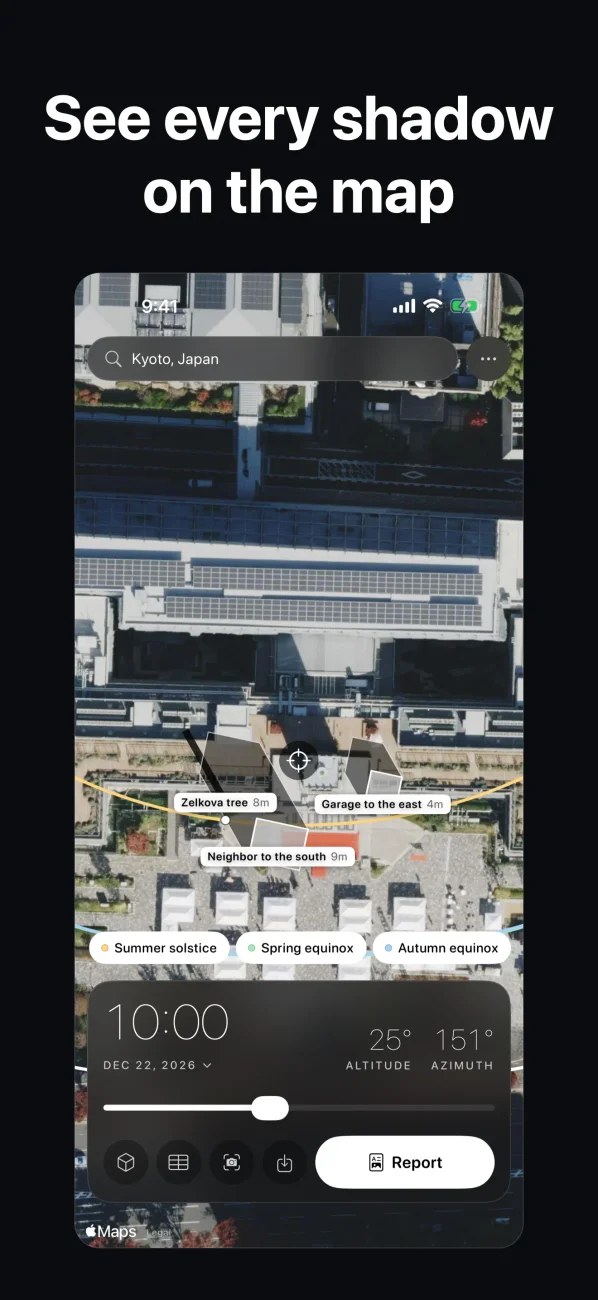
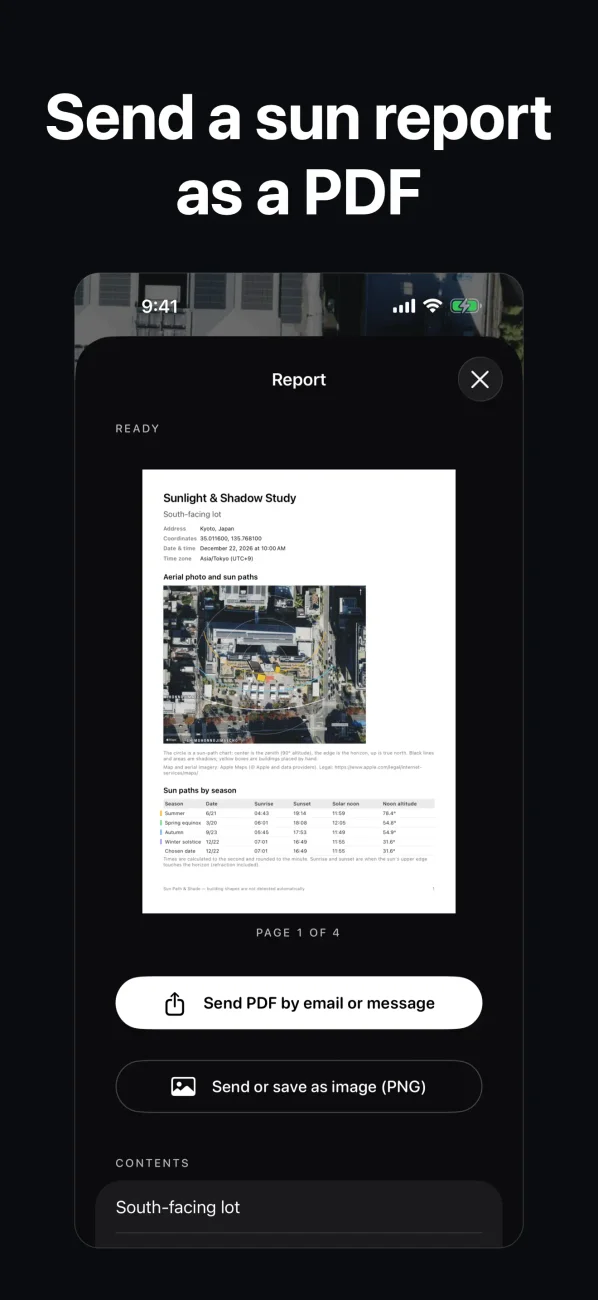
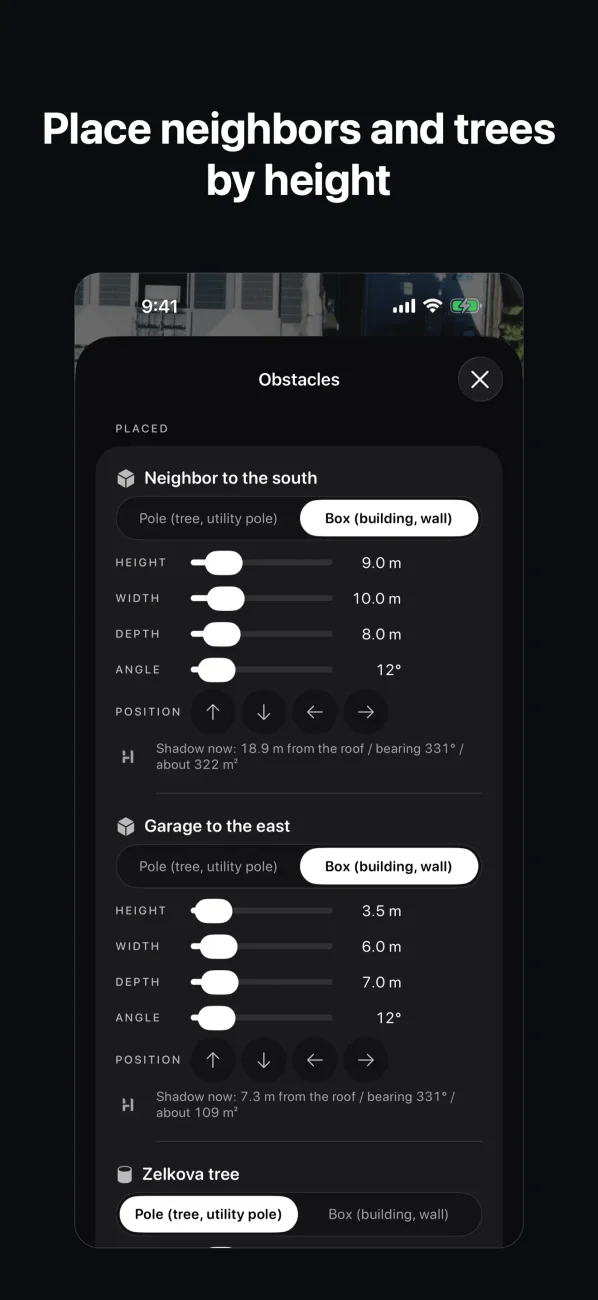
Enter an address or coordinates to overlay the sun paths of the summer and winter solstices and the equinoxes on an aerial photo. Place neighbors and trees by hand and watch their shadows move through the day. Export it all as one report (PDF or image) and send it by email.
WHO IT'S FOR
- Architects and designers: show a client, with a chart and a table, whether winter morning sun reaches the living room
- Landscape designers: attach planting and shade studies to your estimates
- Location scouts: know in advance whether shadows will help or spoil the shot
WHAT IT DOES
- Export reports as PDF and image: aerial photo, seasonal sun paths, hourly shadow length and direction, site photos and notes
- Overlay solstices, equinoxes and any date at once
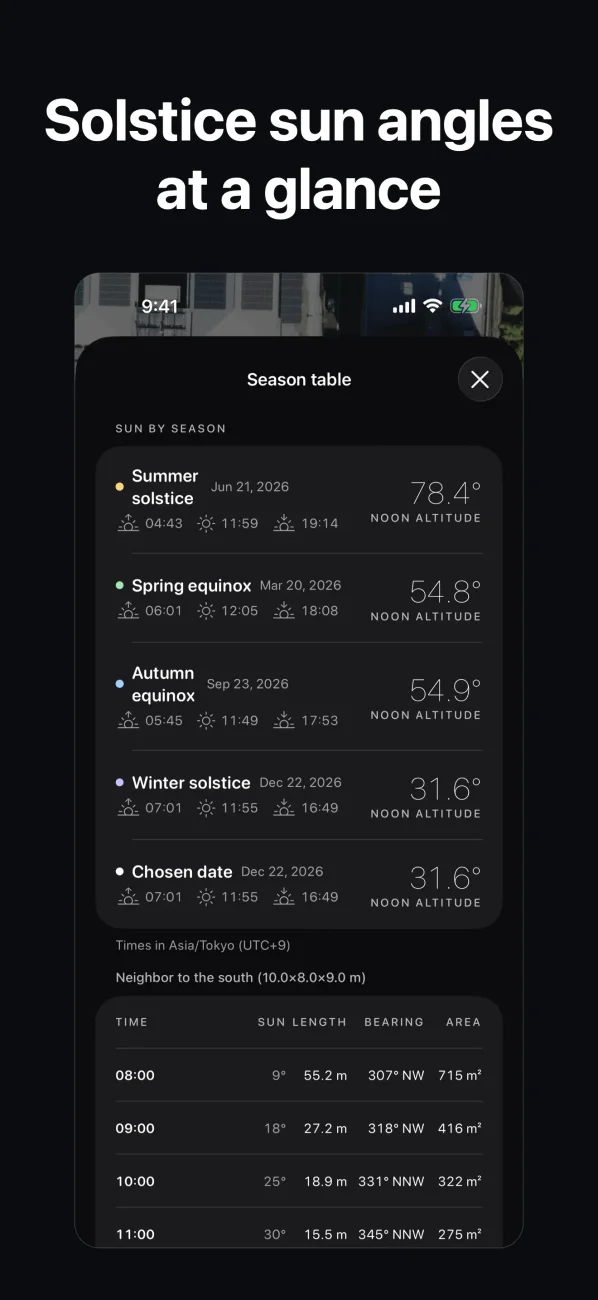
- Season table: sunrise, solar noon, sunset and noon altitude (checked against the National Astronomical Observatory of Japan almanac)
- Place obstacles by hand: poles (trees, utility poles) and boxes (buildings, walls with width, depth, height and angle). Box shadows are drawn as areas
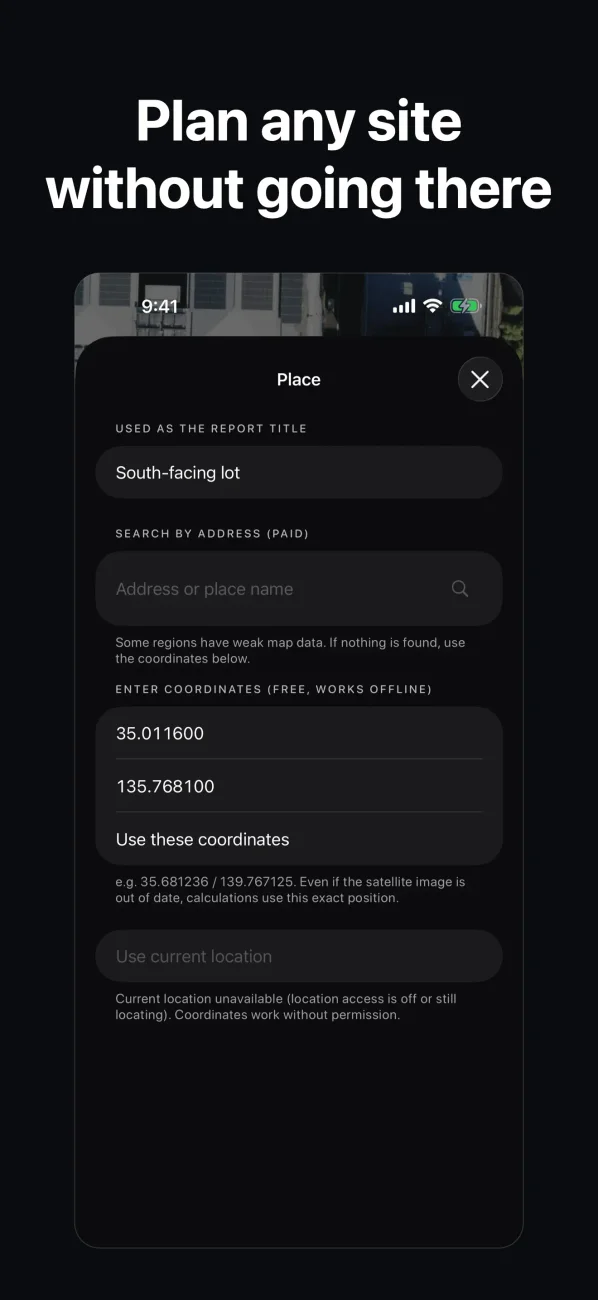
- Search by address, or enter coordinates directly (even if the satellite image is out of date, coordinates put the site in the right place)
- Save sites with photos and edit them later
- Live view: overlay the sun and shadow directions on the camera view (true north, accuracy warning, manual correction)
- Times are shown in the site's time zone, so sites abroad show local time
WHAT IT DOESN'T DO (up front)
- It does not detect building shapes automatically. You place obstacles on the map yourself, with their height and size
- The ground is treated as level and buildings as flat-roofed boxes
- No weather or cloud forecasts
FREE TO TRY
- Today's sun path at your current location, or at coordinates you type in
- One obstacle and its shadow
- Live view (sun and shadow directions over the camera view, and site photos)
- Season table for today (sunrise, solar noon, sunset and hourly shadows)
Report export, address search, other seasons and dates, more than one obstacle, and saved sites come with Pro. Try it before you upgrade.
All calculations run on your device. Only the map and address search use the network. Reports can be made in airplane mode (an offline diagram replaces the aerial photo).
■ Pricing and auto-renewal
- Pro Monthly (3-day free trial)
- Pro Yearly (3-day free trial)
- Pro Lifetime: one payment, for the paid features available today
Your local price is shown before you buy. The free trial is available once per person, for Monthly and Yearly only.
Payment is charged to your Apple Account at confirmation of purchase. A subscription renews automatically unless auto-renewal is turned off at least 24 hours before the end of the current period, and the renewal is charged within 24 hours before the period ends. You can turn off auto-renewal or cancel at any time in Settings > your Apple Account > Subscriptions. If you move to a paid plan during a free trial, the remaining free period is forfeited.
Terms of Use (EULA): https://www.apple.com/legal/internet-services/itunes/dev/stdeula/
Privacy Policy: https://sunpath.irodori-labo.com/privacy/
What’s new
Version 1.0.5 · Nov 7, 2026
• When the sun is down, the map now says so, for example "After sunset (sunset 16:49)".
• The camera view now has buttons that move the time by 5 minutes, and shows the date being overlaid.
• If you have not decided on location access yet, you can now allow it from the Place screen.
• Reports no longer get stuck waiting for the aerial photo when the signal is weak.
• The time buttons are easier to tap, and the labels under the bottom icons grow with your text size.
• The season table shows the date of the hourly shadows, and saved site names show on up to two lines.
• Calibration buttons repeat when held. Also fixed an issue where things could stop when Location Services were turned off on the device.
App privacy
What ryo muranaka declares on the App Store about how this app handles data.
-
Data not linked to you
May be collected but is not linked to your identity.
- Purchases
- Location
- Identifiers
- Usage data
- Diagnostics
Privacy practices may vary, for example with the features you use or your age.
Information
- Seller
- ryo muranaka
- Category
- Utilities
- Version
- 1.0.5
- Updated
- Nov 7, 2026
- Released
- Oct 3, 2026
- Size
- 10.6 MB
- Requires
- iOS 26.0 or later
- Age rating
- 4+
- In-app purchases
- Yes
- Languages
- Russian, Bengali, Gujarati, Hindi, Oriya, Slovenian, Urdu, Vietnamese, English, Arabic, Hungarian, Dutch + 32 more
- Copyright
- © 2026 Muranaka
You might also like
-
 Heliotrace: Sun Path & ShadeSolar site survey & sun paths
-
 HoriSolHonest balcony PV calculator
-
 SoliScoreMeasure solar access easily
-
 Helios Solar MonitorPanel Production Forecast
-
 Solar Shading SurveySun path diagram, CSV/HOR
-
 SolarCalc PV Pro+Solar PV & Electrical Pro
-
 Mr. Solar DocIndependent solar calculator
-
 SolarAlign Pro: Sun & TiltSolar Panel Placement & ROI
-
 Thingsee Toolbox LiteUtilities
-
 Led Light Controller - LedZolSmart RGB Remote, Strip & Bulb