SuperKeys Accessible Keyboard
The Assistive Keyboard for iOS
Designed for iPhone, iPad
$12.99
- Age rating4+
- CategoryUtilities
- DeveloperCrick Software
- LanguagesEnglish
- Size57.9 MB
Links to the official App Store page
Download.org hosts no file of SuperKeys Accessible Keyboard. The button opens its official App Store page, published by Crick Software. Listing last checked on Nov 13, 2026.
Screenshots
About
THE AWARD-WINNING ACCESSIBLE KEYBOARD FOR IPHONE AND IPAD
- Having difficulty using the iPhone or iPad keyboard?
- Struggling to see the keys?
If your answer is "Yes" to either of these, then SuperKeys is for you. SuperKeys can totally replace your standard keyboard or be available just when you need it.
"Superkeys is the most innovative alternate access app I've seen in years. Not just for children and adults with motor disabilities but also for anyone with low vision!"
- Dr Denise DeCoste, Assistive Technology Consultant, MD
“I used SuperKeys with standard productivity iOS apps...SuperKeys provides new options not previously possible.”
- Carl Leynse Harpold, Occupational Therapist
JUST SEVEN KEYS INSTEAD OF 30+
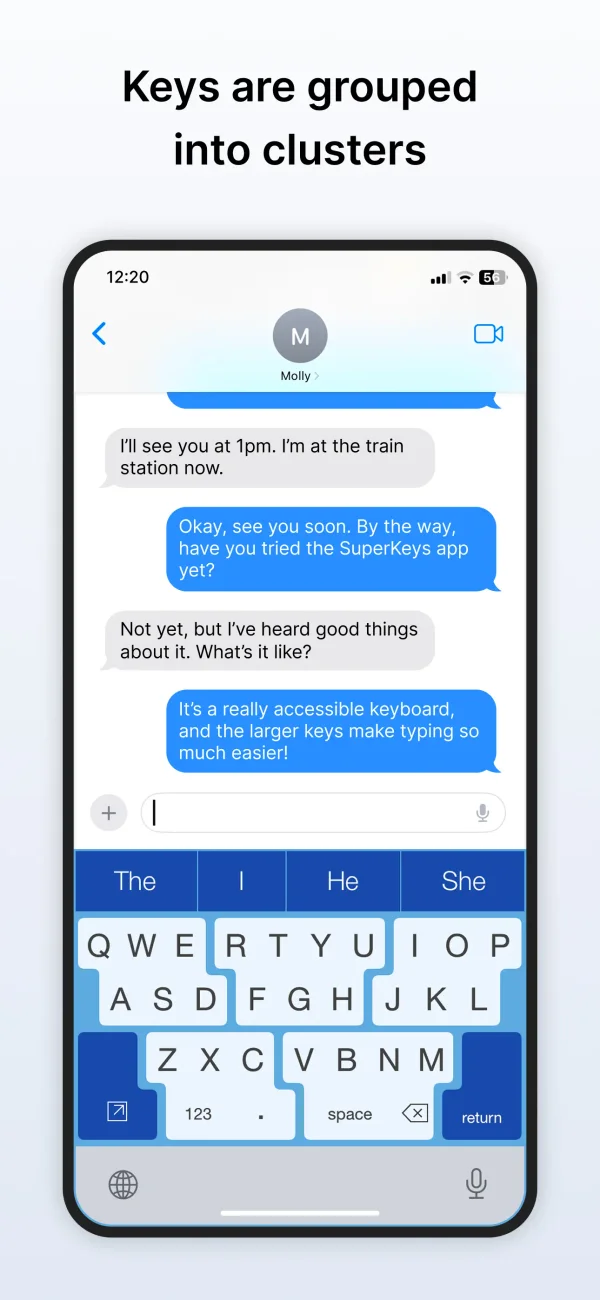
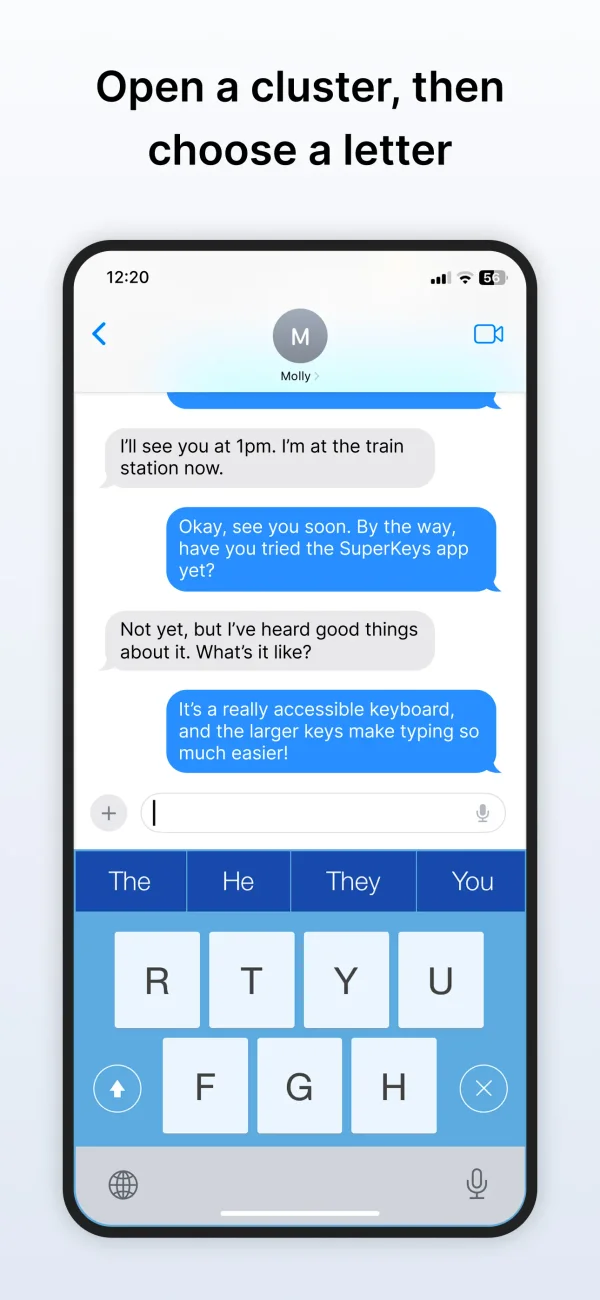
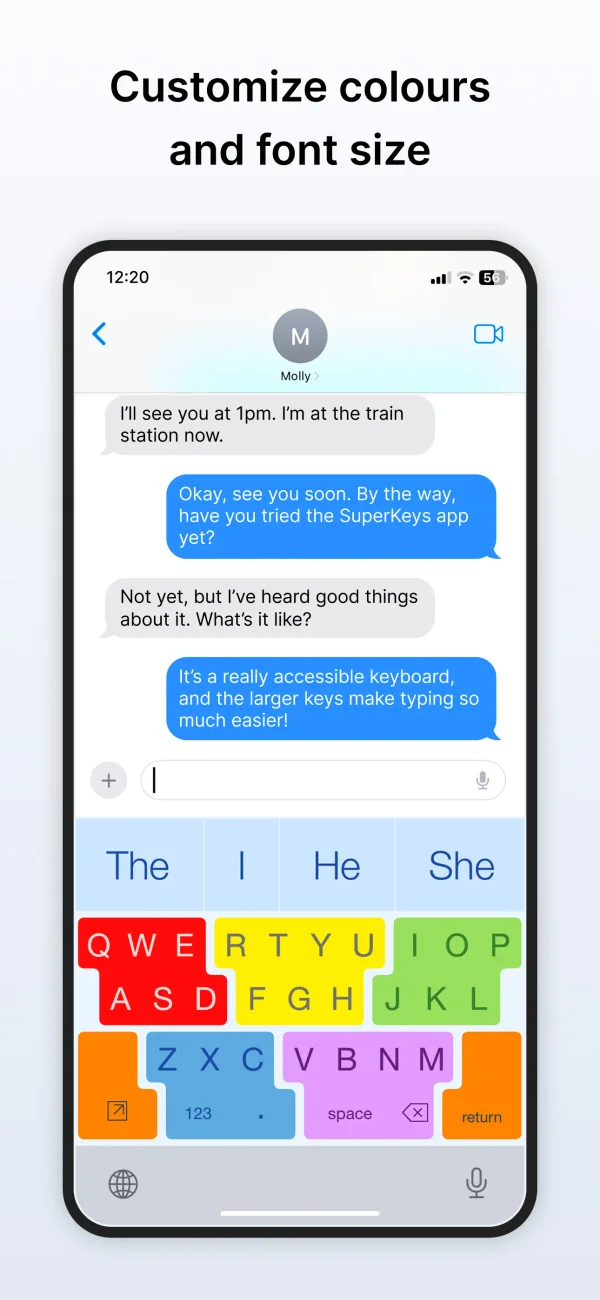
The unique design of SuperKeys gives you just 7 clusters to target instead of over 30 small keys! Just tap or hold the cluster containing the letter you want, then select the letter in the enlarged cluster. There’s no double-tapping, no essential swiping, and no learning required.
INTELLIGENT WORD PREDICTION
Word suggestions are displayed on large buttons as you type (you can customize the size) to make selection easy, and suggestions are updated as a cluster is opened, making it much more likely that the word you want is included.
EASY CURSOR MOVEMENT
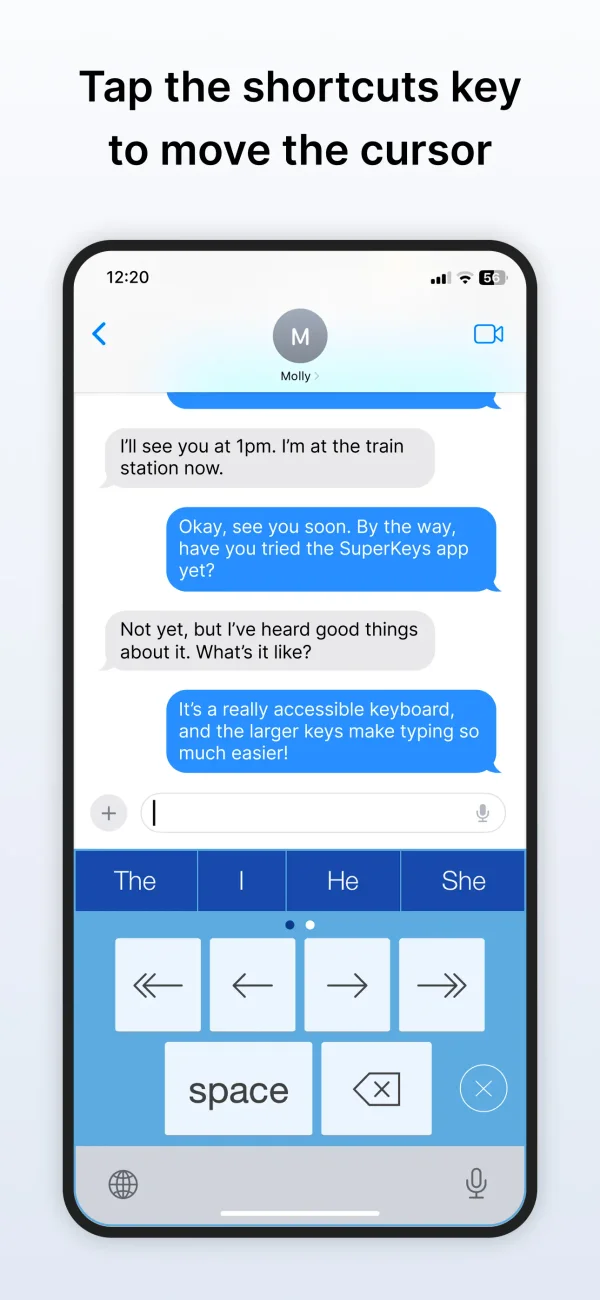
Get the cursor where you want it with just a few taps. Choose to move forward or back one character or one word.
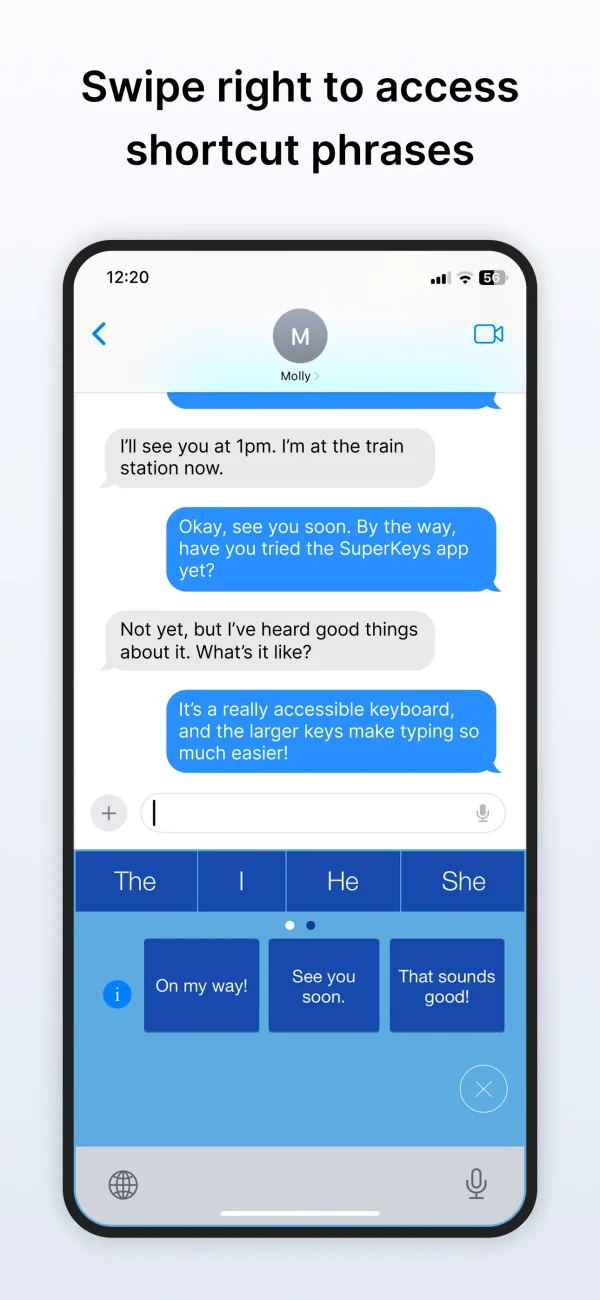
ONE-TOUCH SHORTCUTS
There’s also easy access to your iOS Text Replacement phrases - your personalised phrases containing 3+ words are displayed in the SuperKeys shortcuts. Just tap the shortcuts key, then select the phrase you want. A single tap can enter any phrase, saving you lots of time and key presses.
MAKE IT YOURS
SuperKeys can be fully personalized to your requirements:
• Get optimum clarity and contrast by customizing colours and font.
• Improve predictor access by setting the size that’s best for you.
• Get faster access to Delete, Space and Return by setting swipe options.
• Optimize visual experience by turning animation on or off.
• Achieve full control of the Delete key with auto-repeat options.
CAREFULLY RESEARCHED AND TESTED
Globally recognised by a coveted BETT award, SuperKeys was meticulously researched and tested. We used our 20+ years of accessible software expertise to create this unique patented approach to keyboard accessibility. The result is a keyboard that is accessible, friendly, and with a learning curve of zero.
UNIVERSAL APP
SuperKeys is optimized for both iPhone and iPad, and it includes both US and UK keyboards.
SUPERKEYS FOR CHILDREN
For younger writers, we recommend our Clicker Writer app, which includes a child-friendly keyboard with SuperKeys as an accessibility option. SuperKeys is also included in Clicker 8 for Windows and Mac.
A CRICK SOFTWARE PRODUCT
Based in the UK and US, Crick Software has a worldwide reputation for quality assistive and educational software for all ages and abilities. Find more of our apps by searching for Crick Software in the App Store.
What’s new
Version 2.1.2 · Feb 18, 2025
Hold & drag: If you find it hard to tap, you can now press & hold the cluster you want, move to the letter you want, and then release.
Cursor movement: now you can easily move the cursor - tap or hold the shortcuts button, then move your cursor by a single character or a whole word.
We’ve also given the companion app a great new look & feel, plus we’ve fixed a few bugs.
App privacy
What Crick Software declares on the App Store about how this app handles data.
-
Data not collected
The developer does not collect any data from this app.
Privacy practices may vary, for example with the features you use or your age.
Information
- Seller
- Crick Software Ltd
- Category
- Utilities
- Version
- 2.1.2
- Updated
- Feb 18, 2025
- Released
- Oct 16, 2014
- Size
- 57.9 MB
- Requires
- iOS 17 or later
- Age rating
- 4+
- Price
- $12.99
- Languages
- English
- Copyright
- © 2014-2025 Crick Software
You might also like
-
 jKey: Big Keys KeyboardLow vision, easy-tap typing
-
 IssieCalcAdaptable, Talking calculator
-
 The Talking Calculator ProAd-Free and Full Featured
-
 TouchNav ProUtilities
-
 VoixaAAC app for hearing-impaired
-
 Kolr - Color Palette GeneratorThe ultimate palette generator
-
 Big Calculator Low VisionA Big Button Calculator
-
 MarkdownMind - Mind Map !Markdown To Mind Map !
-
 Zappyfi: Travel & IoT SIM/eSIMMulti-Network Global Data
-
 TapReaderScan and listen, 100% offline