
SuperPaste: Pro Keyboard
Paste & Send Messages Fast
Designed for iPhone, iPad
Free · In-app purchases
- Age rating4+
- CategoryUtilities
- DeveloperSoftCrunchLabs Inc.
- LanguagesEnglish
- Size20.4 MB
Links to the official App Store page
Download.org hosts no file of SuperPaste: Pro Keyboard. The button opens its official App Store page, published by SoftCrunchLabs Inc. Listing last checked on Nov 17, 2026.
Screenshots


About
Fast, Fun & Effortless Pasting
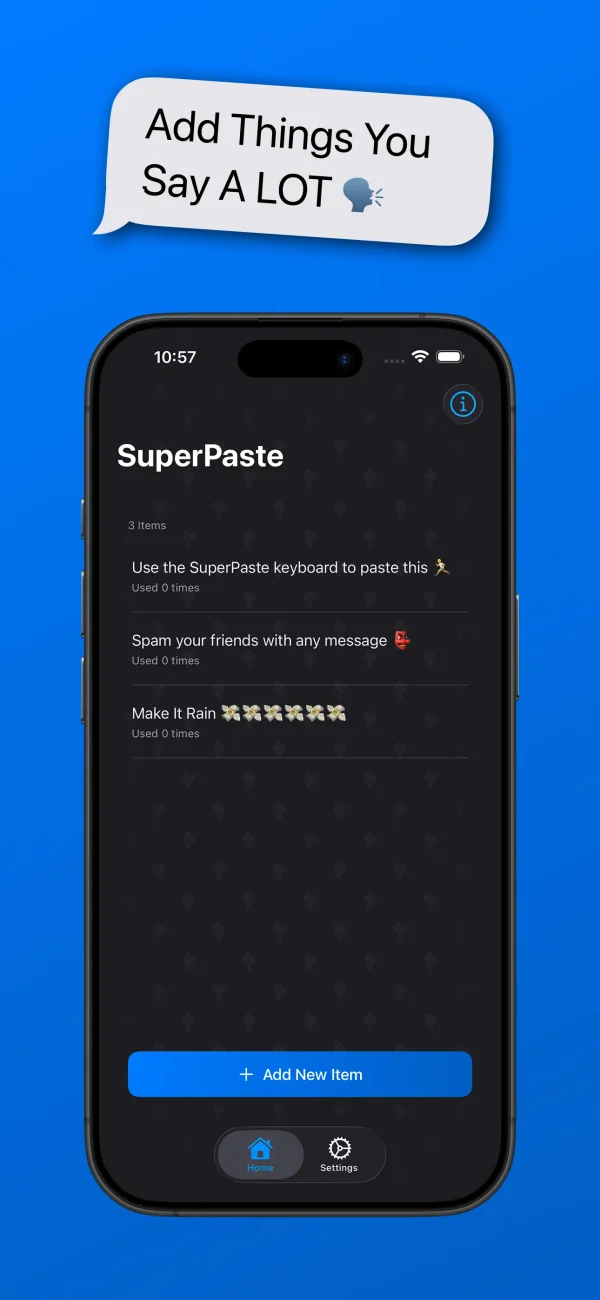
Paste like a pro with SuperPaste – the custom keyboard that turbocharges your typing. Designed for iPhone, SuperPaste lets you save all your go-to text snippets and drop them into any app in a single tap. No more re-typing the same replies or switching apps just to copy and paste. Your favorite messages, usernames, links, and more are always at your fingertips. It’s a light, modern keyboard built for speed, productivity, and a whole lot of fun.
Do More, Type Less
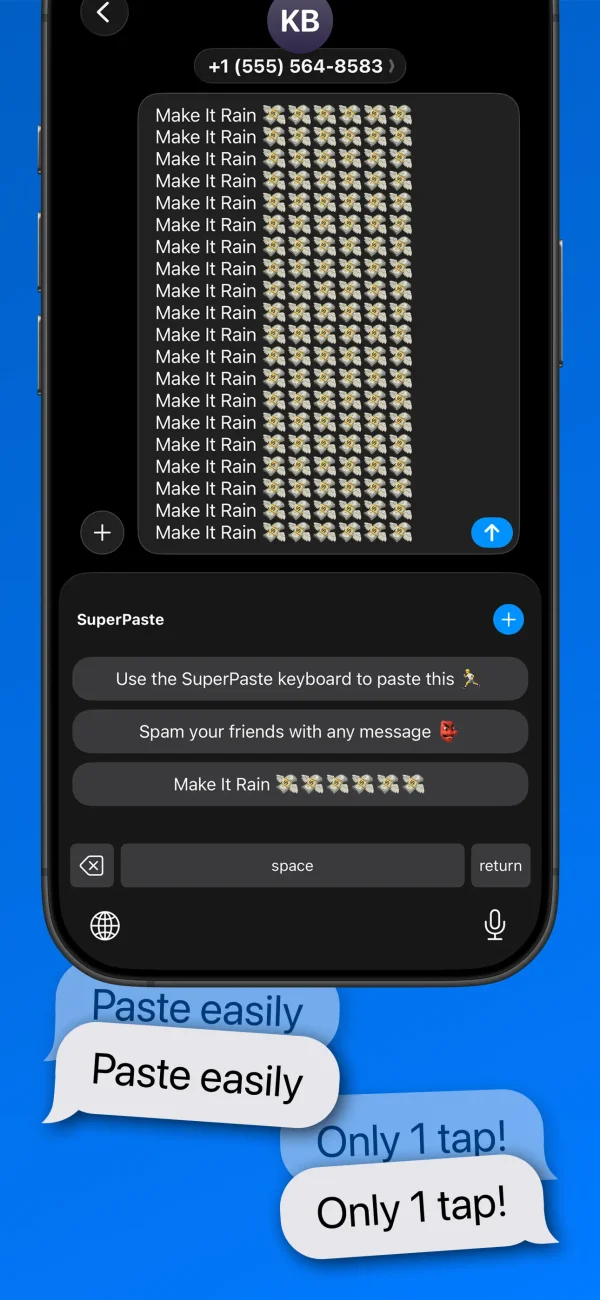
- Fast Messaging: Instantly send common texts (like “On my way” or “BRB”) without pounding them out every time.
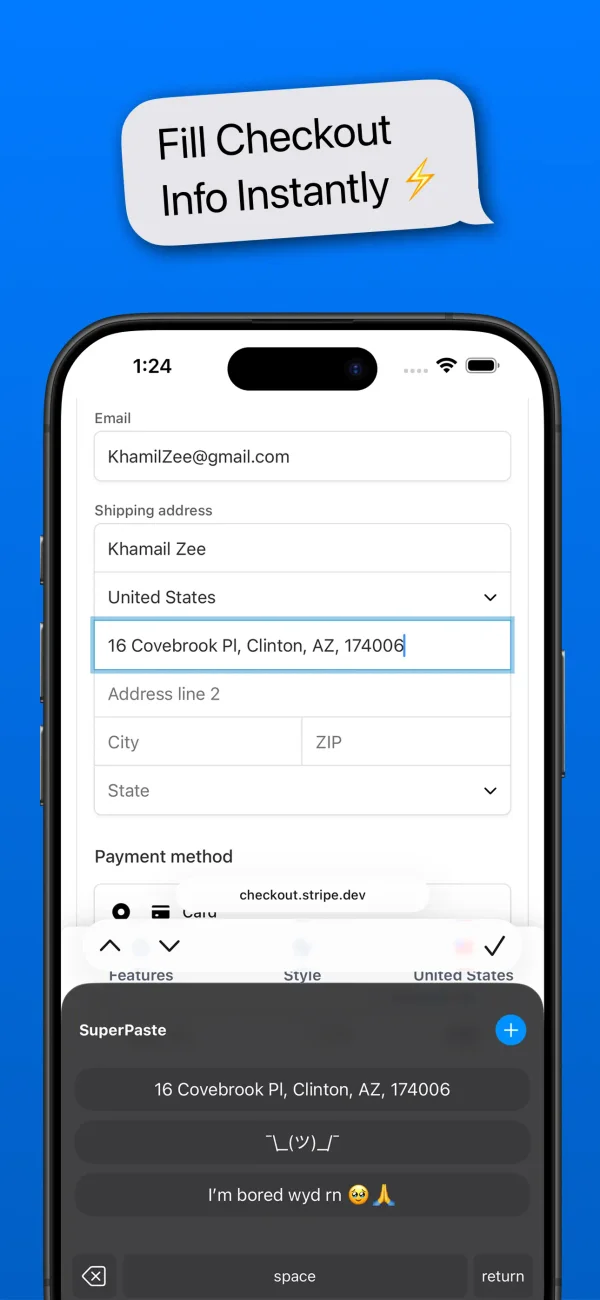
- Autofill Forms: Quickly insert your email, address, or any info when signing up or filling out forms. No tedious typing required.
- Social Media Posts: Keep hashtags, captions, or bio links saved and ready to paste into Instagram, TikTok, Twitter – you name it.
- Gaming Chat: Drop your catchphrases or game lobby responses in a flash, so you can focus on winning instead of typing.
- Productivity: Speed through work or school by saving email templates, study notes, or any boilerplate text and pasting them as needed.
Unlock Premium Perks
- Unlimited Snippets: Save unlimited phrases and text snippets – no cap, all your favorites welcome.
- Full Paste Access: Paste large blocks of text or special content in one go, with no restrictions.
- No Usage Limits: Paste as much as you want, as often as you want – SuperPaste won’t slow you down.
- Maximum Paste Speed: Paste 100x faster as a premium user, up to 1000x per second.
(SuperPaste offers a free basic version; upgrade anytime to enjoy the full experience.)
Ready to Paste Like a Pro?
Stop wasting time typing the same old things – SuperPaste has you covered. It makes communicating quicker and more enjoyable, whether you’re hustling at work, chatting with friends, or leveling up in-game. Download SuperPaste: Pro Keyboard now and see how fun and easy typing can be when you paste like a pro!
---
SuperPaste Terms of Use - https://www.softcrunchlabs.com/terms/superpaste
SuperPaste Privacy Policy - https://www.softcrunchlabs.com/privacy/superpaste
What’s new
Version 1.1.0 · Mar 25, 2026
- Bug fixes
- UI overhaul
- Better tutorial
- New app icon
We continuously improve SuperPaste based on community feedback and innovation.
App privacy
What SoftCrunchLabs Inc. declares on the App Store about how this app handles data.
-
Data used to track you
May be used to track you across apps and websites owned by other companies.
- Identifiers
- Usage data
-
Data not linked to you
May be collected but is not linked to your identity.
- Purchases
- Identifiers
- Usage data
- Diagnostics
Privacy practices may vary, for example with the features you use or your age.
Information
- Seller
- SoftCrunchLabs Inc.
- Category
- Utilities
- Version
- 1.1.0
- Updated
- Mar 25, 2026
- Released
- Jun 4, 2025
- Size
- 20.4 MB
- Requires
- iOS 17.6 or later
- Age rating
- 4+
- Price
- Free
- In-app purchases
- Yes
- Languages
- English
- Copyright
- © 2026 SoftCrunchLabs Inc.
You might also like
-
 AirSwap AI: Photos from eventsRequest pics from your friends
-
 Quick Clean-Storage CleanupDelete Photos, Contacts, Video
-
 ClamCam: Private Photo VaultKeep Your Secret Pictures Safe
-
 PromptKey: AI Prompt GeneratorVideo & Image Prompt Creator
-
 AutoSend - Paste Keyboard AppCopy and Paste Font Keyboard
-
 Copy Paste Keyboard: Auto TextClipboard Text App - Paste Key
-
 AutoPaste - KeyboardKeyboard to share & text fast
-
 Auto Paste KeyboardAutoPaste & Auto Clicker
-
 Fontkey - Fonts Keyboard EmojiFonts and Emoji Keyboard
-
 PinoFBTFull-Body Tracking APP for VR