
- Age rating4+
- CategoryBusiness
- DeveloperMehedi Siddique
- LanguagesEnglish
- Size54.3 MB
Links to the official App Store page
Download.org hosts no file of SupershopOS. The button opens its official App Store page, published by Mehedi Siddique. Listing last checked on Nov 28, 2026.
Screenshots




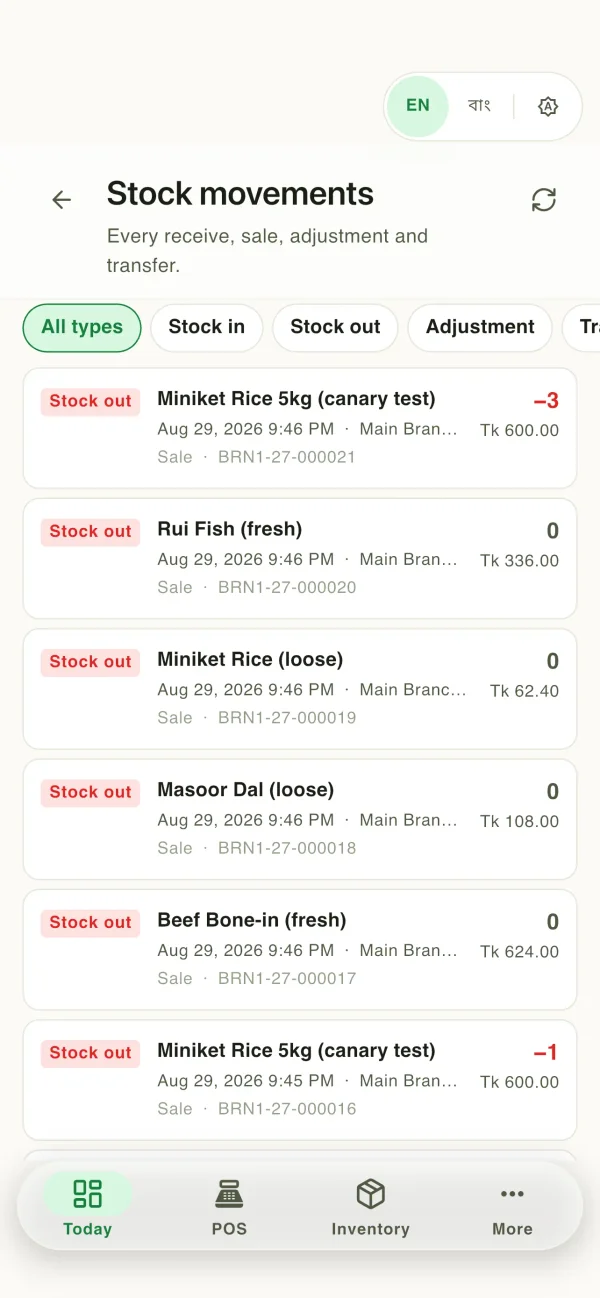
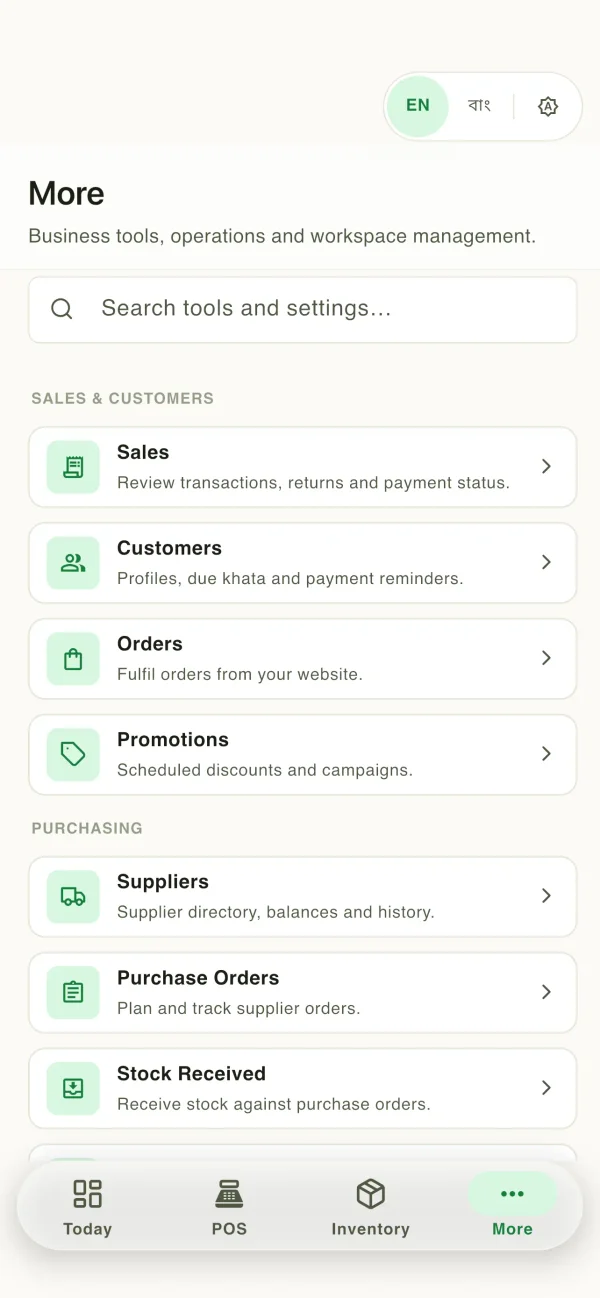
About
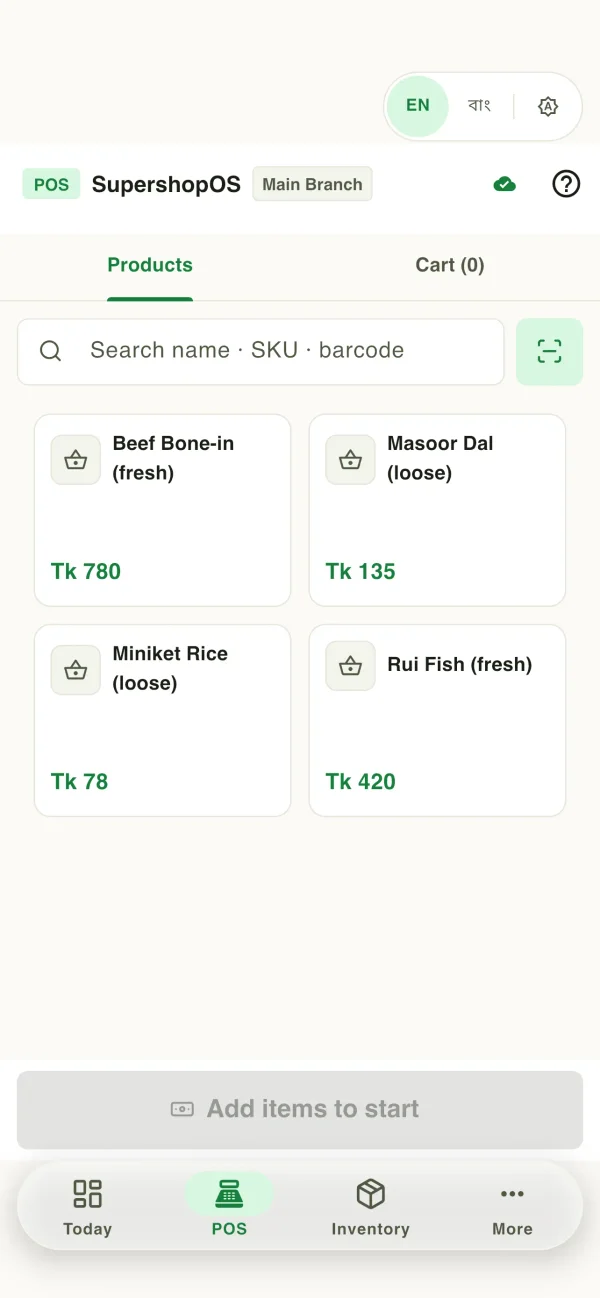
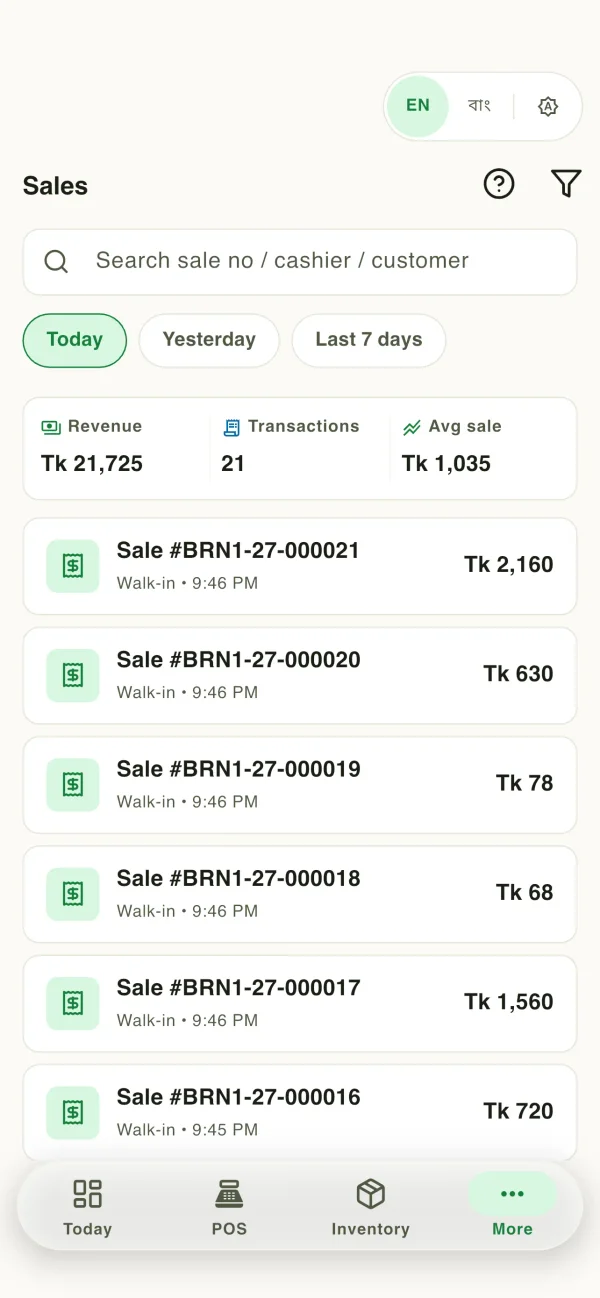
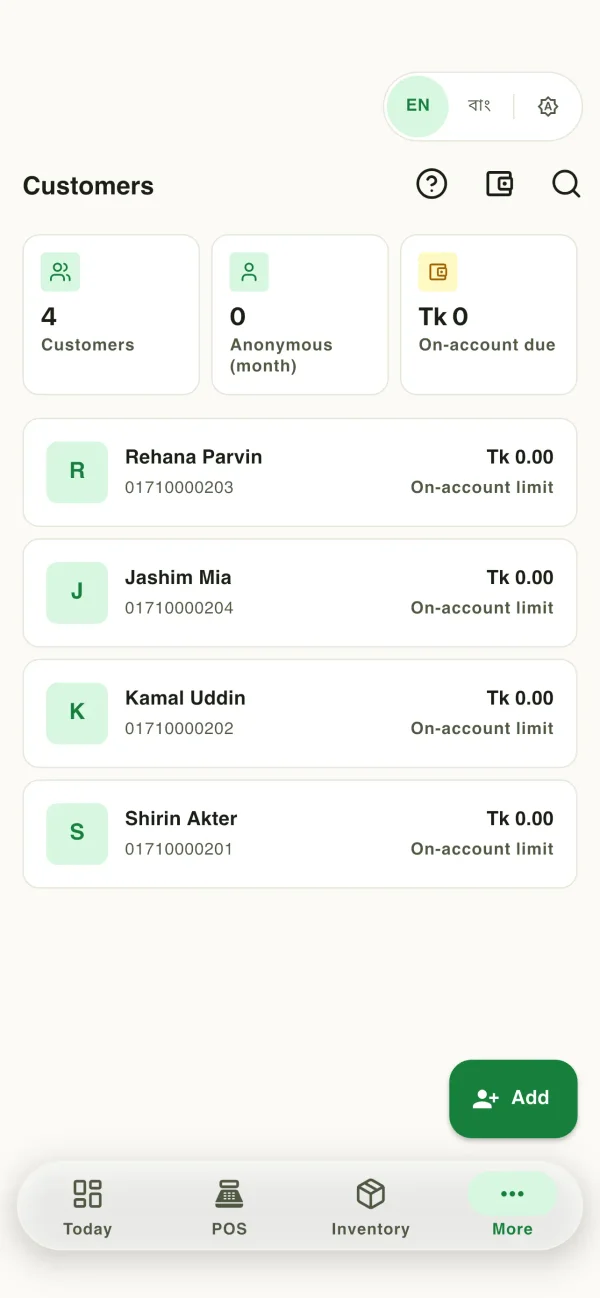
SupershopOS is the offline-first operating system for Bangladeshi supershops and grocery stores — counter POS, inventory, supplier purchase orders, multi-branch distribution, and Mushak 6.3 VAT receipts from one iPhone or iPad.
COUNTER POS THAT NEVER STOPS
Ring up a sale even with the internet unplugged. Sync happens in the background when connection returns. Barcode scanning, suspended carts, manager-PIN overrides — built for a busy counter.
SCAN-MISS QUICK-ADD WITH A GROCERY CATALOG
Unknown barcode? The built-in grocery/FMCG catalog prefills name, pack size and price so a new product is on the shelf in seconds.
MUSHAK 6.3 RECEIPTS OUT OF THE BOX
Sequential sale numbers per branch per fiscal year (July–June), itemized VAT, BIN + TIN + Asia/Dhaka timestamp. Monthly NBR export in one tap.
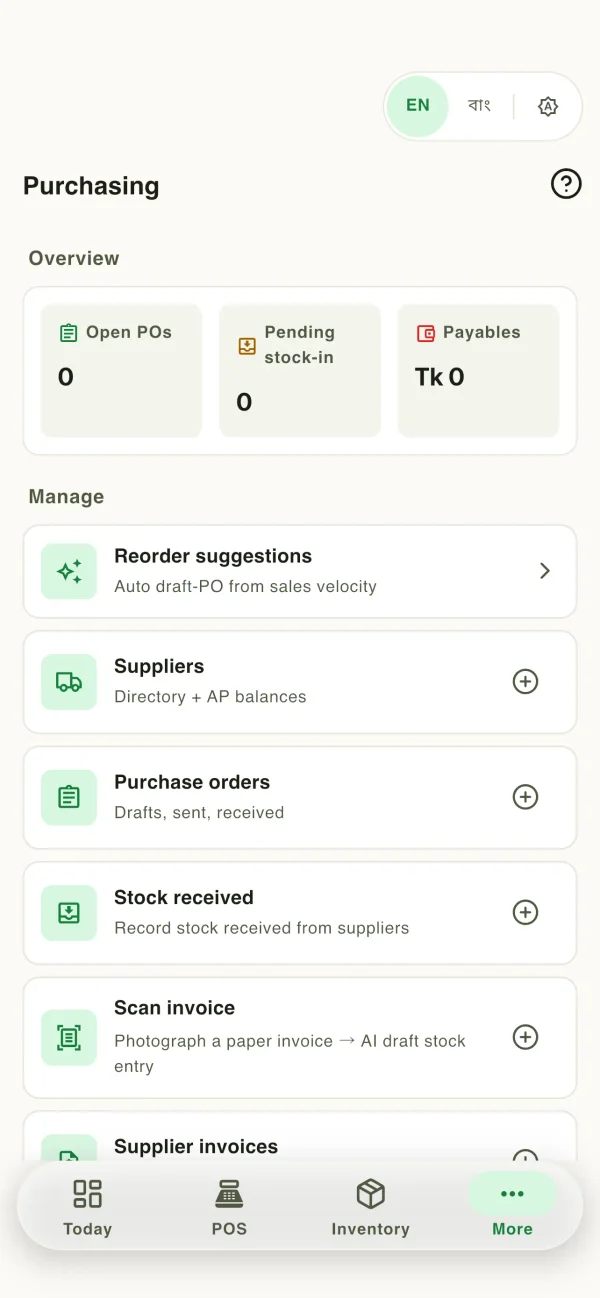
SUPPLIERS & PURCHASE ORDERS
Track suppliers, receive stock against POs, watch margins and dead stock per branch.
PAYMENTS
Cash, bKash, Nagad and card — counter QR + trxID entry, merchant gateway credentials, monthly reconciliation.
MULTI-BRANCH, BENGALI FIRST
Each branch keeps its own stock and hours. Toggle Bengali/English instantly; receipts print in proper Bengali Unicode.
PRIVACY & DATA
Your store's data is scoped to your business with enforced per-tenant access controls, encrypted at rest and in transit. No third-party analytics. Export your data any time (Settings → Data & privacy); delete your account in the app or at supershop.work/account-deletion. Privacy policy: supershop.work/privacy
What’s new
Version 1.0.32 · Nov 27, 2026
• Kg and litre items: a stock receipt keeps a weight's decimal point, so 53.25 kg never books as 5,325.
• A sale takes the lot that expires first, even when the line is bigger than that lot, so earlier stock never waits behind newer.
• Expiring soon and its Home tile now count lots by the same rule, and the list shows the first 200 lots. Expired stock has its own write-off list.
• A lot with no expiry reads "No expiry" everywhere.
• A finalized stock receipt shows on Stock at once.
• Low stock: Stock's counts cover every product, not just the loaded page, and name the branch they count.
• POS, Stock and Home open without a frozen frame on low-end handhelds, and a sale starts syncing sooner after Pay.
• Keyboard: a form's main button stays above it, a picker closes it first, and after a sale the completed card no longer covers the products.
• The Shift screen's Back returns to where you opened it.
• Refunds: the form shows the amount going back, and a sale refunded in full across several refunds reads Refunded.
• Sales search: the list and the total agree.
• Small wording fixes: close shift says Tk, quick cash offers a sensible round amount, and the stock valuation warning names its products.
• Stability fixes.
• Faster counter: a sale reaches the server faster, in one step, whatever its length, and the screen no longer jumps after a sale.
• A fast tap cannot land on Pay by mistake, and a cash amount far above the total asks before it gives change.
• Discounts: one over your limit asks for the manager PIN right there, a line discount shows on its own line, and a held cart keeps its discount. A manager PIN is never shown as you type it, its box takes digits only, and a saved password is never offered in it.
• Receipts show the cash received and the change, and appear without waiting for the share link.
• Small phones: the receipt's Print button is reachable, Close closes it, and the discount box stays above the keyboard.
• Owners see any sale the server refused, with the reason in plain words, and can clear the ones they have handled.
• Stock: the Stock tab opens without freezing, and offline the inventory list searches your shop's own catalog.
• Adding stock moves on to Quantity after you pick the expiry.
• Supplier payments show on the invoice and the list at once.
• Reports: Today is your shop's own day, discounts include promotions, and Profit per item counts units correctly.
• Refunds: an owner with no manager PIN sets one first, and after a refund the sales list comes back with the day's sales.
• Empty lists keep their add button, and fields are read out by screen readers.
• Password reset needs only your account email, and the sign-in screen shows this app's own name.
• Sale detail: an item whose pack is one reads by its own unit, such as piece, not pack.
• Reports: an English report's PDF no longer fails with "The PDF could not be made".
• New stock receipt: picking a product fills in the price you last typed for it on a finalized receipt. It needs a connection.
• Cash advances: choosing A staff member picks Salary advance for you.
• Employees: owners see a pay roster of everyone they pay, with or without an app login, and can give a cash advance to any of them.
• Staff names are searchable in the Sales cashier filter, product history and cash advances.
• Batch numbers print on receipts, A4 invoices and quotations only when you switch them on in Receipt settings.
• A discounted line of several items shows what each one cost after the discount.
• Litre and kg items: a stock receipt saves 10.5 L exactly as typed, and its PDF, the stock, the cost and the supplier bill follow it.
• Litre and kg items: stock takes, supplier returns and stock adjustments take decimals, so 1.5 L is never cut to 1.
• Litre and kg items: the till takes stock from the lot that expires first, and the product page shows the true amount on hand.
• After updating, open the app once while online and sign in.
App privacy
What Mehedi Siddique declares on the App Store about how this app handles data.
-
Data linked to you
May be collected and linked to your identity.
- Health and fitness
- Financial info
- Contact info
- User content
- Identifiers
- Diagnostics
Privacy practices may vary, for example with the features you use or your age.
Information
- Seller
- Mehedi Siddique
- Category
- Business
- Version
- 1.0.32
- Updated
- Nov 27, 2026
- Released
- Sep 17, 2026
- Size
- 54.3 MB
- Requires
- iOS 15.5 or later
- Age rating
- 4+
- Price
- Free
- Languages
- English
- Copyright
- © 2026 PharmacyOS
You might also like
-
 Bponi SuiteBusiness
-
 E House MoversMoving & Storage Made Easy
-
 SkillBridge BDBroker-less. Fair Recruitment.
-
 Income UltraSalary & Hourly Pay Calculator
-
 OS PharmacyBusiness
-
 LoanViewFinance
-
 Fast Bangladeshi BDT converterBDT currency converter
-
 Fokusd - App BlockerPhone Addiction, Wellbeing
-
 Shelter Lending ServicesBusiness