Surface Remote for Companion
Bitfocus Companion button deck
Designed for iPhone, iPad
Free · In-app purchases
- Age rating4+
- CategoryUtilities
- DeveloperThomas Brown
- LanguagesEnglish
- Size2.5 MB
Links to the official App Store page
Download.org hosts no file of Surface Remote for Companion. The button opens its official App Store page, published by Thomas Brown. Listing last checked on Nov 20, 2026.
Screenshots
About
NO ADS.
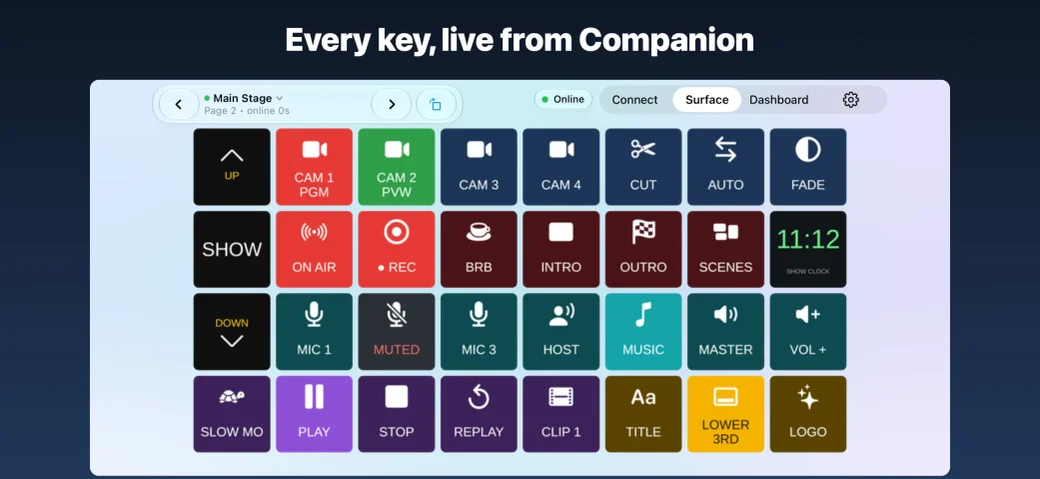
Surface Remote for Companion turns an iPhone or iPad into a button surface for Bitfocus Companion. It connects over Companion's Satellite API, on your own network, and shows your Companion buttons live.
Built for control rooms, live events, streams, churches, schools and AV booths — anywhere you run a show from Companion and want one more set of buttons in your hand.
WHAT IT DOES
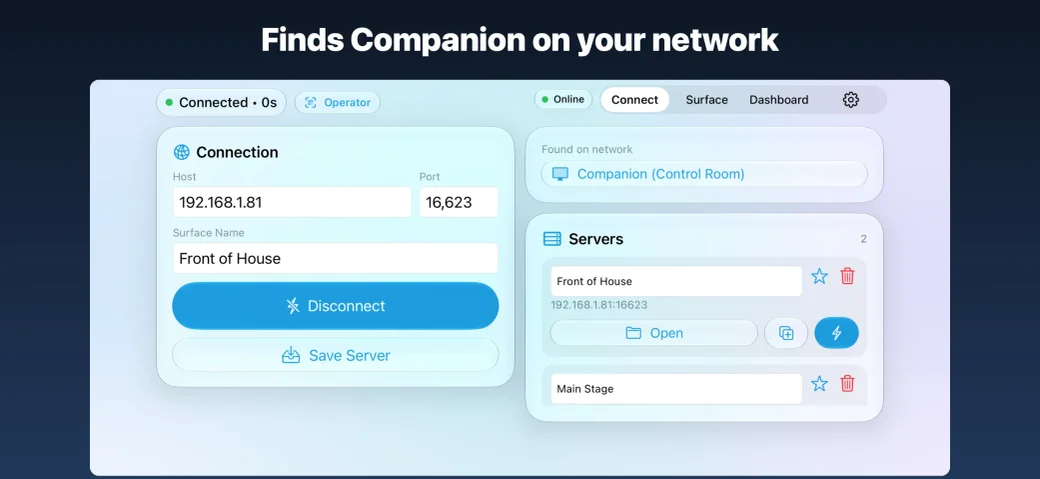
• Connects to Companion as a Satellite surface (WebSocket, port 16623 by default)
• Finds Companion on your network by itself — tap it to connect, no address to type
• Live button text, colour and press state from Companion
• Tap or hold to press; page up and down; current page shown
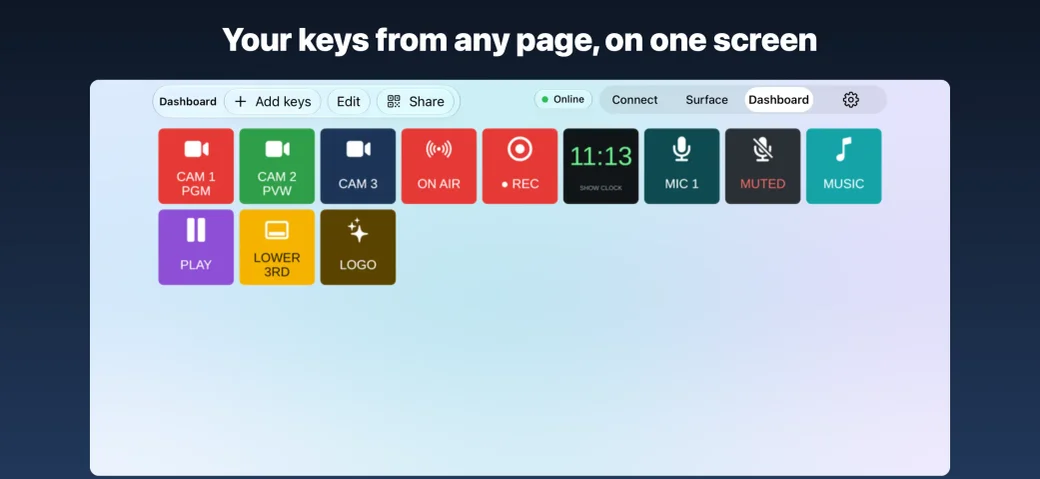
• Dashboard: pick the keys you need from any Companion page and put them on one screen
• Operator mode: share chosen Dashboard keys with a crew member's phone by QR code; they see only those keys, and you can revoke them at any time
• PIN lock: when Companion's PIN lock is on, unlock with the app's own keypad
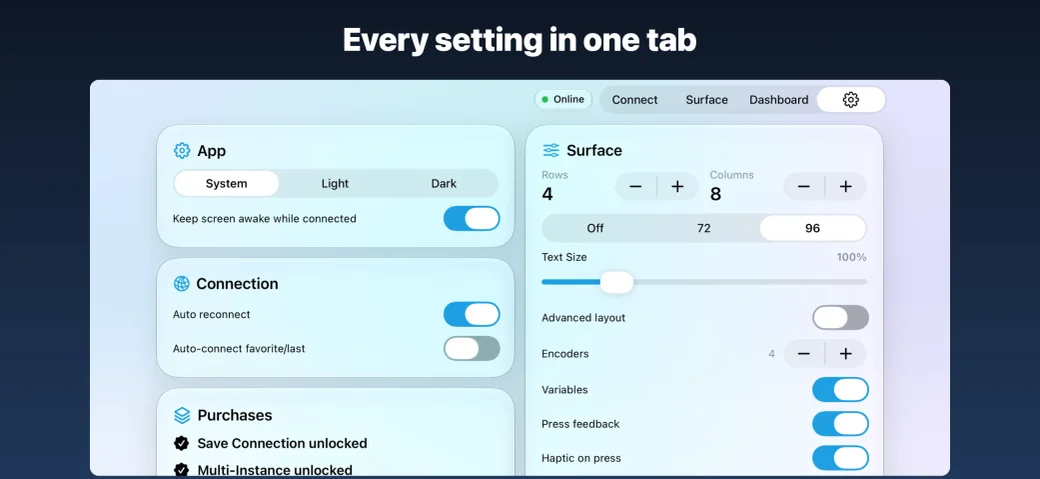
• Keeps the screen awake while connected
• Light, Dark or System theme
• Free to download and use
• Remembers your last Companion and your surface settings, and connects on launch
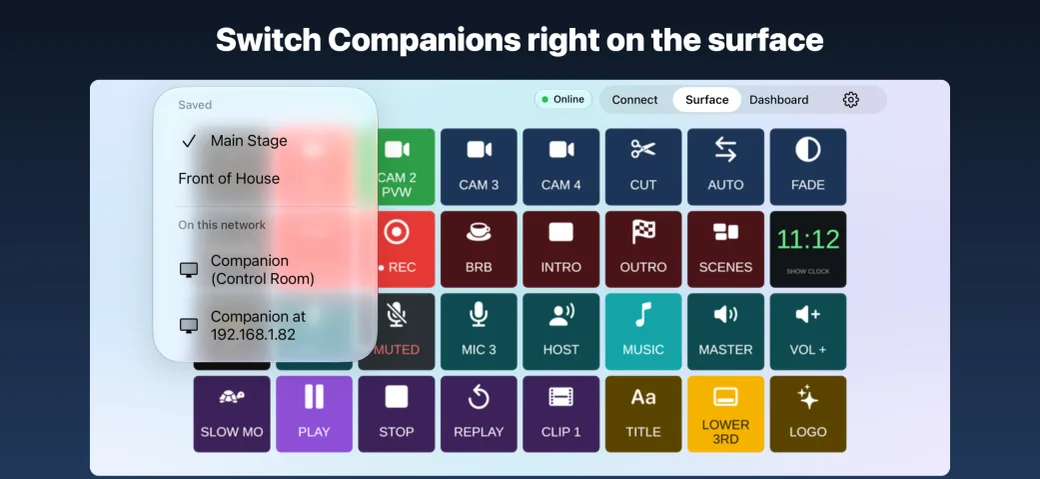
• Multi-Instance (in-app purchase, $9.99): save several servers, switch between them right on the surface, and on iPad run two surfaces at once
• Auto reconnect when Companion restarts (on by default)
• Haptic on press: feel each press on iPhone (Settings > Surface)
• Choose the grid: rows, columns, text size
• Optional button artwork, or text-only for the fastest updates
• Optional advanced layout with encoder controls
• Siri, Shortcuts and the Action button: press a Companion button without opening the app (Multi-Instance)
• Diagnostics: latency, uptime, reconnects, Companion version, and a connection log you can share
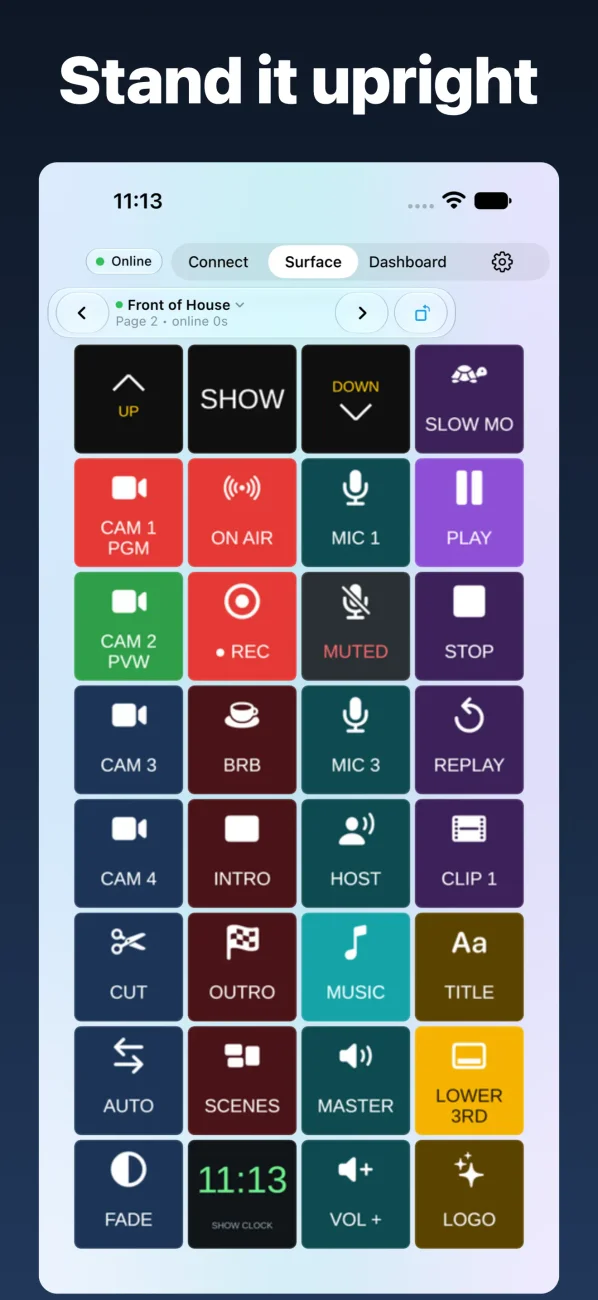
• Landscape layout for iPhone and iPad, or turn the surface upright with one tap
• Settings in their own tab; the Connect and Settings screens turn with your phone
PRIVACY
No account. No ads. No analytics. The app talks only to the Companion server you use. Saved servers stay on your device. The camera is used only to scan an Operator QR code, on the device.
REQUIREMENTS
Bitfocus Companion running on a computer on the same network, with the Satellite WebSocket listener on. Dashboard and Operator mode need Companion 5 with Satellite subscriptions on.
Surface Remote for Companion is not affiliated with, endorsed by, or sponsored by Bitfocus.
What’s new
Version 1.1.5 · Nov 12, 2026
• Siri, Shortcuts and the Action button: press a Companion button by page, row and column without opening the app (Multi-Instance).
• iPhone Duo: keys fill the screen; open, it shows two surfaces side by side.
• Fixes: tapping Host no longer flips the Connect page on iPad or iPhone Duo; iPad turns upright every time.
App privacy
What Thomas Brown declares on the App Store about how this app handles data.
-
Data not collected
The developer does not collect any data from this app.
Privacy practices may vary, for example with the features you use or your age.
Information
- Seller
- Thomas Brown
- Category
- Utilities
- Version
- 1.1.5
- Updated
- Nov 12, 2026
- Released
- Sep 29, 2026
- Size
- 2.5 MB
- Requires
- iOS 17.0 or later
- Age rating
- 4+
- Price
- Free
- In-app purchases
- Yes
- Languages
- English
- Copyright
- © 2026 Thomas M Brown
You might also like
-
 Rental LED CalculatorLED wall curve & cable planner
-
 Website Uptime Monitor - UplySite Status Checker & Alerts
-
 PolySound – Room AcousticsMeasure & fix room acoustics
-
 Cloakshot: Screenshot RedactorBlur Text & Hide Private Info
-
 ChamiiWearable Digital Badge & Pin
-
 EZAudioCut(MT)-Audio EditorMulti-Track Audio Editor(DAW)
-
 Lumens Camera ControllerUtilities
-
 TVU ReviewUtilities
-
 Church Security PlannerChurch safety team operations
-
 Virtual Stream DeckUtilities