
SurfBound: Surf Tracker & Log
Wave Count on Your Wrist
Designed for iPhone
In-app purchases
- Age rating4+
- CategorySports
- DeveloperOysterX, Inc.
- LanguagesTraditional Chinese+ 10 more
- Size28.2 MB
Links to the official App Store page
Download.org hosts no file of SurfBound: Surf Tracker & Log. The button opens its official App Store page, published by OysterX, Inc. Listing last checked on Nov 22, 2026.
Screenshots

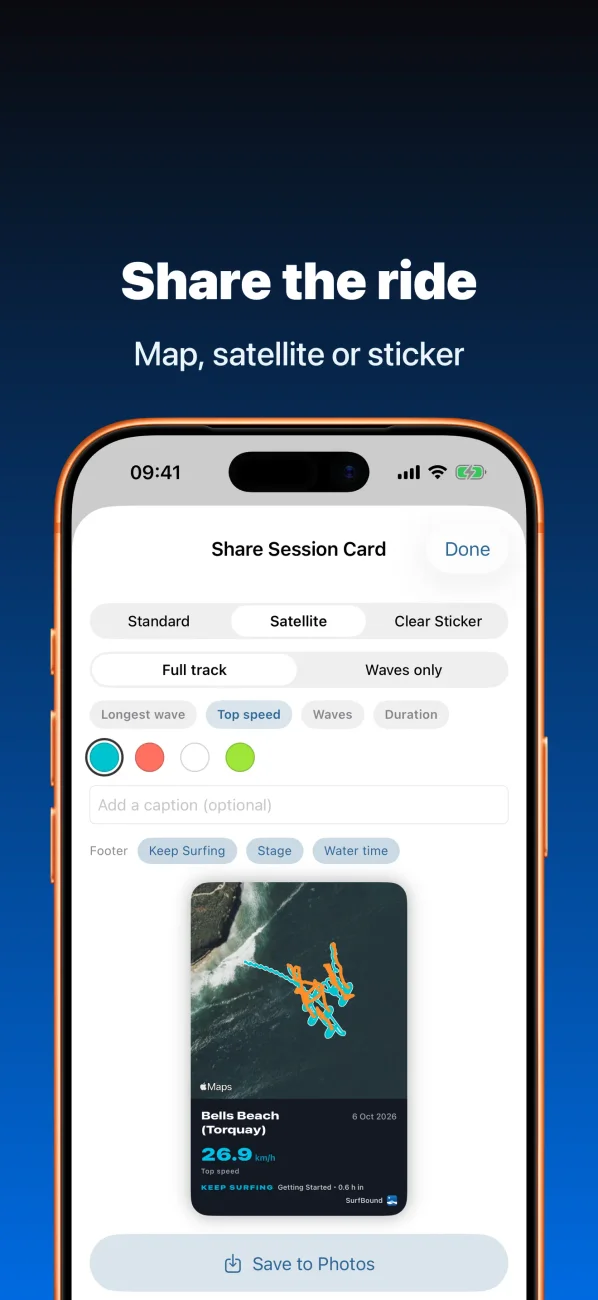
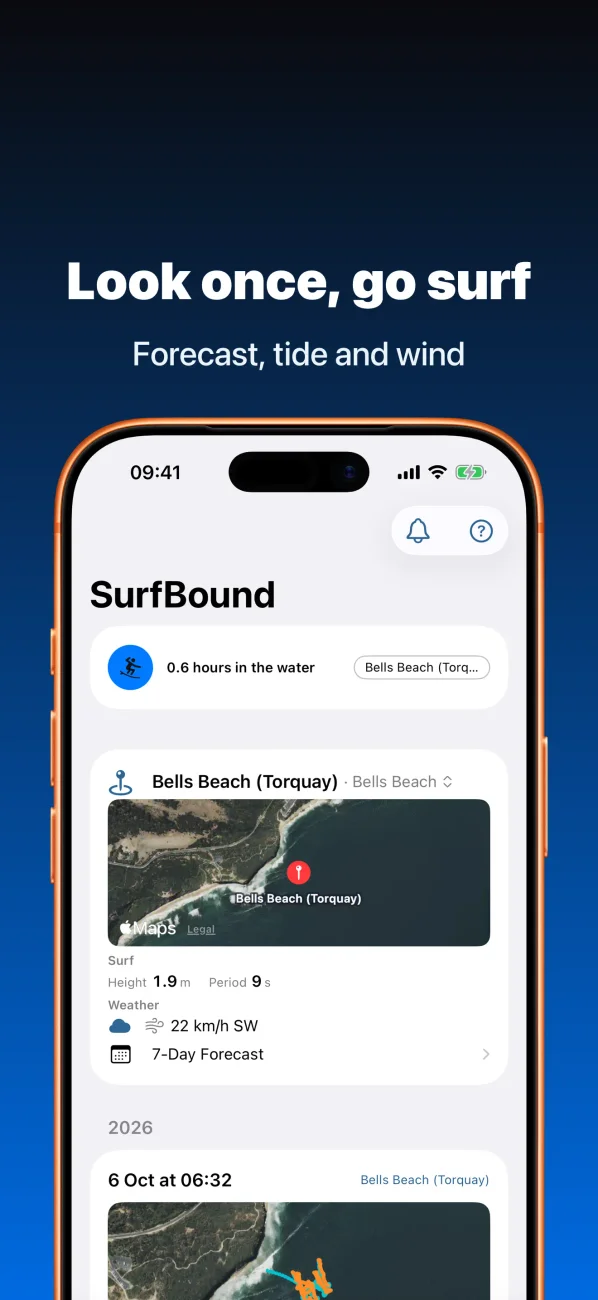
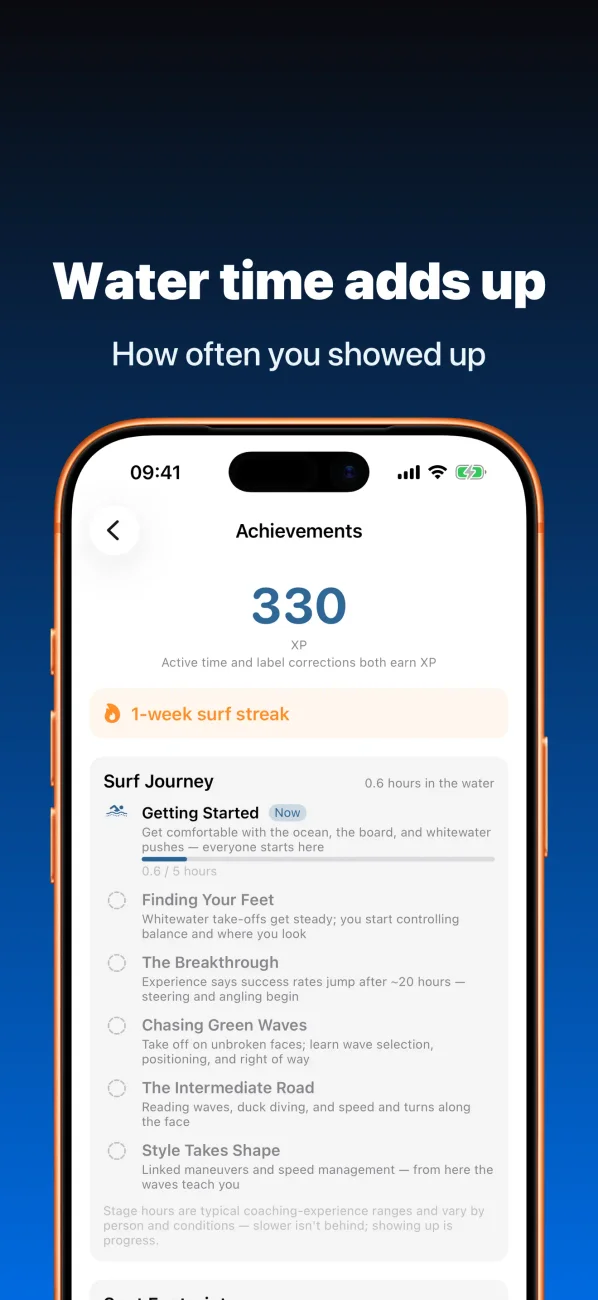
About
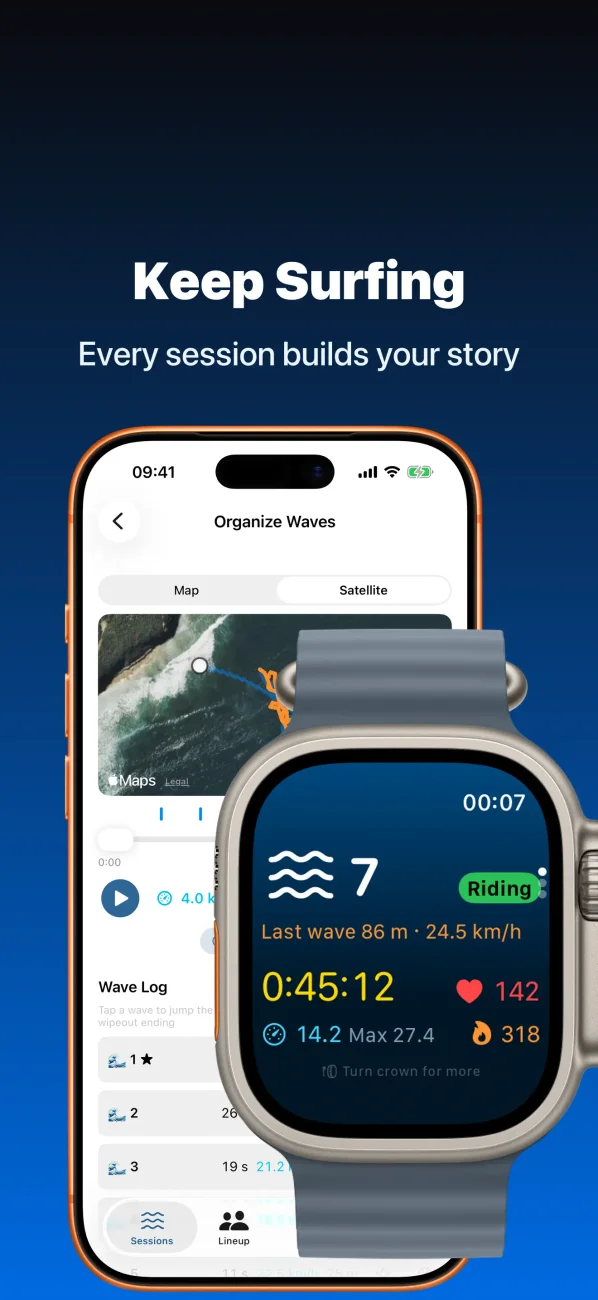
SurfBound is a surf tracker for your watch - Apple Watch and Garmin both record: one tap and you're in - waves, speed, GPS tracks, and heart rate record themselves. Zero interaction in the water; turn the crown to finish.
AUTOMATIC TRACKING
- Detects every wave: start, end, top speed, distance, and track
- Apple Watch Ultra Action Button: set it to SurfBound to start a session with one press - then each press after a wave marks it (even after paddling back)
- Any Apple Watch: turn the crown backward one full turn on the session page to mark your wave
- Power-loss protection: if the watch dies, your session is recovered
- Exit reminder: forget to end a session and the watch will ask
REPLAY & CORRECTIONS
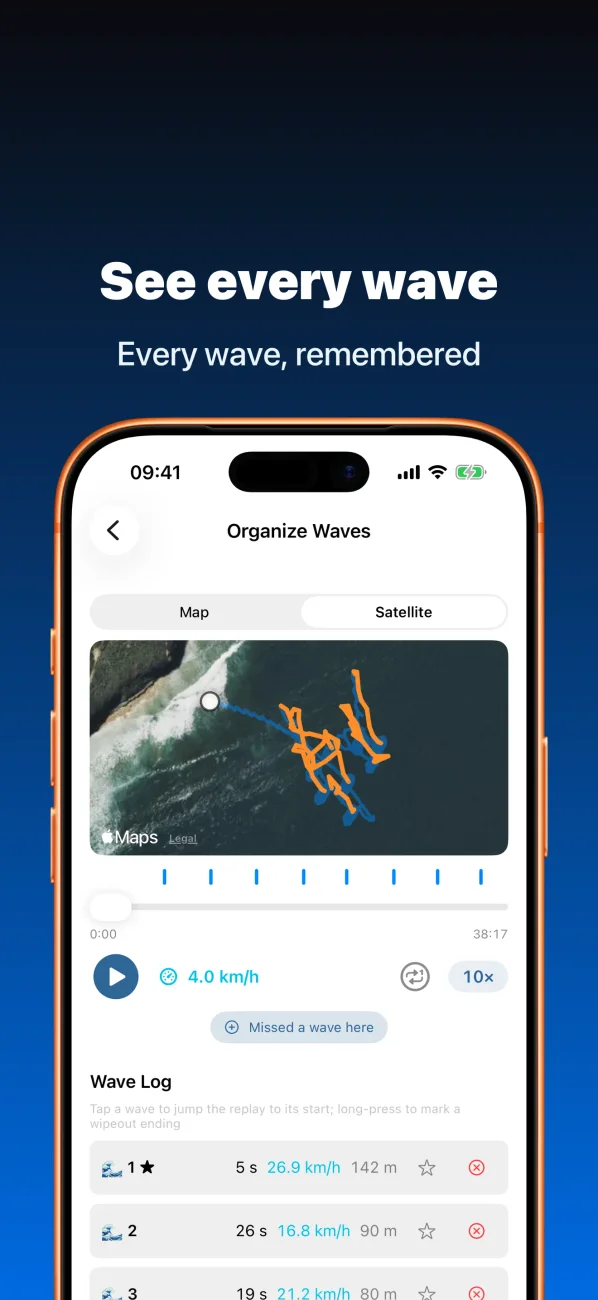
- Map replay on iPhone with wave-by-wave breakdown and tap-to-seek
- Reject false waves, add missed ones - your corrections make detection smarter
JOURNEY & LEVELS
- Surf journey staged by water hours - we walk the first 20 hours with you
- Spot footprint: every break levels up on its own, from Visitor to Homebreak
- The watch session screen tints with your level: blue on a first visit, gold at your home break
- Weekly streak with flat-week exemption - the ocean resting doesn't break your chain
CONDITIONS & TIDES
- Built-in spots worldwide with swell, period, wind, and tide curves
- Watch widgets for at-a-glance conditions
LINEUP
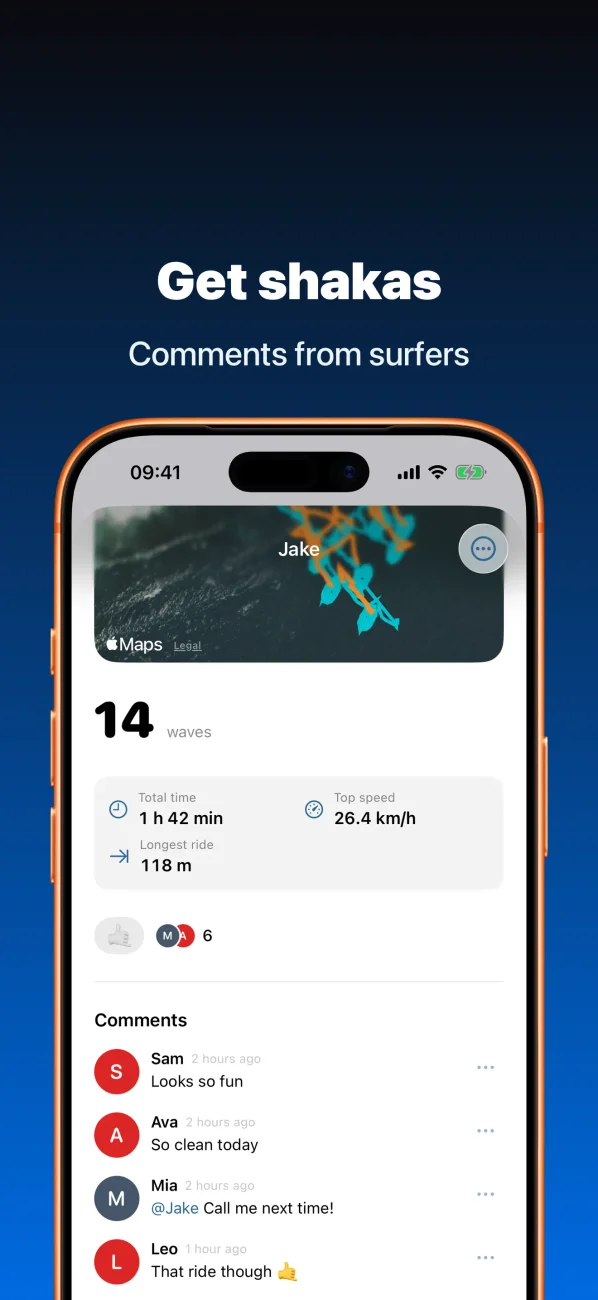
- Share a session with your surf mates: route, waves and the day's conditions
- Get shakas and comments from people who surf
- Only followers you approve see your shares, unless you make your account public
YOUR DATA IS YOURS
- Tracking needs no sign-up - iCloud is your identity; only Lineup uses Sign in with Apple
- Sessions live on your devices and your iCloud; we never sell data
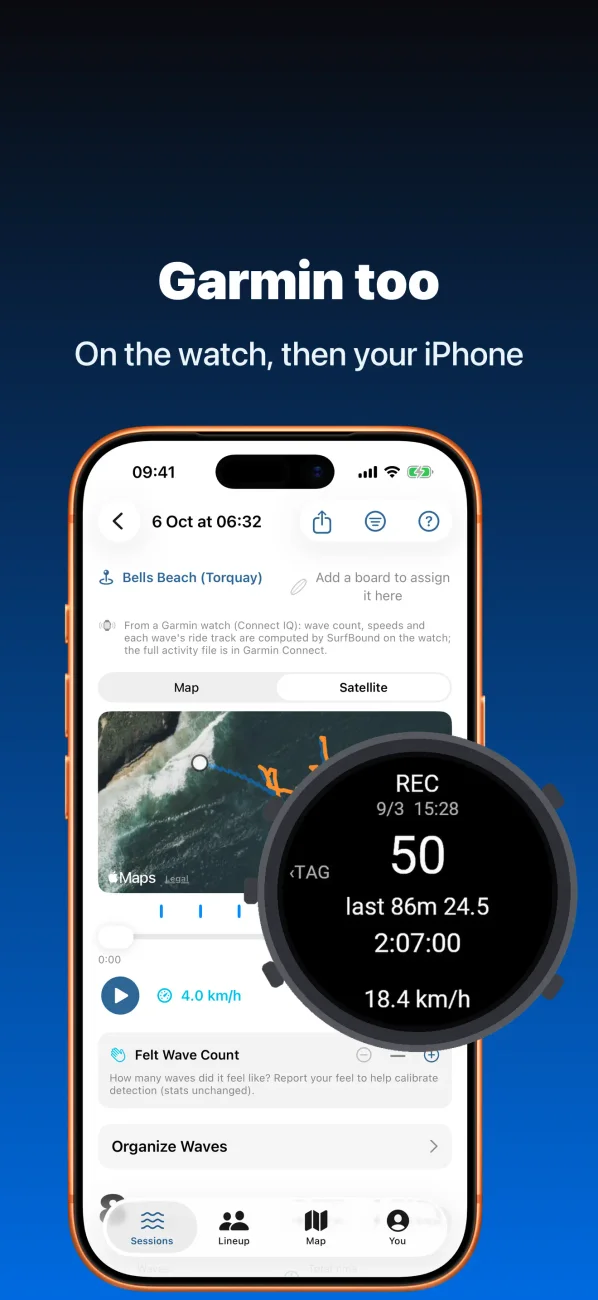
GARMIN WATCHES
- Install SurfBound from the Connect IQ store (free) and press START
- Wave count, speed and the track of every ride are computed on the watch, then travel to your iPhone on their own
- Replay, labelling, journey and levels work exactly as they do with Apple Watch
Requires Apple Watch Series 4 or later (Ultra recommended), watchOS 10+, iOS 18+.
Garmin users need SurfBound on iPhone, the Garmin Connect app, and the SurfBound watch app from the Connect IQ store.
Keep Surfing.
Terms of Use (EULA): https://www.apple.com/legal/internet-services/itunes/dev/stdeula/
What’s new
Version 1.2.2 · Nov 17, 2026
Welcome to Taiwan, come surf with us! The 2026 Taiwan Open of Surfing runs Nov 6–22 at Jinzun, Taitung.
New
- 2026 Taiwan Open of Surfing badge "Taiwan Open 2026": surf any spot in Taiwan during the contest and it's yours, even if you update the app afterwards.
- Watch "Route" page: while recording, turn the Digital Crown to see your recent track, the waves you rode and the coastline.
- Ask the lineup: from a spot's forecast page, ask your surf friends what it's really like there right now. Your question carries the forecast at the time you asked. Only your approved followers can see and answer it. Requires a Lineup sign-in.
- Distance moved: the session page and share card now show how far you moved at sea.
- Tap a spot on the forecast map to open it in the Map tab.
Improved
- On first install, every permission is set up on the last onboarding page, and you won't get surprise prompts later.
Fixed
- Tapping a Lineup notification on the Lock Screen could crash the app.
- On the map, tapping one of two nearby spots could open the other. It now opens the spot closest to your finger, and the map can be panned and zoomed while a spot card is open.
- Opening a shared session could show none of its comments.
Keep Surfing.
App privacy
What OysterX, Inc. declares on the App Store about how this app handles data.
-
Data linked to you
May be collected and linked to your identity.
- Health and fitness
- Purchases
- Location
- Contact info
- Contacts
- User content
- Identifiers
- Diagnostics
- Other data
-
Data not linked to you
May be collected but is not linked to your identity.
- Purchases
- Identifiers
- Usage data
- Diagnostics
Privacy practices may vary, for example with the features you use or your age.
Information
- Seller
- OysterX, Inc.
- Category
- Sports
- Version
- 1.2.2
- Updated
- Nov 17, 2026
- Released
- Aug 5, 2026
- Size
- 28.2 MB
- Requires
- iOS 18.0 or later
- Age rating
- 4+
- In-app purchases
- Yes
- Languages
- Traditional Chinese, Vietnamese, Indonesian, German, Japanese, French, English, Dutch, Portuguese, Spanish, Korean
- Copyright
- © 2026 Willie Ding
You might also like
-
 Rokki: Climbing JournalCommit every attempt easily
-
 Varo: Bouldering & ClimbingTrack climbs
-
 Surf Journal AppLog Your Surf Sessions
-
 Surftrail - Journal & CoachWatch Tracker & Surf Coach
-
 SurfGoose: Surfspots & FriendsForecasts, spots & community
-
 Dawn Patrol - Surf SmarterTrack sessions. Surf smarter.
-
 Surf Log: Surfing TrackerSessions, surfboards, goals
-
 Surf Near MeSurf report: wave & conditions
-
 Surf Watch Scores: SurfBuddyHeat's Waves Live Scoreboard
-
 Flick: Score Every PointScore. Track. Play together.