
Survivor Ink
Ink will never stop you
Designed for iPhone, iPad
Free · In-app purchases
- Age rating4+
- CategoryUtilities
- DeveloperBruno Goncalves
- LanguagesEnglish
- Size1.2 MB
Links to the official App Store page
Download.org hosts no file of Survivor Ink. The button opens its official App Store page, published by Bruno Goncalves. Listing last checked on Nov 18, 2026.
Screenshots

About
Ran out of one ink and the printer will not finish the job?
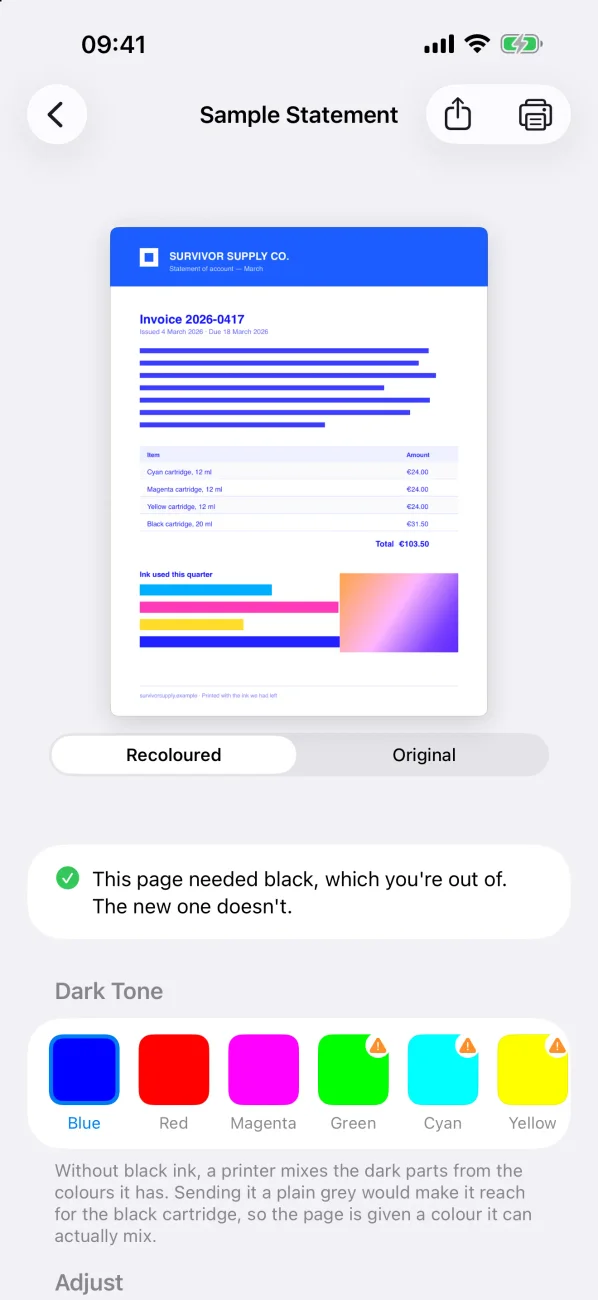
Survivor Ink rewrites the page so it prints with the ink you still have.
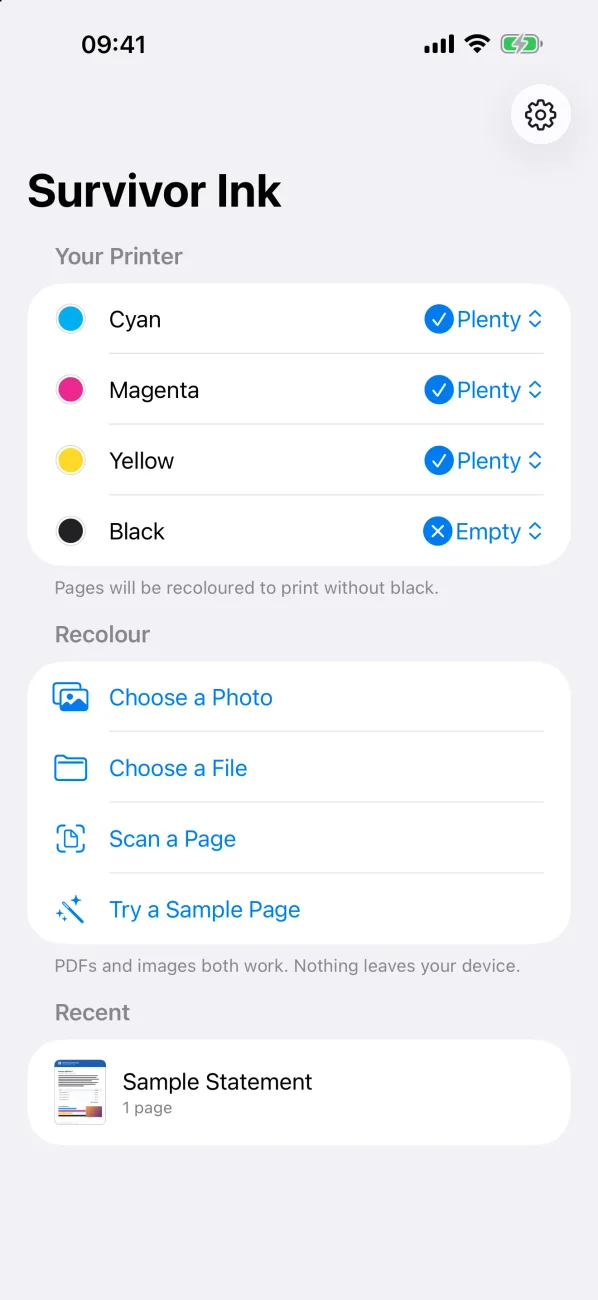
Tell it which cartridges are empty. Every colour on the page is taken apart into the inks it would have needed, the missing ones are removed, and what is left is rebuilt from the inks the printer still holds. Text stays dark enough to read, and colours that never needed the missing cartridge come through unchanged.
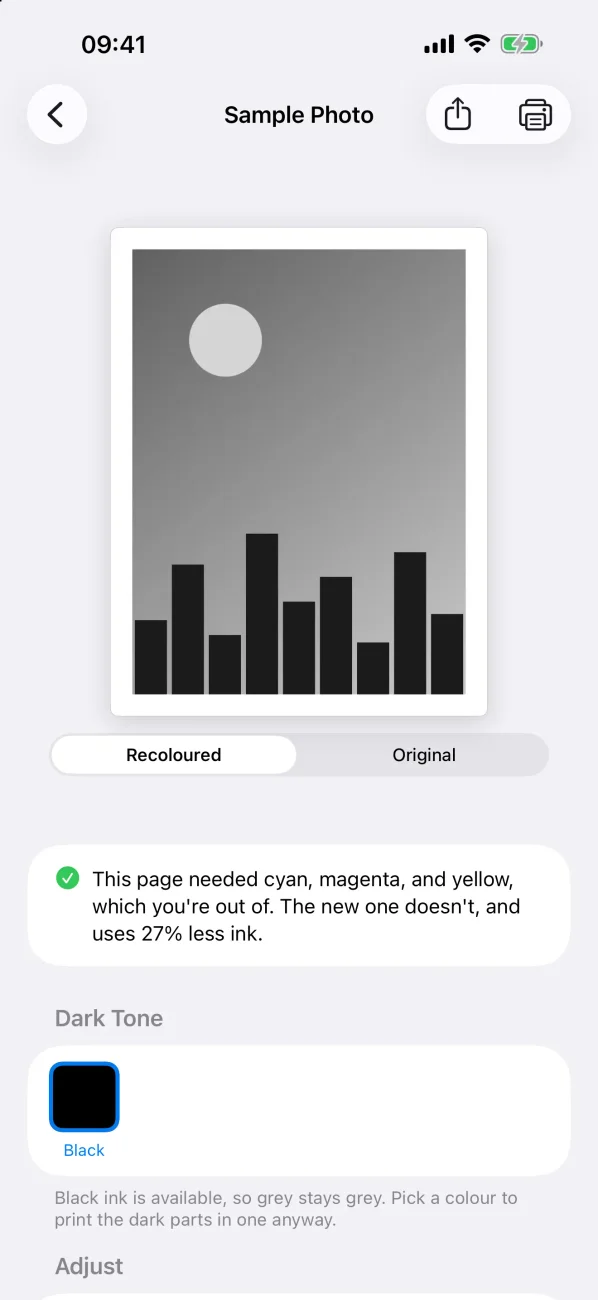
Black is the awkward one. Send a printer a plain grey and it reaches for the black cartridge — the empty one. So when black runs out, the dark parts of the page are given a colour the printer can actually mix, like the deep blue of cyan and magenta together. That is what makes the ink land on the paper.
• Photos, PDFs and pages scanned with the camera
• A live preview, before and after
• See how much of each ink a page needs, and how much the new version saves
• Thin the ink for a draft, or sharpen faint text on a scan
• Print, share or save the finished page
No account, no ads, and nothing is uploaded. Every page is recoloured locally.
What’s new
Version 3.0.0 · Sep 8, 2026
Survivor Ink is rebuilt from the ground up.
• Tell the app which cartridges are empty and every page is recoloured to avoid them
• A new ink engine that rebuilds each colour from the inks you still have, instead of swapping one colour for another
• Live preview with before and after, and an estimate of what a page costs in ink
• Thin the ink for a draft, or sharpen faint text on a scan
• Photos, PDFs and pages scanned with the camera
• A new design throughout, and no more ads-
App privacy
What Bruno Goncalves declares on the App Store about how this app handles data.
-
Data not collected
The developer does not collect any data from this app.
Privacy practices may vary, for example with the features you use or your age.
Information
- Seller
- Bruno Goncalves
- Category
- Utilities
- Version
- 3.0.0
- Updated
- Sep 8, 2026
- Released
- Jun 16, 2021
- Size
- 1.2 MB
- Requires
- iOS 26.0 or later
- Age rating
- 4+
- Price
- Free
- In-app purchases
- Yes
- Languages
- English
- Copyright
- © Bruno Goncalves
You might also like
-
 Swiftcam: Camera streamingUtilities
-
 Pholor - AR Color PickerSample Surfaces Not Pixels
-
 Business Card Generator QRCreate Smart Contact Profiles
-
 FeelworldLiveUtilities
-
 ProKit: Barometer & ToolsAltimeter, Sound, QR & NFC
-
 Universal SpeedometerUtilities
-
 Pricer StoreAppUtilities
-
 Album Utility Mass Delete ToolBatch Image Processing
-
 MintFlow: VPN, Proxy & DNSAd Blocking, Routing & Rewrite
-
 Live News & World Radio FM AMAll newspapers in the world