- Age rating4+
- CategoryUtilities
- DeveloperMagyar Suzuki Reszvenytarsasag
- LanguagesEnglish+ 20 more
- Size134.1 MB
Links to the official App Store page
Download.org hosts no file of SUZUKI CONNECT. The button opens its official App Store page, published by Magyar Suzuki Reszvenytarsasag. Listing last checked on Nov 26, 2026.
Screenshots

About
SUZUKI CONNECT will make your car experience more convenient and reassuring.
◆App Features
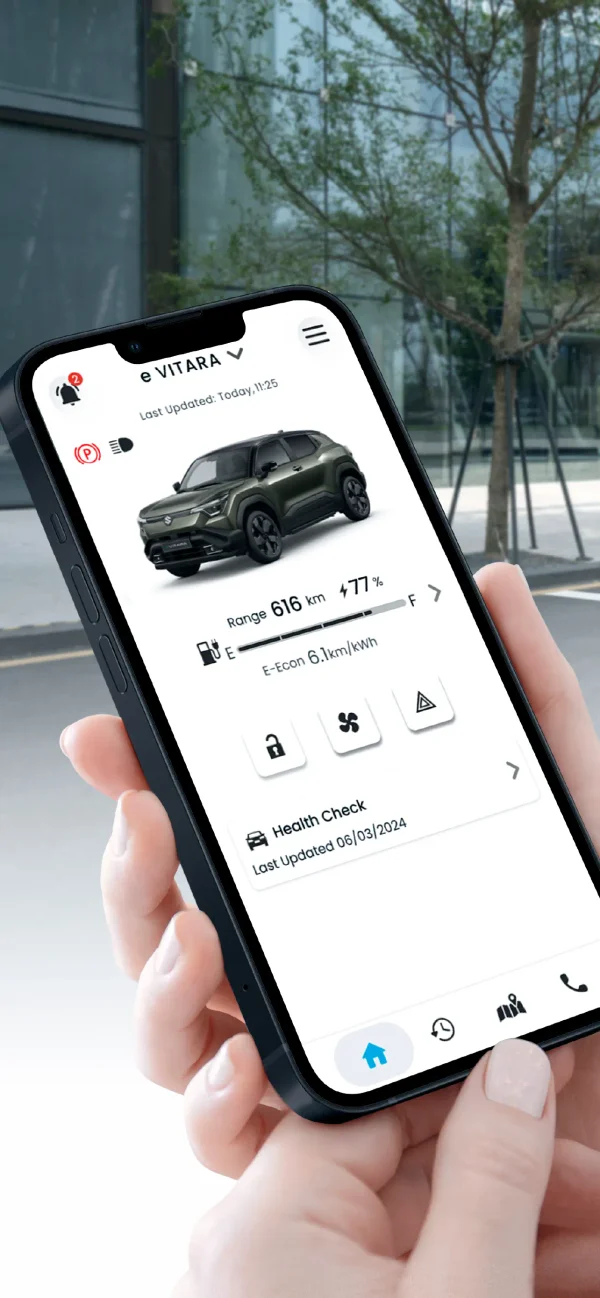
You can check the remaining fuel level and other information at a glance on the home screen, check the parking location of your car from a remote place, and receive notifications based on the status of your car.
◆Functions
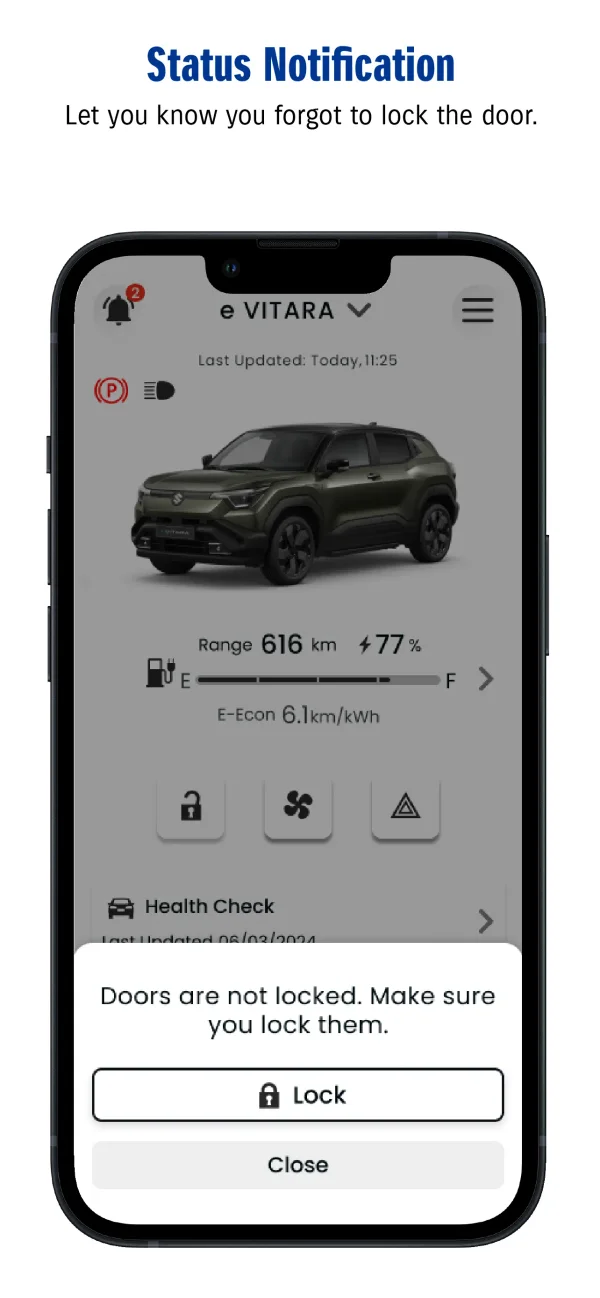
- Status Notification
Status Notifications tell you when you have left the car and gone away without locking the door or have forgotten to turn off the headlamps or hazard lamps.
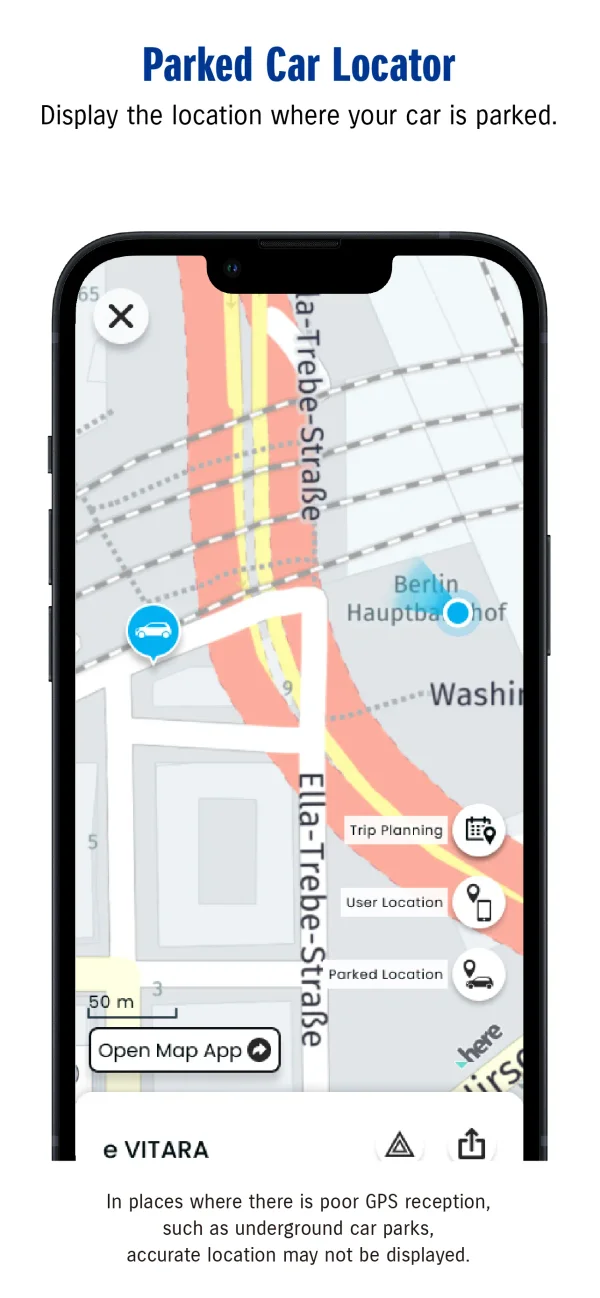
- Parked Car Locator
You do not have to wander around looking for your parked car ever again.
You can easily find and return to your parked car with the app, which shows the location on the map where the engine last stopped.
This is particularly useful in locations with large car parks such as shopping malls or motorway service areas. *1
- Driving History
Checking the daily driving history for the past 18 months. Displays driving information such as departure/arrival point, time, driving time, and distance you travelled. The data can also be exported as a CSV file.
- Warning Light Notification
If a warning light turns on due to an issue with the car, you will receive a notification on your smartphone.
The app will indicate the cause of the issue and advise you of recommended action.
You can then use the app to call a dealer directly or ask for roadside assistance. *2
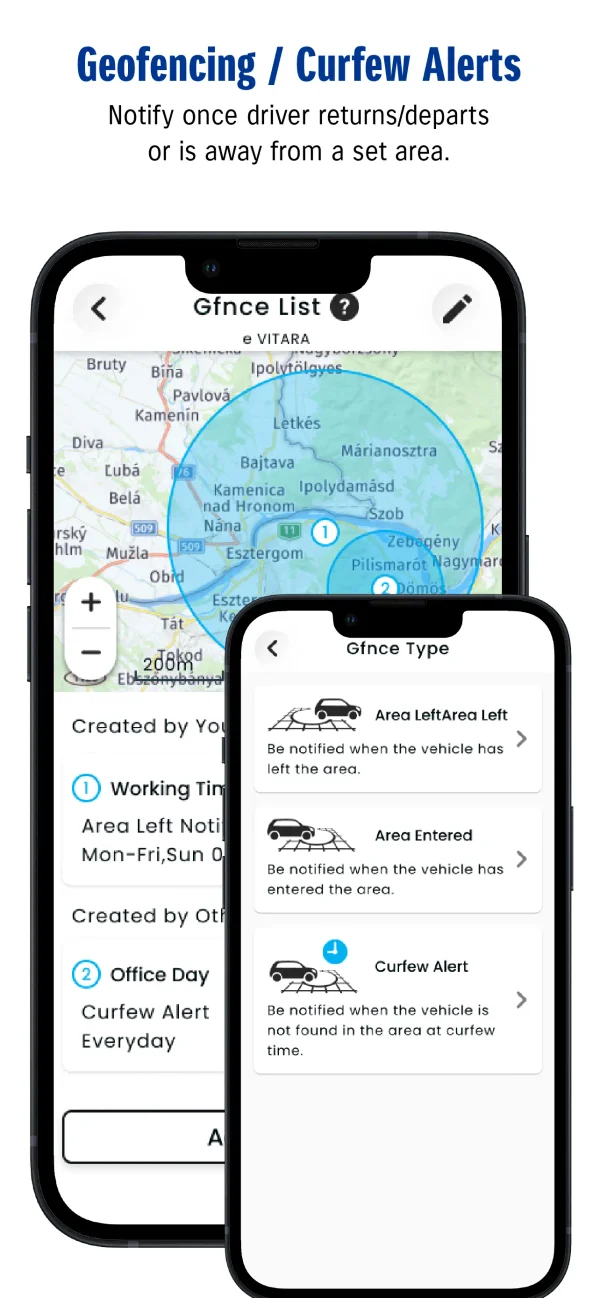
- Geofencing / Curfew Alert
If another driver is using the car, Geofencing notifies you when the car leaves or enters a set area during a set time period.
Curfew Alerts notify you when the car is absent from a set area after a set time.
- Support
You can search for or call a SUZUKI Dealer near you.
- Security Notifications
A Security Notification will appear on your smartphone if the security alarm is activated or if the engine is started while you are not using the car.
- Periodic maintenance/recall notification
To make sure your car’s periodic maintenance is done on time, you will receive a reminder as the deadline is approaching.
Also you will receive a notification if your car becomes subject to a recall or service campaign.
- For EVs Only
*Some functions are not available depending on the vehicle model.
‐Reservation Charging
You can schedule charging start and end times from your smartphone.
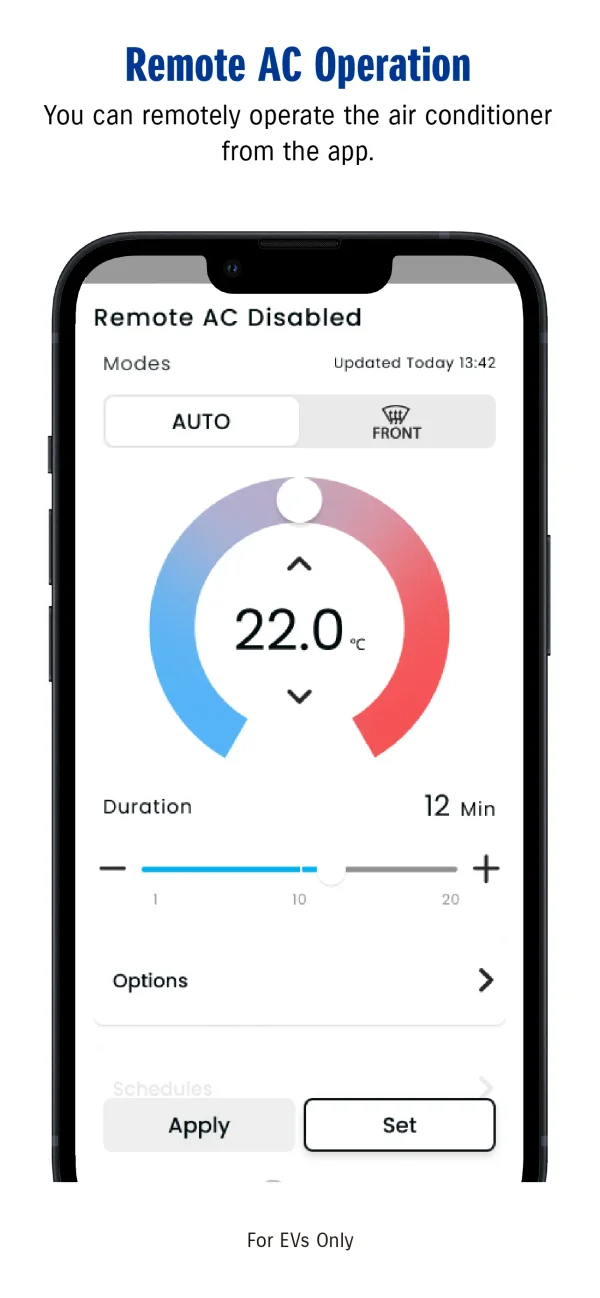
‐ Remote AC operation
You can operate the air conditioner from the app. If you turn on the air conditioner in advance in the app, the interior will reach a comfortable temperature before you depart. You can also demist the front windshield and rear window in winter.
■AC auto on timer
In EVs the e VITARA, in addition to operating the air conditioner, you can set the seat heater and steering heater, and schedule the air conditioner operating time.
■Battery Preconditioning
You can set battery preconditioning and start it together with the remote air conditioner when the battery temperature falls below -15°C.
This will warm the battery and help prevent a reduction in power output.
- Trip planning
You can set your destination in advance in the app and send it to the centre display.
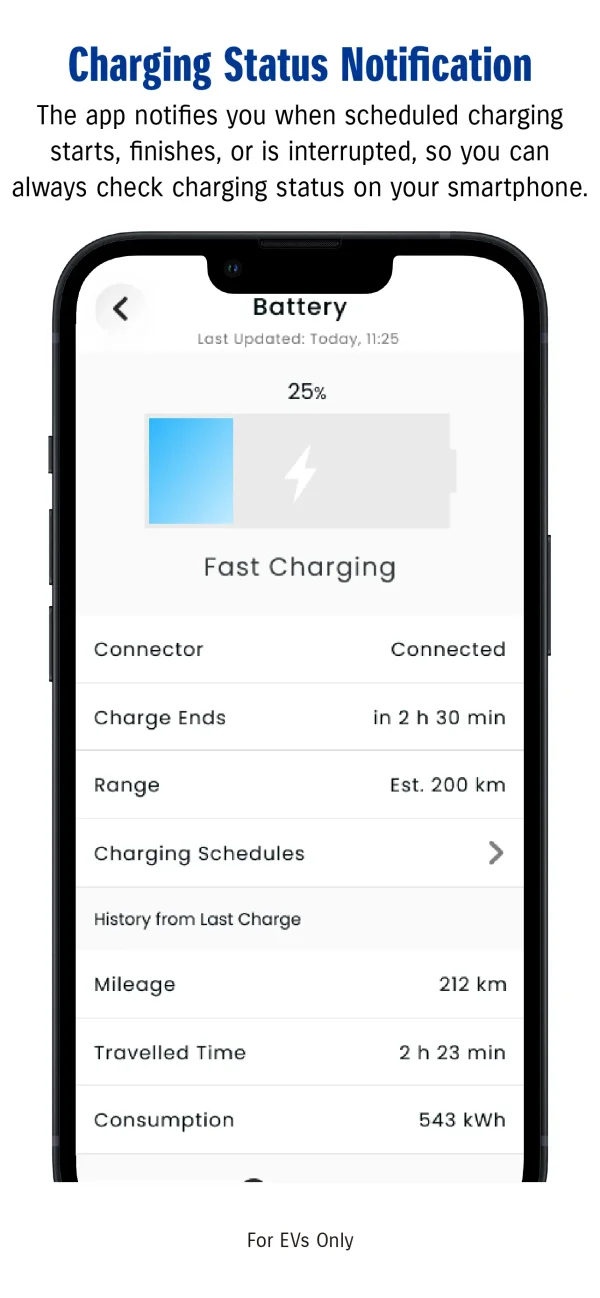
‐ Charging Status Notification
The app notifies you when scheduled charging starts. It also notifies you when charging has finished or has been interrupted, so you can always check charging status on your smartphone.
‐ Wallpaper Customisation
You can send photos saved on your smartphone to the vehicle and set your favourite pictures as the wallpaper for the centre display and the meter display.
◆Compatibility
Operation checks are conducted under specific conditions, and may not operate properly in some models. Please understand this in advance.
*1 Accurate location may not be displayed in places with poor GPS reception, such as underground car parks.
*2 Please do not operate your mobile or look at the screen while you drive a car, as this is extremely dangerous. If you wish to use this service in a car, please stop the car in a safe place before operating.
What’s new
Version 1.0.45 · Nov 26, 2026
◆Updates
・You can now access SUZUKI connect Support Site directly from the app.
The URL is available in the menu bar. If you are looking for how to use the app, please visit SUZUKI connect Support Site.
・Other some updates to fix issues and improve performance
App privacy
What Magyar Suzuki Reszvenytarsasag declares on the App Store about how this app handles data.
-
Data linked to you
May be collected and linked to your identity.
- Contact info
-
Data not linked to you
May be collected but is not linked to your identity.
- Location
- Identifiers
- Usage data
- Diagnostics
Privacy practices may vary, for example with the features you use or your age.
Information
- Seller
- Magyar Suzuki Zartkoruen Mukodo Reszvenytarsasag
- Category
- Utilities
- Version
- 1.0.45
- Updated
- Nov 26, 2026
- Released
- Aug 11, 2022
- Size
- 134.1 MB
- Requires
- iOS 16.0 or later
- Age rating
- 4+
- In-app purchases
- Yes
- Languages
- English, Arabic, Croatian, Czech, Danish, Dutch, Finnish, French, German, Greek, Hebrew, Hungarian + 9 more
- Copyright
- © Suzuki Motor Corporation