
SWeb - Screenshot Web Browser
Screenshots keep your spot
Designed for iPhone, iPad, iPod touch
Free
- Age rating17+
- CategoryUtilities
- DeveloperJongHyun Lee
- LanguagesEnglish+ 15 more
- Size16.8 MB
Links to the official App Store page
Download.org hosts no file of SWeb - Screenshot Web Browser. The button opens its official App Store page, published by JongHyun Lee. Listing last checked on Nov 17, 2026.
Screenshots
About
SWeb is a web browser whose screenshots remember where you were on the page.
■ Screenshots that remember the spot
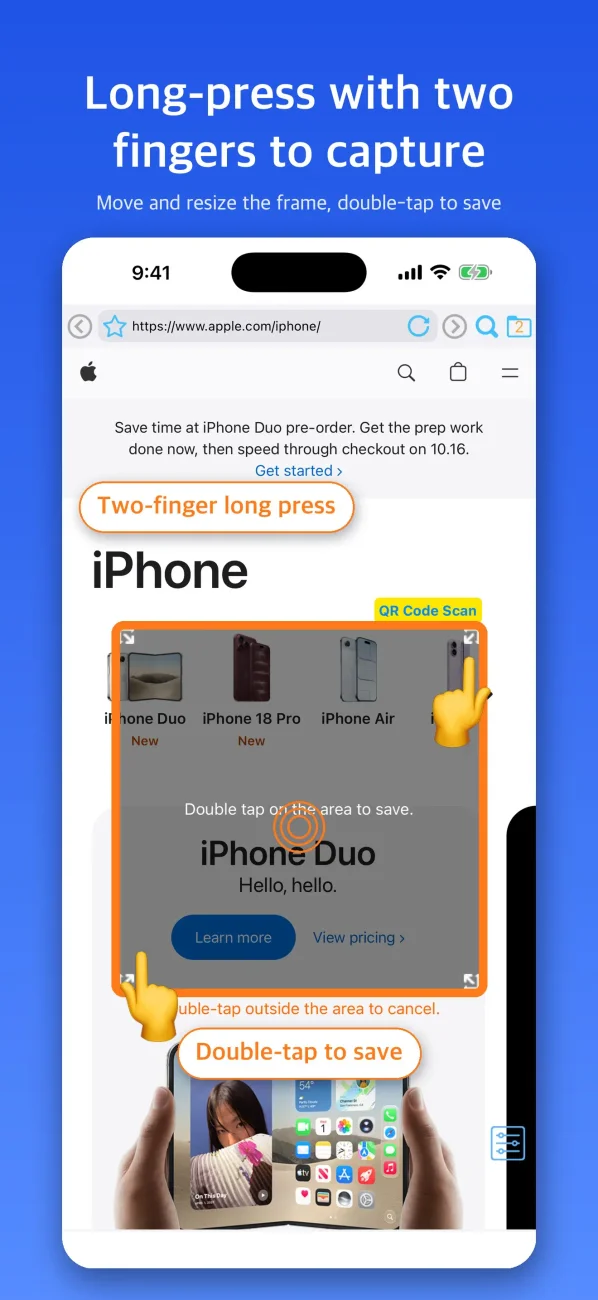
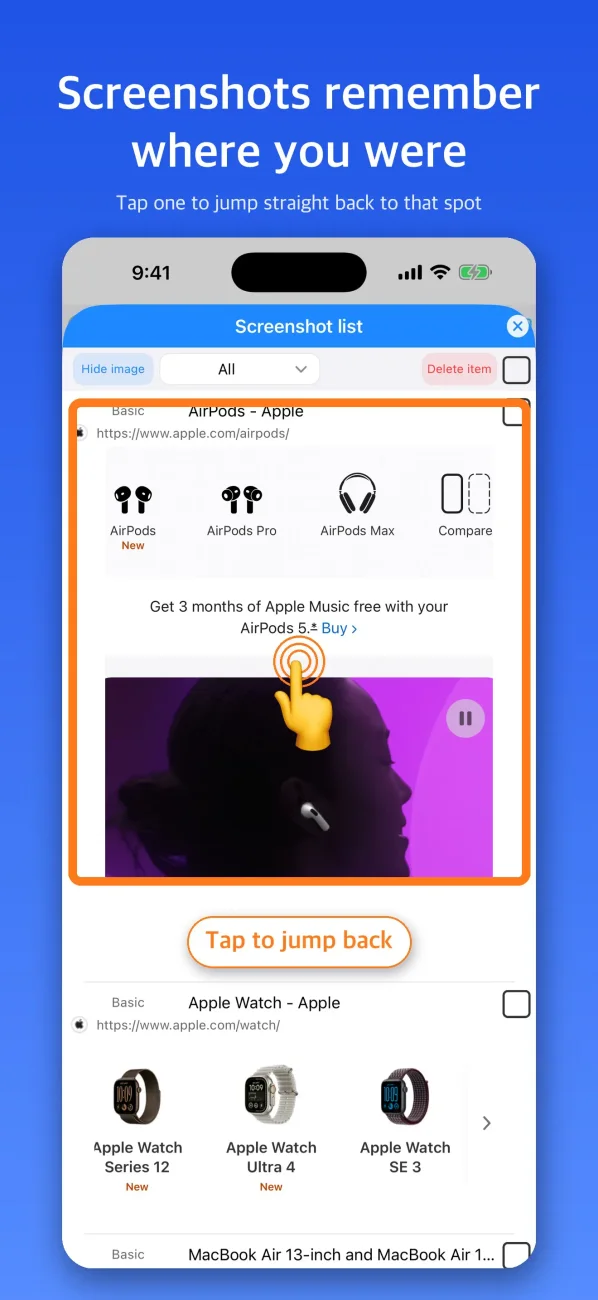
Long-press the screen with two fingers to bring up a capture frame. Move it, resize it from the corners, and double-tap inside to save. Tap a saved screenshot later and SWeb opens the page and scrolls right back to that spot. You can also save it to your photo library.
■ Share a link, they see the same spot
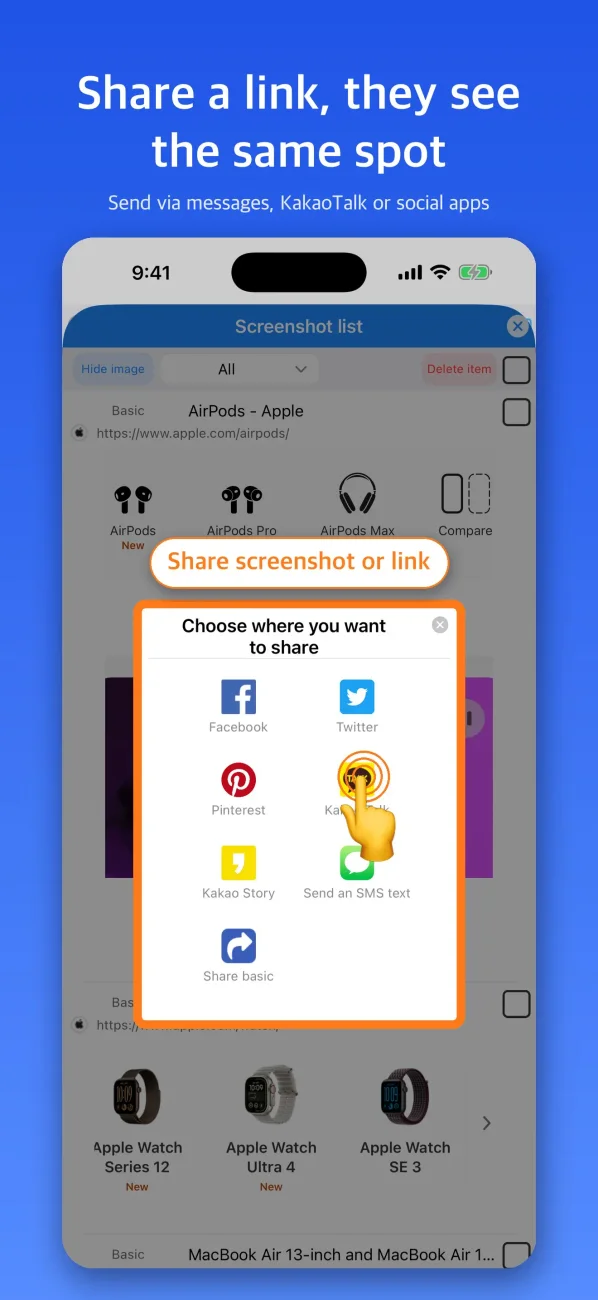
Send the screenshot and link through Messages, KakaoTalk or social apps. When the other person opens the link in SWeb, the same page opens at the same position.
■ All your windows at a glance
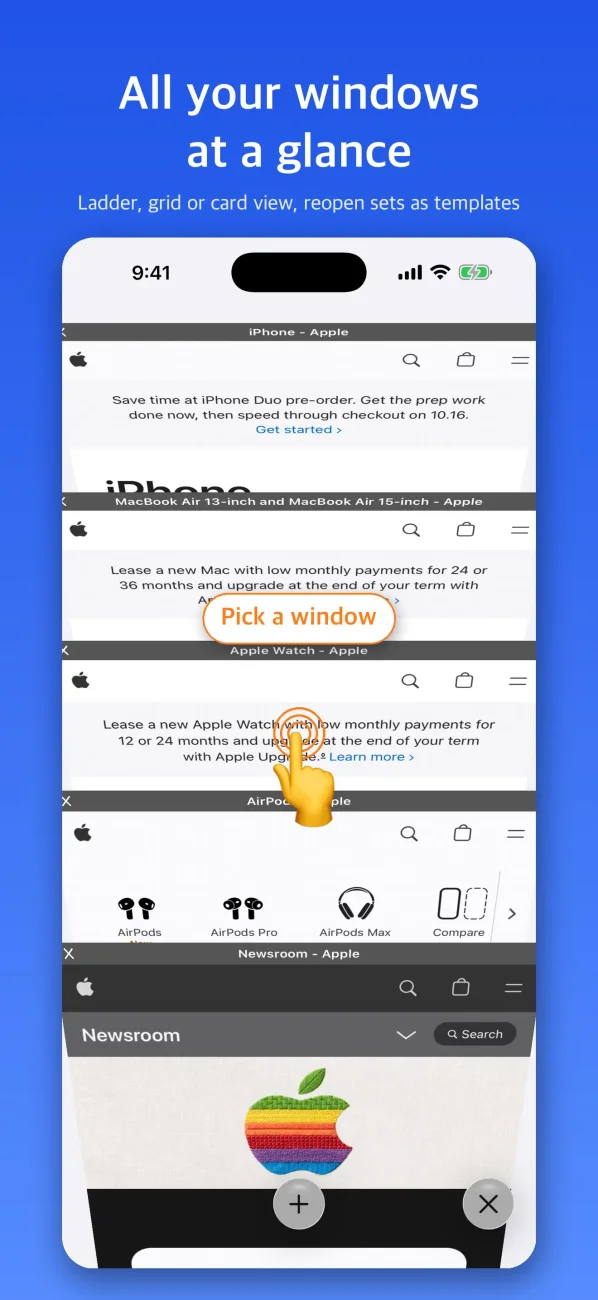
Keep several pages open as windows and flip through them in ladder, grid or card view. Save the windows you open together every day as a template and reopen them all in one tap.
■ Fast with one finger
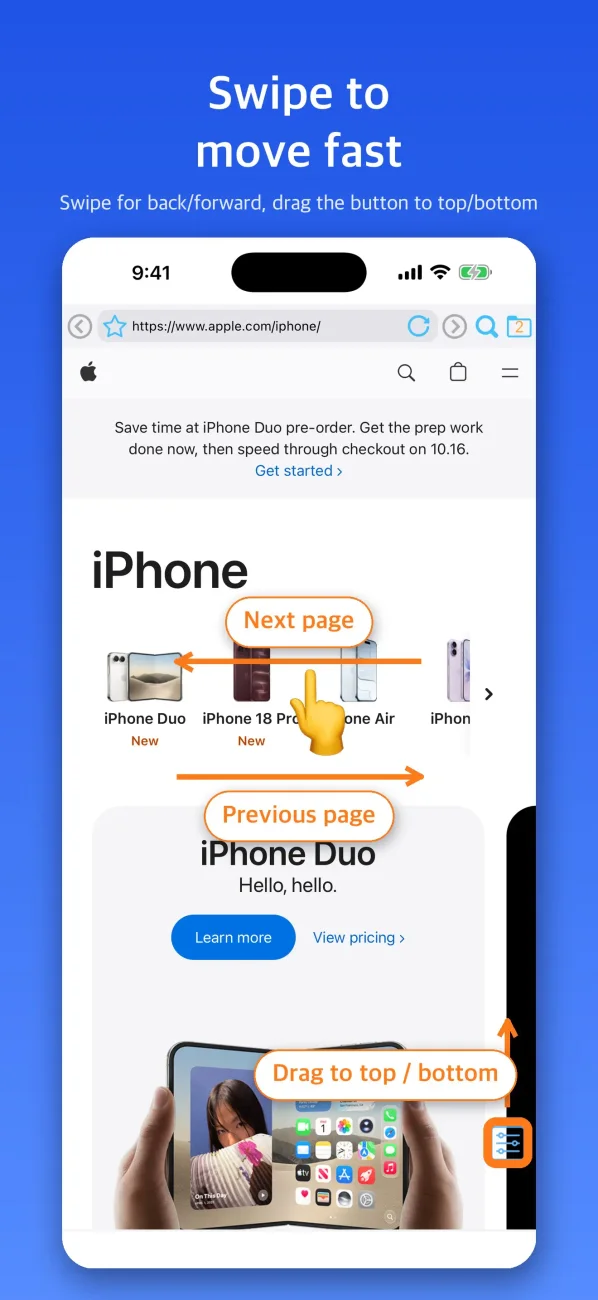
• Swipe left or right with one finger for the previous / next page
• Swipe with two fingers for the previous / next window
• Pull down from the top of the page to refresh
• Drag the floating menu button up or down to jump to the top or bottom
• Shake the device to hide or show the menu button
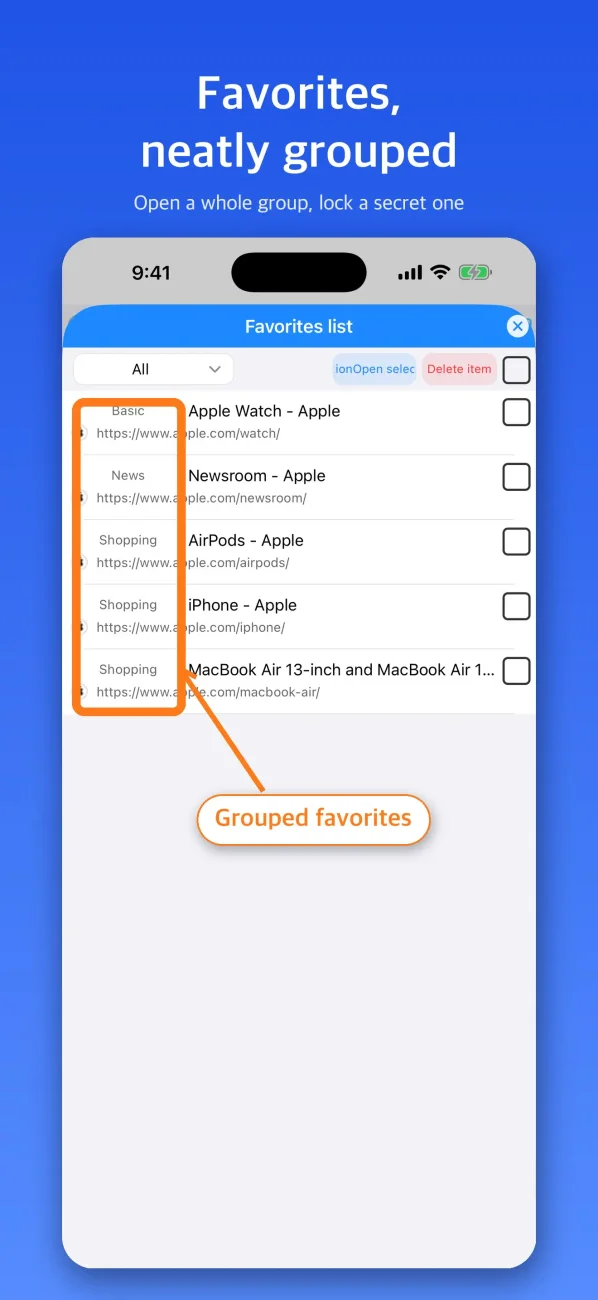
■ Favorites in groups
Organize favorites into groups and open a whole group at once. Keep the ones you'd rather not show in a password-protected secret group.
■ Remembers what you typed
Save what you entered in a form you use often, and SWeb fills it in again when you open the same page.
■ And more
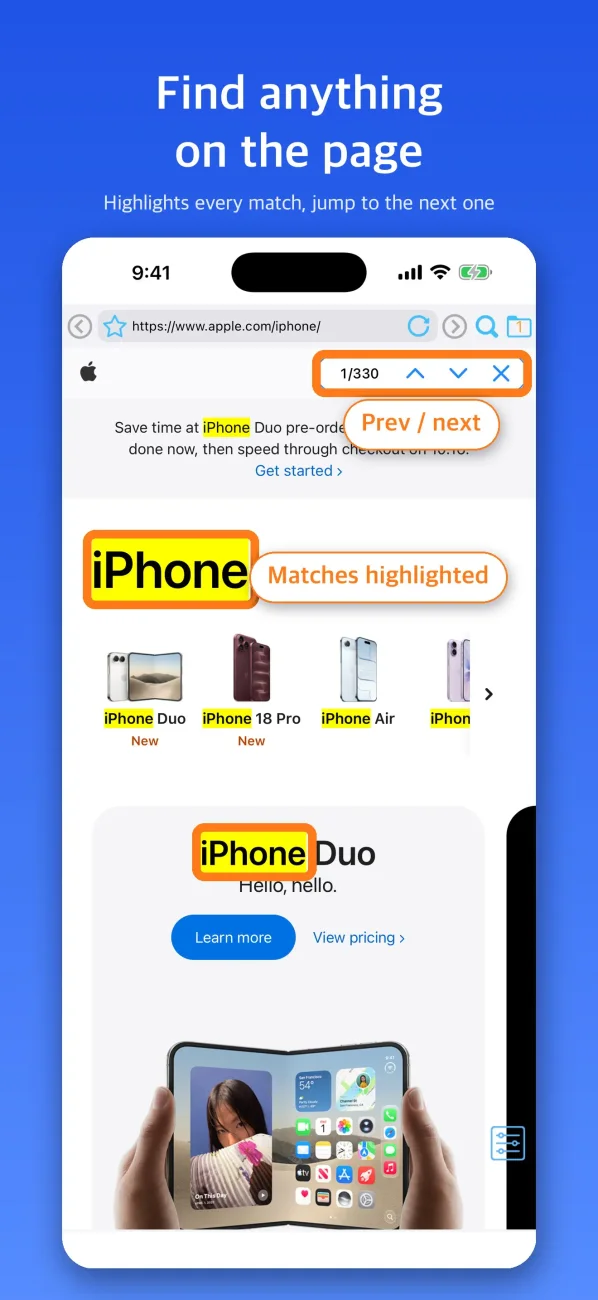
• Find text on the page (matches highlighted, jump to previous / next)
• Scan a QR code to open it right away
• Switch between desktop and mobile pages, view the HTML
• History, app lock (Face ID, Touch ID or passcode)
• Back up favorites, screenshots and settings into a single file and restore them on another device
• 16 languages
■ Privacy
No sign-up. Your history, favorites and screenshots stay on your device.
SWeb is free and supported by ads.
What’s new
Version 1.0.13 · Oct 24, 2026
• Fixed an issue where some screens were not displayed correctly.
• Improved stability.
App privacy
What JongHyun Lee declares on the App Store about how this app handles data.
-
Data used to track you
May be used to track you across apps and websites owned by other companies.
- Identifiers
- Usage data
-
Data not linked to you
May be collected but is not linked to your identity.
- Location
- Identifiers
- Usage data
Privacy practices may vary, for example with the features you use or your age.
Information
- Seller
- JongHyun Lee
- Category
- Utilities
- Version
- 1.0.13
- Updated
- Oct 24, 2026
- Released
- Nov 16, 2018
- Size
- 16.8 MB
- Requires
- iOS 15.0 or later
- Age rating
- 17+
- Price
- Free
- Languages
- English, French, German, Indonesian, Italian, Japanese, Korean, Portuguese, Russian, Simplified Chinese, Spanish, Swedish + 4 more
- Copyright
- © 2026 4lovingyou co.
You might also like
-
 DogskLightweight Web Browser
-
 Modex - Build Your Own BrowserCustomize Any Website with AI
-
 NaviWave BrowserSwift, Secure Web Browsing
-
 ShunnckLa web abierta al mundo.
-
 Avodek: Private Browser + AIBlock Ads, Trackers & Scams
-
 Yoloo Xa simple mobile browser
-
 CaravelUtilities
-
 WS Browser LtdQuick Start, Easy Browsing
-
 BrowsAI-Agent Web BrowserA mobile alternative to Manus
-
 FJS Security BrowserFJS Security Browser