Swift Eyes
AI-Powered Visual Descriptions
Designed for iPhone, iPad
Free · In-app purchases
- Age rating4+
- CategoryUtilities
- DeveloperTOMOMIRAI
- LanguagesEnglish+ 2 more
- Size298.6 MB
Links to the official App Store page
Download.org hosts no file of Swift Eyes. The button opens its official App Store page, published by TOMOMIRAI. Listing last checked on Nov 22, 2026.
Screenshots
About
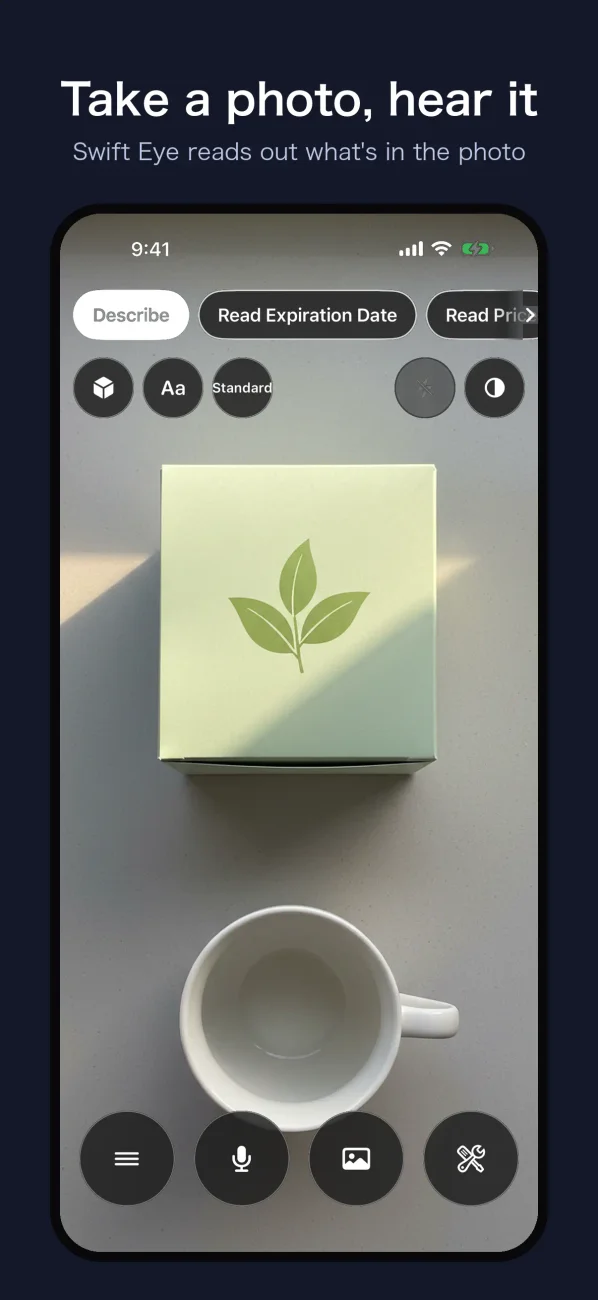
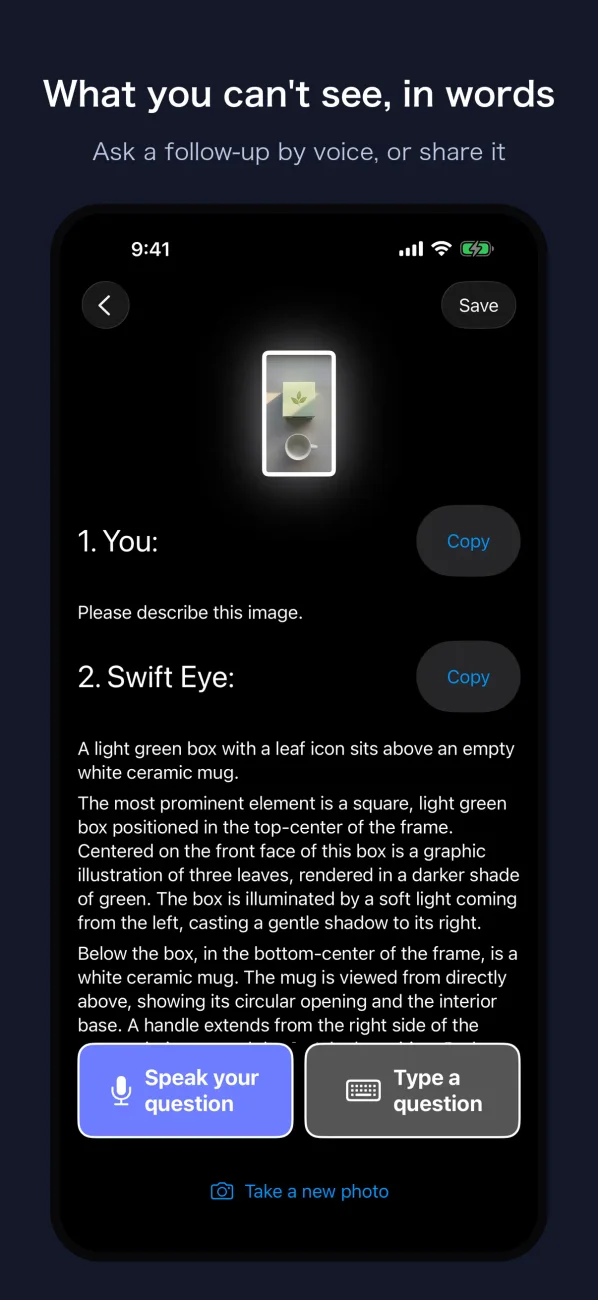
Swift Eye is an AI-powered image recognition app designed to support people with visual impairments. It analyzes images taken with the camera or shared from apps like Photos, and provides a text description of the content. Because it is optimized for the VoiceOver screen reader, it automatically reads the text aloud once the analysis is completed.
Caution: This app provides AI recognition results for reference purposes only and is not intended to replace measures for ensuring personal safety while moving around or to substitute for medical practices. For more details, please refer to the Terms of Use displayed when you launch the app.
What’s new
Version 3.4.0 · Nov 17, 2026
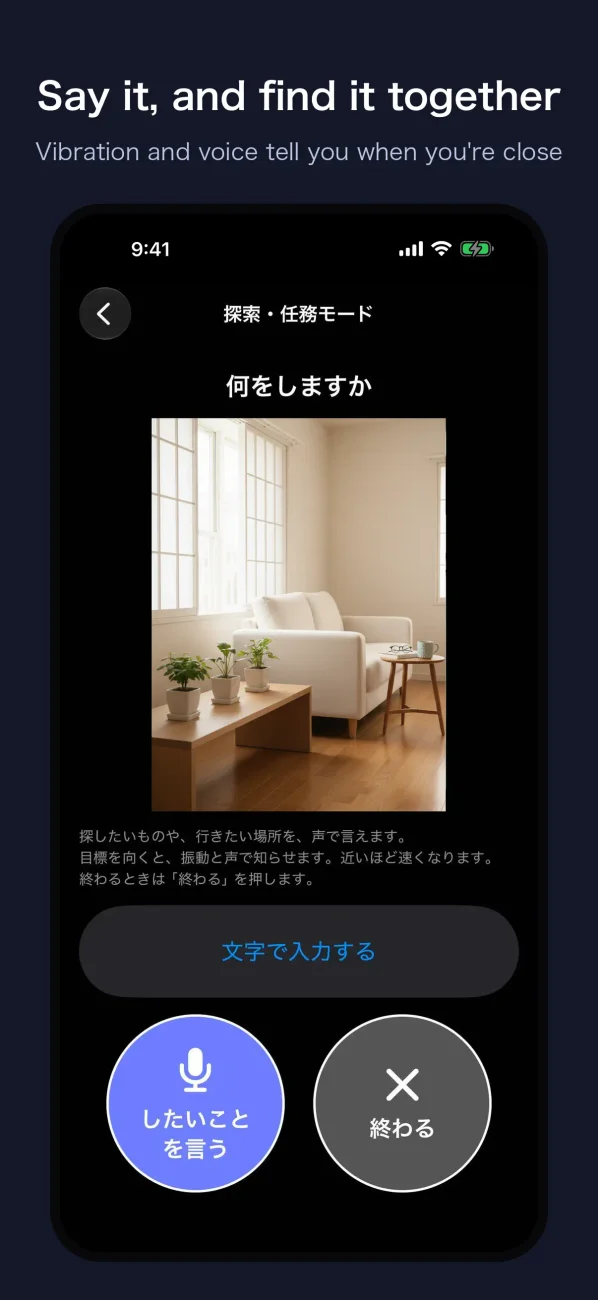
■ Find things (Search / Mission mode)
Just say what you're looking for, or where you want to go, and Swift Eye helps until you find it. Say "find the water bottle": while it's in view, vibration tells you how close you are, and when it leaves the view, a voice tells you "right" or "left."
■ “What’s This” memos
Add your own notes to your own things. Say "remember this," and the next time you take a photo of it, Swift Eye reads your note.
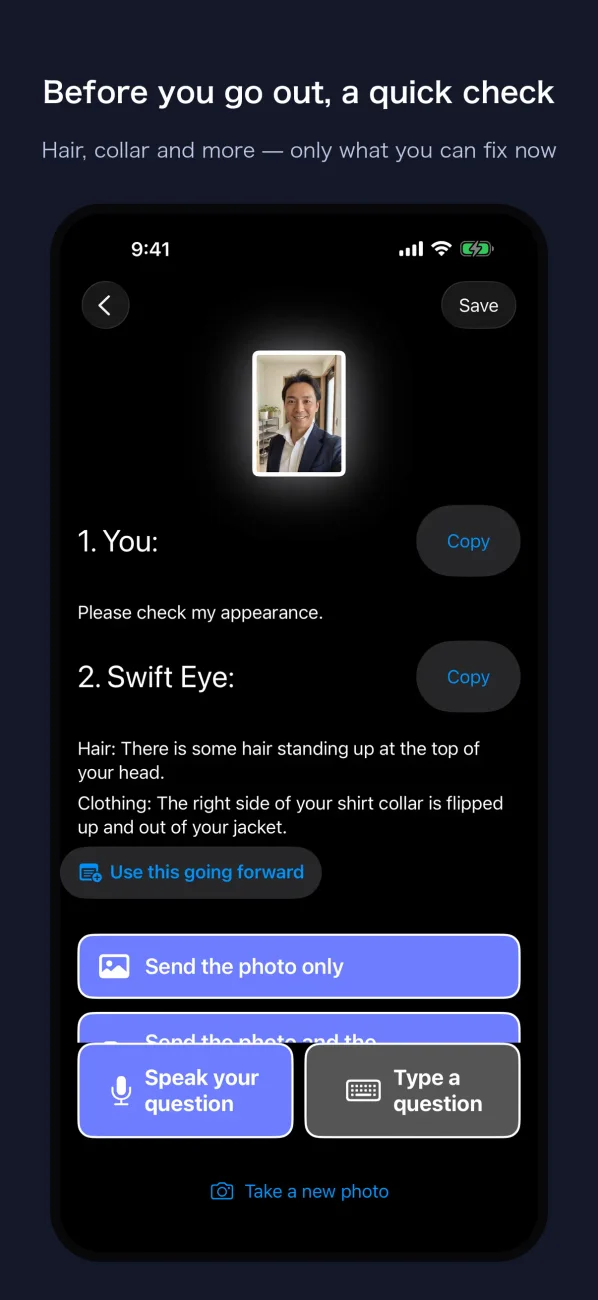
■ Grooming Check
Before you go out, hear only what you can fix right now — bed hair, a crooked collar, and more.
■ Expiry dates
Swift Eye remembers the expiry dates it reads and tells you when you ask. Say "tell me when the date is close," and you'll get a notification.
■ Reads before you shoot
Short text such as door numbers and signs is read aloud before you take the photo. Swift Eye also tells you when a document is upside down.
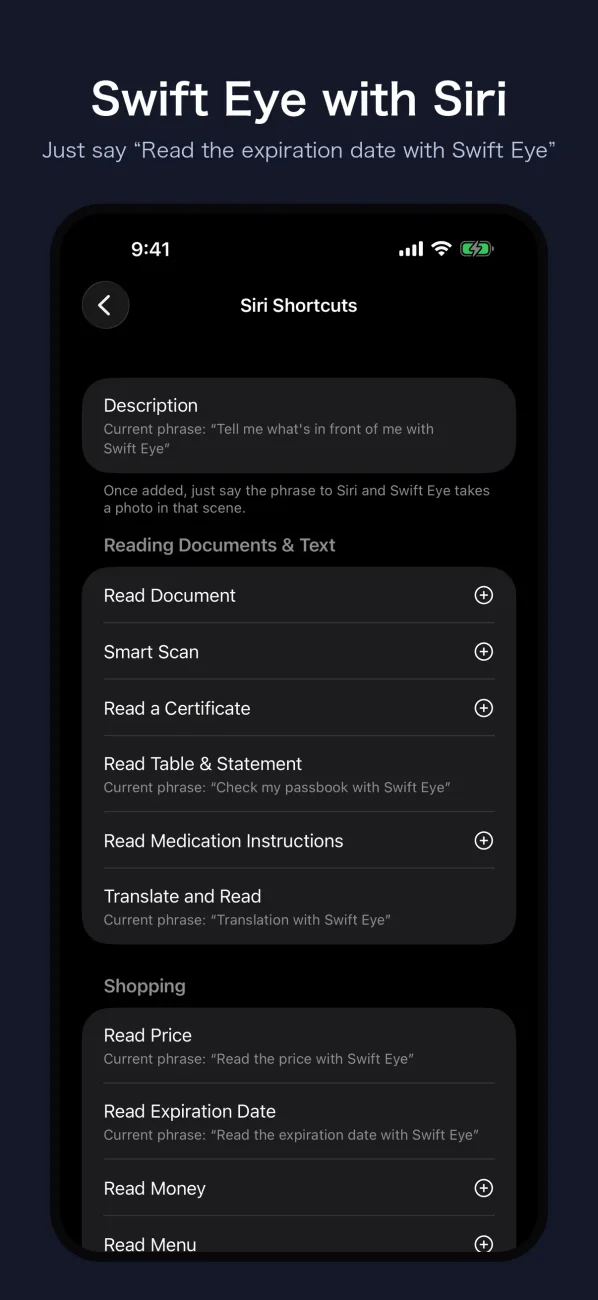
■ Siri Shortcuts
Without opening the app, just say "Read the expiration date with Swift Eye," "Read the price with Swift Eye," or "Tell me what's in front of me with Swift Eye," and Swift Eye takes a photo and reads it aloud. You can also add your own phrases for passbooks, documents, your custom scenes and more under "Siri Shortcuts" in the menu.
■ Use the app by voice
Say "open history" or "read the expiry date," and Swift Eye goes straight to that screen.
■ Reads aloud without VoiceOver
Even when VoiceOver is off, Swift Eye reads the results aloud in its own voice.
■ Share results as they are
Send an analyzed photo with its description as text, or as a video that reads the description aloud.
■ Walk and Hazards (beta)
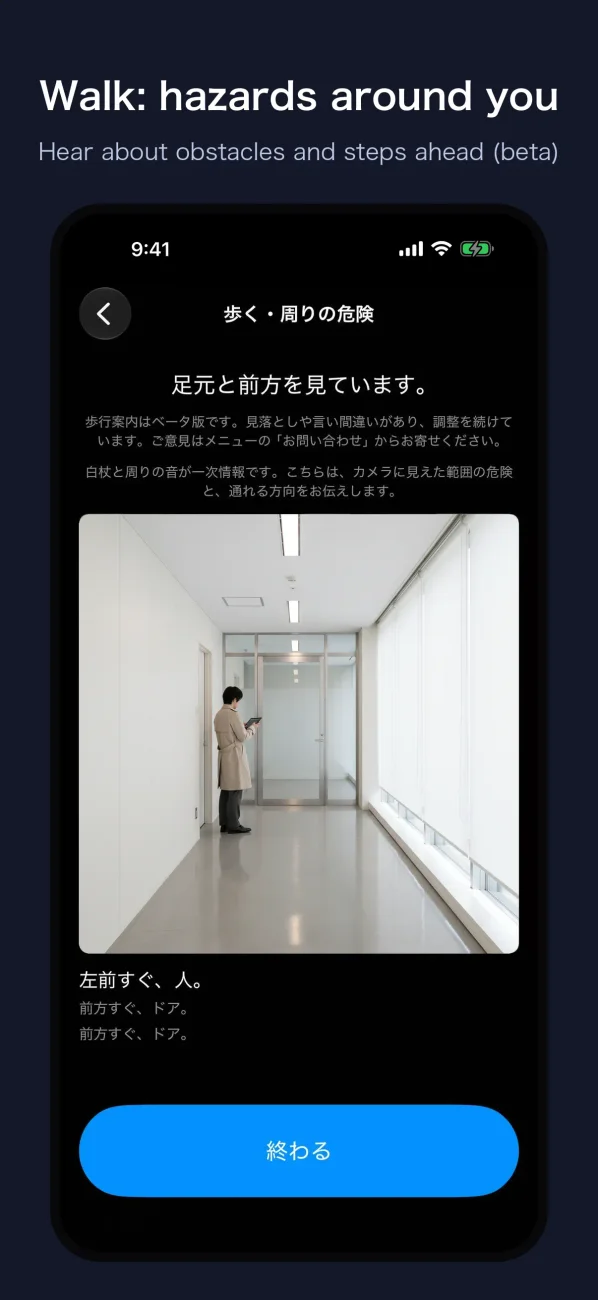
As you walk, Swift Eye tells you about obstacles, steps, traffic lights and more ahead. It is still in beta and can miss things or get them wrong. It does not replace a white cane or a guide dog — please use it alongside the way you usually walk. We'd love to hear how it works for you: please send feedback from "Contact us" in the app.
App privacy
What TOMOMIRAI declares on the App Store about how this app handles data.
-
Data not linked to you
May be collected but is not linked to your identity.
- Diagnostics
Privacy practices may vary, for example with the features you use or your age.
Information
- Seller
- TOMOMIRAI K.K.
- Category
- Utilities
- Version
- 3.4.0
- Updated
- Nov 17, 2026
- Released
- Mar 10, 2025
- Size
- 298.6 MB
- Requires
- iOS 18.0 or later
- Age rating
- 4+
- Price
- Free
- In-app purchases
- Yes
- Languages
- English, Japanese, Simplified Chinese
- Copyright
- © Tomomirai Co.,Ltd.
You might also like
-
 Clarity: Vision AccessibilityIntuitive Vision Tools For All
-
 Be Your EyesHandy Tools for The Blind
-
 AI Guide DogAI for Blind
-
 EyeFrontReal-time Object Detection
-
 VisionAI: visual assistanceDescribe your world
-
 Jyoti AI - Assistant for BlindUtilities
-
 VoiceVision: Helping the BlindInstant photo-to-audio
-
 HelpUSee – Help You SeeHelp for blind & low vision
-
 Smart Eyes ProUtilities
-
 EyeGuide VisionLiDAR navigation for the Blind