
- Age rating4+
- CategoryUtilities
- DeveloperMarco Molinari
- LanguagesEnglish
- Size39.4 MB
Links to the official App Store page
Download.org hosts no file of SwipeSpark. The button opens its official App Store page, published by Marco Molinari. Listing last checked on Nov 20, 2026.
Screenshots


About
Take back control of your photo library one swipe at a time.
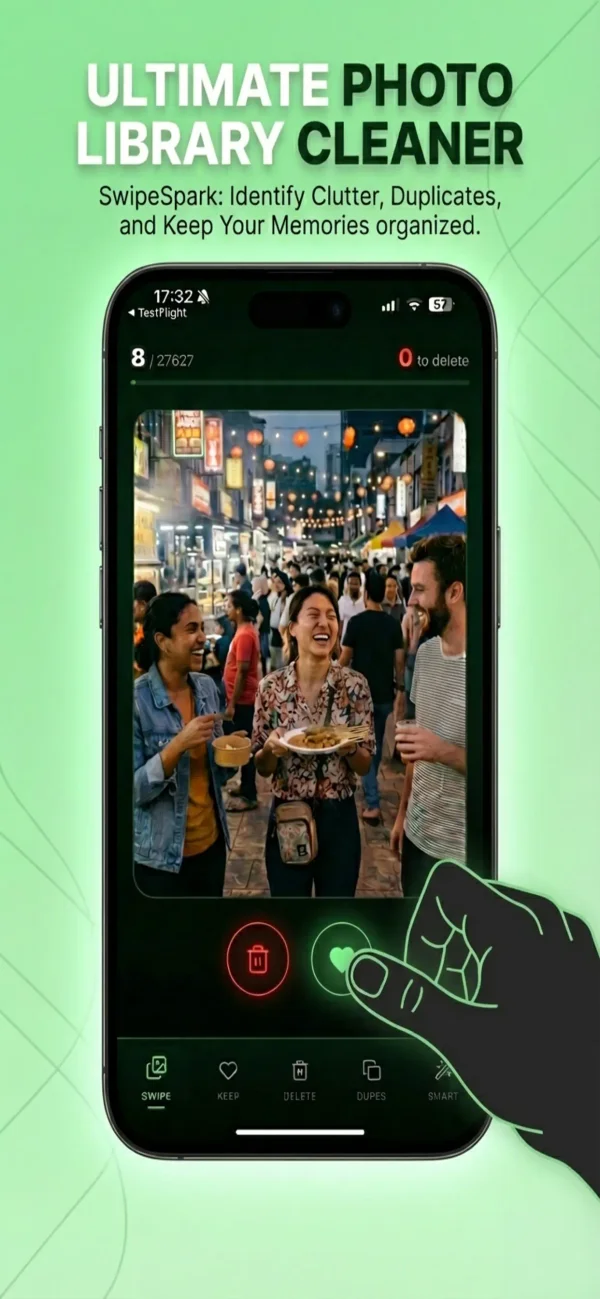
SwipeSpark is the fastest, most intuitive way to clean up your iPhone and iPad photos. No complicated menus, no tedious scrolling through thousands of images. Just swipe right to keep, swipe left to
delete.
SWIPE TO DECIDE
Review your photos one by one with a simple, satisfying swipe gesture. Right to keep, left to mark for deletion. Undo anytime — nothing is deleted until you confirm. Haptic feedback makes every decision
feel great.
SMART CLEAN WITH AI
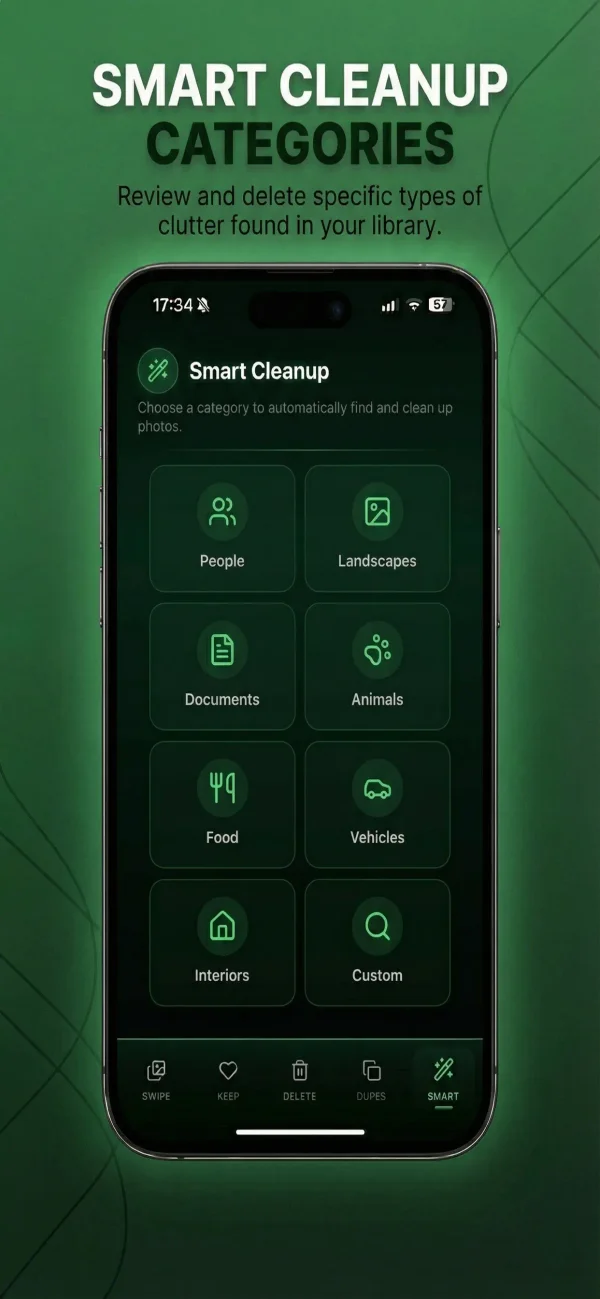
Let SwipeSpark's built-in AI classify your photos into smart categories: People, Landscapes, Documents, Animals, Food, Vehicles, Interiors, and more. Pick a category, scan your library, and quickly review
only the photos that match. You can even enter a custom search query to find exactly what you're looking for.
DUPLICATE DETECTION
SwipeSpark automatically detects duplicate and near-identical photos in your library. Review grouped duplicates side by side and remove the extras in one tap to instantly free up storage.
TRACK YOUR PROGRESS
See real-time stats on how many photos you've reviewed, how many you're keeping, and how much storage space you'll free up — all at a glance from the home screen.
REVIEW BEFORE YOU DELETE
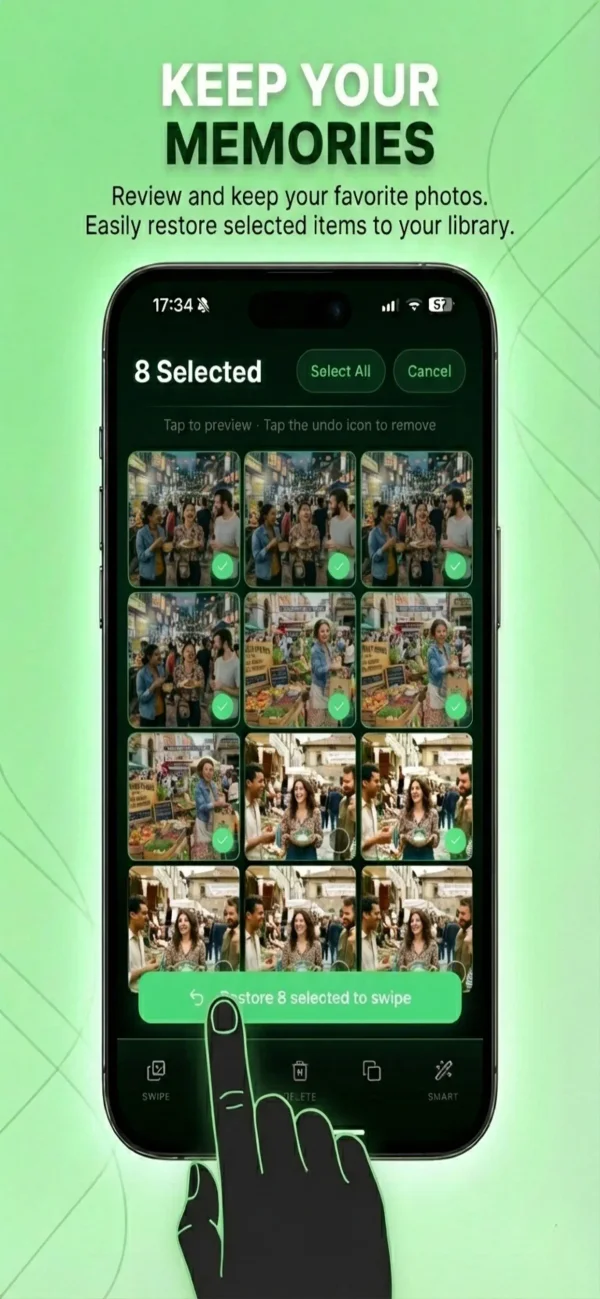
Changed your mind? Browse your "Kept" and "To Delete" lists anytime. Tap any photo for a full-screen preview. Move photos between lists before committing. You're always in control.
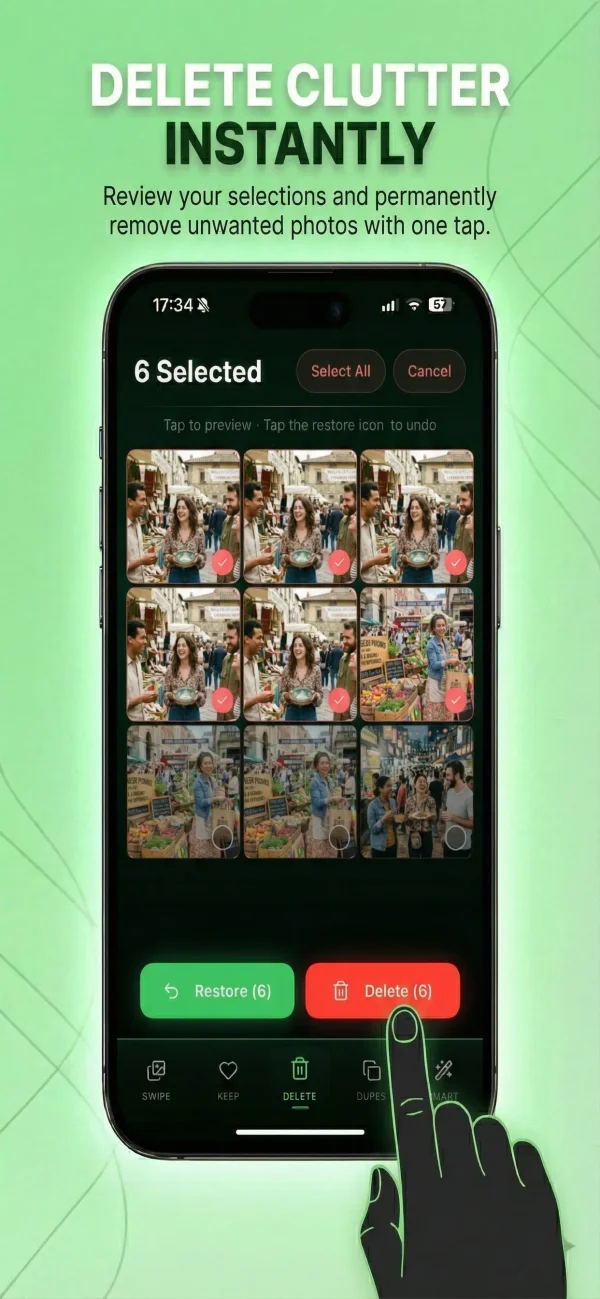
BATCH DELETE
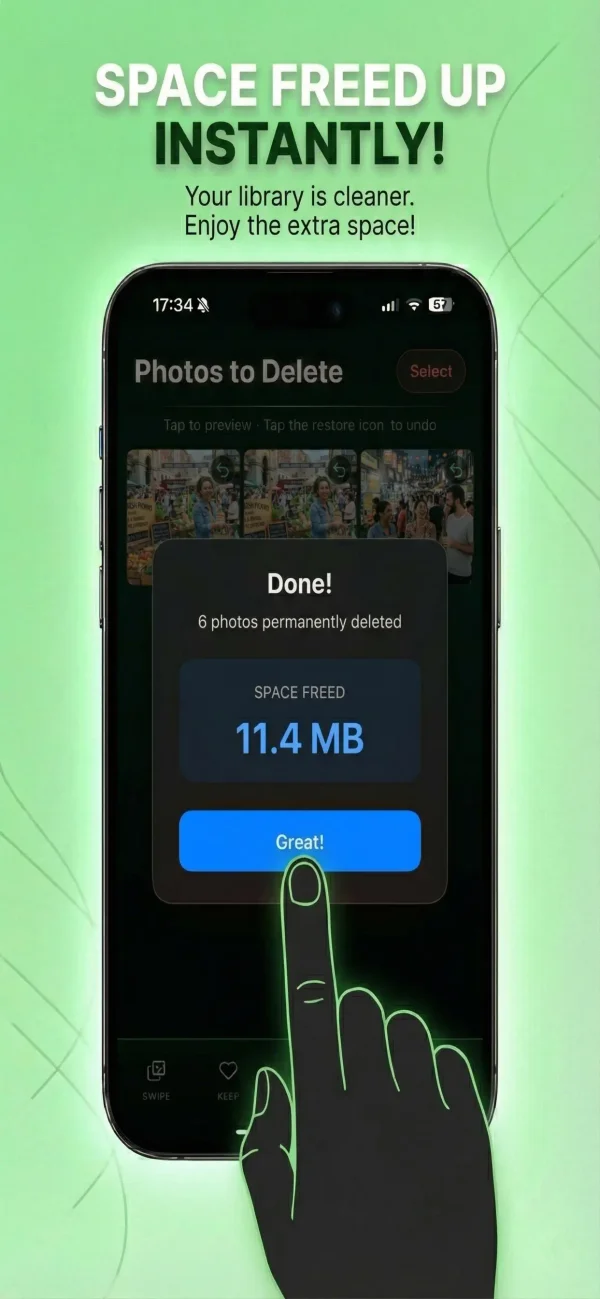
When you're ready, delete all marked photos at once. SwipeSpark shows you exactly how much space you freed up with a satisfying summary.
DESIGNED FOR YOUR EYES
A sleek, dark-themed interface with smooth animations and a modern design that makes photo cleanup feel effortless.
KEY FEATURES
- Swipe-based photo review
- AI-powered Smart Clean by category
- Custom search queries
- Duplicate and near-duplicate detection
- Full-screen photo preview
- Undo and restore support
- Real-time storage stats
- Batch deletion with confirmation
- Dark mode interface
- Works on iPhone
Stop hoarding blurry screenshots and duplicate selfies. Download SwipeSpark and make room for what matters.
What’s new
Version 1.1.1 · Apr 2, 2026
Smart Clean (AI-Powered)
- New AI-powered scan engine that automatically finds photos by category: People, Landscapes, Documents, Animals, Food, Vehicles, Interiors, and a free-form Custom search
- Scan now runs in the background — navigate freely while it works
- Stop button to cancel a running scan at any time
- Scan completion notification: iOS now delivers a system notification when the scan finishes, even if you've switched to another screen
- Significantly faster scanning: classification results are cached so previously analyzed photos are skipped on subsequent scans; fetch and classify now run in a pipeline; the iOS image decoder now uses
fast-format thumbnails instead of waiting for full-resolution or iCloud downloads
Duplicates
- New Duplicates tool that finds exact pixel-level copies in your library
- Manual re-scan option to refresh results
- Auto-select copies to quickly clean up groups
Achievements & Profile
- New Profile tab with an achievement system: unlock badges as you delete photos, free up storage, find duplicates, and use Smart Clean
- Animated toast notifications when a new achievement is unlocked
- Lifetime stats: total photos deleted and total space freed since install
Storage Info
- Deletion success modal now shows exactly how much space was freed and your current device storage status
Photo Preview
- Tap any photo to open a full-screen preview before deciding
Localization
- Full Italian translation across the entire app
- Swipe indicators (KEEP / TRASH) now localized
Bug Fixes
- Fixed Smart Clean on Android with limited photo permissions
- Fixed a crash on launch caused by background video scan
- Various UI polish and layout fixes
App privacy
What Marco Molinari declares on the App Store about how this app handles data.
-
Data not collected
The developer does not collect any data from this app.
Privacy practices may vary, for example with the features you use or your age.
Information
- Seller
- Marco Molinari
- Category
- Utilities
- Version
- 1.1.1
- Updated
- Apr 2, 2026
- Released
- Mar 23, 2026
- Size
- 39.4 MB
- Requires
- iOS 15.1 or later
- Age rating
- 4+
- Price
- Free
- Languages
- English
- Copyright
- © Marco Molinari
You might also like
-
 ChronirNever miss what matters
-
 CopeTicketUtilities
-
 MoonlockScam detector, device security
-
 Export calendarsExport calendars
-
 Gestore Asta FantacalcioUtilities
-
 Hoardware - Device CollectionHardware inventory & firmware
-
 TMail: Temporary MailTemp Mail, Disposable Email
-
 ARMENISEUtilities
-
 Cleft - For Verbal ThinkersSpeak. Capture. Clarity.
-
 Free Up Storage: SwAipeCleaner & Photo Organizer