
SwitchPilot for Wemo
Reclaim abandoned IoT devices
Designed for iPhone
Free · In-app purchases
- Age rating4+
- CategoryUtilities
- DeveloperVadim Snitkovsky
- LanguagesEnglish
- Size127.2 MB
Links to the official App Store page
Download.org hosts no file of SwitchPilot for Wemo. The button opens its official App Store page, published by Vadim Snitkovsky. Listing last checked on Nov 20, 2026.
Screenshots




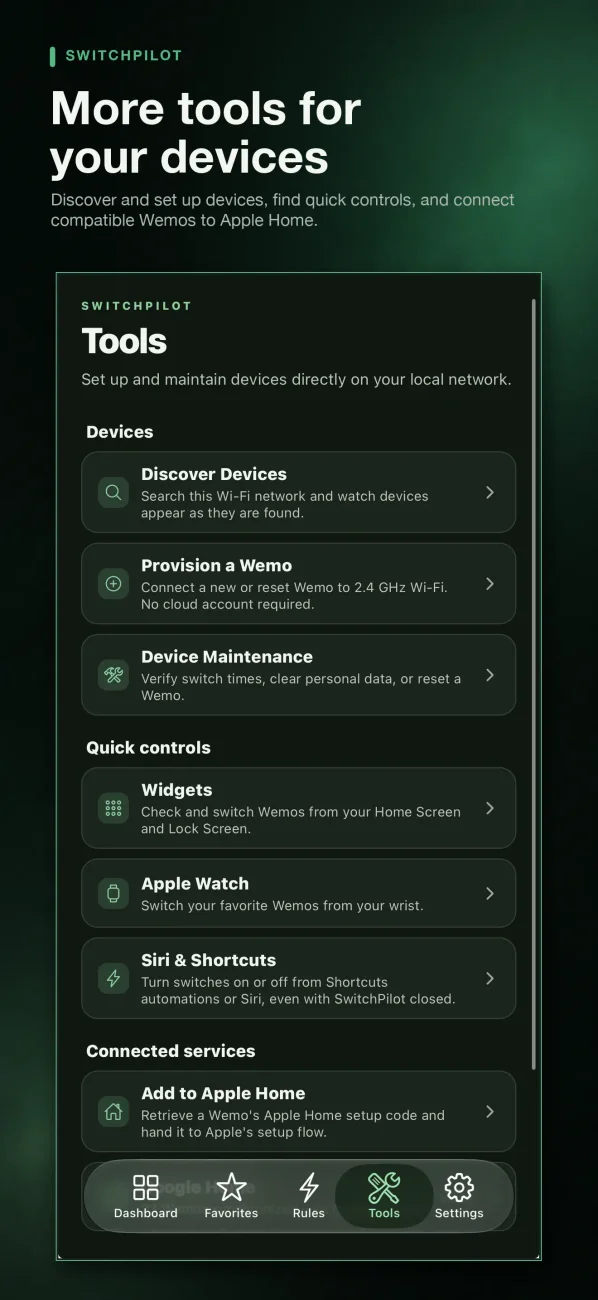
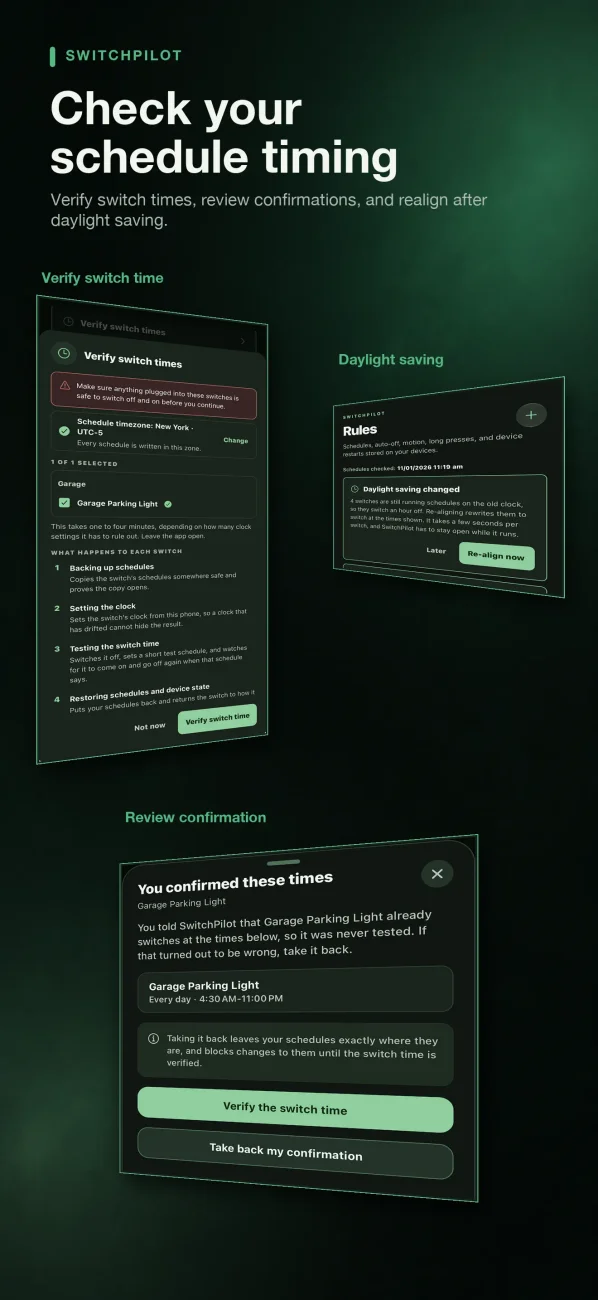
About
SwitchPilot brings local control to compatible Wemo and Kasa plugs, switches, and dimmers. On supported Wemo devices, create schedules, auto-off timers, motion rules, long-press actions, and scheduled restarts that run on the devices themselves, even when the app is closed or your phone is away.
Built after Wemo's smart-home cloud was discontinued, SwitchPilot exists for a simple reason: the hardware on your walls still works. The service behind it went away, but the silicon didn't.
WHY SWITCHPILOT
• Direct connections. Wemo and Kasa commands travel over your home Wi-Fi instead of making a cloud round-trip. Local switching works during an internet outage while your Wi-Fi remains running.
• One place to manage rules. Create, edit, enable, disable, and delete supported routines from the Rules tab.
• No SwitchPilot account required. Discover compatible devices and start using them without registering for another service.
WHAT YOU CAN DO
Create five types of local rules on supported Wemo devices:
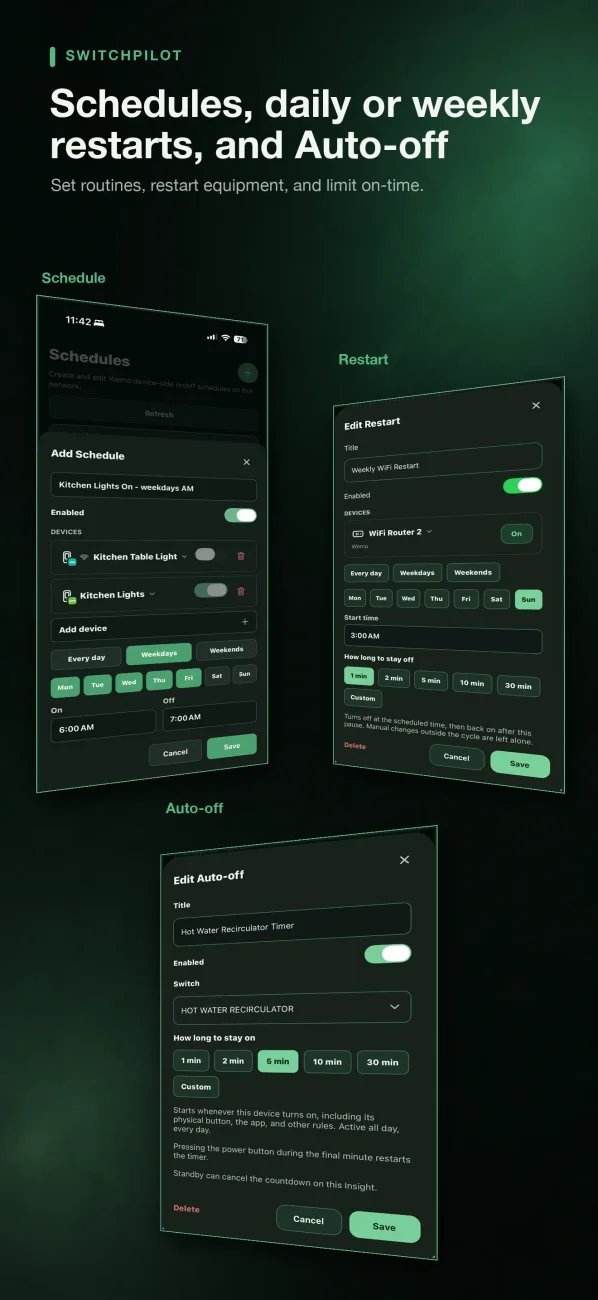
• Schedules. Turn devices on or off at chosen times and on selected days.
• Auto-off. Turn a device off after a chosen duration. Give a hot-water recirculator a five-minute timer or keep a light from staying on all night.
• Motion. Turn on compatible Wemo devices when a Wemo Motion sensor detects movement, with optional shutoff after motion stops.
• Long-press automations. Hold a supported Wemo wall switch to control other Wemo devices. Switch several lights together from one physical button.
• Restart. Schedule equipment to turn off briefly and back on automatically. Give a Wi-Fi router or streaming box a regular restart.
Schedules are also supported on compatible Kasa devices.
You can also:
• Discover devices automatically or add one manually by IP address.
• Refresh devices to check their reported state.
• Organize switches into groups such as Living Room or Outdoor, and control a whole group at once.
• Rename supported devices, reorder groups, and collapse sections to keep your dashboard tidy.
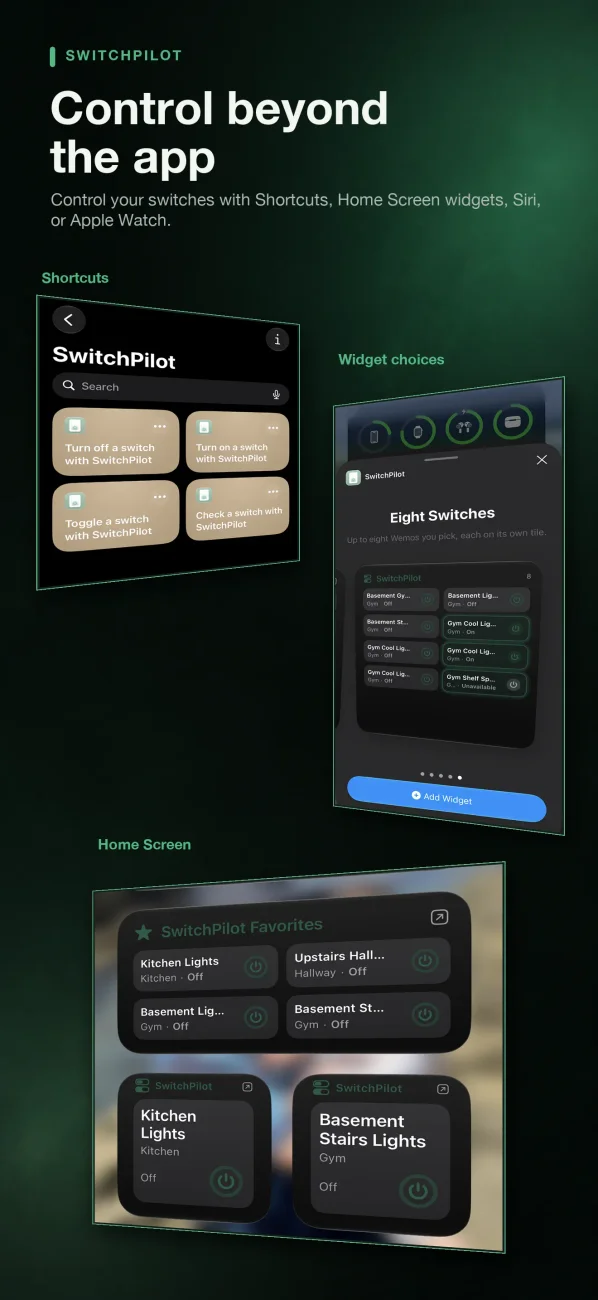
• Arrange your most-used switches in Favorites. That order follows you to Apple Watch and Favorites widgets.
• Switch Wemos from Apple Watch. Browse Favorites or switches by room; your nearby iPhone handles the connection, even when locked.
• See Wemo status in Home Screen, Lock Screen, and StandBy widgets. On iOS 17 or later, tap a Home Screen tile to switch it.
• Use Siri and Shortcuts to turn supported switches on or off, toggle them, or get their state, including while SwitchPilot is closed.
• Retrieve a compatible Wemo's setup code and add it to Apple Home.
• Control supported Cync lights.
• See live switch updates and your current Wi-Fi network on the Dashboard.
• Choose whether SwitchPilot opens on Dashboard or Favorites.
• Use SwitchPilot on a Mac with Apple silicon.
PRIVACY BY DESIGN
Device names, groups, and your home layout are stored on your phone.
Cync support is optional and uses a Cync account, GE's service, and an internet connection.
WHO IT'S FOR
• People who've moved newer gear to another ecosystem but still have older Wemo or Kasa devices to manage.
• Households with switches spread across several rooms and routines to manage together.
• Anyone adding automation to existing lights, pumps, fans, or other switched equipment.
Keep your switches. Keep your routines. Keep control.
COMPATIBILITY
Supported device families include Wemo and Kasa smart plugs, switches, and dimmers, plus Cync lights. Device and rule availability vary by model.
SwitchPilot is independent and is not affiliated with, endorsed by, sponsored by, approved by, or officially supported by Belkin, Wemo, TP-Link, Kasa, GE, or Cync. These names identify compatible device families and do not imply a partnership. All trademarks belong to their respective owners.
Optional one-time contributions support SwitchPilot’s development.
What’s new
Version 2026.11.17 · Nov 19, 2026
Set your Wemo lights to follow the sun, get your rules working again, and see how often you use your devices.
• Turn on outdoor lights 30 minutes after sunset, or turn them off at sunrise. Set a schedule up to three hours before or after either event. Your schedules follow your home time zone when you travel.
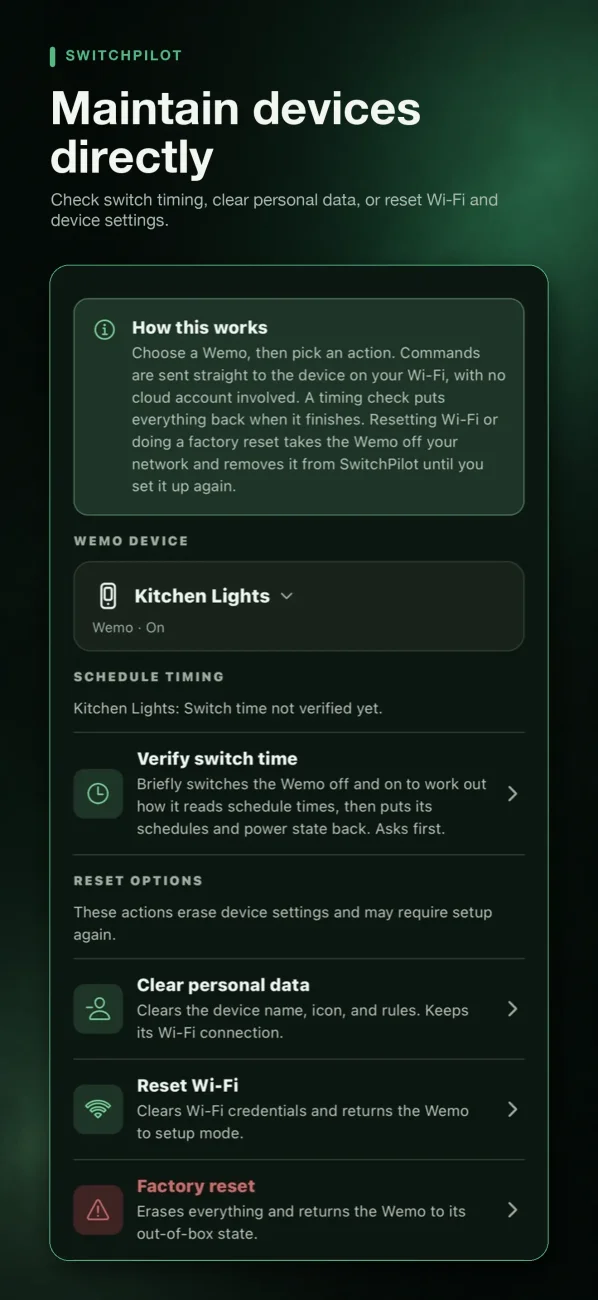
• If your switches run at the wrong time after the clocks change, use Verify switch times. SwitchPilot checks when they turn on and off and can fix schedules set for a specific time.
• If a rule change gets interrupted, go to Tools → Review & repair rules to try again or restore the previous rule where possible. If a schedule goes missing from a switch, you can see its saved copy in Rules.
• See how long a switch will stay on before its Auto-off timer turns it off. The timer now appears on Motion and Long press rules, and custom timers remember your choice of seconds, minutes, or hours.
• If a Wemo Motion sensor has the wrong time, tap Sync sensor clock in Motion details. SwitchPilot also offers this fix when you save a rule and it finds an unset clock.
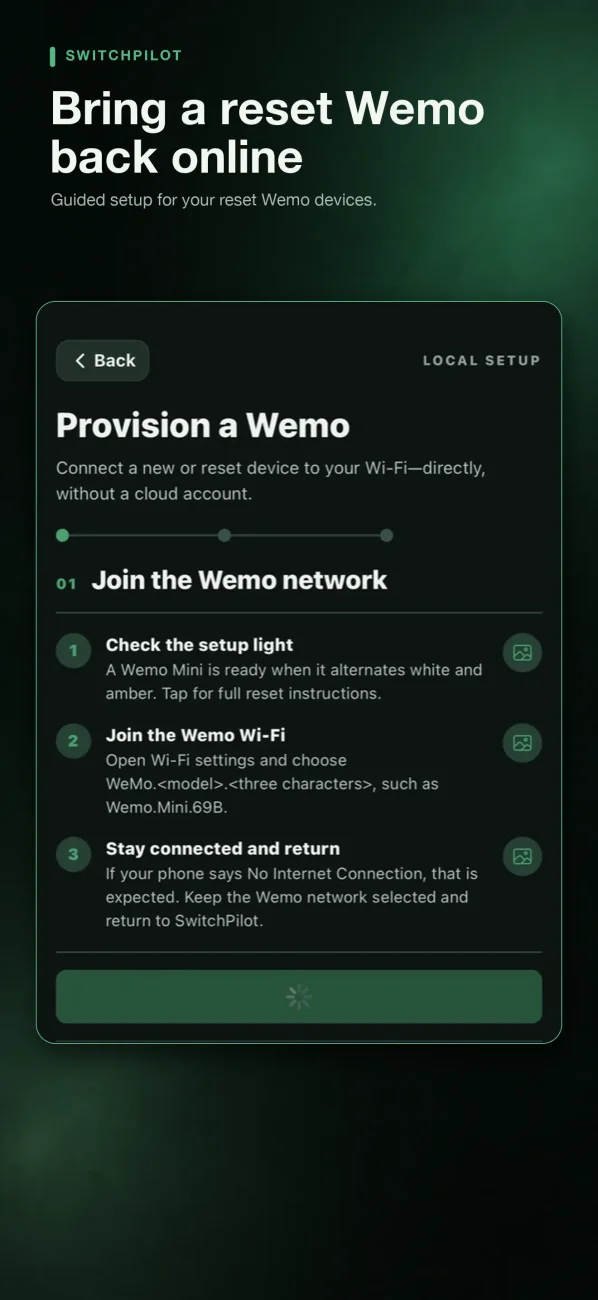
• Get clearer updates when you reconnect a Wemo device to Wi-Fi. Setup keeps the device's reply visible while it checks the connection.
• We verified the update and officially support WeMo Outdoor and WeMo Maker hardware.
• Open Settings → Stats to see how many devices, rules, and groups you have. You can also see when you last controlled a device from the app. SwitchPilot keeps this history on your phone.
• If you'd like to support development, you can make an optional one-time contribution in Settings.
Keep the feedback coming. It shapes what we build next.
App privacy
What Vadim Snitkovsky declares on the App Store about how this app handles data.
-
Data not linked to you
May be collected but is not linked to your identity.
- Purchases
- Location
- Usage data
- Diagnostics
Privacy practices may vary, for example with the features you use or your age.
Information
- Seller
- Vadim Snitkovsky
- Category
- Utilities
- Version
- 2026.11.17
- Updated
- Nov 19, 2026
- Released
- Aug 25, 2026
- Size
- 127.2 MB
- Requires
- iOS 17.0 or later
- Age rating
- 4+
- Price
- Free
- In-app purchases
- Yes
- Languages
- English
- Copyright
- © 2026 Snitko Consulting
You might also like
-
 WeWhisperer for WeMoSetup & Control WeMo Devices
-
 Bit SwitchLegacy Control for WeMo Device
-
 WSwitch for WeMoControl your Smart Switches
-
 Stud Finder App: Wall ScannerDetect studs & metals in walls
-
 WemoUtilities
-
 Wider - Fullscreen BrowsingMore room for the internet
-
 HelmarrOne app to rule them all
-
 ECO PlugsSmartHome Device Control
-
 Plex DashMonitor your Plex Server
-
 glinetUtilities