
- Age rating4+
- CategoryDeveloper Tools
- DeveloperValet Hero LLC
- LanguagesEnglish+ 6 more
- Size38.8 MB
Links to the official App Store page
Download.org hosts no file of Swoop: SwiftUI Editor. The button opens its official App Store page, published by Valet Hero LLC. Listing last checked on Nov 12, 2026.
Screenshots


About
Write SwiftUI on your phone, watch it run, and paste it into Xcode.
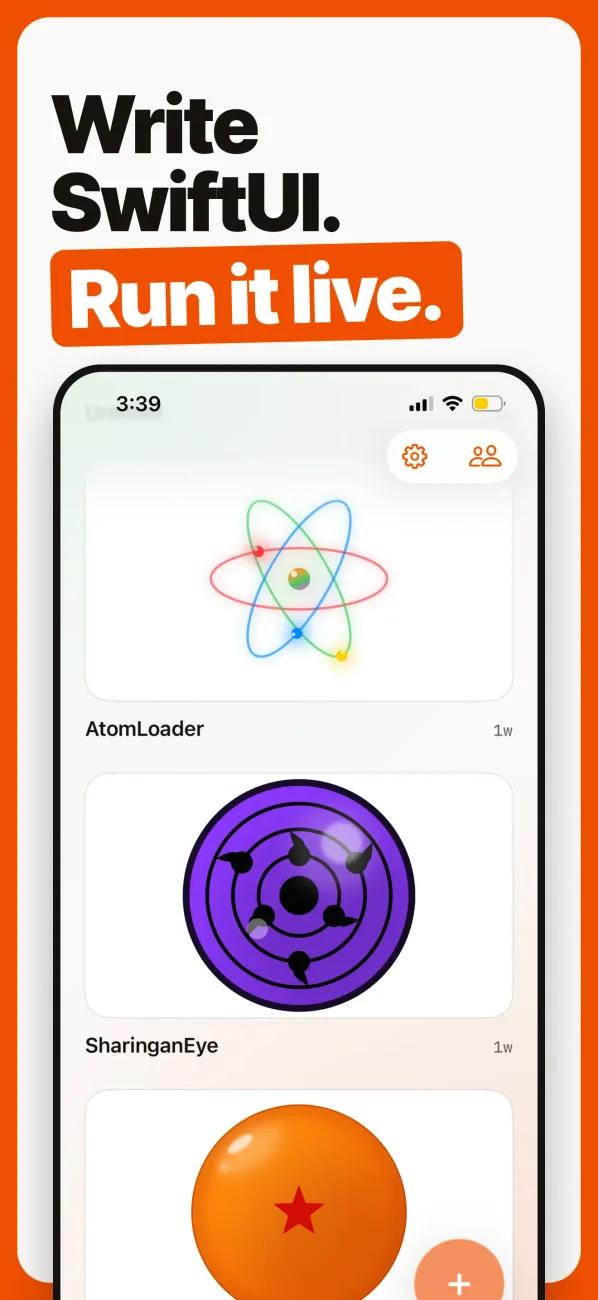
Swoop is a canvas for postcard-sized components. Type one, press play, and it runs for real — springs, timing and trigonometry computed on the device at the frame rate you feel. Copy hands back plain SwiftUI that compiles.
Most SwiftUI apps are catalogues you browse. This is the one where you write it.
WHAT IT PLAYS
Swoop runs a documented subset of SwiftUI, on device.
• Text, Image, Button, Toggle, Spacer, Divider
• VStack, HStack, ZStack, ForEach, TimelineView
• Circle, Capsule, Rectangle, RoundedRectangle
• frame, padding, offset, opacity, scaleEffect, rotationEffect, zIndex
• fill, stroke, trim, background, overlay, clipShape, shadow
• animation, onAppear, symbolEffect, sensoryFeedback
• @State, helper funcs, computed views, if/else, ranges
• sin, cos, tan, sqrt, pow, min, max, .pi
If Swoop cannot play something exactly the way Xcode would, it refuses and points at the line rather than guessing. What you copy always compiles.
Swoop is for one component at postcard size — not for building whole screens on a phone. ScrollView, List, NavigationStack, GeometryReader and TextField are deliberately not included.
A REAL EDITOR
• Line numbers and syntax colour
• Autocorrect, smart quotes and autocapitalisation switched off
• Every file in your library previews itself, running, in the list
POST IT AND RECORD IT
• Publish a component to the community, free, under your username
• Anyone can play it and take the source
• Record three seconds of it running and share the video
• Like and view counts on everything published
PRIVACY
• Your files are saved on your phone
• Nothing is uploaded, read by us, or used to train anything
• A file leaves the device only when you publish or share it
• Writing, playing and copying never need an account
• Sign in with Apple or Google only to publish or like
• Delete your account from inside the app, any time
SWOOP PRO
• A profile page — your picture and a grid of your work
• Clean recordings, without the Swoop mark
• Sign a recording with your avatar and username
• Backdrops for recordings
• Post a component without handing over the source
Writing, playing, copying and publishing stay free.
Requires iPhone, iOS 17 or later.
Swoop is an independent product and is not affiliated with or endorsed by Apple Inc. Swift, SwiftUI and Xcode are trademarks of Apple Inc.
Privacy Policy
https://swoopswift.com/privacy/
Terms of Service
https://swoopswift.com/terms/
What’s new
Version 1.0.3 · Oct 9, 2026
fixed bugs
App privacy
What Valet Hero LLC declares on the App Store about how this app handles data.
-
Data used to track you
May be used to track you across apps and websites owned by other companies.
- Identifiers
-
Data linked to you
May be collected and linked to your identity.
- Contact info
- User content
- Identifiers
-
Data not linked to you
May be collected but is not linked to your identity.
- Location
- Identifiers
- Usage data
- Diagnostics
Privacy practices may vary, for example with the features you use or your age.
Information
- Seller
- Valet Hero LLC
- Category
- Developer Tools
- Version
- 1.0.3
- Updated
- Oct 9, 2026
- Released
- Sep 18, 2026
- Size
- 38.8 MB
- Requires
- iOS 17.0 or later
- Age rating
- 4+
- Price
- Free
- Languages
- English, French, German, Japanese, Korean, Simplified Chinese, Spanish
- Copyright
- © MEDINA APPS LLC
You might also like
-
 SwiftCatalog: SwiftUI CodeDeveloper Tools
-
 DesignToCode for SwiftUIVisual Mobile Interface Design
-
 GoodQATest, capture, and resolve
-
 Ex-TensionDeveloper Tools
-
 ScrollCraft: Developer ToolExport SwiftUI transitions
-
 RepoGoRun Coding Agents Anywhere
-
 Loopsy TerminalDeveloper Tools
-
 bit shiftybig int programming calculator
-
 UI Explorer LightDeveloper Tools
-
 Snippet Library for SwiftUIOrganize Dev Knowledge & Code