
Symptora: Symptom Tracker
Log Symptoms. Know the Answer
Designed for iPhone, iPad
Free · In-app purchases
- Age rating4+
- CategoryHealth & Fitness
- DeveloperLucidena LLC
- LanguagesEnglish+ 5 more
- Size5.5 MB
Links to the official App Store page
Download.org hosts no file of Symptora: Symptom Tracker. The button opens its official App Store page, published by Lucidena LLC. Listing last checked on Nov 26, 2026.
Screenshots
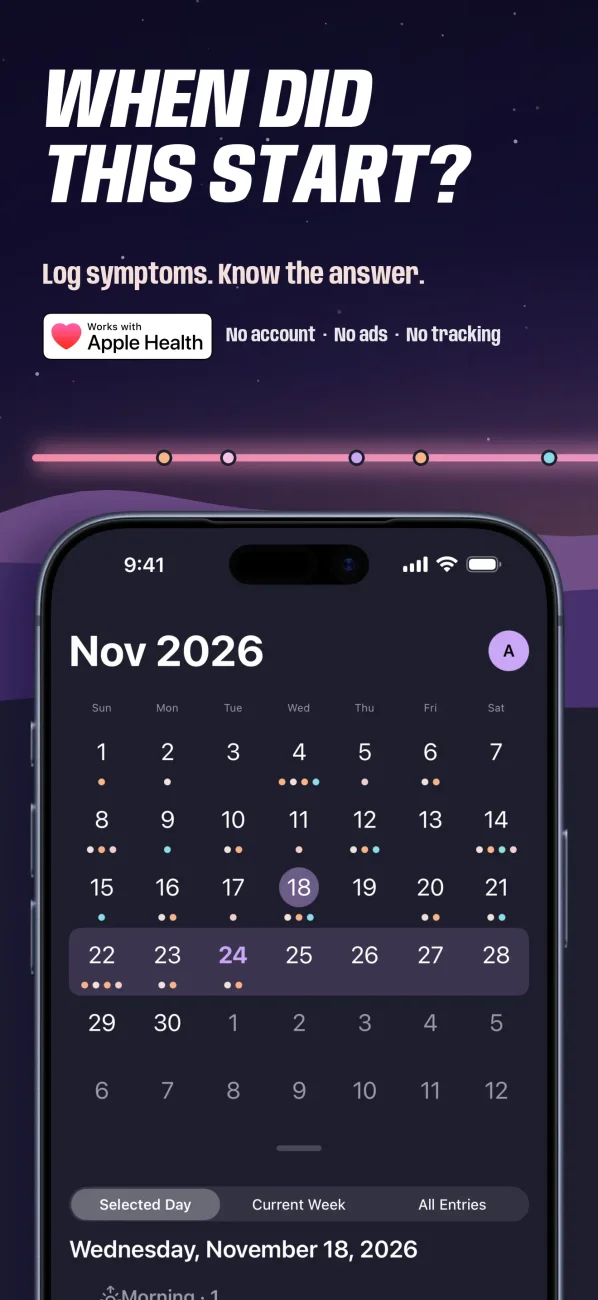
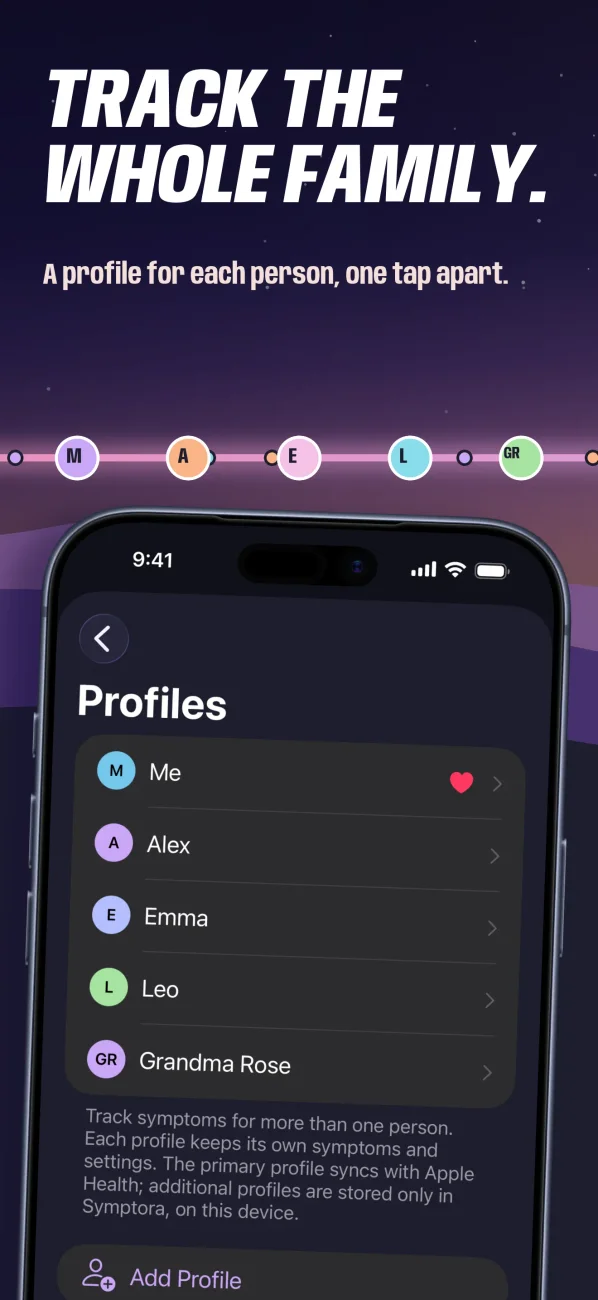
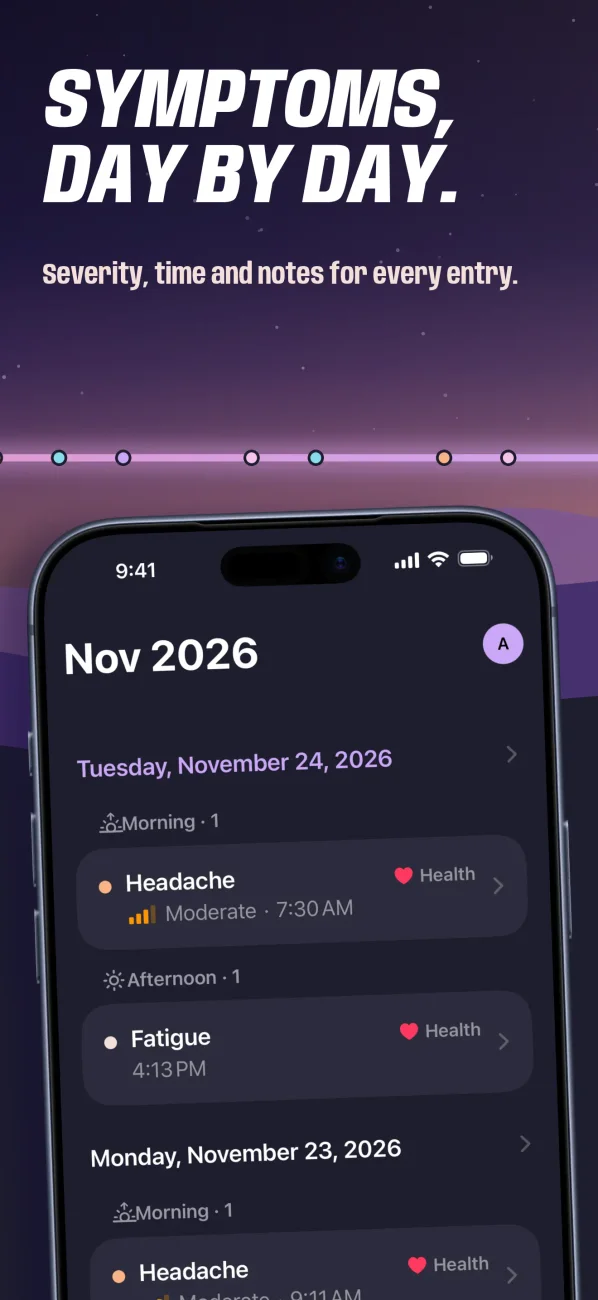
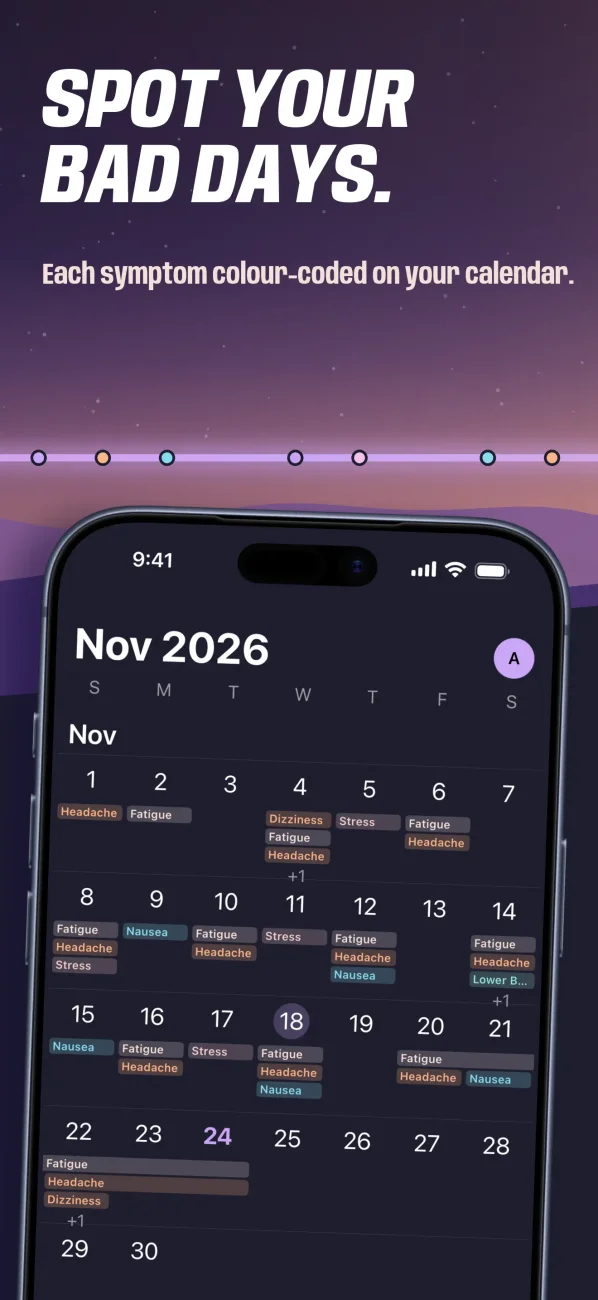
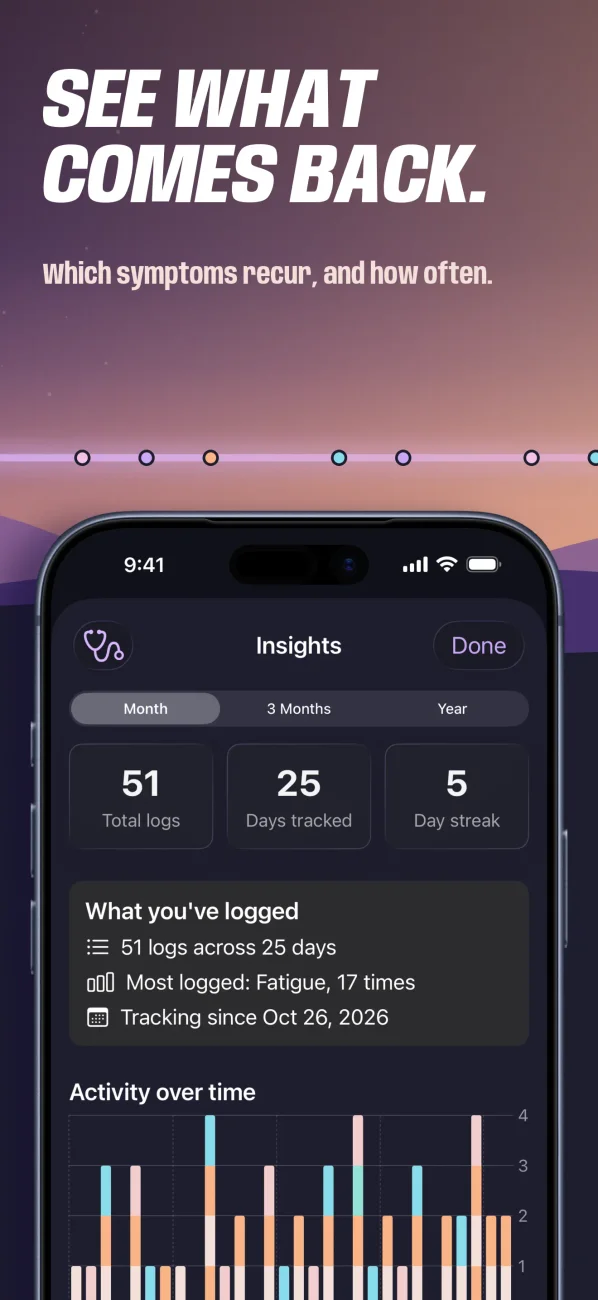
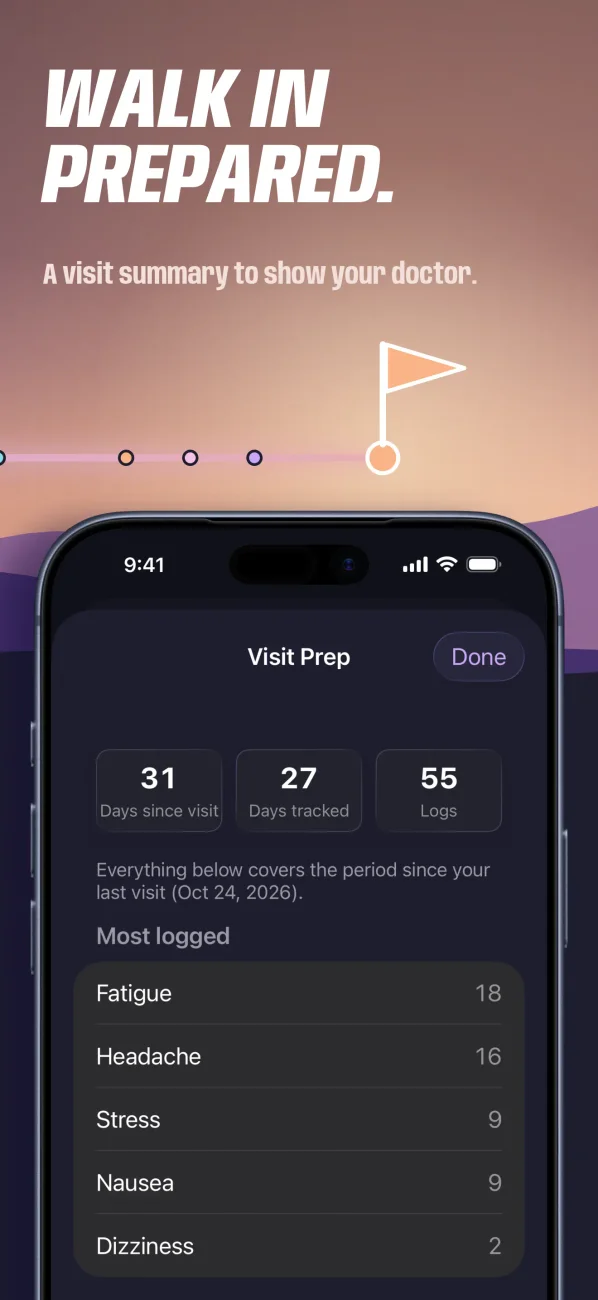
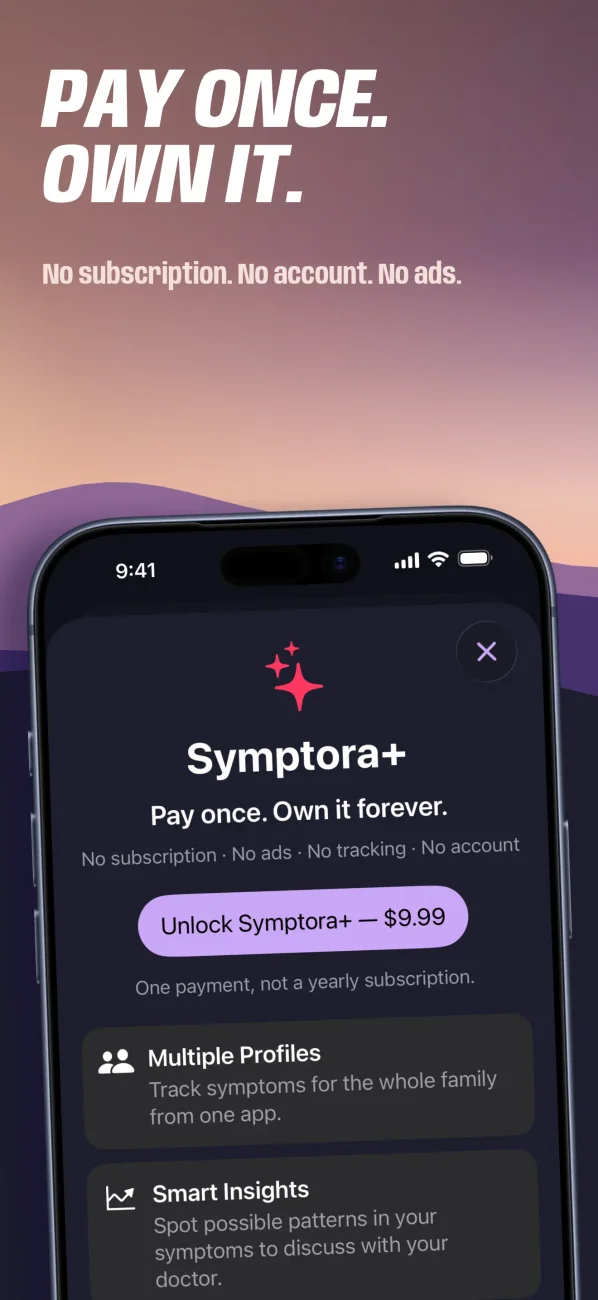
About
Your symptoms, in Apple Health — where they belong.
Symptora is a private, on-device symptom tracker that logs in seconds, keeps your data yours, and shares it with your doctor through Apple Health. One-time purchase — no subscription, no account, no tracking.
LOG IN SECONDS
Tap the symptom, tap how it feels — done. Back-date an entry, add a note (dictate it with your keyboard mic), or attach a photo. Built for the days when you don't have the energy to fuss with an app.
HANDS-FREE WITH SIRI & SHORTCUTS
Log without even opening the app — "Hey Siri, log a symptom in Symptora," a tap of the Action Button, a home-screen Shortcut, or Spotlight. Your fastest entry yet, all on-device.
IT LIVES IN APPLE HEALTH
Native Apple Health symptoms, read and written directly. Your entries show up in the Health app under Browse → Symptoms — visible to you, shareable with your doctor, and yours forever. Leave Symptora anytime and your data stays in Health.
PRIVATE BY DESIGN
Everything is on your device. No account to create, no server to trust, no analytics, no data sale. Photos you attach never leave your phone. That's why our App Store privacy label reads "Data Not Collected."
SEE THE PATTERNS (Symptora+)
Insights surface possible patterns in your symptoms to discuss with your doctor — statistical, never a diagnosis. Track multiple profiles, log custom symptoms, choose themes and app icons, add a home-screen widget, and prep for appointments with Visit Prep: what changed since your last visit, plus your own question checklist.
HAND YOUR DOCTOR A CLEAN REPORT (Symptora+)
Export a formatted PDF — your symptoms, severities, notes, and attached photos over any date range — ready to share at your next appointment. CSV and JSON exports are always free.
ONE PRICE, NOT A SUBSCRIPTION
Symptora is free to start. Symptora+ unlocks the premium features with a single one-time purchase — we don't rent you your own health data.
Symptora is a personal symptom log, not a medical device. It does not diagnose, treat, or give medical advice. Always talk to a qualified clinician about your health.
What’s new
Version 1.4.0 · Nov 25, 2026
Your history, one scroll away, and a quicker way to log on any day. Many of these came from people who use Symptora.
The List view has a new picker under the calendar: Selected Day, Current Week or All Entries. All Entries is one continuous list of everything you logged, newest first. Your choice is kept.
Touch and hold any date to log a symptom on that day. It works in every calendar view, on the Agenda and list headings, and on the day's date. Add opens with the date already filled in.
Entries with photos now show a small picture of the newest photo right on the card. Prefer the old look? Turn off Settings › Appearance › Photos on Entry Cards.
Every list now uses the same entry cards, and tapping an entry in Agenda opens it, just like in List view. Each day also shows its part of the day, like "Afternoon · 2", even when everything happened in one part.
Significantly sped up the scroll speed through all of your entries, so as the list gets longer, the app no longer feels laggy.
New in Settings › Support: Send a Suggestion writes to us from inside the app, and we reply within 24 hours. See How Others Have Improved Symptora shows the changes that started with a message like yours.
Try with Sample Data now includes photos, and you can open Add and edit entries to see how everything works. Sample data stays read-only.
Fix: closing the Add screen without saving no longer starts a "Syncing with Health" pass.
Tracking stays free. Symptora+ is one payment, not a subscription.
App privacy
What Lucidena LLC declares on the App Store about how this app handles data.
-
Data not collected
The developer does not collect any data from this app.
Privacy practices may vary, for example with the features you use or your age.
Information
- Seller
- Lucidena LLC
- Category
- Health & Fitness
- Version
- 1.4.0
- Updated
- Nov 25, 2026
- Released
- Jul 1, 2026
- Size
- 5.5 MB
- Requires
- iOS 26.0 or later
- Age rating
- 4+
- Price
- Free
- In-app purchases
- Yes
- Languages
- English, French, German, Italian, Japanese, Spanish
- Copyright
- © 2026 Lucidena, LLC
You might also like
-
 Symptom Log - Symptom TrackerChronic Illness & Health Log
-
 Symptom Tracker - SymptaTrack Daily Health & Wellness
-
 Trace Health: Symptom TrackerPrivate Mood, Cycle & Triggers
-
 Zolia: Chronic Symptom TrackerPrivate Diary for Any Illness
-
 Clove: Chronic Illness TrackerTrack Mood, Symptoms, and More
-
 Symptom Tracker゜My Health Checker Journal
-
 Guava: Health TrackerManage meds, symptoms, records
-
 UniqueHumanChronic Illness, Track & Care
-
 Tracker, Reminder - CareClinicTrack,Symptom,Medication,Mood
-
 mySymptoms Food Diary & IBSFood, Mood & Symptom Tracker