- Age rating4+
- CategoryEntertainment
- DeveloperSUGAR SOUND, K.K.
- LanguagesJapanese+ 1 more
- Size4.8 MB
Links to the official App Store page
Download.org hosts no file of SyncFlowBoard. The button opens its official App Store page, published by SUGAR SOUND, K.K. Listing last checked on Nov 12, 2026.
Screenshots
About
SyncFlow is a local, real-time shared communication app designed specifically for stage crews, live event production, PA engineers, and lighting operators. By connecting devices locally, SyncFlow enables instant text announcements and hand-drawn diagrams between backstage, front-of-house (FOH), and the stage.
No internet required—keep your team perfectly coordinated even in deep basements or remote venues.
◆ Key Features ◆
• Instant Shared Canvas
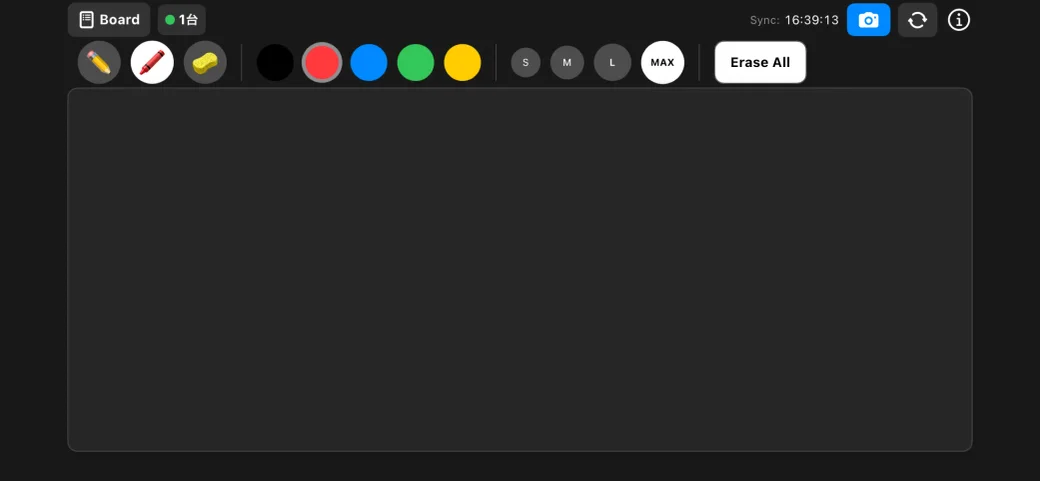
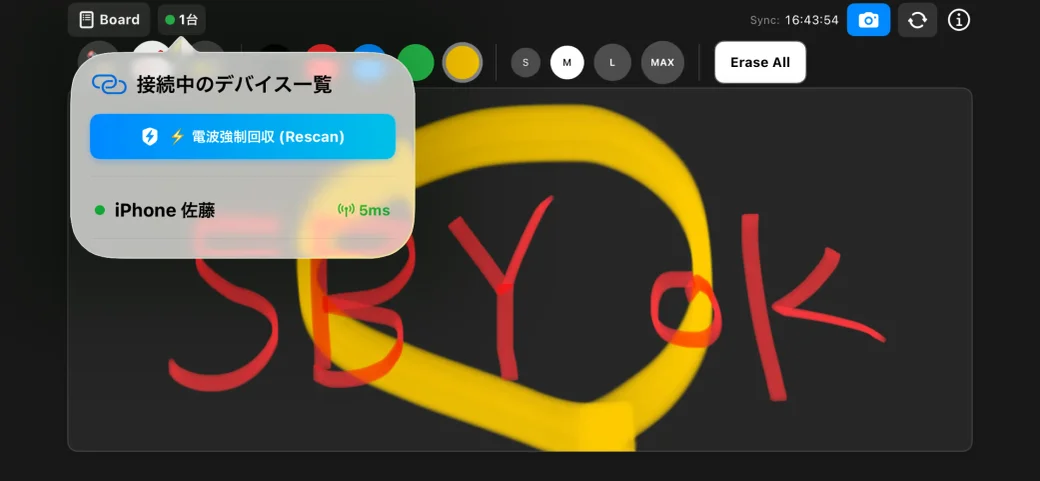
Draw, write, and map out stage layouts with up to 8 devices simultaneously. Your drawings sync in real time with ultra-low latency. Perfect for conveying visual information (like mic placements, staging modifications, or quick cues) without speaking.
• Full-Screen Message Board
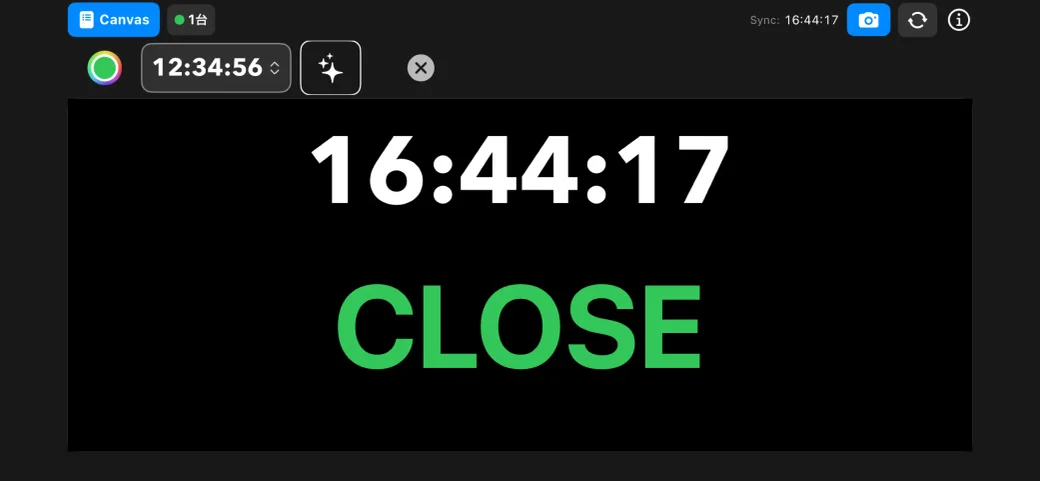
Need to display the current schedule or critical alerts? Instantly toggle a full-screen, high-contrast Message Board. Put up notices like "18:00 OPEN" or "CLOSE" with custom fonts, colors, a built-in real-time clock, and a vibrant Neon mode for maximum visibility in dark backstage areas.
• Professional Power Saving
Designed to survive grueling rehearsals and long live shows. When the Message Board is closed, background clock updates and neon animations are suspended 100% (Eco-Sleep mode). This prevents iPad overheating and drastically reduces battery drain.
• Robust Offline Sync
Running on Apple’s secure local networking, SyncFlow works completely offline. Simply connect both iPads to the same local Wi-Fi router. Experience rock-solid, low-latency synchronization across 100+ meters, free from the packet congestion of busy venue networks.
• Smart Display Names
Bypass standard system name limitations. Customize your display name so other devices can instantly recognize who sent a drawing or who is currently online in the connection logs.
Elevate your backstage communication. Run your next show seamlessly with SyncFlow.
What’s new
Version 1.6 · Aug 3, 2026
What's New in the Latest Version Thank you for using SyncFlow! In this update, based on user feedback, we have added new features to improve your drawing experience:
New Pen Sizes Added: We have added two new ultra-fine pen sizes, "SS" and "SSS", to the drawing tools. This allows for much more delicate, precise, and detailed writing and sketching.
We hope you continue to enjoy a smooth and seamless syncing experience!
App privacy
What SUGAR SOUND, K.K. declares on the App Store about how this app handles data.
-
Data not collected
The developer does not collect any data from this app.
Privacy practices may vary, for example with the features you use or your age.
Information
- Seller
- SUGAR SOUND, K.K.
- Category
- Entertainment
- Version
- 1.6
- Updated
- Aug 3, 2026
- Released
- May 29, 2026
- Size
- 4.8 MB
- Requires
- iOS 17.6 or later
- Age rating
- 4+
- Languages
- Japanese, English
- Copyright
- © 2026 Sugar Sound
You might also like
-
 ScriptCueMarkMark cues on your script PDF
-
 LIVEACROSSEntertainment
-
 TubeCut: Clip & OrganizeClip & organize videos
-
 nuipass: Plush Toys in 3DAR photos & a felt room
-
 Miracle | 電卓の答えを好きな文字や数字にEntertainment
-
 TokyoDanceARダンスARで街を巡る、新感覚の高円寺体験!
-
 ラジオメディアEntertainment
-
 おっちょこちょい電卓Entertainment
-
 ヒナコイロEntertainment
-
 ポン出し!効果音&BGMEntertainment