
- Age rating4+
- CategoryMusic
- DeveloperPaolo Giorgi
- LanguagesEnglish
- Size16.4 MB
Links to the official App Store page
Download.org hosts no file of T.APE. The button opens its official App Store page, published by Paolo Giorgi. Listing last checked on Nov 18, 2026.
Screenshots
About
T.APE – A Retro-Inspired Multitrack Recorder with a Modern Soul
Step into the world of T.APE: a multitrack recording app that feels like working with tape—but in your pocket.
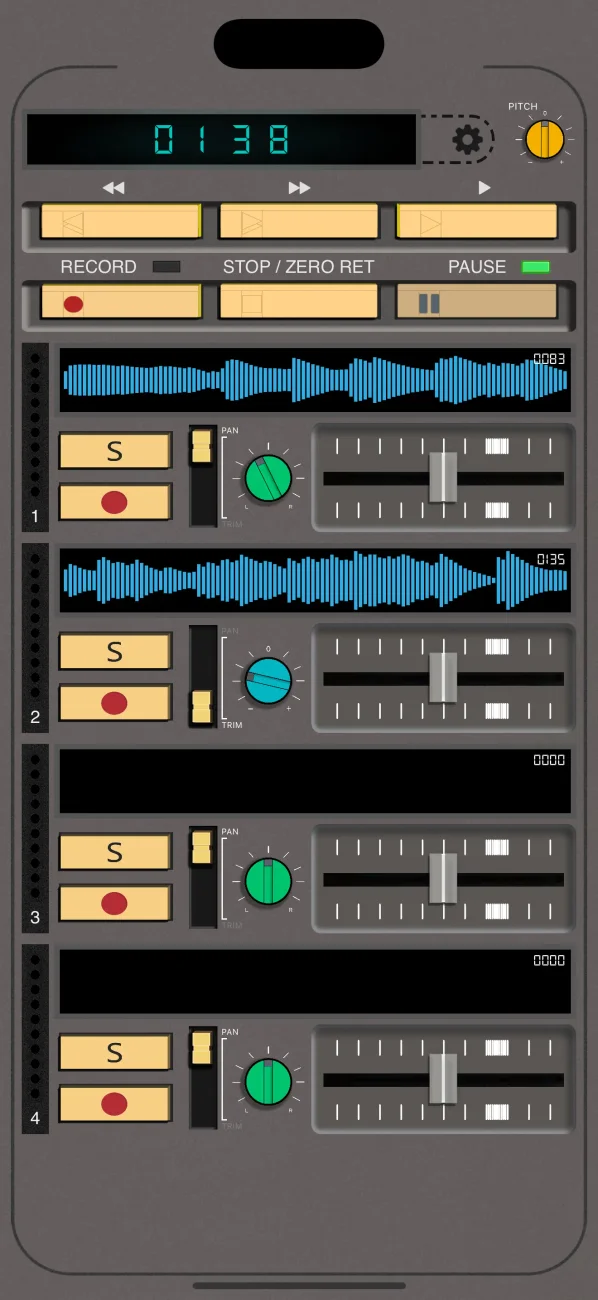
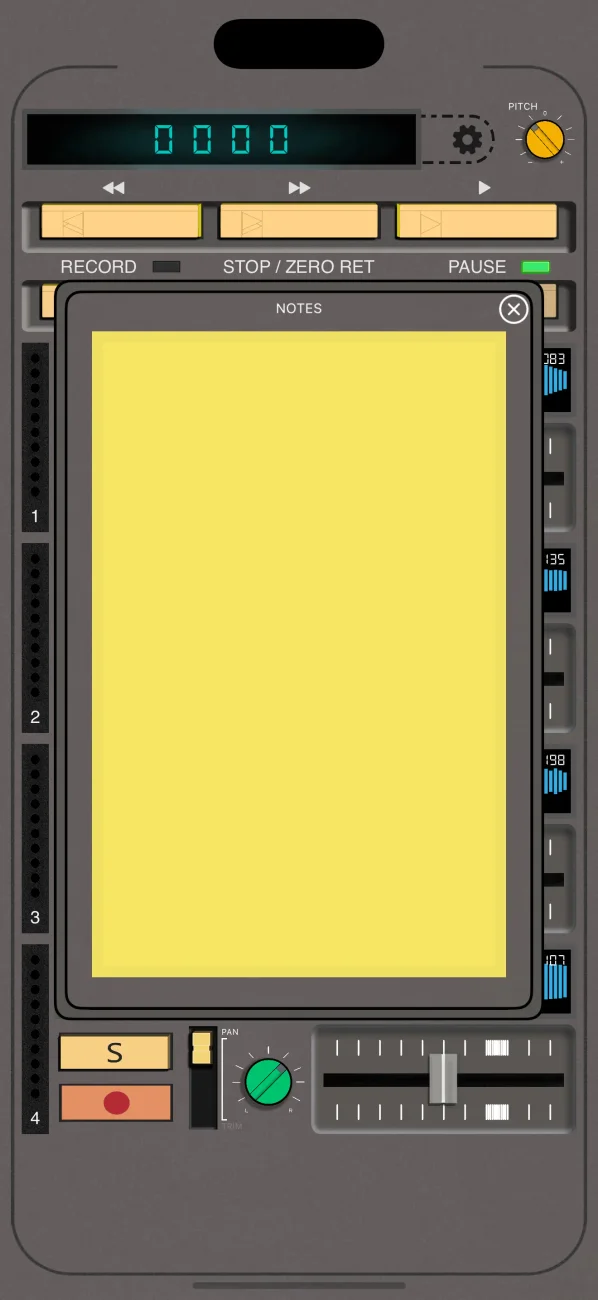
Built for musicians, producers, and sound explorers, T.APE combines the warmth and immediacy of vintage cassette workflows with the flexibility of modern digital tools. Record up to four stereo tracks, layer your ideas, trim and bounce your takes, and take notes of your new project.
Whether you're sketching demos, building experimental textures, or capturing spontaneous moments, T.APE gives you a fast and tactile way to create—without distractions.
Key Features:
- 4-track stereo recording with offline bounce
- Per-track volume, pan, solo & mute
- Real-time tape-style playback with drag-to-scrub
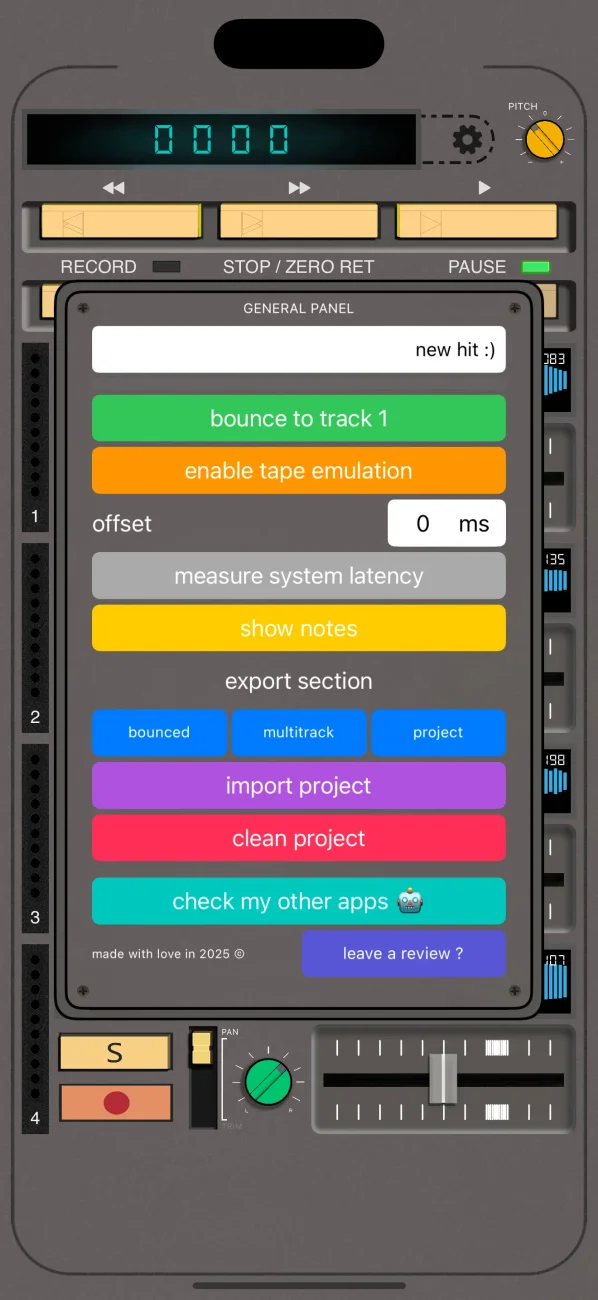
- Give your project a title and save your notes too
- Timeline view with waveform editor
- Loop-friendly and made for layering ideas
- Project export and import with all track settings
- Vintage tape aesthetic with modern reliability
T.APE doesn’t try to replace your DAW—it complements it. Perfect for quick takes, sound journaling, or lo-fi experiments on the go.
For first-time users:
T.APE lets you record multitrack audio just like an old-school tape recorder. To record over existing tracks in real time, you’ll need to use headphones. We recommend using original Apple wired headphones for the best results.
Before you start, it’s also a good idea to fine-tune the app’s internal latency. To access the latency settings, tap the spinning reel icon at the top (it rotates during playback, like a tape spindle). Then swipe vertically to adjust the latency. On an iPhone 14 Pro, a value around 220 ms is usually ideal.
Note: the system-calculated value doesn’t include your device’s final output latency. We’re working on a more advanced latency calibration system for future updates.
To record at a specific point in your project, simply scrub forward or backward, press pause, arm the track, and start recording.
If you have any questions or need help, feel free to reach out!
What’s new
Version 1.43 · Sep 29, 2026
Added a tutorial ..!
also ui fixes and minor bugs patched
App privacy
What Paolo Giorgi declares on the App Store about how this app handles data.
-
Data not collected
The developer does not collect any data from this app.
Privacy practices may vary, for example with the features you use or your age.
Information
- Seller
- Paolo Giorgi
- Category
- Music
- Version
- 1.43
- Updated
- Sep 29, 2026
- Released
- Jun 11, 2025
- Size
- 16.4 MB
- Requires
- iOS 18.2 or later
- Age rating
- 4+
- Price
- $3.99
- Languages
- English
- Copyright
- © 2025 paolo giorgi
You might also like
-
 ScaleGenMusical scale editor
-
 WaveFolder - Audio UnitWave Folding Distortion Effect
-
 Audio ToolboxAudio Analysis and Creation.
-
 FM 304FM Groovebox
-
 VividShaperProgrammable AUV3 synthesizer
-
 ANALOGyDRDrum Synth AudioUnit
-
 Entonal StudioMicrotonal MIDI Tuning
-
 MFX mottoMulti-Effects chain plugin
-
 DelayJaVuStereo Reverse Delay Auv3
-
 LayR-Multi Timbral SynthesizerMusic