
TachoClear: Drivers' Hours UK
HGV & Van Tachograph Planner
Designed for iPhone
In-app purchases
- Age rating4+
- CategoryBusiness
- DeveloperTom Murton
- LanguagesEnglish
- Size13.5 MB
Links to the official App Store page
Download.org hosts no file of TachoClear: Drivers' Hours UK. The button opens its official App Store page, published by Tom Murton. Listing last checked on Nov 24, 2026.
Screenshots

About
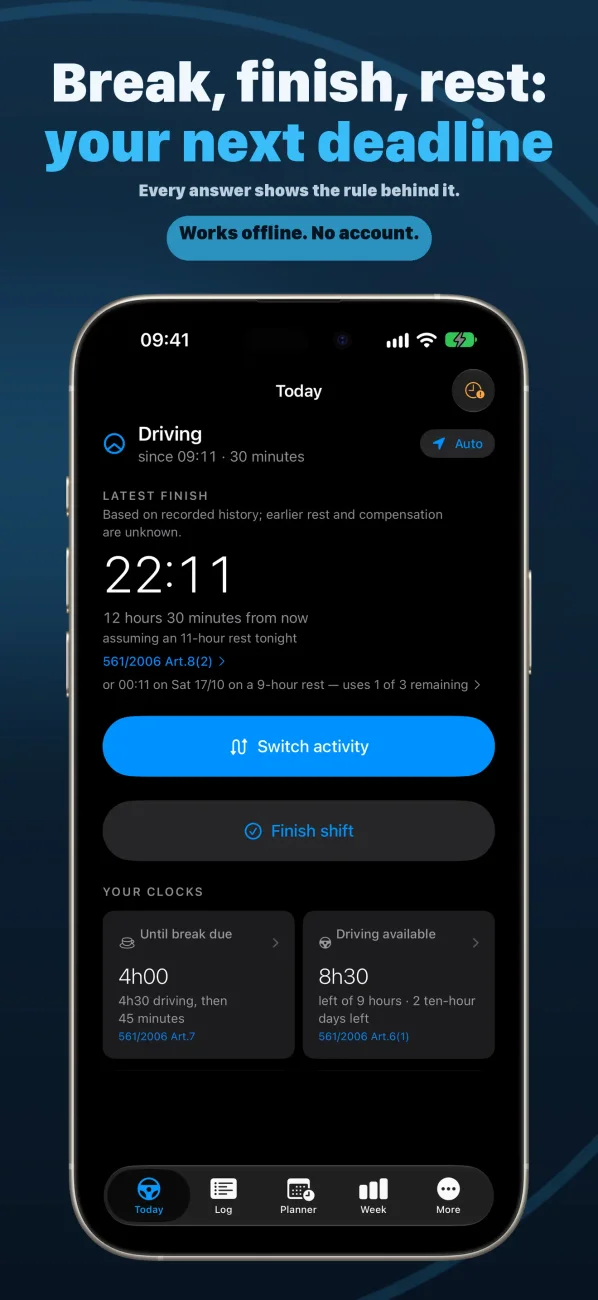
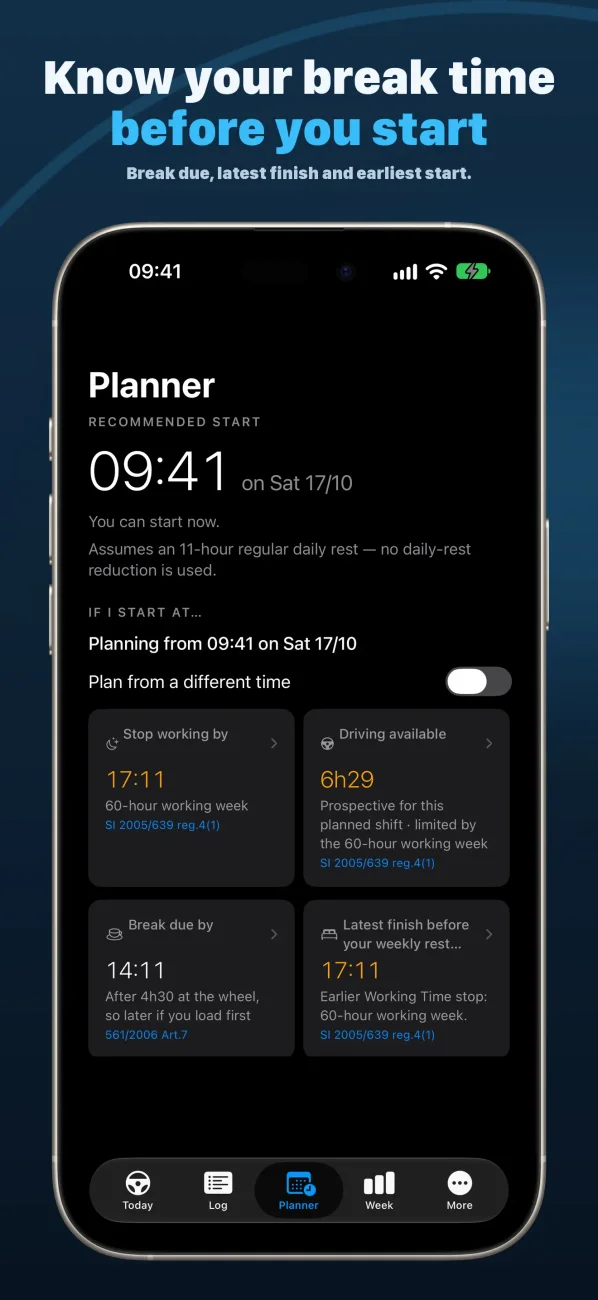
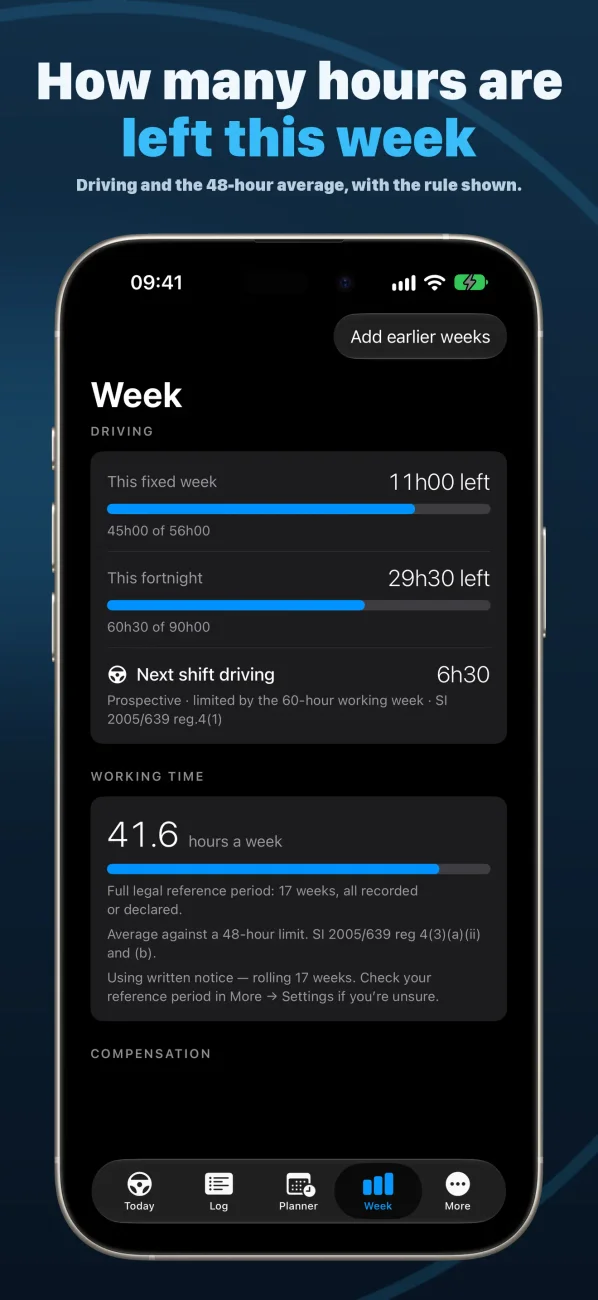
When can you start tomorrow? How much driving is left this week — and when is your weekly rest due? TachoClear works it out from the shifts you record and shows the rule behind every answer.
Your tachograph records the day. TachoClear plans the next one: earliest start, reduced rests left, the 90-hour fortnight and your working-time average.
Built for UK lorry, van and coach drivers under the assimilated drivers' hours rules, GB domestic rules and the Working Time Regulations.
YOUR RECORD, YOUR ANSWERS
TachoClear doesn't read your tachograph or driver card. You record your shifts in the app, live or afterwards, and every answer comes from that record. Where your history is incomplete, it says so and holds back what it can't check yet. Planner covers the EU-style rules; unsupported rule combinations are flagged.
NEW TO TACHOGRAPHS?
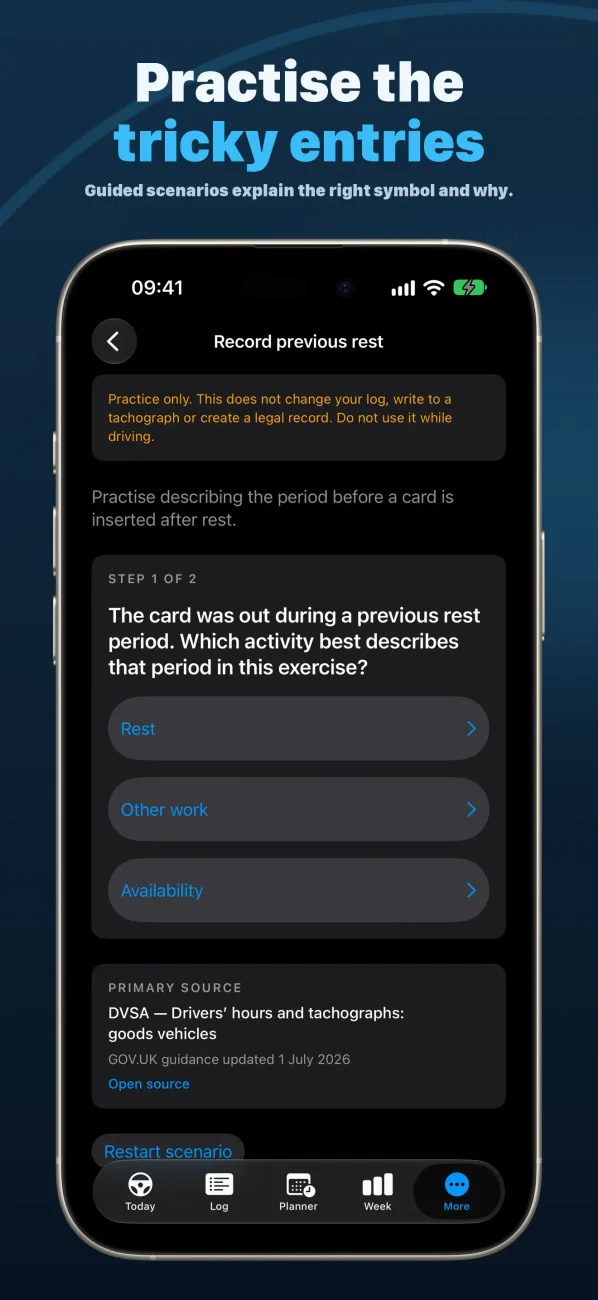
Tell TachoClear what you drive and when your first shift starts. Under EU-style rules you can choose "I want to plan a shift" instead: enter when your last rest began and Planner shows your recommended next start, based on the history recorded so far. A sample day shows a shift with one thing wrong, and the rule that says so.
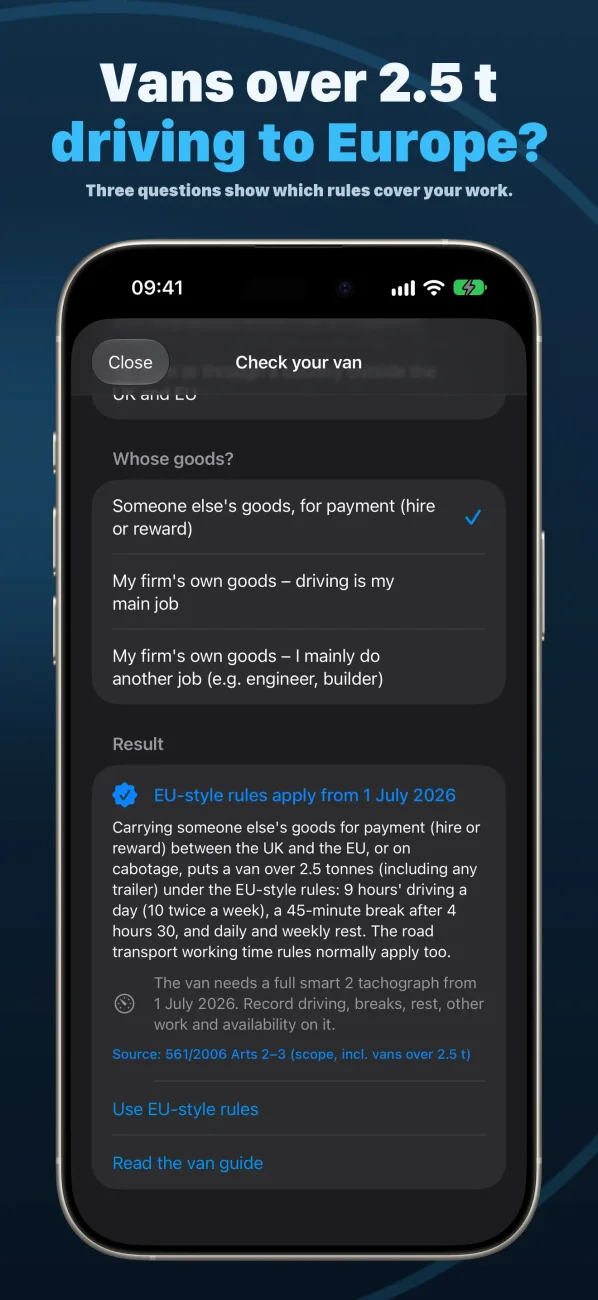
DRIVING A VAN TO EUROPE?
Since 1 July 2026, vans over 2.5 tonnes on international or cabotage goods journeys can come under EU-style rules. Three questions tell you which rules cover your work.
LIVE TRACKING IS FREE
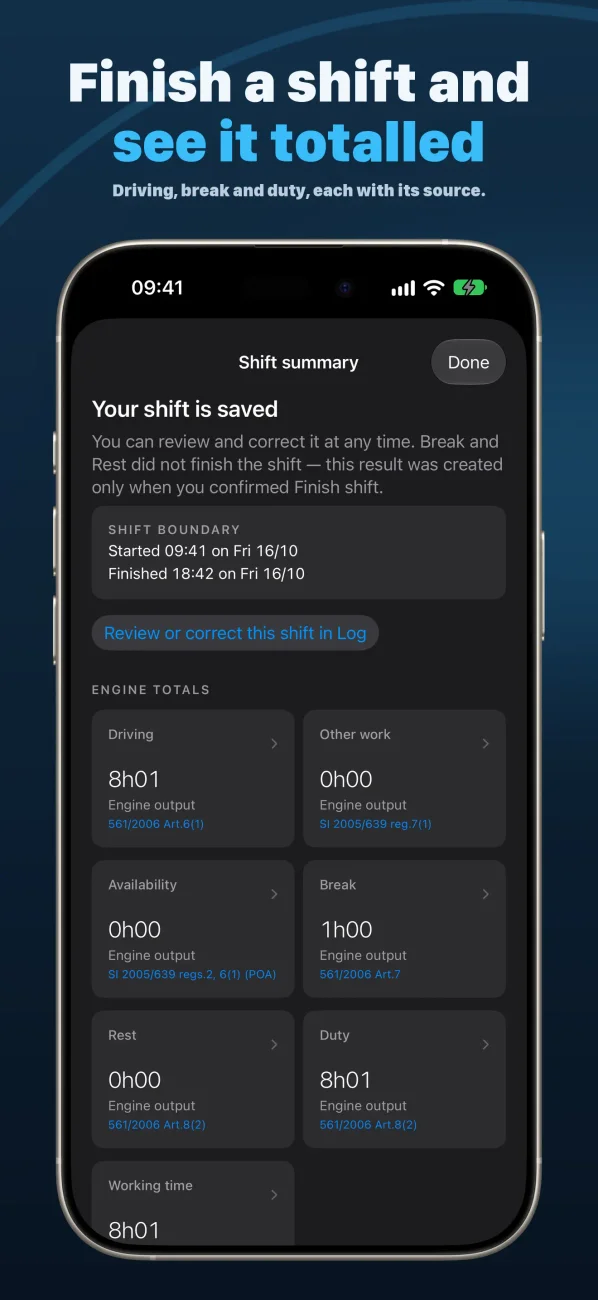
Record as many shifts as you like, each with its summary and next available start, free for good. Planner and Week are free for 7 days from when you tap Start free. Saved shifts stay readable and correctable.
WHAT IT DOES
• Live shift tracking — one tap to switch between driving, other work, POA, break and rest
• Drive Detection — optional automatic switching, even with your sat nav on screen; off by default
• Break countdowns — the 4.5-hour driving clock and working-time breaks; split breaks that won't qualify are flagged
• Daily rest options — 11h, reduced 9h (your remaining budget shown) or 3+9 split
• Weekly rest — the six-day deadline, reduced rest and compensation payback
• Working Time — the 60-hour week cap, your 48-hour average, night work; POA excluded
• Forward planner — "if I start at 06:00…" gives latest break, latest finish, earliest next start
• Off-shift reminders — the evening before your next start, a Sunday week ahead or your usual start; each off until you turn it on
• Lock Screen and Dynamic Island — your next deadline, plus Driving, Break and Other work buttons
• Fix anything — edit, split or correct any entry, with undo
• Driver CPC hours — track your 35 hours against your card's expiry
• Plain-English rules library, with sources
• PDF and CSV export, and a weekly hours sheet with each day's duty, driving, breaks and working time (Pro)
FREE TO TRACK, PRO TO PLAN
TachoClear Pro is a one-off lifetime unlock that keeps Planner and Week after your free week, and adds export and the weekly hours sheet, multi-manning, the full manual-entry practice library and Apple Watch. Family Sharing is enabled. Customers who bought the earlier paid version get Pro automatically once Apple verifies that purchase.
No subscription. No ads. No account. Your driver record stays on your iPhone. Restoring it to a new phone from an iCloud or computer backup has not been verified, so export PDF or CSV before replacing the phone. Pseudonymous product analytics, crash reports and privacy-preserving advertising measurement are on by default, can be switched off in Settings and never include your hours, dates, GPS location, motion, notes or exports; providers may derive a coarse region from network data and receive the purchased product, price and currency. Shift tracking, saved records and the rules guide work offline.
IMPORTANT
TachoClear is a planning aid, not the legal record — your tachograph is. It is not legal advice. Not affiliated with or endorsed by any government body. Contains public sector information licensed under the Open Government Licence v3.0.
What’s new
Version 1.1.13 · Nov 9, 2026
Drive Detection is better at spotting stops and logs them as Other work. Check your Log when you stop.
On GB domestic rules, sitting at the controls with the engine running counts as driving. Your iPhone can't tell if the engine is on, so a stop stays Driving until you've walked away for your stop delay, or been still for 15 minutes (both are estimates). If you idle longer, correct it in the Log; if you switch off and stay in the cab, tap Other work.
It also keeps working during a shift while your sat nav is on screen. Your iPhone shows a location symbol at the top of the screen while it does. You can switch this off in More → Settings → Drive Detection.
When you reopen TachoClear during a shift, Drive Detection fills in stops and starts it missed while you were Driving or on Other work.
Easier Log corrections: moving an entry's start or end time now moves the entry next to it too, and you can split an entry at the time you choose.
App privacy
What Tom Murton declares on the App Store about how this app handles data.
-
Data linked to you
May be collected and linked to your identity.
- Purchases
- Identifiers
- Usage data
- Diagnostics
-
Data not linked to you
May be collected but is not linked to your identity.
- User content
- Other data
Privacy practices may vary, for example with the features you use or your age.
Information
- Seller
- Tom Murton
- Category
- Business
- Version
- 1.1.13
- Updated
- Nov 9, 2026
- Released
- Aug 5, 2026
- Size
- 13.5 MB
- Requires
- iOS 18.0 or later
- Age rating
- 4+
- In-app purchases
- Yes
- Languages
- English
- Copyright
- © 2026 Tom Murton
You might also like
-
 Drivers' Hours: HGV & VanTacho break, rest & WTD timer
-
 Drivers HoursUK/EU Driver Hours & Walkround
-
 TruckerTimerBusiness
-
 ShiftowtHGV Driver Hours & Compliance
-
 ESL Connect by Eddie StobartProductivity
-
 DaysiumSolves tax and day counting
-
 Team AdminBusiness
-
 Deadline – Never Miss AgainStay focused. Get things done.