
Tactics Board View
Pro Tactics Made Simple
Designed for iPad, Mac
Free · In-app purchases
- Age rating4+
- CategorySports
- DeveloperBankside Works LLC
- LanguagesEnglish
- Size19.1 MB
Links to the official App Store page
Download.org hosts no file of Tactics Board View. The button opens its official App Store page, published by Bankside Works LLC. Listing last checked on Nov 13, 2026.
Screenshots



About
PLAN CLEARLY. PRESENT PROFESSIONALLY. COACH WITH CONFIDENCE.
Turn your football ideas into clear visual plans. Tactics Board View brings formations, player movement, rosters, and set pieces together on iPad and Mac—so you can spend less time setting up and more time coaching.
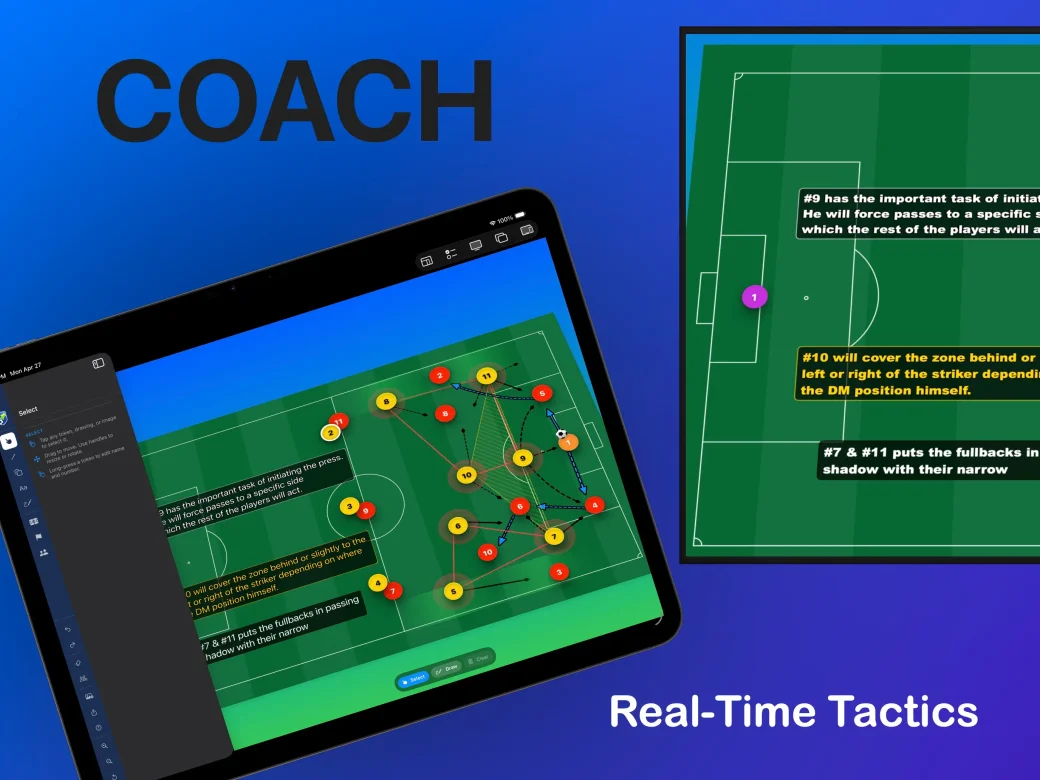
Prepare for training, explain a match-day plan, or lead a team meeting. Present on a TV or projector, make adjustments live, and share your tactics with players and staff.
Built for grassroots clubs, youth teams, academies, schools, and professional coaches.
BUILD YOUR PLAN
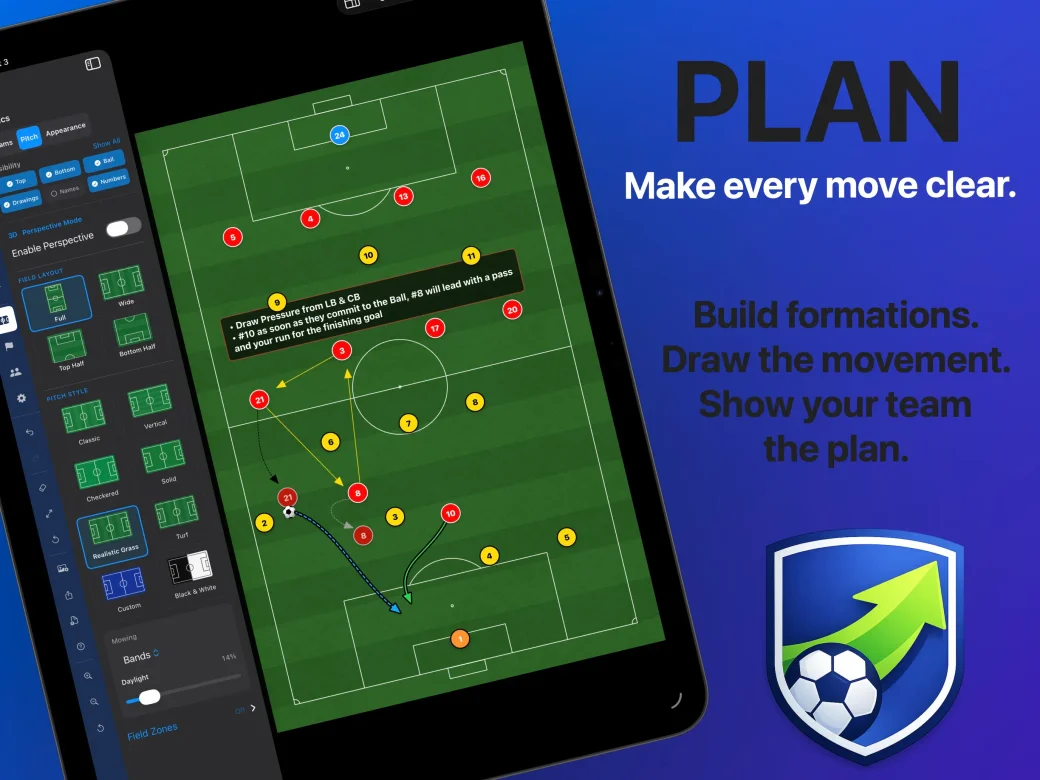
• Choose a standard formation or create and save your own.
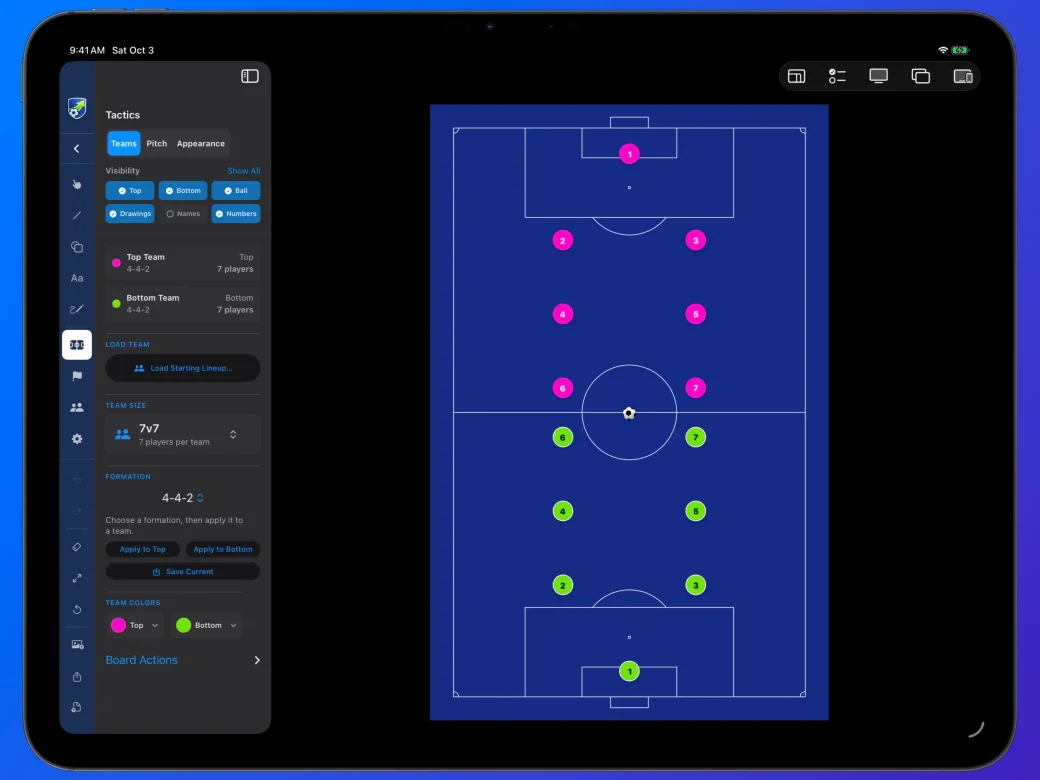
• Apply formations independently to either team.
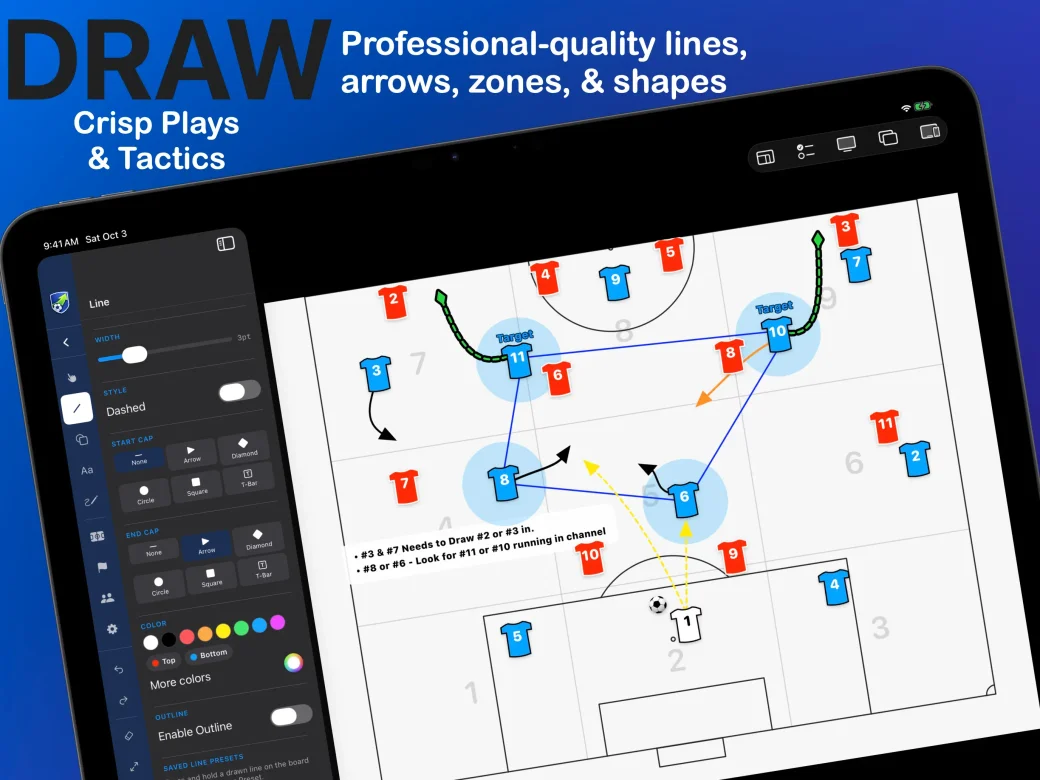
• Explain movement with arrows, lines, shapes, text, and freehand drawing.
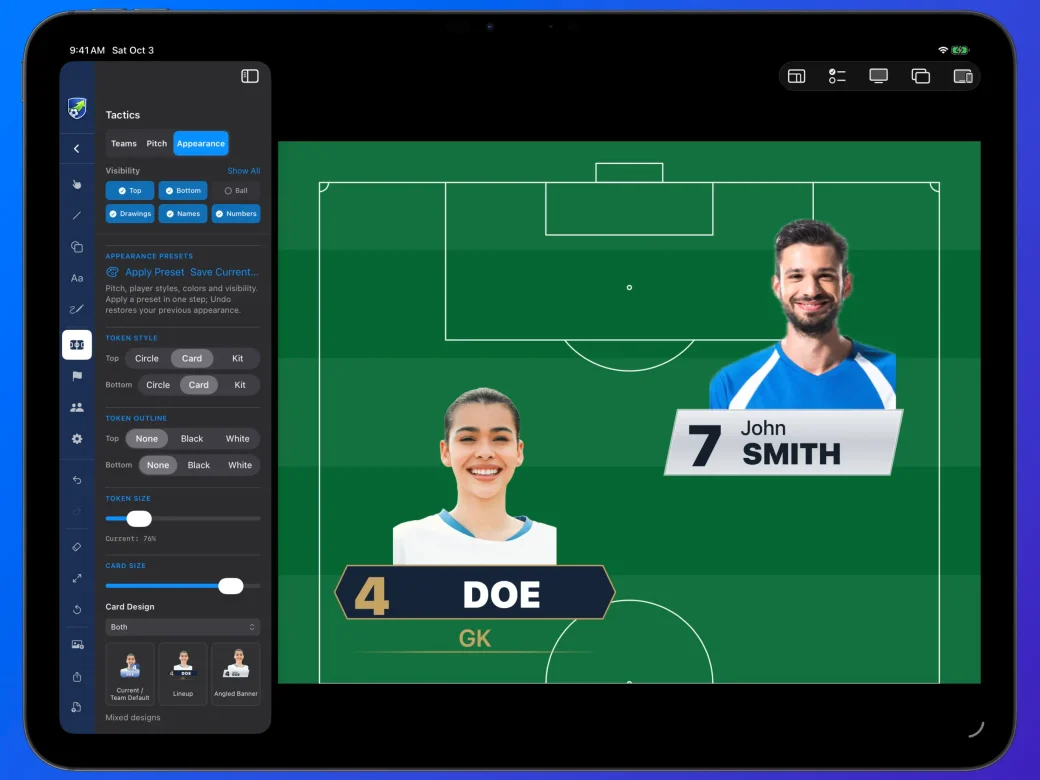
• Manage rosters with player names, numbers, photos, team colors, and logos.
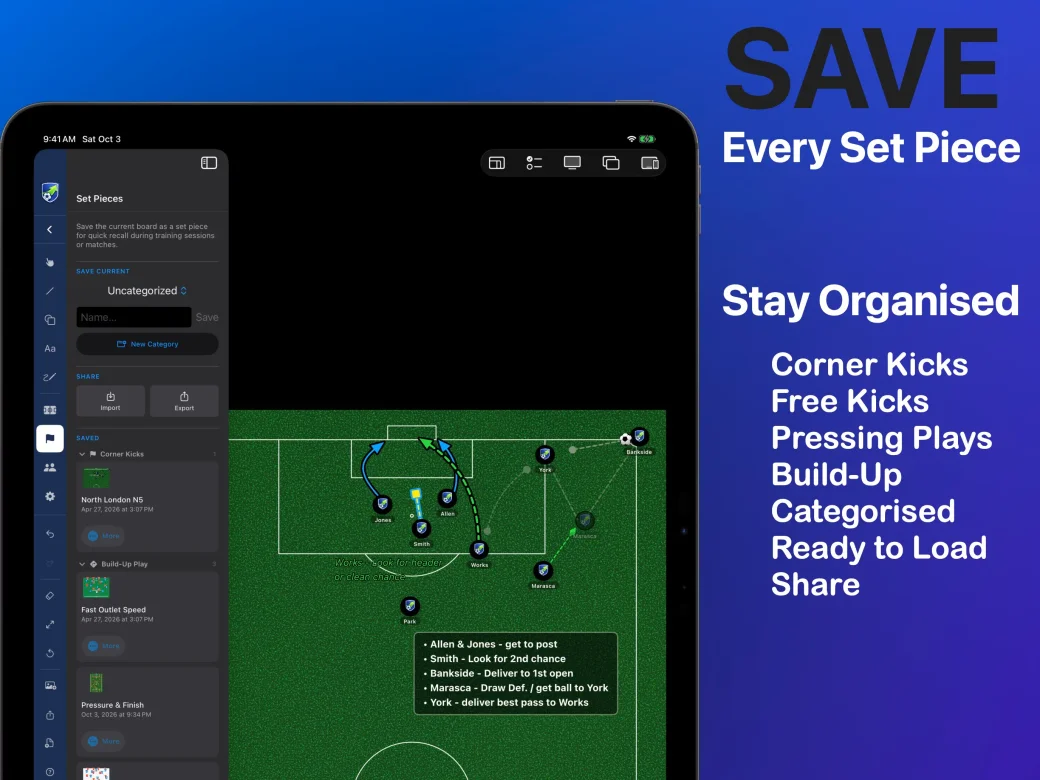
• Save and organize corners, free kicks, throw-ins, and other set-piece routines.
• Reuse your favorite shapes and line styles.
SEE THE GAME YOUR WAY
Keep the controls you need within easy reach with dedicated Teams, Pitch, and Appearance tabs.
• Switch between Full, Wide, Top Half, and Bottom Half pitch layouts.
• Add depth with Perspective Mode or flip the board to view play from the opposite direction.
• Preview pitch styles before choosing the right look.
• Adjust team colors and player appearance.
• Show or hide teams, names, numbers, the ball, and drawings.
• Save appearance presets for a consistent look across your sessions.
PRESENT WITH CONFIDENCE
Connect your Mac or iPad to a TV or projector for a clean tactical display. Choose from striped, grass, dark, and high-contrast pitch styles to suit your setting.
When presenting from a Mac, use an iPad or another Mac as a wireless controller on the same local network. Move players and the ball, draw live, change pitch views, and load saved set pieces while keeping the main display focused on your tactics.
Ideal for team meetings, classrooms, coaching courses, and match-day walkthroughs.
SHARE THE PLAN
Give players and staff something clear to take away.
• Export high-quality pitch images and tactical PDFs.
• Share roster files, team lineups, and set-piece routines.
• Print boards for training sessions, meetings, and playbooks.
• Add your own photos to the pitch to support visual analysis.
TRY EVERY FEATURE FREE FOR 3 DAYS
Explore every tool with no watermarks or feature restrictions. After your trial, a single purchase unlocks full access.
No subscriptions. No monthly fees.
Clearer tactics. Better conversations. More time to coach.
What’s new
Version 1.07 · Oct 5, 2026
The biggest difference is how the board feels. while you drag, pan and zoom, it's faster and smoother while retaining sharp text and drawing detail.
There is much more to explore:
• Give your squad a new look with 2 New Player Cards Lineup and Angled Banner.
• Realistic Grass, choose a 3 new mowing patterns, adjust Daylight, or explore the expanded pitch styles and Custom colors.
• Turn off Shadows in Perspective Mode
• New Team Size setting from 5v5 to 11v11, manage starters and bench players, apply formations and substitute players directly on the pitch.
• Import much larger team and set-piece libraries with progress feedback and background saving.
• Improved import and export flows
• Enjoy more readable annotations, sharper card details and improved PDF export
• Find controls more easily in refined Mac and iPad inspectors and roster workspaces.
• Performance enhancements and various bug fixes.
Your existing boards, teams and saved set pieces remain usable. There is no manual migration or conversion to carry out.
Thank you for helping us shape Tactics Board View. This update brings together new visual tools and extensive improvements to the everyday coaching workflow.
App privacy
What Bankside Works LLC declares on the App Store about how this app handles data.
-
Data linked to you
May be collected and linked to your identity.
- Purchases
- User content
Privacy practices may vary, for example with the features you use or your age.
Information
- Seller
- Bankside Works LLC
- Category
- Sports
- Version
- 1.07
- Updated
- Oct 5, 2026
- Released
- Jun 1, 2026
- Size
- 19.1 MB
- Requires
- iOS 17.0 or later
- Age rating
- 4+
- Price
- Free
- In-app purchases
- Yes
- Languages
- English
- Copyright
- © 2026 Bankside Works LLC
You might also like
-
 ProTag StudioAnalyze your Matches
-
 Coach To ExcellenceSports
-
 ESPN BuffaloSports
-
 Pocket Coach: Handball BoardPlan tactics, drills & lineups
-
 Football coach tactics boardSoccer Line Up Squad Builder
-
 TotalFootball StudioTactics board for coaches
-
 FreezeCoach- Sports Video EditDraw & Analyze Game Footage
-
 Sport Strats: Tactics BoardPlan Plays, Drills & Strategy
-
 HylytrSoccer highlights, Futbol
-
 Video Tagger - Sports AnalysisLive Highlight Reels & Clips