
Tael - Expense Tracker
Trips, projects, or anything
Designed for iPhone
Free · In-app purchases
- Age rating4+
- CategoryFinance
- DeveloperTael Technology, LLC
- LanguagesEnglish
- Size43.3 MB
Links to the official App Store page
Download.org hosts no file of Tael - Expense Tracker. The button opens its official App Store page, published by Tael Technology, LLC. Listing last checked on Nov 24, 2026.
Screenshots
About
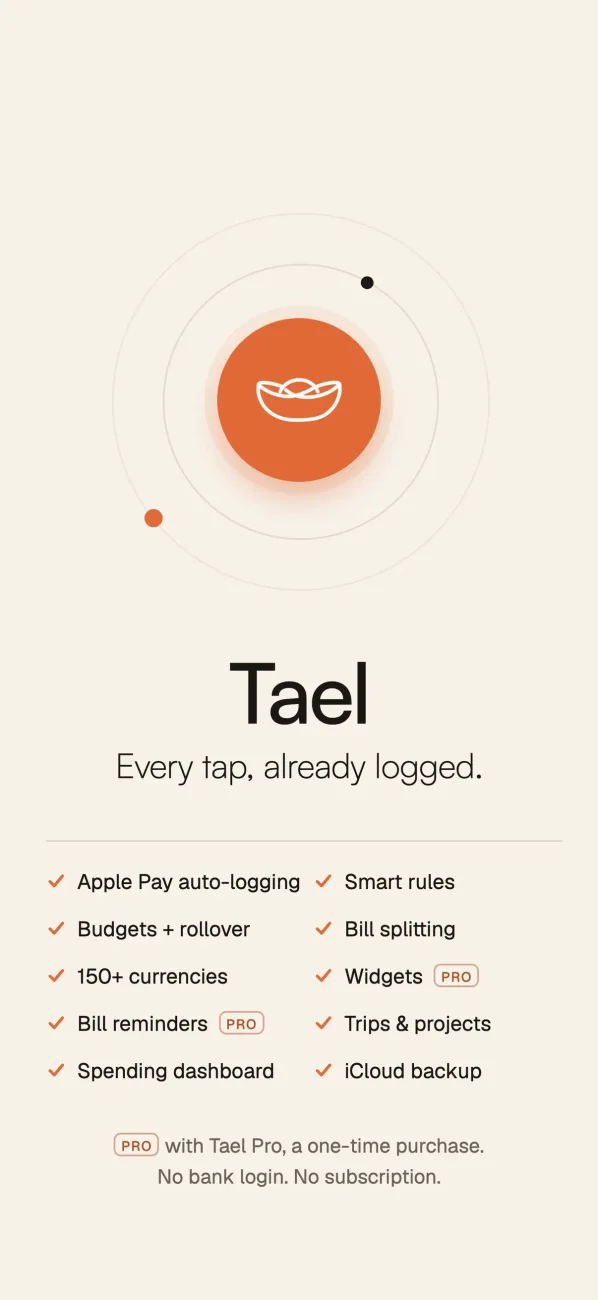
Every tap, already logged.
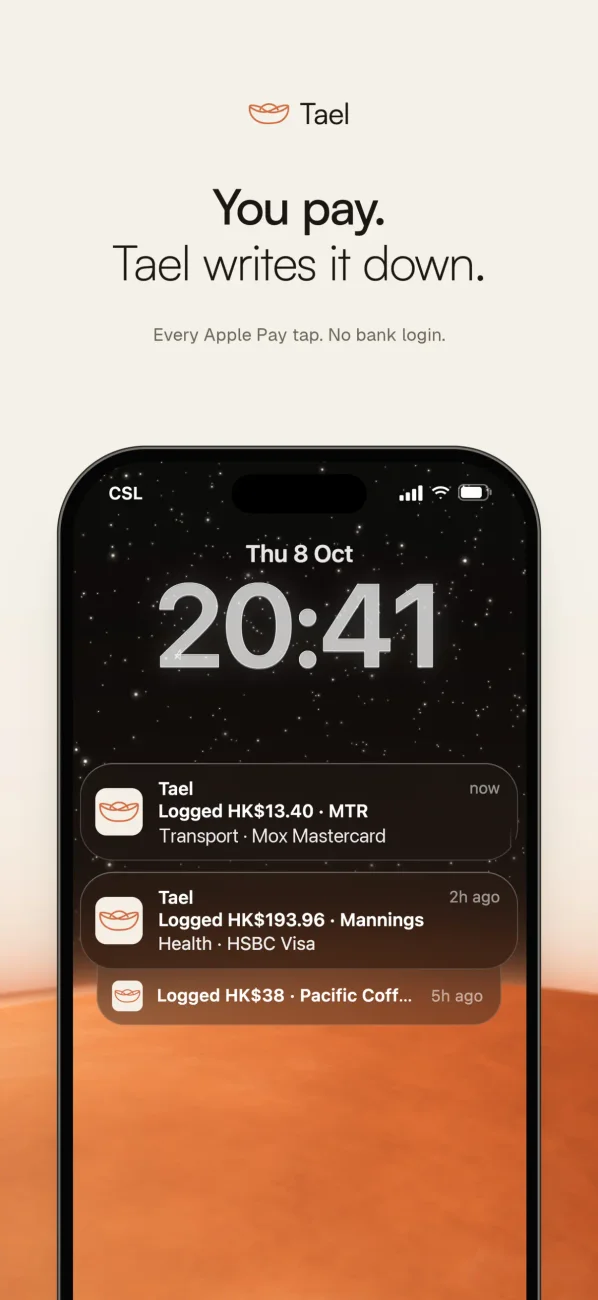
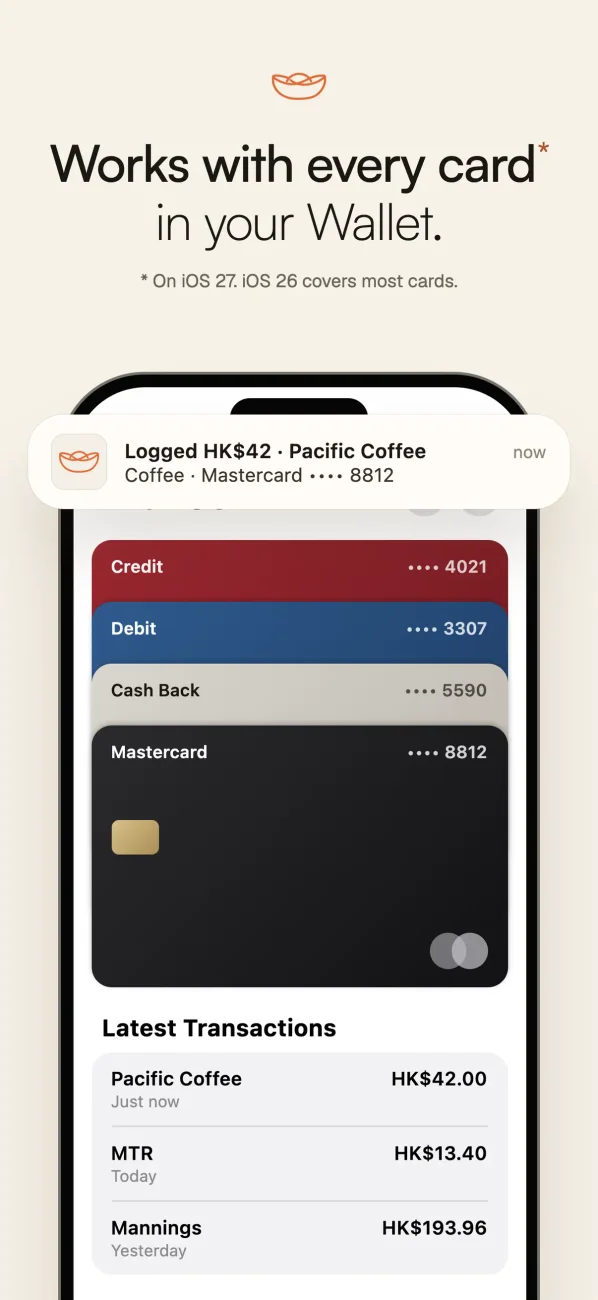
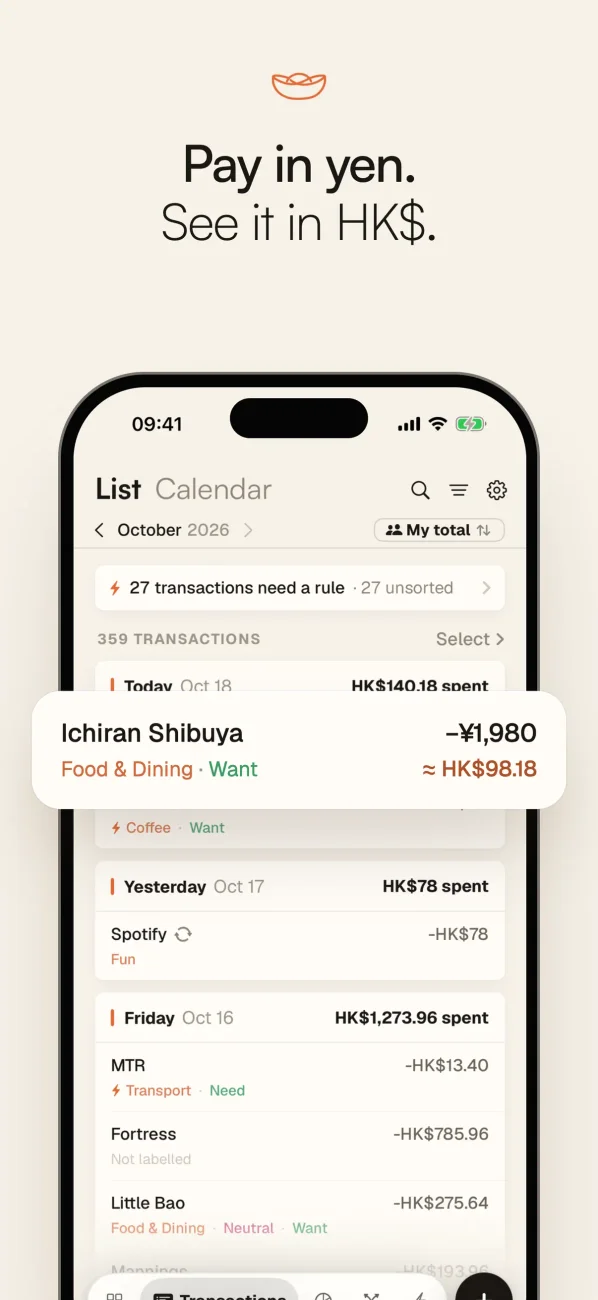
Pay with Apple Pay and the charge is in Tael before your phone is back in your pocket. The merchant, the amount, the card. You did not open the app.
In Hong Kong that includes Octopus — the MTR, the 7-Eleven counter, the ferry.
No bank login. No account. No setup evening. Two minutes once, then it runs without you.
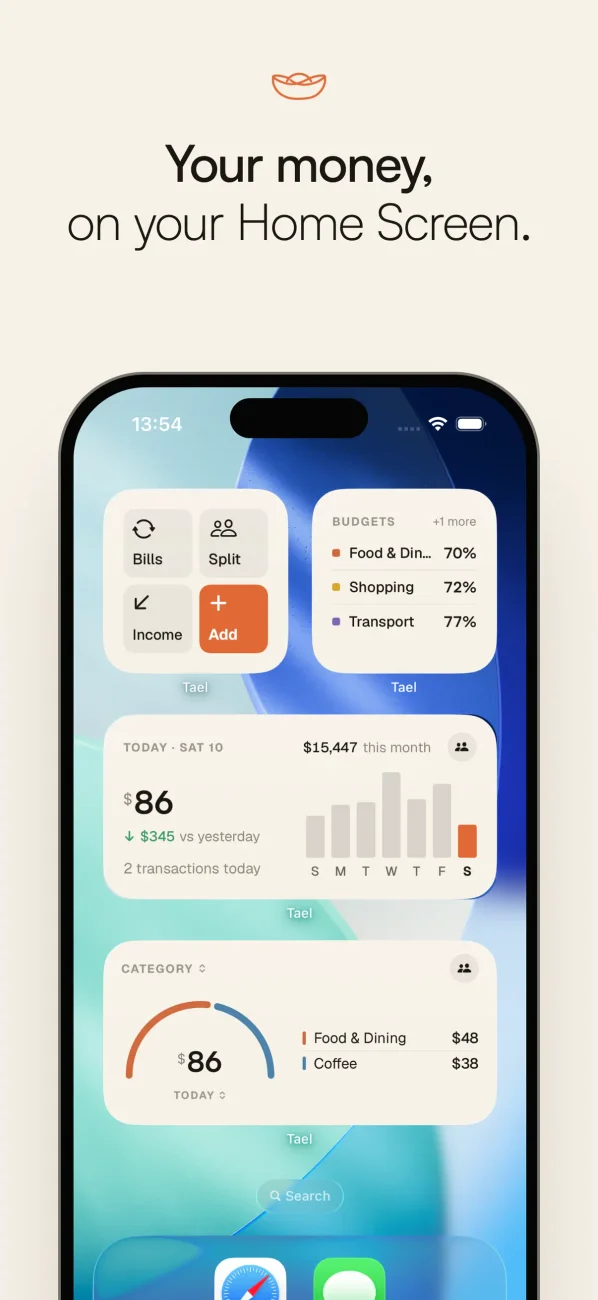
For money Tael cannot see — cash, a market stall, a transfer — one press of the Action button, Siri or a widget logs it.
YOU TEACH IT ONCE, IT STOPS ASKING
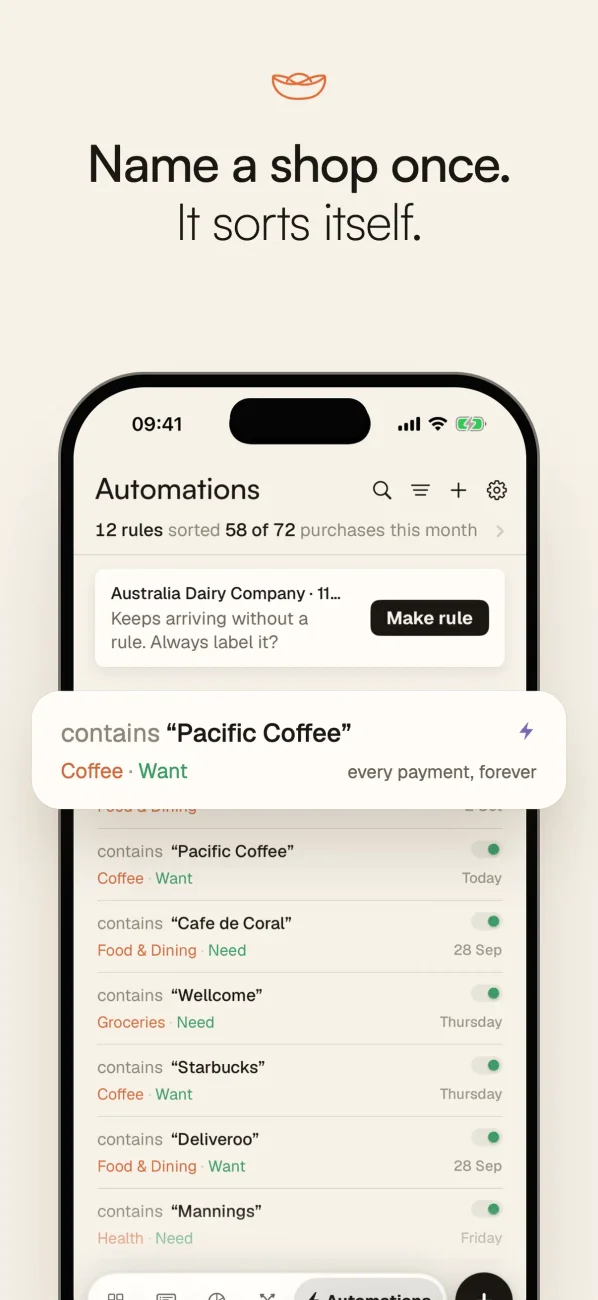
Label a shop one time and a rule is written. Every later charge from it files itself.
Rules are rules, not guesses. You can read every one in plain language, and nothing runs until you say yes.
You could do all this in a spreadsheet. People do, for about three weeks. This is the version that survives a busy fortnight.
IT TRACKS WHAT YOU ACTUALLY THINK ABOUT
Not Shopping. Not Miscellaneous. The Japan trip. The kitchen renovation. Sundays with your dad. How good it felt.
One purchase can belong to several at once — that supermarket run was part groceries, part the dinner party, part the trip — so you never have to pick.
SO YOU CAN FINALLY ANSWER
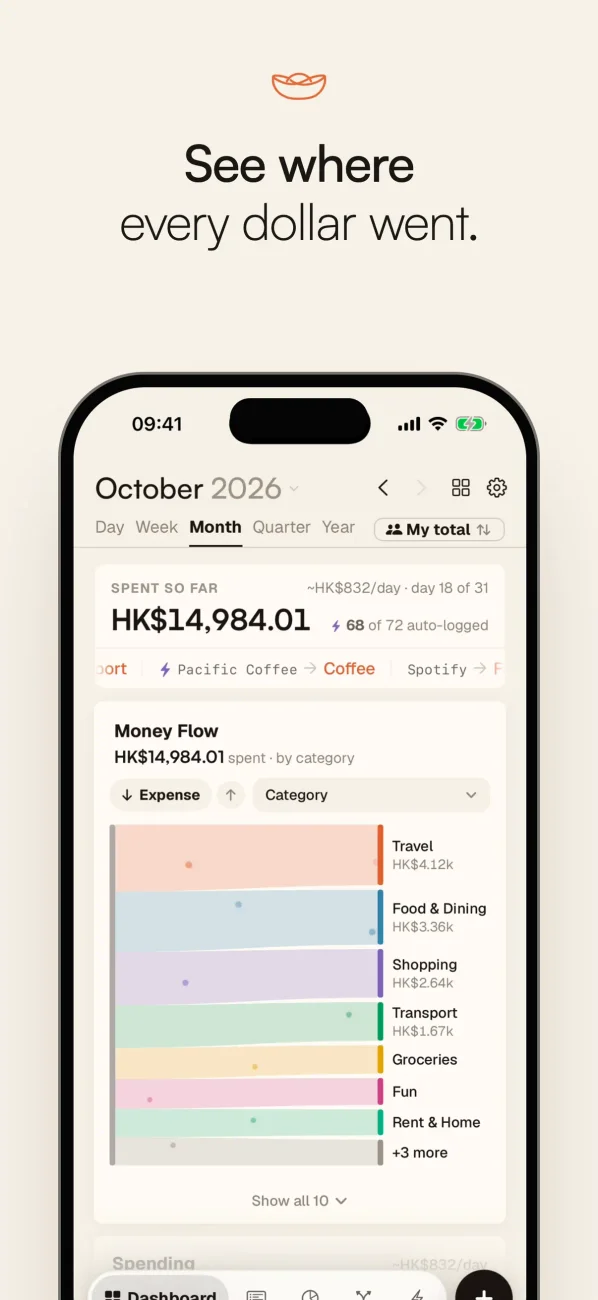
- What the whole trip cost, flights to the 1am souvenir
- Whether this client is worth it, once the lunches and the software are in
- What the hobby actually costs over a year, and whether you'd miss it
- Which purchases you're still glad about
Not after a weekend of reconciling. On a Tuesday, in four seconds.
NOBODY SEES THIS BUT YOU
Your transactions, merchants, amounts, cards, notes and rules never leave your iPhone. No server holds your ledger and no cloud model reads it. Backup goes to your own iCloud, and only if you turn it on.
Tael fetches exchange rates and sends anonymous usage counts — never an amount, a merchant or a card.
Which is why you'll actually record that the dinner was a 3 out of 10, or that you're still annoyed about the jacket. That's the honest version, and it's the one worth having.
WHAT'S IN IT
- Automatic logging from Apple Pay, and Octopus in Hong Kong
- Quick logs from the Action button, Siri, widgets and Shortcuts
- Rules suggested from your corrections, or written by you
- Dimensions: your own lenses, as many as a purchase needs
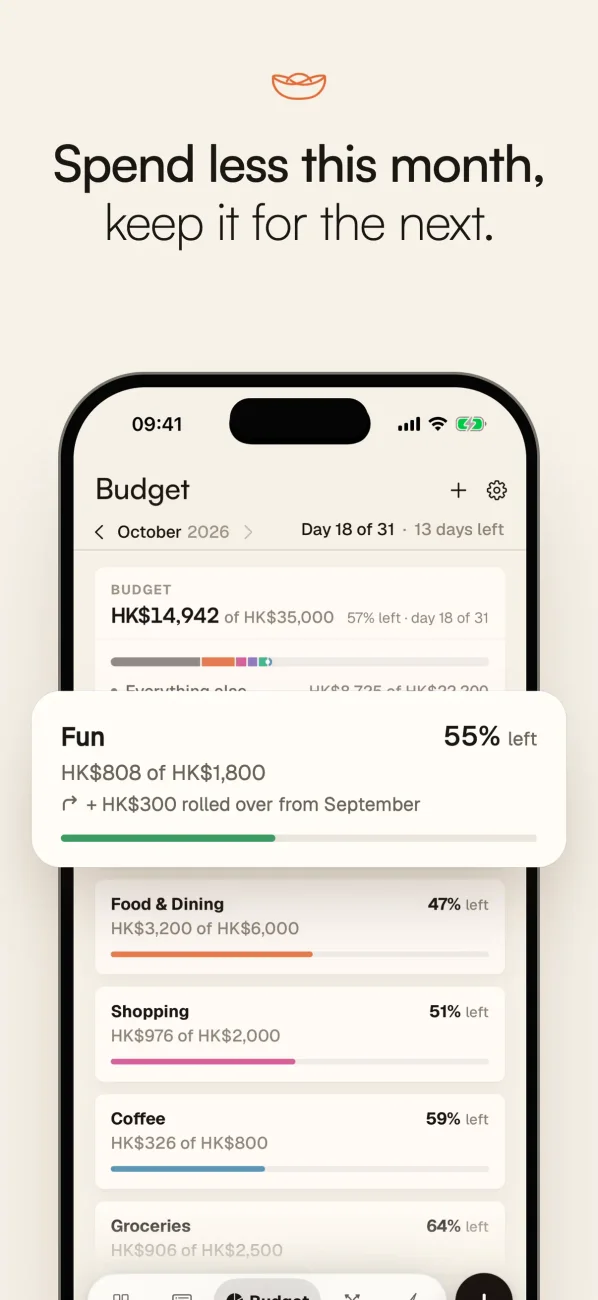
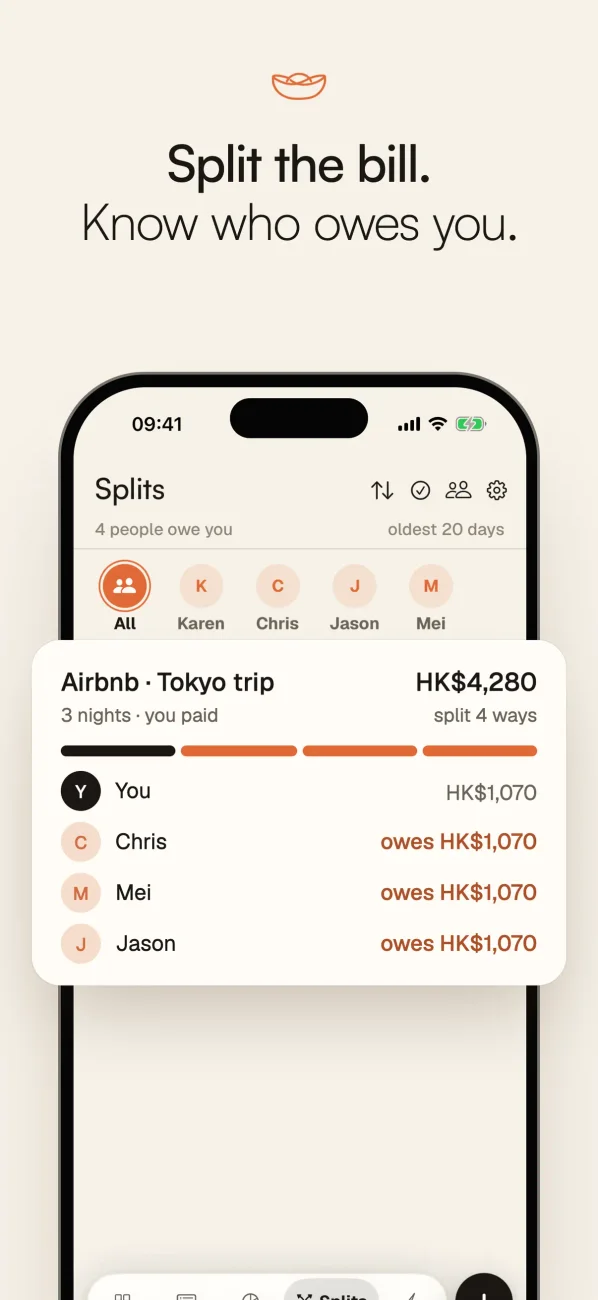
- Budgets, splits, and repeats that log themselves
- Pay in yen, log in yen: 159 currencies, one ledger
- Export to Excel, CSV, or Markdown written for an AI assistant
- App lock, privacy screen, optional iCloud backup
- Works offline, always
WHO IT'S FOR
People who tap to pay many times a day and want to know where the money went without doing bookkeeping.
Not for people who want an app to drain a bank feed and budget for them with no involvement. Tael asks a little of you early on, and gives a lot back later.
Tael is free, with no ads. Tael Pro is one payment, for life — there is no subscription. See the app for what it unlocks.
Requires iPhone, iOS 18.4 or later. Automatic logging depends on Apple Wallet and Shortcuts.
Apple Terms of Use (EULA): https://www.apple.com/legal/internet-services/itunes/dev/stdeula/
Tael Terms of Use: https://usetael.com/terms
Privacy Policy: https://usetael.com/privacy
What’s new
Version 1.20 · Nov 4, 2026
NEW
• Name your cards — your names show everywhere, including tap banners
• Filter Transactions by card
• Add on the day you have open in the calendar or list
• Ready for iPhone Duo's cover and opened screens
SMARTER AUTO-LOGGING
• Reads more banks, transit cards and currencies
• Balance alerts and promos go to a new Skipped list instead of logging as charges — log them or send them to us
• We can now fix misread notifications without an app update
IMPROVEMENTS
• Settings tells you when notifications are off, with one tap to turn them on
• Share usage data switch in Settings
• Daily pace is back on the Spent card
FIXES
• Banners are back if you skipped setup
• Kuwaiti dinar and other three-decimal currencies read correctly
• Notification time picker opens properly
App privacy
What Tael Technology, LLC declares on the App Store about how this app handles data.
-
Data not linked to you
May be collected but is not linked to your identity.
- Identifiers
- Usage data
- Diagnostics
Privacy practices may vary, for example with the features you use or your age.
Information
- Seller
- Tael Technology, LLC
- Category
- Finance
- Version
- 1.20
- Updated
- Nov 4, 2026
- Released
- Sep 1, 2026
- Size
- 43.3 MB
- Requires
- iOS 18.4 or later
- Age rating
- 4+
- Price
- Free
- In-app purchases
- Yes
- Languages
- English
- Copyright
- © 2026 Tael Technology, LLC
You might also like
-
 Stash: Budget & RetirementEnvelopes & Net Worth Tracker
-
 AnyMoney - Budget & Expense AISpending Tracker, No Bank Link
-
 Spendi: Expense TrackerBudget & Money Manager
-
 Life Cost: Price in Work TimeSee what things cost in hours
-
 DebAi Budget & Expense TrackerMoney Manager, Bill Splitter
-
 MoneyLexa — Expense TrackerBudget Planner & Money Manager
-
 RenewPal: Subscription TrackerManage Bills & Expenses
-
 Paydrip: Live Salary TrackerHourly wage & overtime counter
-
 SubsLexa: Subscription TrackerBill Reminders & AI Insights
-
 Moneko AI: Track & BudgetShared expenses & split bills