TakeLark: Self Tape Reader
Learn lines. Rehearse. Record.
Designed for iPhone, iPad
Free · In-app purchases
- Age rating4+
- CategoryProductivity
- DeveloperTyrian Horton
- LanguagesEnglish+ 1 more
- Size18.2 MB
Links to the official App Store page
Download.org hosts no file of TakeLark: Self Tape Reader. The button opens its official App Store page, published by Tyrian Horton. Listing last checked on Nov 12, 2026.
Screenshots
About
Rehearse your part. Keep your take.
TakeLark brings your sides, scene reader and self-tape into one workspace. Review the words, learn your part, then record the take you want to send.
START WITH YOUR SCENE
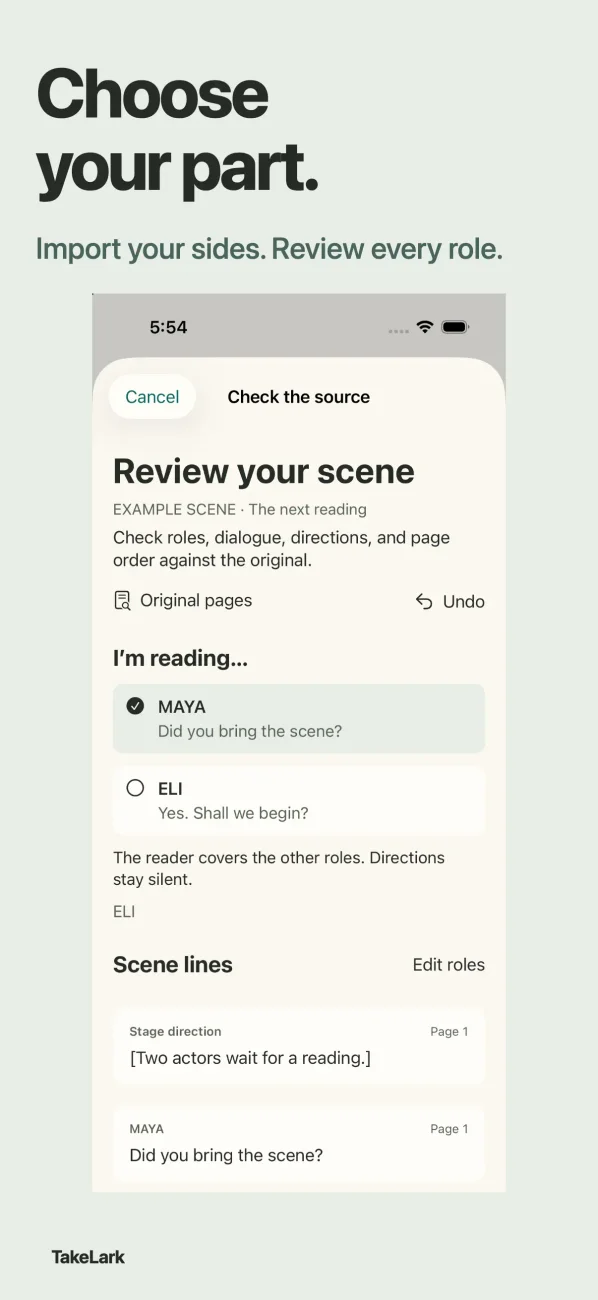
Import a PDF, photo or text file, scan pages, or paste dialogue. Compare extracted text with the original, repair roles and directions, and choose your part. Earlier takes stay tied to the scene version you recorded.
LEARN YOUR LINES
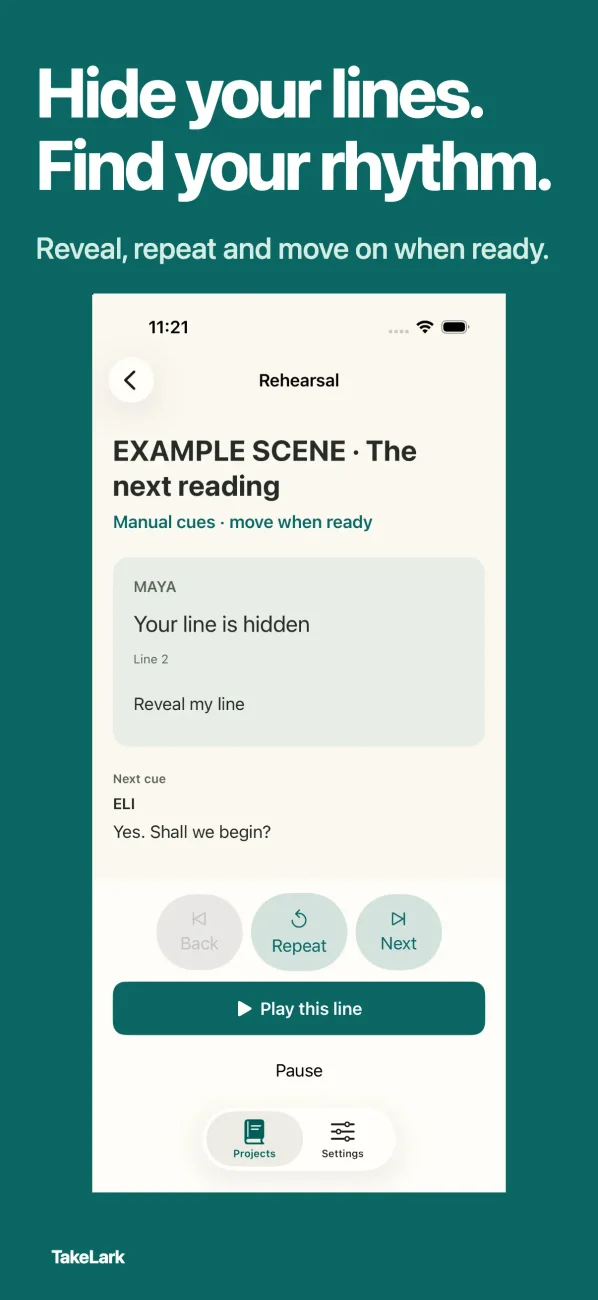
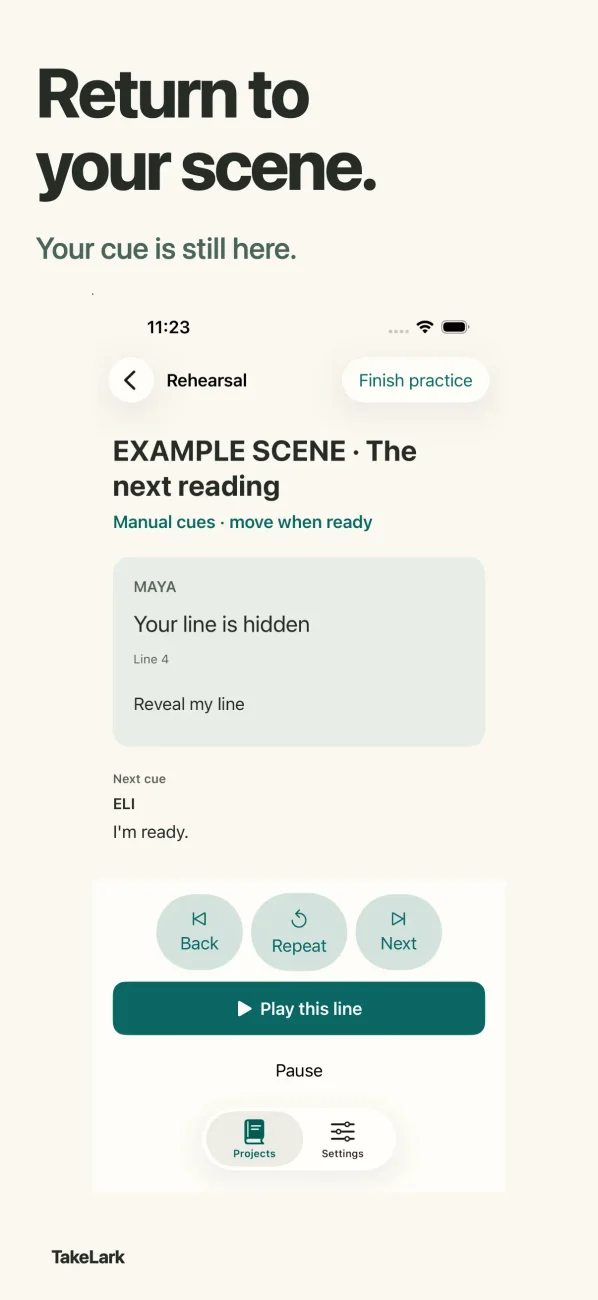
Hide your part, reveal a line when you need it, or use first-letter prompts. Mark a passage to repeat. Prepare a recorded reader with permission, or choose an installed system voice for rehearsal.
REHEARSE AT YOUR PACE
Use manual Previous, Repeat and Next controls through the exchange. You decide when to continue.
MAKE YOUR SELF-TAPE
Choose portrait or landscape for the brief. Check camera, microphone and audio route, record takes and a slate, then select and trim your take. Play the rendered MP4 preview and check the audio before saving to Files or Photos, or sharing to another app. A share handoff does not confirm that a casting portal received your tape.
For distributed tapes, use a recorded reader with permission, a reader in the room, or actor-only audio. Installed system voices are for rehearsal; distribution rights are not assumed. Reader sound played through speakers can enter the microphone track and cannot be adjusted separately afterward.
ONE PROJECT IS FREE TO KEEP
Your first eligible own project includes rehearsal, same-scene retakes and clean exports. Trying the example or canceling an import does not use that project. Pro is for additional new projects. Saved projects remain available for rehearsal, retakes and clean export after Pro ends. Removing a project does not reset the free allowance.
YOUR WORK, ON YOUR DEVICE
No app account is required. Projects are stored locally, with no app-hosted cloud library. Apple backups and destinations you choose may store copies elsewhere. Keep a project copy before deleting work or changing devices. Restoring purchases restores access, not deleted files.
Apple and RevenueCat verify purchases. Optional usage statistics and crash diagnostics are separate choices, both off by default. When enabled and configured, PostHog receives workflow events and Sentry receives filtered technical crash details, excluding dialogue, filenames, voice and video. Turning them off closes local send gates and attempts cleanup. Settings reports save or cleanup failures; traffic already sent cannot be recalled.
SUBSCRIPTIONS
See available monthly and annual plans, the full billed price and current terms in the app before purchase. Subscriptions renew automatically unless canceled. Manage or cancel in Apple Account subscription settings. Deleting the app does not cancel a subscription. TakeLark and GoScript purchases are separate.
Support: https://takelark-sparkwell.vercel.app/support
Privacy: https://takelark-sparkwell.vercel.app/privacy
Terms of Use (Apple EULA): https://www.apple.com/legal/internet-services/itunes/dev/stdeula/
App privacy
What Tyrian Horton declares on the App Store about how this app handles data.
-
Data linked to you
May be collected and linked to your identity.
- Purchases
- Contact info
- User content
- Identifiers
- Usage data
-
Data not linked to you
May be collected but is not linked to your identity.
- Diagnostics
Privacy practices may vary, for example with the features you use or your age.
Information
- Seller
- Tyrian Horton
- Category
- Productivity
- Version
- 1.0
- Updated
- Oct 23, 2026
- Released
- Oct 23, 2026
- Size
- 18.2 MB
- Requires
- iOS 17.0 or later
- Age rating
- 4+
- Price
- Free
- In-app purchases
- Yes
- Languages
- English, Portuguese
- Copyright
- © 2026 Sparkwell Studios LLC