Talaria Agent Client
Hermes on iPhone and iPad
Designed for iPhone, iPad
Free · In-app purchases
- Age rating4+
- CategoryProductivity
- DeveloperMarcos Chadwick
- LanguagesEnglish
- Size13.2 MB
Links to the official App Store page
Download.org hosts no file of Talaria Agent Client. The button opens its official App Store page, published by Marcos Chadwick. Listing last checked on Nov 18, 2026.
Screenshots


About
Talaria is a native iPhone and iPad client for Hermes Agent — the open-source agent you
run on your own computer. It is not a chatbot with a server behind it. It talks to your
machine, runs your models, and holds your credentials on your device.
REQUIRES HERMES AGENT
You need Hermes Agent running on a computer you control: github.com/NousResearch/hermes-agent
Talaria connects to it over your own network. There is no Talaria account and no service
in the middle. If you do not run Hermes, this app has nothing to connect to — open it and
tap "Look around with sample data" to see how it works first.
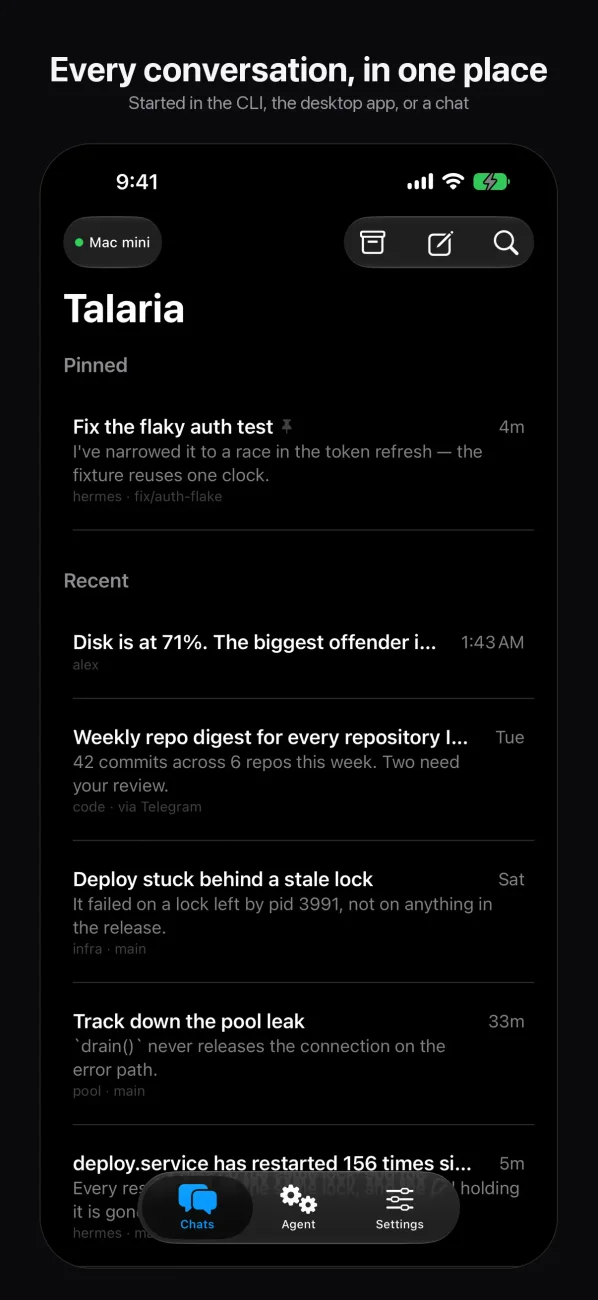
EVERY CONVERSATION, EVERYWHERE
Sessions you started in the CLI, in the desktop app, or through a chat platform all show
up in one list, with previews and the branch each was working on. Pick one up on your
phone exactly where you left it.
WATCH IT WORK
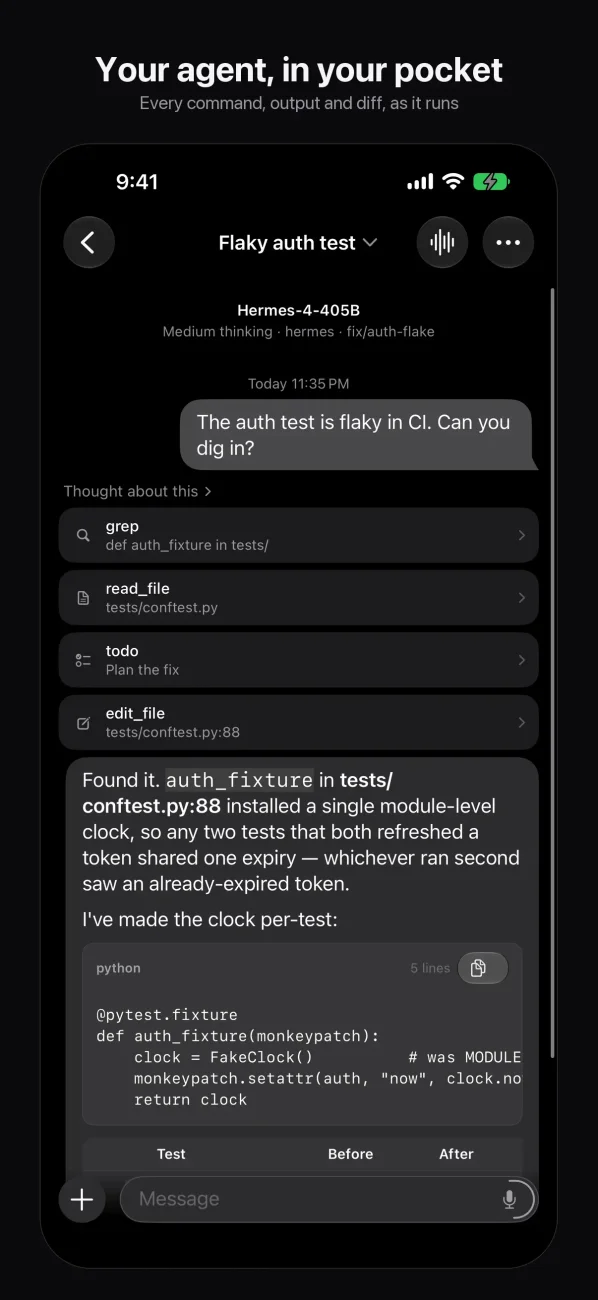
Replies stream in as they are written. Every tool run is there to read — the command, the
output, the file it touched — instead of a spinner and a summary. Charts and images the
agent generates appear inline.
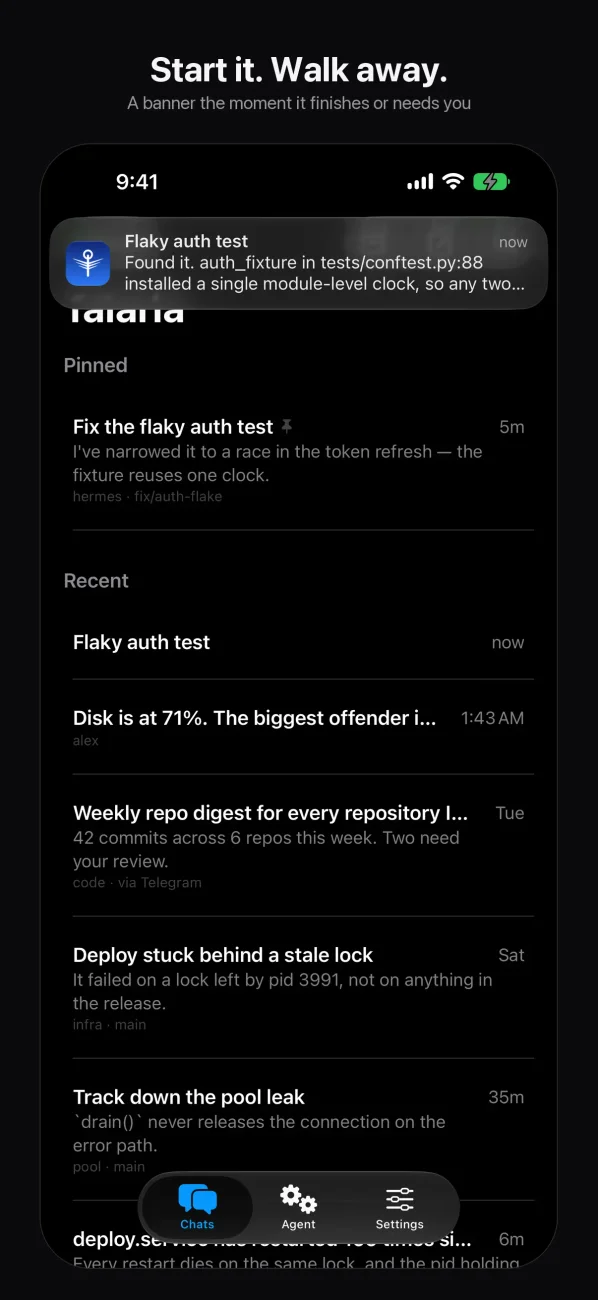
YOU STAY IN THE LOOP
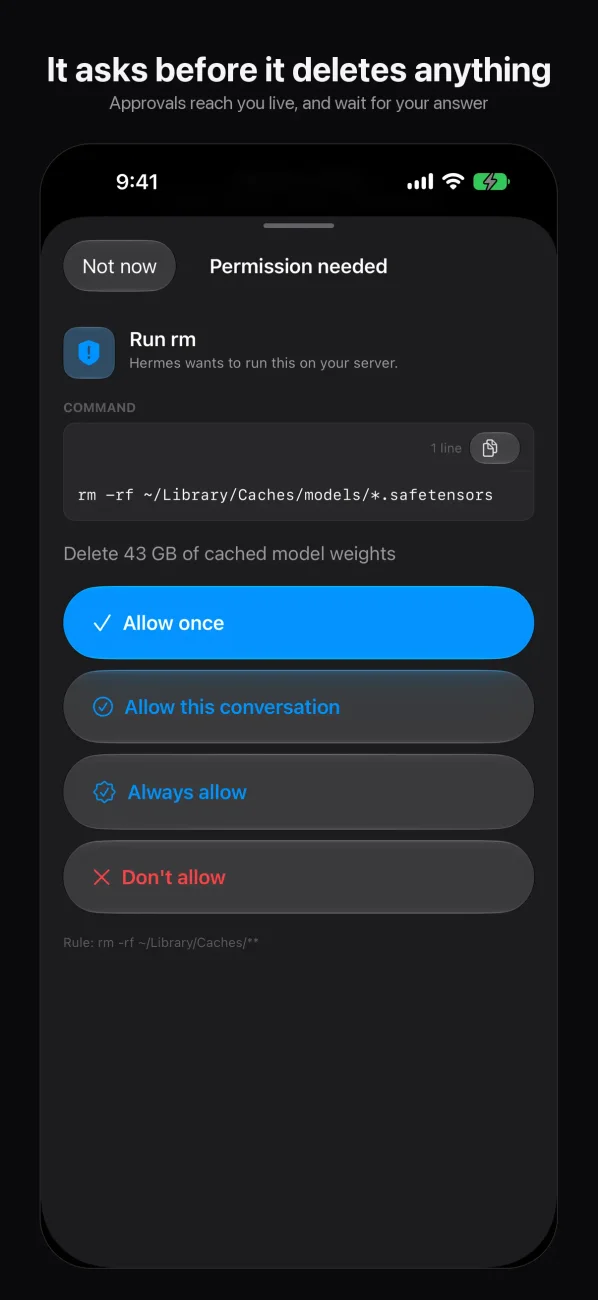
When the agent is about to do something destructive, it stops and asks. Approvals,
clarifying questions, sudo requests and credential prompts arrive on your phone, and
nothing runs until you answer.
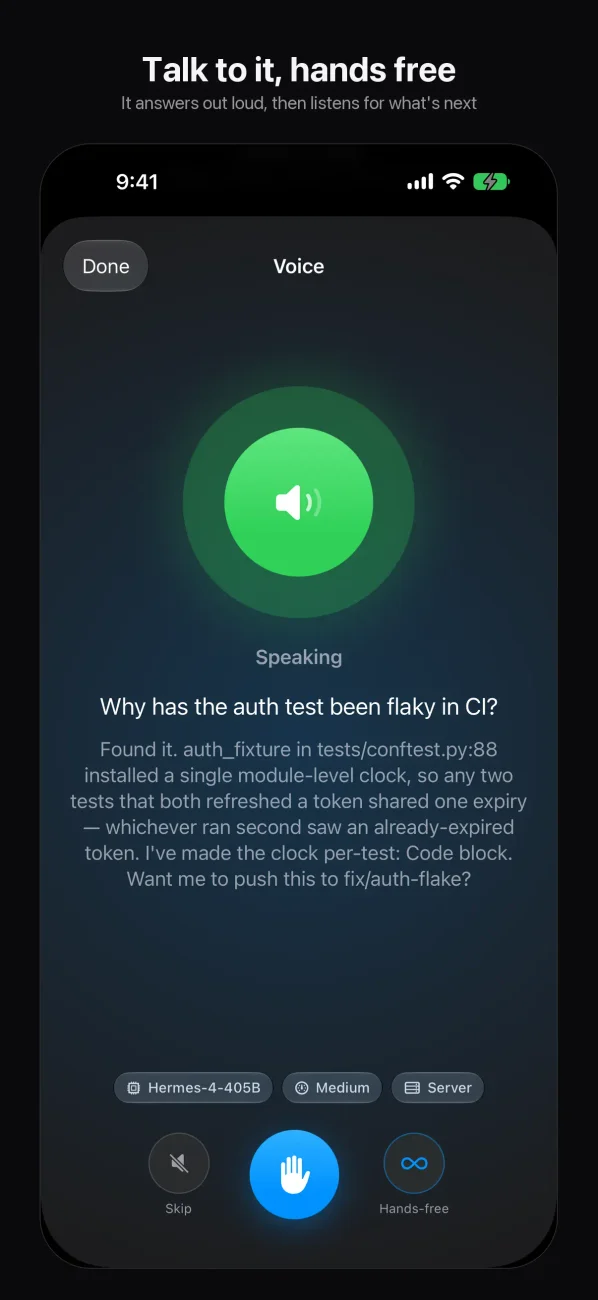
TALK TO IT
Hold the microphone and speak. Recognition happens on your phone whenever iOS has the
offline language model installed for your language; where it does not, Apple's speech
service transcribes the audio. Choose "On the server" for either direction in Settings to
send it to your own gateway instead.
SCHEDULED TASKS
See what your agent is set to do and when, read what happened on past runs, and edit the
schedule, the model and the prompt from your phone.
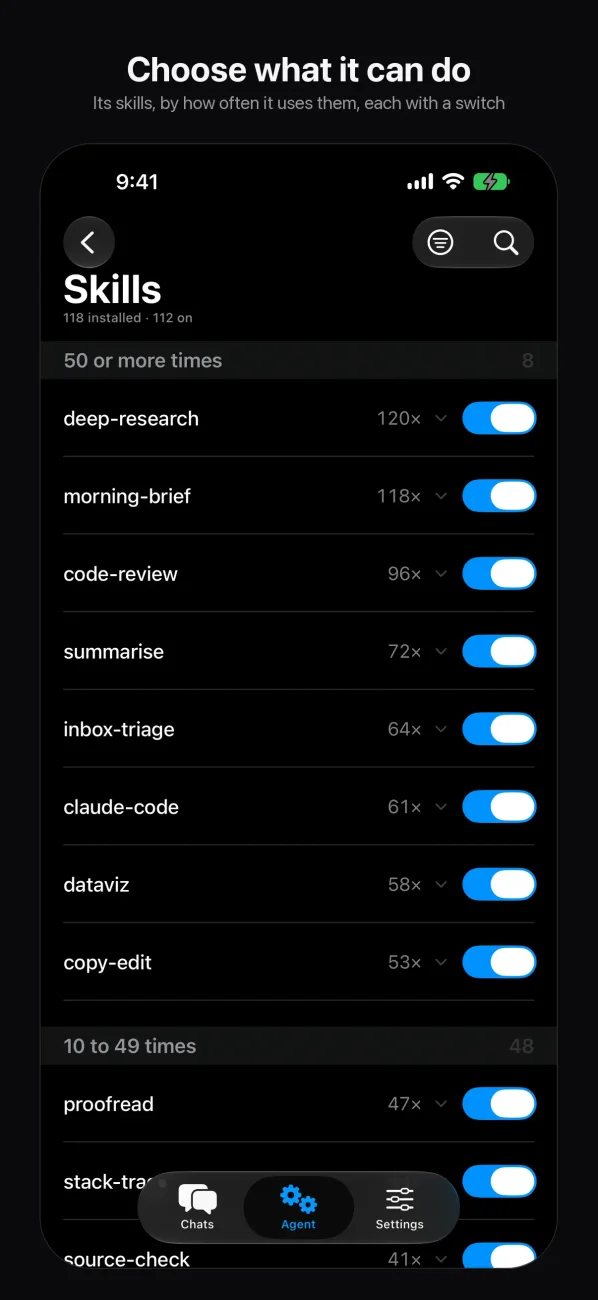
SKILLS, TOOLS AND MEMORY
Browse installed skills and turn them on or off. See connected MCP servers and the tools
they expose. Read the agent's memory. Browse the working directory.
WHAT IT COSTS TO RUN
Token counts and spend per model, so you can see what a conversation actually cost.
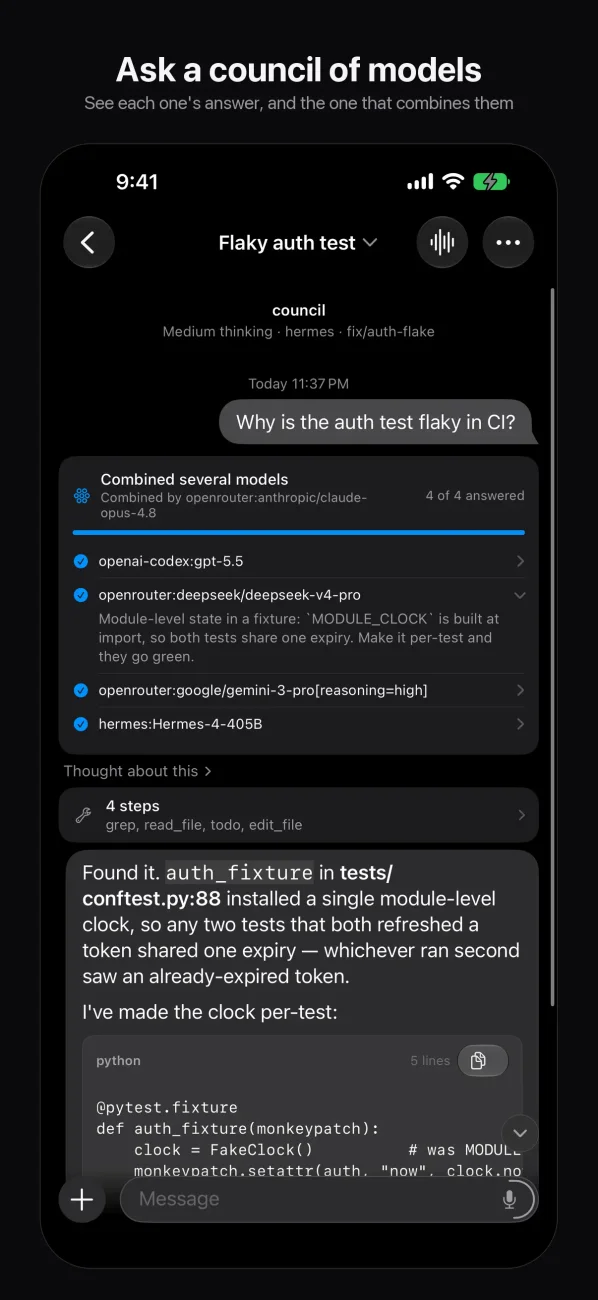
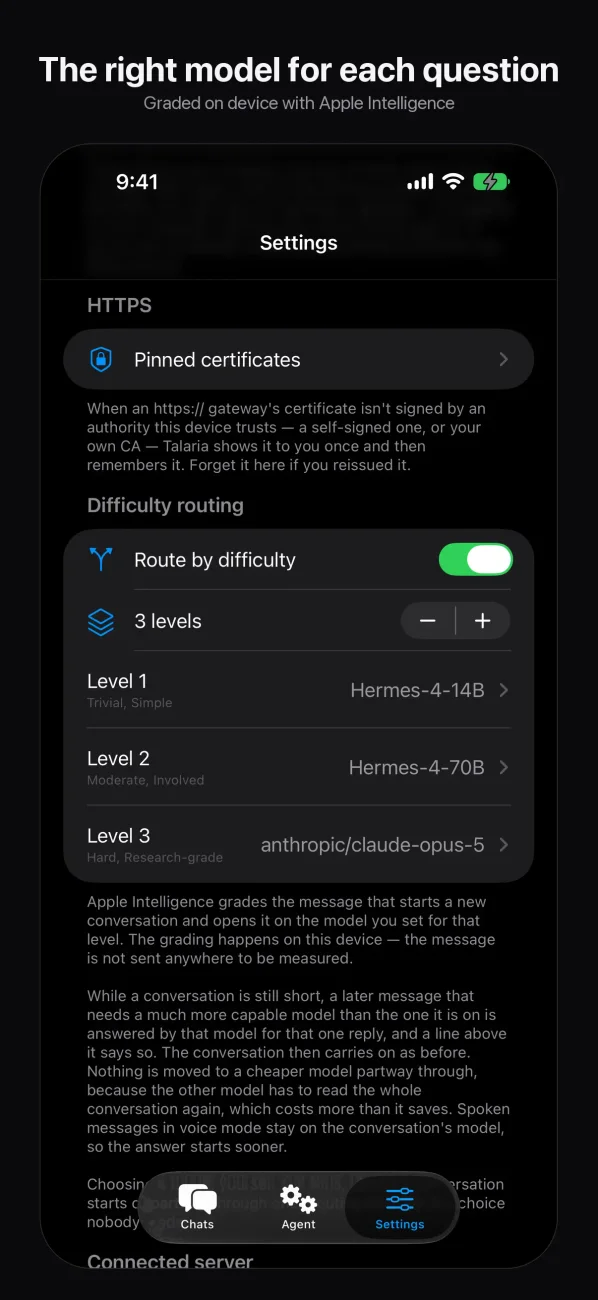
CHOOSE THE MODEL PER CONVERSATION
Set the model and the thinking level before you send the first message, or change either
mid-conversation. Eight thinking levels, from off to ultra.
HOW IT CONNECTS
Over HTTPS to a gateway with a valid certificate, or with a prompt to inspect and trust
a self-signed one — the same way an SSH client asks about a host key. Plain HTTP is
allowed only to addresses that cannot leave a private network: Tailscale, your LAN, or
localhost over a forwarded port. Credentials live in the iOS keychain.
PRIVACY
No account. No analytics. No crash reporting. No server operated by us, because there
isn't one. Your data goes to the gateway you point it at — and, if you dictate on a device
without the offline language model, the audio goes to Apple for transcription. Nowhere
else.
Talaria is not affiliated with Nous Research.
What’s new
Version 1.1 · Oct 12, 2026
Talaria is now a native iPad app, and there is an Apple Watch app.
ON IPAD
The conversation list is a fixed sidebar beside the conversation, so the list stays on screen while you read instead of being a place you go back to. There is a menu bar: New Chat on Command-N, Find Conversations on Command-F, and Command-1, Command-2 and Command-3 to move between Conversations, Agent and Settings. All four orientations are supported, and the app resizes with the window in iPadOS multitasking.
ON APPLE WATCH
A watch app is included with the phone app. Dictate or scribble a question, then read the answer on your wrist or have it read aloud. What you start there is an ordinary conversation and you can carry on typing in it on your phone. It needs Talaria on your iPhone and a server already set up there. It normally sends by way of your phone; where your gateway is reachable over the internet by HTTPS it can ask on its own with the phone elsewhere, and the first screen tells you which of the two your setup can do before you walk away from the phone. Your gateway's voice needs the phone in range; the watch reads the answer in its own voice otherwise. It shows the question you asked and the answer to it — there is no conversation list or history on the watch.
ALSO IN THIS RELEASE
Share a photo, file, link or piece of text into Talaria from another app's share sheet and it opens a new conversation with it already there. iPhone only.
Turn on "Show progress on the Lock Screen" in Settings to follow a running reply from the Lock Screen and the Dynamic Island. The Lock Screen shows which conversation is working and for how long; the reply itself appears only in the expanded Dynamic Island. iPhone only, and off until you switch it on.
A PDF the agent sends you draws its first page instead of a generic file row, and opens full screen when you tap it.
Press and hold the plus button in the message bar to go straight to the photo library.
A scheduled task says when it runs in words — "Every day at 9:00 AM" beside the cron expression rather than only "0 9 * * *" — and Run now is the first thing on the screen, above a switch that pauses and resumes the task.
Conversations are created in the Hermes profile picked in Settings. Choosing the default profile used to store nothing, so on a gateway running more than one profile conversations were made under whichever one the gateway was started with, while the tick in Settings showed the default.
App privacy
What Marcos Chadwick declares on the App Store about how this app handles data.
-
Data not collected
The developer does not collect any data from this app.
Privacy practices may vary, for example with the features you use or your age.
Information
- Seller
- Marcos Chadwick
- Category
- Productivity
- Version
- 1.1
- Updated
- Oct 12, 2026
- Released
- Sep 9, 2026
- Size
- 13.2 MB
- Requires
- iOS 26.0 or later
- Age rating
- 4+
- Price
- Free
- In-app purchases
- Yes
- Languages
- English
- Copyright
- © Marcos Chadwick
You might also like
-
 chat4000Your agents on the go
-
 Hermit for HermesYour Hermes fleet in one inbox
-
 ShellXPro Automation Control
-
 Scn3R – Scan to Paperless-ngxOCR scanner, Nextcloud & NAS
-
 Companion for Hermes AgentChat with your own agent
-
 The Abyss: Agent RemoteSelf-hosted AI in your pocket
-
 MyHomie: Home OrganiserExpenses, chores & shopping
-
 AI Keyboard - Bot ExtensionAsk, Translate, Grammar Check
-
 Redde: Every AI agent, one appVoice Chat & Coding Agents
-
 bighelpHermes agents. Simplified.